1. Introducció
Thank you for choosing Baseus Bowie MA10S and AirNora 2 Wireless Earbuds. These earbuds are designed to provide a superior audio experience with advanced features such as Hybrid Active Noise Cancellation, immersive Spatial Audio, and robust bass performance. The AirNora 2 model also features a lightweight design tailored for comfort and an integrated make-up mirror in its charging case.
This manual will guide you through the setup, operation, and maintenance of your new earbuds, ensuring you get the most out of their capabilities.

Image: Baseus Bowie MA10S (black) and AirNora 2 (orange) wireless earbuds with their respective charging cases. The Bowie MA10S case shows a digital battery display, while the AirNora 2 case features an integrated mirror.
2. Contingut i configuració del paquet
2.1 Què hi ha a la caixa
- Baseus Bowie MA10S or AirNora 2 Wireless Earbuds (L/R)
- Estoig de càrrega
- Cable de càrrega USB-C
- Múltiples mides de puntes per a les orelles
- Manual d'usuari (aquest document)

Image: The AirNora 2 earbuds, their charging case with mirror, USB-C charging cable, and various sizes of ear tips, displayed within their decorative packaging.
2.2 Càrrega dels auriculars i l'estoig
- Col·loca els auriculars a l'estoig de càrrega, assegurant-te que estiguin correctament col·locats.
- Connect the USB-C charging cable to the charging port on the case and plug the other end into a USB power adapter (not included).
- The indicator lights on the case will show charging status. For Bowie MA10S, the digital display will show battery percentage.
- Fully charge the case and earbuds before first use.
2.3 Vinculació Bluetooth
- Obre l'estoig de càrrega. Els auriculars entraran automàticament en mode d'emparellament (els indicadors lluminosos parpellejaran).
- Al dispositiu (telèfon intel·ligent, tauleta, etc.), activeu el Bluetooth.
- Cerca available Bluetooth devices and select "Baseus Bowie MA10S" or "Baseus AirNora 2" from the list.
- Once connected, the indicator lights on the earbuds will turn off or show a steady light, and your device will confirm the connection.
2.4 Com posar-se els auriculars
Choose the ear tips that provide the best seal and comfort. Gently insert each earbud into your ear canal and twist slightly to secure a snug fit. A proper fit is crucial for optimal sound quality and noise cancellation.
3. Instruccions de funcionament
3.1 Controls tàctils
The earbuds feature touch-sensitive areas for control. Specific functions may vary slightly between models, but common controls include:
- Toc senzill: Reproduir/Pausar música, Respondre/Finalitzar trucada.
- Doble toc (esquerra/dreta): Next/Previous track (configurable).
- Toca tres vegades: Activa l'assistent de veu.
- Premsa llarga: Switch between ANC/Transparency/Normal modes, Reject call.
3.2 Cancel·lació activa de soroll (ANC) i mode de transparència
The Bowie MA10S and AirNora 2 earbuds feature Hybrid Active Noise Cancellation, reducing external noise by up to -48dB (MA10S) or -42dB (AirNora 2). Transparency mode allows you to hear your surroundings without removing the earbuds.

Image: A man wearing Baseus Bowie MA10S earbuds, illustrating the Hybrid Active Noise Cancellation feature with a graphic indicating -48dB ANC.

Image: A close-up of an AirNora 2 earbud, highlighting its -42dB Active Noise Canceling capability with sound wave graphics.
3.3 Audio Modes (Bowie MA10S)
The Bowie MA10S offers tailored audio modes:
- Mode de baix: Enhanced bass for sports or energetic music.
- Mode de música: Balanced audio for daily immersive listening.
- Mode de joc: Low latency audio and video synchronization for gaming.

Imatge: Una explosió view diagram illustrating the Titanium-plated PU composite diaphragm, emphasizing 50% punchier bass and 100% clearer treble.
3.4 Immersive Spatial Audio
Both models feature 360° immersive spatial audio. A built-in gyroscope and spatial audio algorithm track your head movements, keeping you at the center of the sound experience.
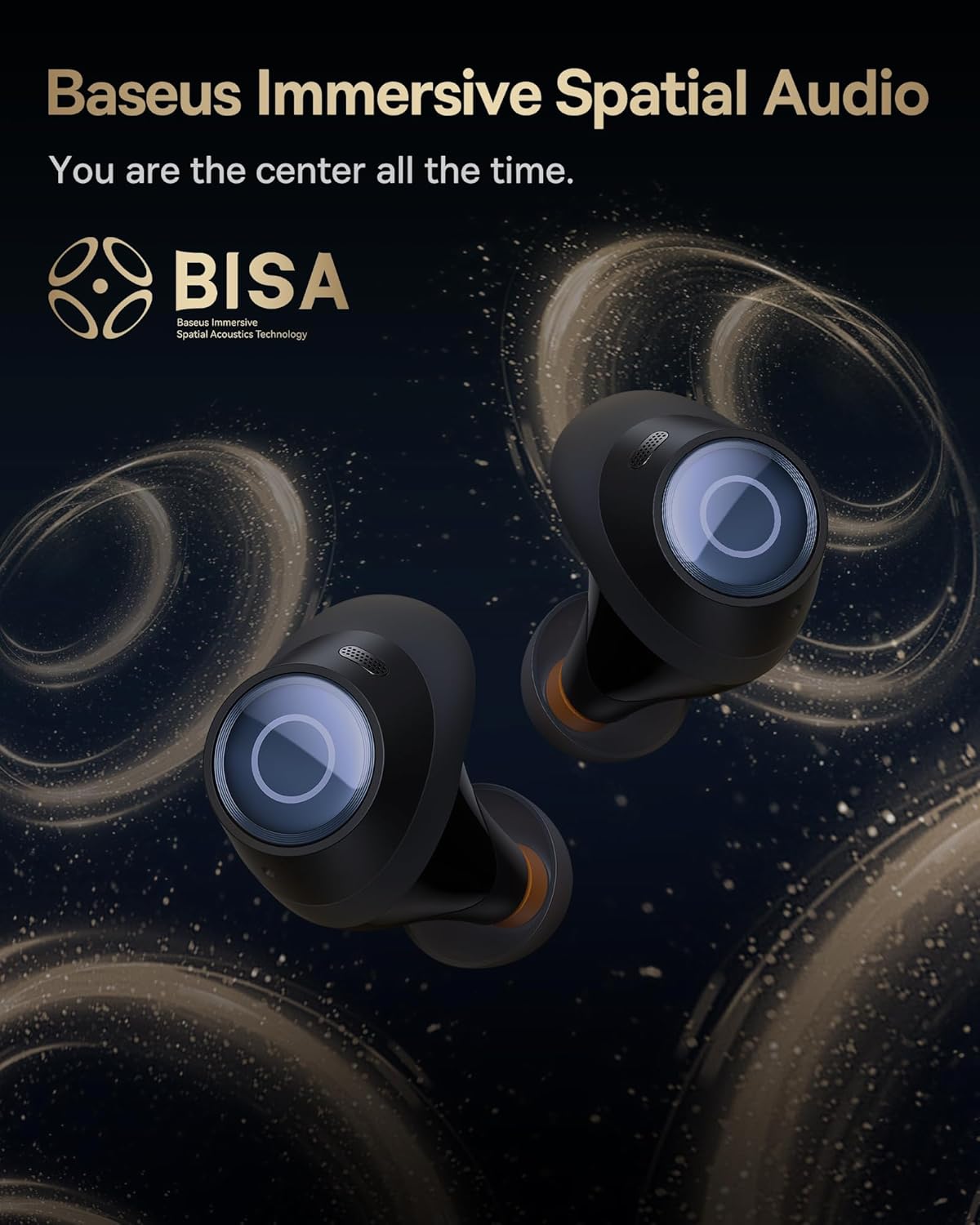
Image: A pair of Baseus Bowie MA10S earbuds with the 'BISA' (Baseus Immersive Spatial Acoustics) technology logo, indicating 360° immersive spatial audio.
4. Manteniment i cura
4.1 Neteja
- Netegeu regularment els auriculars, especialment les puntes i els contactes de càrrega, amb un drap suau, sec i sense borrissol.
- Traieu les puntes de les orelles i netegeu-les amb aigua i sabó suau si cal, assegurant-vos que estiguin completament seques abans de tornar-les a col·locar.
- Netegeu la funda de càrrega amb un drap suau i sec. Eviteu utilitzar materials abrasius o productes químics agressius.
4.2 Resistència a l'aigua (IPX4)
The earbuds are IPX4 water-resistant, meaning they are protected against splashing water from any direction. This makes them suitable for workouts and light rain. However, they are not designed for swimming or submersion in water.

Image: Baseus Bowie MA10S earbuds shown with water splashing around them, illustrating their IPX4 water resistance rating.
4.3 Storage and Battery Care
- Guardeu els auriculars a la funda de càrrega quan no els feu servir per protegir-los i mantenir-los carregats.
- Avoid exposing the earbuds or case to extreme temperatures, direct sunlight, or high humidity.
- For long-term storage, charge the case and earbuds to about 50% every few months to preserve battery health.
4.4 AirNora 2 Make-up Mirror
The AirNora 2 charging case includes an integrated make-up mirror. Keep the mirror clean with a soft, dry cloth. Avoid scratching the surface.

Image: The AirNora 2 charging case opened, showcasing the earbuds inside and the integrated vanity mirror on the lid.
5. Solució De Problemes
5.1 Auriculars que no s'emparellan/es connecten
- Ensure earbuds are charged and in pairing mode (lights flashing).
- Desactiva i activa el Bluetooth al dispositiu.
- Oblida't del dispositiu a la configuració de Bluetooth del telèfon i intenta emparellar-lo de nou.
- Place earbuds back in the case, close the lid, wait a few seconds, then open again.
5.2 Sense so o volum baix
- Comprova el nivell de volum tant del dispositiu com dels auriculars.
- Assegureu-vos que els auriculars estiguin connectats correctament al dispositiu.
- Netegeu qualsevol residu de la malla de l'altaveu dels auriculars.
5.3 Problemes de càrrega
- Assegureu-vos que el cable de càrrega estigui connectat correctament tant a la carcassa com a la font d'alimentació.
- Verifiqueu que l'adaptador de corrent funciona correctament.
- Netegeu els contactes de càrrega tant dels auriculars com de l'interior de la funda.
5.4 L'ANC no funciona correctament
- Ensure the earbuds are properly seated in your ears and you have chosen the correct size ear tips for a good seal.
- Verify that ANC mode is activated via touch controls.
6. Especificacions
| Característica | Especificació |
|---|---|
| Nom del model | Baseus Bowie MA10S / AirNora 2 |
| Tecnologia de connectivitat | Sense fil (Bluetooth) |
| Versió Bluetooth | 5.0 |
| Control de soroll | Active Noise Cancellation (Hybrid ANC) |
| Nivell de resistència a l'aigua | IPX4 |
| Material | Rubber, Silicone |
| Interval de freqüència | 20 Hz - 20,000 Hz |
| Mètode de control | Toca |
| Col·locació de l'orella | A l'orella |
| Factor de forma | A l'orella |
| Fabricant | Baseus |
| Primera data disponible | 25 de març de 2024 |
7. Garantia i Suport
Per obtenir informació sobre la garantia i assistència detallada, consulteu la pàgina oficial de Baseus. website or the warranty card included with your product. You may also contact Baseus customer service directly for assistance with product issues or inquiries.
Baseus Oficial Weblloc: www.baseus.com


