1. Introducció
The TOPTECH AL-212 is a powerful and versatile wireless Bluetooth speaker designed to deliver high-fidelity sound with dynamic LED lighting. Featuring dual 12-inch woofers, it provides robust audio for various occasions, from home entertainment to outdoor parties. This manual provides detailed instructions for setting up, operating, and maintaining your speaker to ensure optimal performance.

Imatge: Frontal view of the AL-212 speaker, showcasing its dual 12-inch woofers and vibrant LED lighting.
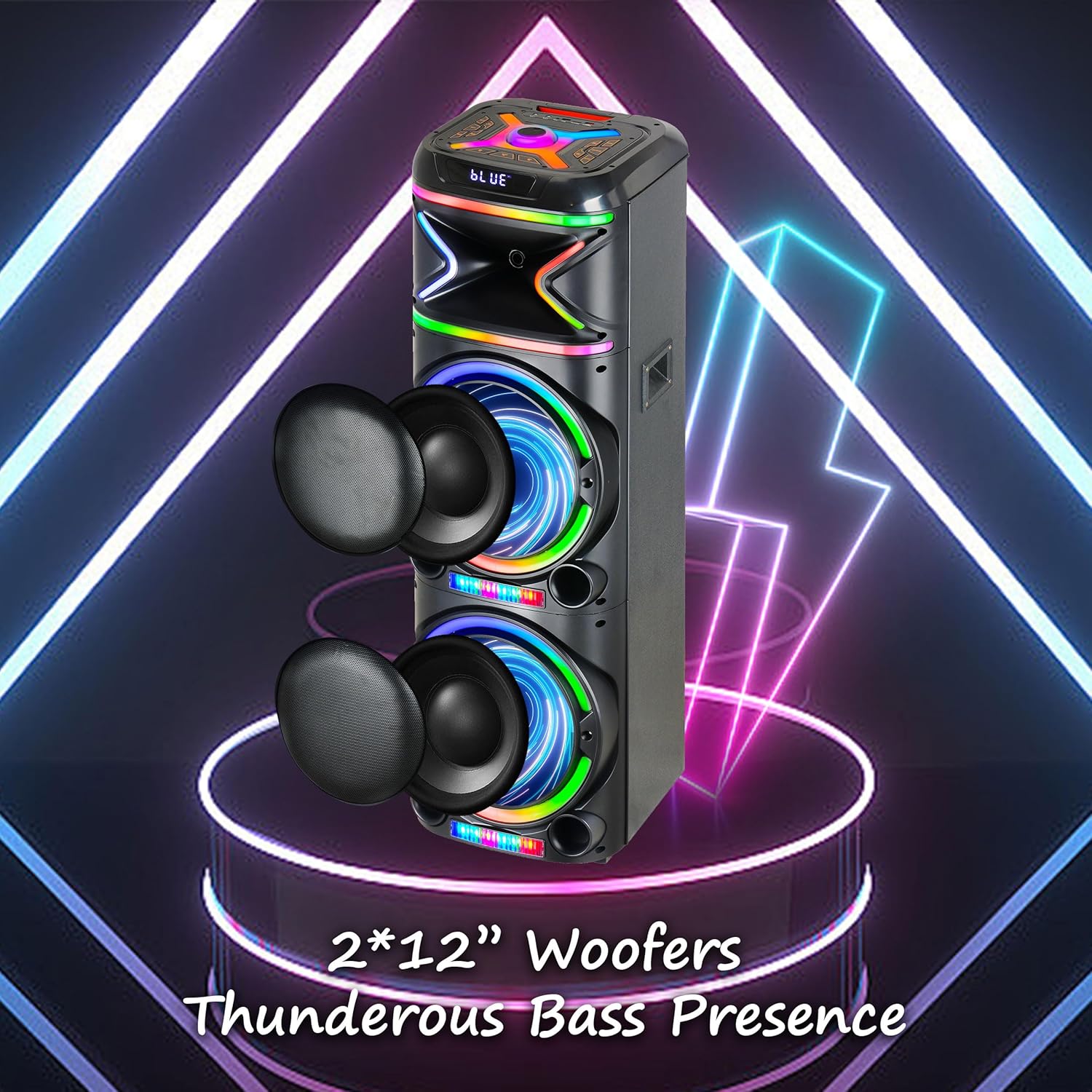
Imatge: Primer pla view emphasizing the two 12-inch woofers, responsible for the speaker's powerful bass and clear audio output.
2. Què s'inclou
Si us plau, comproveu el contingut del paquet per assegurar-vos que hi hagi tots els elements:
- AL-212 Wireless Bluetooth Speaker
- Control remot
- Micròfon per cable
- Adaptador d'alimentació
- Manual d'usuari (aquest document)
- Targeta de garantia

Image: Visual representation of the speaker's dimensions and the accessories included in the package: wireless microphone, remote control, and portable wheels.
3. Controls i ports
Familiarize yourself with the control panel and various input/output ports located on the top and rear of the speaker.
Controls del tauler superior:

Imatge: Detallada view of the speaker's top control panel, showing buttons for various functions and input ports.

Image: A simplified diagram highlighting the key control buttons and their functions on the speaker's interface.
- Botó d'encesa: Activa o desactiva l'altaveu.
- Botó de mode: Switches between Bluetooth, FM Radio, AUX, USB, and TF Card modes.
- Pom de volum: Ajusta el volum mestre.
- Botó de volum del micròfon: Ajusta el volum del micròfon.
- Botó d'eco: Ajusta l'efecte d'eco del micròfon.
- LED Mode Button: Canvia els patrons de llum LED.
- Botó Reproduir/Pausa: Reprodueix o posa en pausa la reproducció d'àudio.
- Botons de pista anterior/següent: Salta a la pista anterior o següent.
- Botó de gravació: Records microphone input to USB/TF card.
- Botó TWS: Inicia l'emparellament estèreo sense fil veritable.
Ports d'entrada/sortida:
- Port USB: For USB drive playback and charging external devices.
- Ranura per a targetes TF: Per a la reproducció amb targeta TF (MicroSD).
- Entrada AUX (3.5 mm): Connect external audio devices via an audio cable.
- Microphone Input (6.35mm): Connecteu el micròfon amb cable.
- Guitar Input (6.35mm): Connect a guitar or other instrument.

Image: The AL-212 speaker displayed with icons representing its versatile connectivity options, including Bluetooth, USB, TF card, AUX, microphone, and remote control.
4. Configuració
4.1 Càrrega de l'altaveu
The AL-212 speaker is battery-powered. Before first use, fully charge the speaker using the provided power adapter. The charging indicator light will show the charging status and turn off when fully charged.
4.2 Encès inicial
Press and hold the Power button on the top panel to turn on the speaker. You will hear a power-on prompt, and the LED lights will illuminate.
5. Instruccions de funcionament
5.1 Vinculació Bluetooth
- Turn on the speaker. It will automatically enter Bluetooth pairing mode, indicated by a flashing 'BLUE' on the display and an audible prompt.
- Activeu el Bluetooth al vostre telèfon intel·ligent, tauleta o altre dispositiu compatible amb Bluetooth.
- Cerca "AL-212" in the list of available devices and select it to connect.
- Once connected, you will hear a confirmation sound, and the 'BLUE' indicator will stop flashing.

Image: A smartphone screen showing the Bluetooth pairing menu, with the AL-212 speaker and a Bluetooth icon, illustrating the connection process.
5.2 Emparellatge estèreo sense fil veritable (TWS)
To achieve a stereo sound experience, you can pair two AL-212 speakers together using the TWS function.
- Ensure both AL-212 speakers are powered on and not connected to any Bluetooth device.
- Press the 'TWS' button on one of the speakers. It will emit a sound indicating it's searching for another speaker.
- Els dos altaveus es connectaran automàticament entre si. Un cop connectats, sentireu un so de confirmació.
- Now, connect your Bluetooth device to one of the paired speakers (the master speaker) as described in Section 5.1. Audio will play in stereo through both speakers.

Image: Two AL-212 speakers positioned outdoors, demonstrating the True Wireless Stereo (TWS) feature with a dotted line indicating the wireless connection between them.

Image: A simplified diagram showing two AL-212 speakers with a dotted line and 'TWS' label, illustrating the True Wireless Stereo connection.
Reproducció de targetes USB/TF de 5.3
Insert a USB flash drive or TF (MicroSD) card into the respective port. The speaker will automatically switch to USB/TF mode and begin playing audio files. Use the Play/Pause and Previous/Next Track buttons to control playback.
5.4 Entrada AUX
Connect an external audio device (e.g., MP3 player, laptop) to the AUX input port using a 3.5mm audio cable. The speaker will automatically switch to AUX mode. Control playback from your connected device.
5.5 Ús del micròfon
Connect the provided wired microphone to the Microphone Input port. Adjust the microphone volume using the 'Mic Vol' knob and add echo effects with the 'Echo' knob. You can sing along with music playing from any source.
5.6 Ràdio FM
Press the 'Mode' button until you hear the FM radio prompt. Press the 'Play/Pause' button to auto-scan and save available FM stations. Use the Previous/Next Track buttons to switch between saved stations.
5.7 modes de llum LED
Press the 'LED Mode' button to cycle through different LED light patterns and effects. Press it repeatedly to find your preferred lighting display.

Image: The AL-212 speaker illuminated with its vibrant, multi-color LED lights, showcasing the dynamic light show feature.
5.8 Funcions de control remot
The included remote control provides convenient access to all speaker functions from a distance. Refer to the remote control diagram in the package for specific button layouts and functions.
6. Manteniment
- Neteja: Feu servir un drap suau i sec per netejar l'exterior de l'altaveu. No utilitzeu netejadors abrasius, ceres ni dissolvents.
- Emmagatzematge: Quan no l'utilitzeu durant períodes prolongats, guardeu l'altaveu en un lloc fresc i sec, allunyat de la llum solar directa i de temperatures extremes.
- Cura de la bateria: Per allargar la durada de la bateria, eviteu descarregar completament l'altaveu amb freqüència. Carregueu-lo regularment, fins i tot si no l'esteu fent servir.
- Exposició a l'aigua: Aquest altaveu no és impermeable. Eviteu exposar-lo a l'aigua o a una humitat excessiva.
7. Solució De Problemes
If you encounter issues with your AL-212 speaker, please refer to the following common problems and solutions:
| Problema | Causa possible | Solució |
|---|---|---|
| L'altaveu no s'encén. | La bateria està baixa o esgotada. | Connect the speaker to the power adapter and charge it fully. |
| Sense sortida de so. | Volume is too low; Incorrect mode selected; Device not connected properly. | Increase the speaker volume. Ensure the correct input mode (Bluetooth, AUX, USB/TF) is selected. Reconnect your device. |
| La connexió Bluetooth falla. | L'altaveu no està en mode d'emparellament; el dispositiu és massa lluny; Interferències. | Ensure the speaker is in Bluetooth pairing mode. Move your device closer to the speaker. Avoid obstacles and other wireless devices. |
| El micròfon no funciona. | Microphone not plugged in correctly; Mic volume is low. | Ensure the microphone is securely plugged into the correct input. Increase the 'Mic Vol' knob. |
| L'emparellament TWS falla. | Speakers are already connected to another device; Speakers are too far apart. | Disconnect both speakers from any Bluetooth devices. Ensure they are within close proximity (within 10 meters) during pairing. |
8. Especificacions
| Característica | Detall |
|---|---|
| Nom del model | AL-212-BK |
| Tipus d'altaveu | Woofer |
| Mida de l'altaveu | Dual de 12 polzades |
| Tecnologia de connectivitat | Bluetooth, Auxiliar, USB |
| Tecnologia de comunicació sense fils | Bluetooth |
| Interval Bluetooth | 33 peus (10 metres) |
| Mode de sortida d'àudio | Estèreo (configuració de canal de so envoltant 2.0) |
| Característiques especials | LED Light, Built-In Microphone, USB Port, Display, FM Radio, Remote Control |
| Font d'alimentació | Funciona amb bateria |
| Dimensions del producte | 14.96 "P x 7.48" W x 14.96" H |
| Color | Negre |
| Tipus de muntatge | Autònom, muntatge endoll |
| Fabricant | Top Tech Audio |
| UPC | 755824425927 |
9. Garantia i Suport
The TOPTECH AL-212 speaker comes with a Limited Warranty. Please refer to the included Warranty Card for detailed terms and conditions, including coverage period and claim procedures.
For technical support, troubleshooting assistance beyond this manual, or warranty inquiries, please contact TOPTECH customer service. Contact information can typically be found on the warranty card or the official TOPTECH weblloc.
Note: No official product videos from the seller were found to be embedded based on the provided criteria.


