1. Introducció
This manual provides detailed instructions for the MUNBYN Upgraded Android 13 Bar Code Scanner, Model IPDA086. This device is a robust handheld mobile computer designed for efficient inventory and logistic management in various environments, including warehousing, manufacturing, and retail. It features an advanced Android 13 operating system, Wi-Fi 6 connectivity, and a durable design for reliable performance.
2. Característiques del producte
- Android 13 Version: The device operates on Android 13, offering strengthened privacy protections, enhanced customization options, and superior compatibility. This ensures data security and optimal work outcomes throughout the scanner's lifespan.
- Experiència d'usuari millorada: Equipped with Wi-Fi 6, this scanner provides data transfer speeds up to three times faster than Wi-Fi 5, facilitating seamless team collaboration and efficient training. This can significantly improve warehouse operations and increase work efficiency.
- Rugged & Compact Design: Featuring a Zebra SE4710 scanner engine, the device ensures swift and accurate barcode scanning, even for damaged or unclear codes. It comes with a pre-installed scanner application (infowedge) and boasts an IP65 rating for protection against water immersion and dust. A hand strap belt is included to prevent accidental drops, and it offers robust drop protection from heights up to 1.8 meters (5.91 feet).
- Durable and Clear Display: The scanner features a large 5.5-inch touch screen, providing clear visibility even outdoors due to excellent sunlight readability. The display is reinforced with impact-resistant Corning Gorilla Glass and includes an additional replaceable protector to extend the PDA's lifespan and maintain reliability.
- Excellent & Suitable Performance: This Android handheld scanner is powered by an exceptional CPU, the Qualcomm Snapdragon 6115 1.8GHz Octa-core, coupled with 3GB RAM and 32GB storage. It is compatible with inventory management software such as Odoo and Zoho Inventory.

Figura 2.1: Davant i darrere view of the MUNBYN Upgraded Android 13 Bar Code Scanner, highlighting its robust design and integrated scanning capabilities.

Figure 2.2: Visual representation of the Android 13 system upgrade, emphasizing faster data transfer, low power consumption, and enhanced security and privacy protection.

Figure 2.3: Illustration of Wi-Fi 6 and Bluetooth 5.1 capabilities, demonstrating stable, barrier-free, and high-speed data loading for improved operational efficiency.
3. Què hi ha a la caixa
Upon unboxing your MUNBYN Bar Code Scanner, verify that all components are present:
- MUNBYN Bar Code Scanner (IPDA086)
- Manual d'usuari / Guia d'inici ràpid
- Protector de pantalla
- Cable de càrrega USB (tipus C)
- Adaptador d'alimentació
- Hand Strap Belt
- Bateria (preinstal·lada o separada)
Video 3.1: An unboxing video demonstrating the contents included with the MUNBYN IPDA101 (similar to IPDA086) package, showing the device, manual, cables, and accessories.

Figure 3.2: A visual overview of the items typically found inside the product packaging, including the scanner, charging accessories, and documentation.
4. Configuració
4.1. Instal·lació de la bateria
If the battery is not pre-installed, follow these steps:
- Localitzeu el compartiment de la bateria a la part posterior del dispositiu.
- Traieu suaument la tapa de la bateria.
- Inseriu la bateria, assegurant-vos que els contactes estiguin correctament alineats.
- Col·loqueu la tapa de la bateria de manera segura.
4.2. Càrrega inicial
Before first use, fully charge the device:
- Connecteu el cable USB tipus C al port de càrrega del dispositiu.
- Connecteu l'altre extrem del cable a l'adaptador de corrent proporcionat.
- Connecteu l'adaptador de corrent a una presa de corrent.
- The charging indicator will illuminate. Allow the device to charge until the indicator shows a full charge.
4.3. Encès / apagat
- Per encendre: Press and hold the Power button until the MUNBYN logo appears on the screen.
- Per apagar: Press and hold the Power button until the power options menu appears, then select 'Power Off'.
Figure 4.1: The device booting up, displaying the Android 13 interface, indicating successful power-on after battery installation.
5. Instruccions de funcionament
5.1. Escaneig de codis de barres
The device is equipped with a Zebra SE4710 scanner engine for efficient barcode reading.
- Open the pre-installed scanning application (e.g., Infowedge) or your preferred inventory management software.
- Point the scanner's red light beam at the barcode you wish to scan. Ensure the entire barcode is within the beam's range.
- Press the dedicated scan button (typically a yellow button on the side or back) to activate the scanner.
- A successful scan will usually be indicated by an audible beep and/or a visual confirmation on the screen.
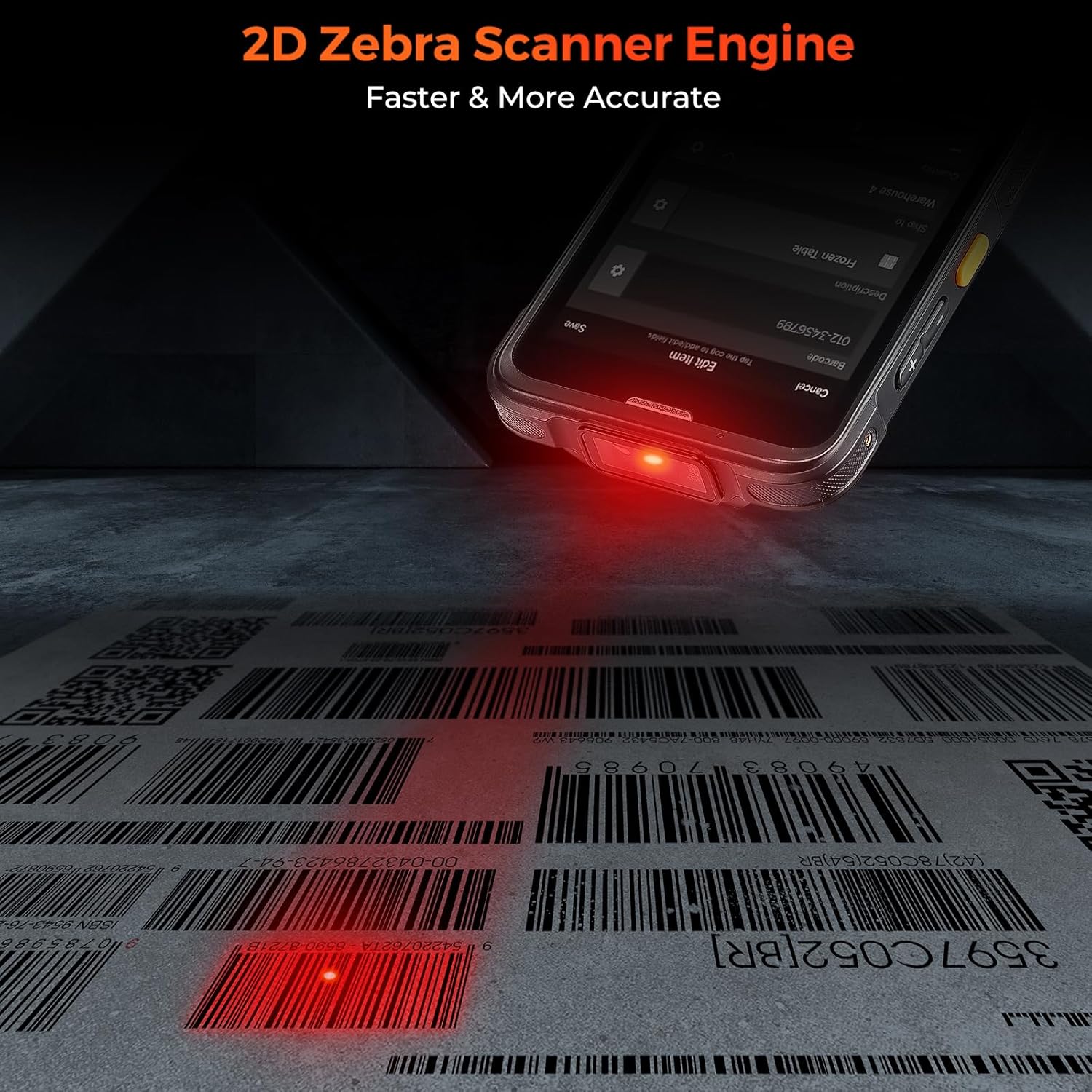
Figure 5.1: The device actively scanning a 2D barcode, demonstrating the red laser beam from the Zebra SE4710 scanner engine for fast and accurate data capture.
5.2. Connectivitat Wi-Fi i Bluetooth
To connect to Wi-Fi or Bluetooth networks:
- Navega a Configuració al dispositiu.
- Seleccioneu Xarxa i Internet for Wi-Fi or Dispositius connectats per Bluetooth.
- Toggle Wi-Fi or Bluetooth On.
- Select the desired network or device from the list and enter credentials if prompted.
5.3. Screen Casting Function
The device supports screen casting to synchronize data and manage information easily on a larger display.
- Ensure your external display (e.g., TV, monitor) supports screen mirroring or casting.
- On the scanner, go to Configuració > Dispositius connectats > Preferències de connexió > Cast.
- Select your external display from the list of available devices.
- Seguiu les instruccions que apareixen a la pantalla per establir la connexió.

Figure 5.2: A user demonstrating the screen casting feature, where the scanner's display is mirrored onto a laptop screen, facilitating data synchronization and management.
6. Manteniment
6.1. Neteja del dispositiu
Per mantenir un rendiment i una higiene òptims:
- Utilitzeu un drap suau i sense pelusa lleugerament dampnetejat amb aigua o un netejador suau i no abrasiu.
- Wipe the screen and exterior surfaces gently.
- Avoid using harsh chemicals, aerosols, or abrasive materials.
- Assegureu-vos que no entri líquid als ports o obertures.
6.2. Cura de la bateria
Proper battery care extends the device's lifespan:
- Avoid extreme temperatures, both hot and cold, as they can degrade battery performance.
- Charge the battery regularly; avoid letting it fully discharge frequently.
- Si guardeu el dispositiu durant un període prolongat, carregueu la bateria al 50% aproximadament abans de guardar-lo.
6.3. Drop Protection and Durability
The device is designed for rugged use, but proper handling is still recommended:
- Always use the provided hand strap belt to secure the device during operation.
- While the device is drop-resistant up to 1.8 meters, avoid intentional drops or impacts.
- Ensure all port covers are securely closed to maintain IP65 water and dust resistance.

Figure 6.1: The device showcasing its upgraded quality features, including the wrist strap for secure handling, IP65 water and dust resistance, and robust 1.8m+ drop protection.
7. Solució De Problemes
This section addresses common issues you might encounter with your MUNBYN Bar Code Scanner.
| Problema | Causa possible | Solució |
|---|---|---|
| El dispositiu no s'encén. | Low battery; Battery not installed correctly; System crash. | Charge the device; Reinstall battery; Perform a forced restart (hold power button for 10-15 seconds). |
| No es poden escanejar codis de barres. | Scanner engine not activated; Barcode damaged/unclear; Incorrect scanning application settings. | Ensure scanning app is open and active; Try scanning a different barcode; Check Infowedge or app settings. |
| Problemes de connexió Wi-Fi/Bluetooth. | Out of range; Incorrect password; Network interference. | Move closer to the access point/device; Re-enter password; Restart Wi-Fi/Bluetooth on both devices. |
| Device is slow or unresponsive. | Massa aplicacions en execució; Poc espai d'emmagatzematge; Error de programari. | Close background apps; Clear cache/uninstall unused apps; Restart device. |
If the issue persists after attempting these solutions, please contact MUNBYN customer support for further assistance.
8. Especificacions
| Característica | Detall |
|---|---|
| Número de model | IPDA086 |
| Sistema operatiu | Android 13 |
| Processador | Qualcomm Snapdragon 6115 1.8GHz Octa-core |
| Memòria (RAM + emmagatzematge) | 3 GB de RAM + 32 GB d'emmagatzematge |
| Mostra | 5.5-inch Touch Screen, Corning Gorilla Glass |
| Scanner Engine | Zebra SE4710 (1D/2D/QR) |
| Connectivitat | Wi-Fi 6, Bluetooth 5.1, 4G LTE (Sim Card), NFC, USB Cable |
| Classificació de durabilitat | IP65 (Water & Dust Resistant), 1.8m Drop Protection |
| Bateria | Necessita 1 bateria de ions de liti |
| Pes de l'article | 10.1 unces |
| Dimensions del paquet | 7.95 x 4.13 x 3.9 polzades |
9. Garantia i Suport
MUNBYN is committed to providing reliable products and excellent customer service.
9.1. Informació de la garantia
The product is typically covered by a manufacturer's warranty. For specific warranty terms and conditions, please refer to the documentation included with your purchase or contact MUNBYN customer support directly. Protection plans may also be available for extended coverage.
9.2. Atenció al client
For any technical assistance, troubleshooting not covered in this manual, or repair services, please contact MUNBYN customer support. MUNBYN offers a local U.S. Repair Center for effortless, fast, and convenient service, often within 3 business days. They also provide 24/7/365 online support.
You can reach MUNBYN support through their official website or the contact information provided in your product packaging. They can also assist with testing your applications before bulk purchases.

Figure 9.1: Information regarding MUNBYN's local U.S. repair center, highlighting fast and convenient service for product maintenance and repairs.


