Introducció
Welcome to your Ourlife 5K Action Camera. This manual provides essential information for setting up, operating, and maintaining your camera to capture high-quality videos and photos in various environments.
Característiques clau
- Dual Display Screen: Innovative design with a front screen for selfies and a 2-inch back screen for easy operation.
- High Resolution Capture: Records 5K 30fps video and captures 50MP photos.
- Estabilització electrònica d'imatge (EIS): Built-in 6-axis gyro minimizes shake, providing smooth footage. Supports 4K (60FPS/30FPS) and 2.7K (60FPS/30FPS) video resolutions with EIS.
- Comandament a distància: Included remote allows for convenient hands-free operation from up to 10 meters.
- Wireless Microphone Support: Compatible with wireless microphones (not included) for enhanced audio recording.
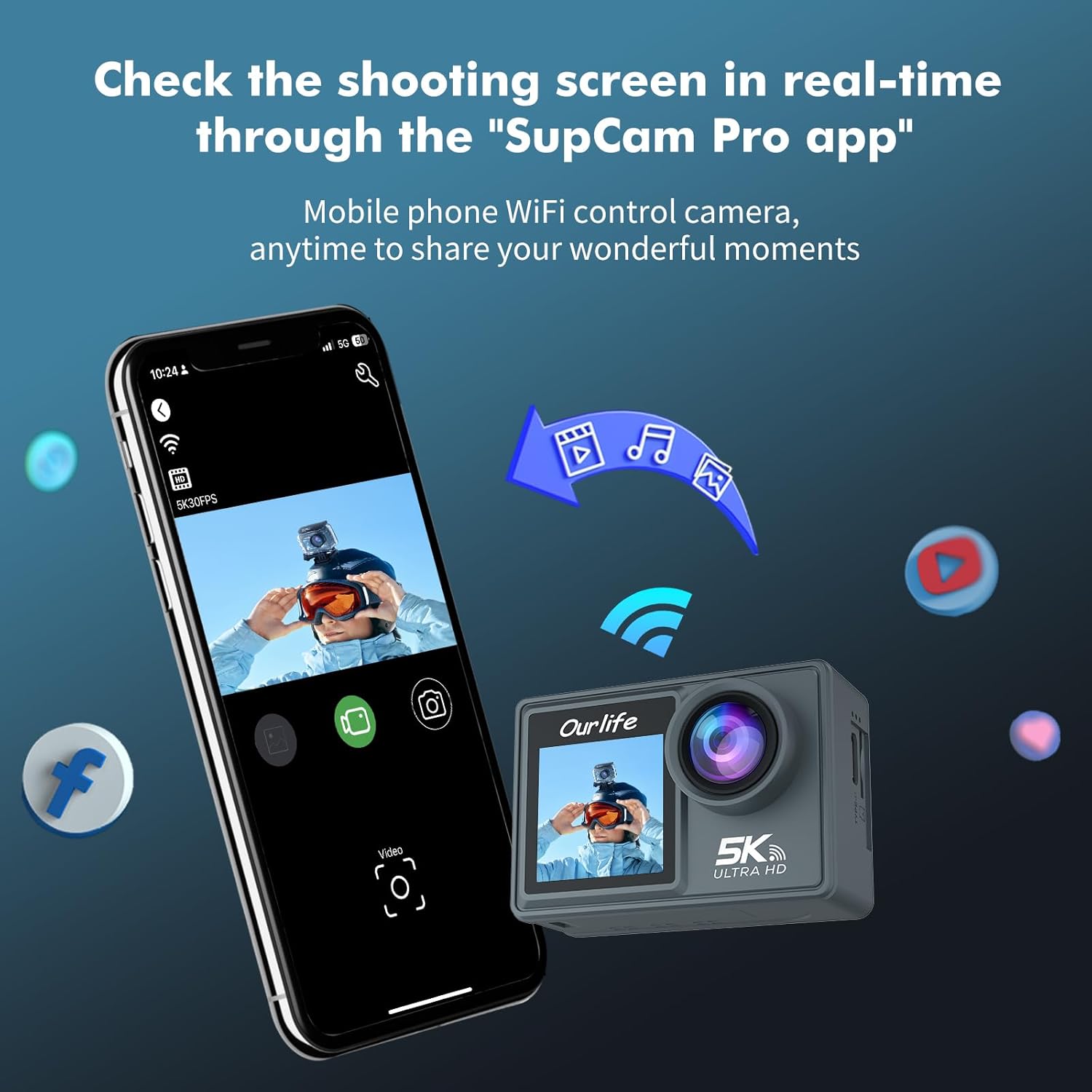
- Connectivitat Wi-Fi: Built-in Wi-Fi for easy connection to your smartphone via the "SupCam Pro" app, enabling live view, playback, and direct sharing.
- Capacitat impermeable: Waterproof up to 100FT (30M) when used with the included waterproof housing.
- Ultra Wide Angle Lens: 170° ultra-wide-angle view with adjustable angle settings.
- Multi-functional Modes: Includes underwater mode, car mode, timed shooting, high-speed continuous shooting, delayed recording, slow motion recording, and short video recording.
Contingut del paquet
Si us plau, verifiqueu que tots els elements siguin presents al vostre paquet:
- Ourlife Action Camera (Camera Body)
- Carcassa impermeable
- Control remot
- Targeta Micro SD de 32 GB
- Cable de càrrega USB
- Mounting Accessories (various clips and mounts)
- Manual d'usuari (aquest document)
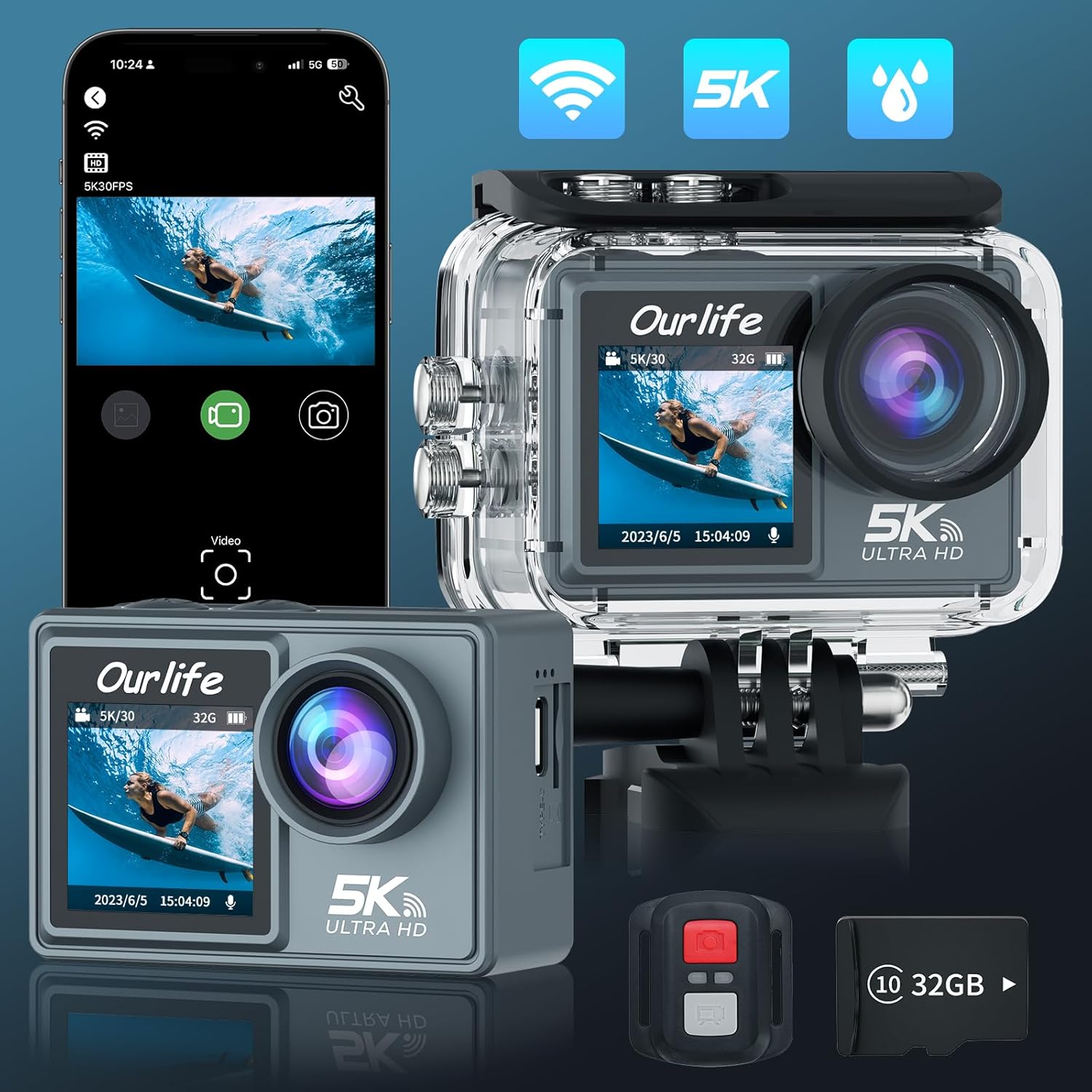
Imatge: L'Ourlife Action Camera, remote control, and 32GB SD card, illustrating the main components included in the package.
Primers passos
Carregant la bateria
Before first use, fully charge the camera's battery. Connect the camera to a USB power source (e.g., computer, wall adapter) using the provided USB cable. The charging indicator light will illuminate during charging and turn off when fully charged.
Inserció de la targeta Micro SD
The camera supports Micro SD cards up to 128GB (Class 10 or higher recommended). Open the battery compartment/card slot cover on the side or bottom of the camera. Insert the Micro SD card with the contacts facing the correct direction until it clicks into place. Close the cover securely.

Imatge: Una imatge detallada view de l'Ourlife Action Camera, highlighting its compact design and the included remote control and SD card.
Attaching the Waterproof Housing
For underwater use or protection against dust and impact, place the camera inside the waterproof housing. Ensure the camera is dry and clean before insertion. Close the latch firmly to create a watertight seal. The camera itself is not waterproof without this housing.

Imatge: L'Ourlife Action Camera securely enclosed within its transparent waterproof housing, surrounded by water droplets, demonstrating its readiness for aquatic environments.
Funcionament de la càmera
Encès/Apagat
Manteniu premut el botó Potència/Mode button (usually on the front or top) for a few seconds to turn the camera on or off.
Canvi de mode
Once powered on, short press the Potència/Mode button repeatedly to cycle through different modes: Video Recording, Photo Capture, Playback, and System Settings.
Gravació de vídeo
In Video Recording mode, press the Shutter/OK button (usually on the top) to start recording. A red indicator light will blink, and a timer will appear on the screen. Press the Shutter/OK botó de nou per aturar la gravació.
Per a un menjar més suautage, ensure Electronic Image Stabilization (EIS) is enabled in settings, especially when recording at 4K (60FPS/30FPS) or 2.7K (60FPS/30FPS).
Imatge: L'Ourlife Action Camera mounted on a bicycle handlebar, illustrating its use in dynamic environments where Electronic Image Stabilization (EIS) provides smooth video capture.
Captura de fotografies
In Photo Capture mode, press the Shutter/OK button to take a still photograph. The camera supports up to 50MP resolution.

Imatge: L'Ourlife Action Camera showcasing its display screen with a captured photo, emphasizing its high-resolution imaging capabilities.
Connexió Wi-Fi
To connect your camera to a smartphone:
- Enable Wi-Fi on your camera through the System Settings menu.
- Download and install the "SupCam Pro" app on your iOS or Android smartphone.
- On your smartphone, go to Wi-Fi settings and connect to the camera's Wi-Fi network (SSID and password will be displayed on the camera screen).
- Open the "SupCam Pro" app to view viu footage, control the camera, download files, and share content directly.
Imatge: L'Ourlife Action Camera wirelessly connected to a smartphone, demonstrating the real-time viewing and control capabilities through the "SupCam Pro" app.
Ús del comandament a distància
The included remote control allows you to conveniently operate the camera from a distance. It typically has dedicated buttons for starting/stopping video recording and taking photos. Ensure the remote's battery is functional and it is within the 10-meter operating range of the camera.
Funcionalitat de pantalla dual
L'Ourlife Action Camera features both a front-facing screen and a larger rear screen. The front screen is ideal for framing selfies and vlogs, while the rear screen provides a comprehensive view for general operation, menu navigation, and playback.
Ajustable Viewangle ing
The camera's 170° ultra-wide-angle lens captures a broad field of view. Podeu ajustar el viewing angle settings within the camera's menu to suit different shooting scenarios, from expansive landscapes to close-up action.
Multi-functional Modes
Explore various shooting modes to enhance your creativity:
- Mode subaquàtic: Optimizes color and clarity for submerged environments.
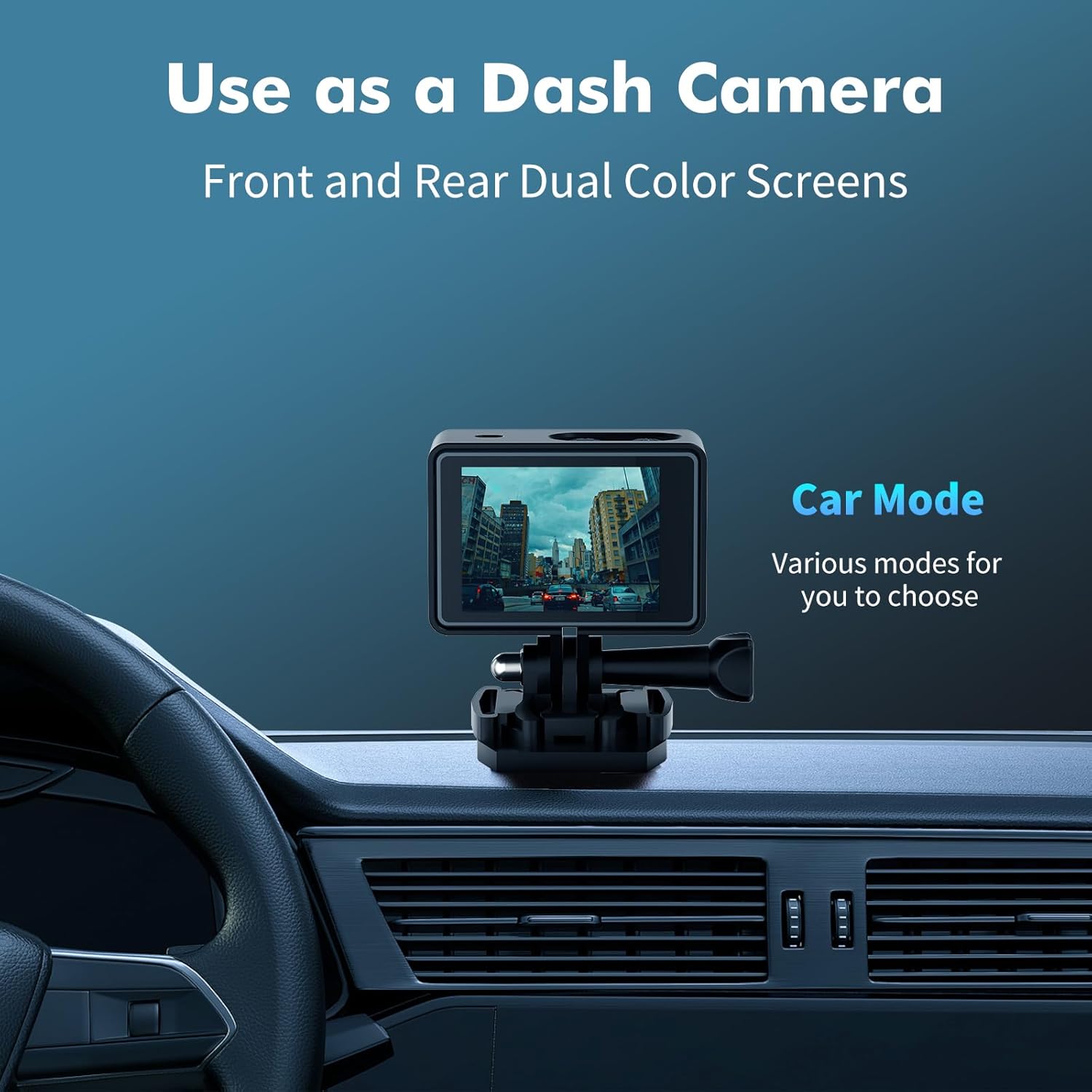
- Mode cotxe: Functions as a dash camera, often with loop recording and auto power on/off.
- Timed Shooting: Set a delay before a photo is taken.
- Disparo continu d'alta velocitat: Captura diverses fotos en una successió ràpida.
- Delayed Recording: Start video recording after a set delay.
- Gravació a càmera lenta: Capture high frame rate video for slow-motion playback.
- Short Video Recording: Create short, shareable video clips.
Imatge: L'Ourlife Action Camera mounted on a car dashboard, demonstrating its capability to function as a dash camera with various car modes available.
Cura i Manteniment
- Neteja: Use a soft, lint-free cloth to clean the camera lens and screens. For stubborn smudges, a small amount of lens cleaning solution can be used.
- Waterproof Housing Care: After using the waterproof housing in saltwater, rinse it thoroughly with fresh water and allow it to air dry. Ensure no sand or debris is trapped in the seals.
- Temperatura i emmagatzematge: Avoid exposing the camera to extreme temperatures (hot or cold) or direct sunlight for extended periods. Store the camera in a cool, dry place when not in use.
- Cura de la bateria: Do not expose the battery to fire or extreme heat. If the camera will not be used for a long time, charge the battery to about 50% before storing.
- Gestió de la targeta SD: Regularly back up your photos and videos to a computer or cloud storage. Format the Micro SD card periodically within the camera's settings to maintain optimal performance.
Resolució de problemes
La càmera no s'encén
- Assegureu-vos que la bateria estigui completament carregada.
- Try connecting the camera to a power source to see if it powers on.
- Traieu i torneu a inserir la bateria si escau.
SD Card Error / Cannot Record
- Ensure the Micro SD card is inserted correctly and fully.
- Use a high-speed Micro SD card (Class 10 or UHS-I/UHS-3 recommended).
- Format the SD card in the camera's settings (this will erase all data).
- Prova una altra targeta Micro SD que se sap que està en bon estat.
Poor Video/Photo Quality
- Ensure the lens is clean and free of smudges or debris.
- Check the resolution settings in the camera menu; higher resolutions yield better quality but larger file mides.
- Ensure adequate lighting for your shooting environment.
- For shaky footage, verify EIS (Electronic Image Stabilization) is enabled in settings.
Problemes de connexió Wi-Fi
- Assegureu-vos que el Wi-Fi estigui activat tant a la càmera com al telèfon intel·ligent.
- Reinicieu tant la càmera com el telèfon intel·ligent.
- Ensure you have the correct "SupCam Pro" app installed and it is up to date.
- Move closer to the camera to ensure a strong Wi-Fi signal.
El control remot no respon
- Comproveu la pila del comandament a distància i substituïu-la si cal.
- Ensure the remote is within the effective operating range (approx. 10 meters) and there are no major obstructions.
- Ensure the camera's remote control function is enabled in settings, if applicable.
Especificacions tècniques
| Característica | Detall |
|---|---|
| Marca | Ourlsi |
| Número de model | AT-M40R-32GB |
| Resolució de vídeo | 5K 30FPS, 4K 60FPS/30FPS, 2.7K 60FPS/30FPS (with EIS) |
| Resolució fotogràfica | 50MP |
| Profunditat impermeable | 100FT (30M) with housing |
| Estabilització d'imatge | Electronic Image Stabilization (EIS) with 6-axis gyro |
| Connectivitat | Wi-Fi |
| Lent | 170° Ultra Wide Angle |
| Mostra | Dual Screen (Front & 2-inch Rear) |
| Emmagatzematge | Micro SD (up to 128GB, Class 10+) |
| Característiques especials | Anti-Shake, Waterproof, Remote Control, Wireless Microphone Support |
| Tecnologia del sensor fotogràfic | CMOS |
| Format de captura de vídeo | MOV |
| Format d'àudio compatible | AAC |
| Tipus de memòria flash | Micro SD |
| Apertura màxima | 2.68 f |
| Distància focal màxima | 5 |
Garantia i Suport
For detailed warranty information, product registration, and technical support, please visit the official Ourlsi weblloc web o poseu-vos en contacte amb el seu departament d'atenció al client. Conserveu el rebut de compra com a comprovant de compra per a qualsevol reclamació de garantia.


