1. Producte acabatview
Els wansview Q5 is an indoor security camera designed for monitoring homes, babies, pets, or as a nanny cam. It features Ultra HD resolution, two-way audio, night vision, and compatibility with both 2.4G and 5G WiFi networks. The camera offers flexible placement and comprehensive coverage with its pan/tilt capabilities.

Image 1.1: The wansview Q5 5MP WiFi Home Security Camera, showcasing its compact design and the 5G 5MP capability displayed on a smartphone screen.
2. Què hi ha a la caixa
Upon unboxing your wansview Q5 camera, you should find the following items:
- Cos de la càmera
- Adaptador de corrent
- Cable
- Accessoris de muntatge
- Guia d'instal·lació ràpida
3. Característiques clau
- Ultra HD Resolution: Proporciona vídeo en directe clar i fluid.
- WiFi de doble banda: Supports both 2.4G and 5G WiFi for flexible connectivity.
- Àudio bidireccional: Built-in microphone and speaker allow for communication.
- Compatibilitat amb Alexa: Integrates with Alexa for voice commands and live view visualització.
- Smart Pan/Tilt: Rotació horitzontal de 320° i vertical de 80° per a una cobertura de 360°.
- Zoom digital 4X: Enlarge video to view detalls.
- Visió nocturna de cristall: 6 pcs 960nm IR LEDs provide clear black/white images up to 8 meters in low light.
- Real-time Motion Alert: Sends notifications and 10-second video clips to your phone upon motion detection.
- Opcions d'emmagatzematge: Supports optional SD card (not included) and cloud storage.
- Seguretat i privadesa: Utilizes Financial Encryption Technology for cloud storage to protect data privacy.

Imatge 3.1: Un sobreview of the wansview Q5 camera's main features, including 2.4G/5G WiFi, 5MP resolution, night vision, two-way audio, motion detection, smart siren, SD card/cloud storage, and Alexa compatibility.
4. Guia de configuració
4.1 Engegada inicial
- Connect the camera to the power adapter using the provided cable.
- Connecteu l'adaptador de corrent a una presa de corrent. La càmera s'engegarà i iniciarà la seqüència d'inici.
4.2 Instal·lació i connexió de l'aplicació
- Descarrega els 'Wans'view Cloud' app from your smartphone's app store (available for Android and iOS).
- Creeu un compte o inicieu sessió si ja en teniu un.
- Follow the in-app instructions to add your new Q5 camera. This typically involves scanning a QR code on the camera or connecting via Bluetooth.
- Ensure your smartphone is connected to the same WiFi network (2.4G or 5G) that you intend to connect the camera to during the setup process.
Video 4.1: This video demonstrates the process of connecting the wansview Q5 camera via Bluetooth, which is typically used for non-battery powered cameras during initial setup.
4.3 Muntatge de la càmera
Els wansview Q5 camera can be placed on a flat surface or mounted to a wall. Use the provided mounting accessories if wall mounting is desired. Ensure the camera is positioned to capture the desired area without obstruction.
5. Instruccions de funcionament
5.1 Viu View i control de panoràmica/inclinació
Un cop connectat, obriu les WANview Cloud app to access the live video feed. Use the on-screen controls to remotely pan (320° horizontal) and tilt (80° vertical) the camera lens to view different areas of the room. The 4X digital zoom allows for closer inspection of details.
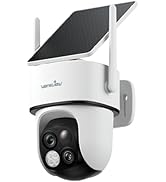
Image 5.1: A smartphone displaying the live feed from the wansview Q5 camera, with on-screen controls for pan and tilt functionality, offering a wide view de l'habitació.
5.2 Àudio bidireccional
To use the two-way audio feature, tap the microphone icon in the app. You can then speak into your phone, and your voice will be projected through the camera's speaker. This allows for communication with individuals or pets in the camera's vicinity.
5.3 Visió nocturna
The camera automatically switches to night vision mode in low-light conditions. The 6 infrared LEDs provide clear black/white video up to 8 meters. This ensures continuous monitoring even in complete darkness.
Video 5.2: This video highlights the night vision capabilities of the wansview Q5 camera, demonstrating its performance in low-light environments.

Image 5.3: An illustration of the camera's clear night vision, showing a child sleeping in a crib, monitored via a smartphone app.
5.4 Motion Alerts and Recording
Enable motion detection in the app settings to receive real-time alerts and 10-second video clips when motion is detected. Recordings can be stored locally on an SD card (up to 128GB, not included) or via an optional cloud storage subscription.
Video 5.4: This video provides instructions on how to set up the hibernation feature, which can help manage power consumption and recording times.

Image 5.5: A smartphone screen showing a motion alarm notification from the Wansview Cloud app, indicating activity detected by the Q5 camera.
6. Manteniment
- Neteja: Netegeu suaument la lent i el cos de la càmera amb un drap suau i sec. Eviteu utilitzar productes químics agressius o materials abrasius.
- Actualitzacions de firmware: Regularly check the Wansview Cloud app for available firmware updates to ensure optimal performance and security.
- Font d'alimentació: Assegureu-vos que la càmera estigui connectada a una font d'alimentació estable.
7. Solució De Problemes
- Problemes de connectivitat: Ensure your WiFi network is stable and the camera is within range. Verify that the WiFi password entered in the app is correct. The camera supports both 2.4G and 5G WiFi.
- Mala qualitat d'imatge: Check your internet connection speed. Ensure the camera lens is clean and free from obstructions. Adjust the video resolution settings in the app if necessary.
- Les alertes de moviment no funcionen: Verify that motion detection is enabled in the app settings and that notification permissions are granted for the Wansview Cloud app on your smartphone.
- Problemes d'àudio bidireccional: Ensure the microphone and speaker volumes are adjusted correctly in the app's advanced settings. Check for any obstructions around the microphone or speaker on the camera.
8. Especificacions
| Característica | Especificació |
|---|---|
| Nom del model | Q5 |
| Resolució de fixes efectius | 5 MP |
| Resolució de captura de vídeo | 1296p |
| Ús interior/exterior | Interior |
| Protocol de connectivitat | Wi-Fi (2.4G i 5G) |
| Interval de panoràmica/inclinació | 320° horitzontal, 80° vertical |
| Viewangle ing | 125 graus |
| Gamma de visió nocturna | 8 metres |
| Àudio bidireccional | Sí |
| Opcions d'emmagatzematge | SD Card Slot (up to 128GB, not included), Cloud Storage |
| Font d'alimentació | Elèctric amb cable (5V, 1A) |
| Dispositius compatibles | Smartphone (Android, iOS), Alexa |
| Dimensions del producte | 2.83 x 2.83 x 3.99 polzades |
9. Safety and Privacy Protection
Els wansview Q5 camera incorporates Financial Encryption Technology for cloud storage, ensuring a high level of data protection for your privacy. Access to your camera and information is restricted without your explicit permission. It is recommended to use strong, unique passwords for your Wansview Cloud account and WiFi network.
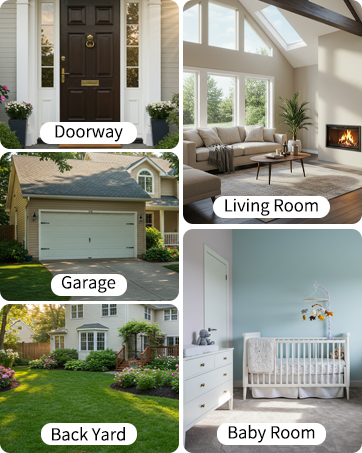
Image 9.1: A graphic representing privacy protection, symbolizing the secure nature of the camera's data handling.
10. Assistència i garantia
For technical support, please refer to the contact information provided in your Quick Start Guide or visit the official wansview website. Specific warranty details are typically included with your product packaging or available on the manufacturer's weblloc web. Si us plau, conserveu el comprovant de compra per a reclamacions de garantia.


