1. Introducció
Thank you for choosing the goobay Digital Timer. This device is designed to help you manage power consumption and enhance home security by automatically switching electrical appliances on and off. It features up to 16 programmable settings (8 ON/OFF pairs), a random mode for anti-burglary protection, and an integrated backup battery to retain settings during power outages.
Please read this manual carefully before use to ensure proper operation and safety.
2. Instruccions de seguretat
- Només per a ús interior. No exposeu a la humitat ni a temperatures extremes.
- Do not exceed the maximum load of 3680 W (230 V AC, 16 A).
- No desmunteu ni intenteu reparar el dispositiu. Envieu totes les tasques de manteniment a personal qualificat.
- Assegureu-vos que el temporitzador estigui ben connectat a una presa de corrent amb connexió a terra.
- Mantenir fora de l'abast dels nens.
- Unplug the timer from the wall outlet before cleaning. Clean only with a dry cloth.
- Do not connect appliances that generate a lot of heat, such as heaters, without supervision.
3. Producte acabatview
The goobay Digital Timer is a compact and efficient device for controlling your electrical appliances.
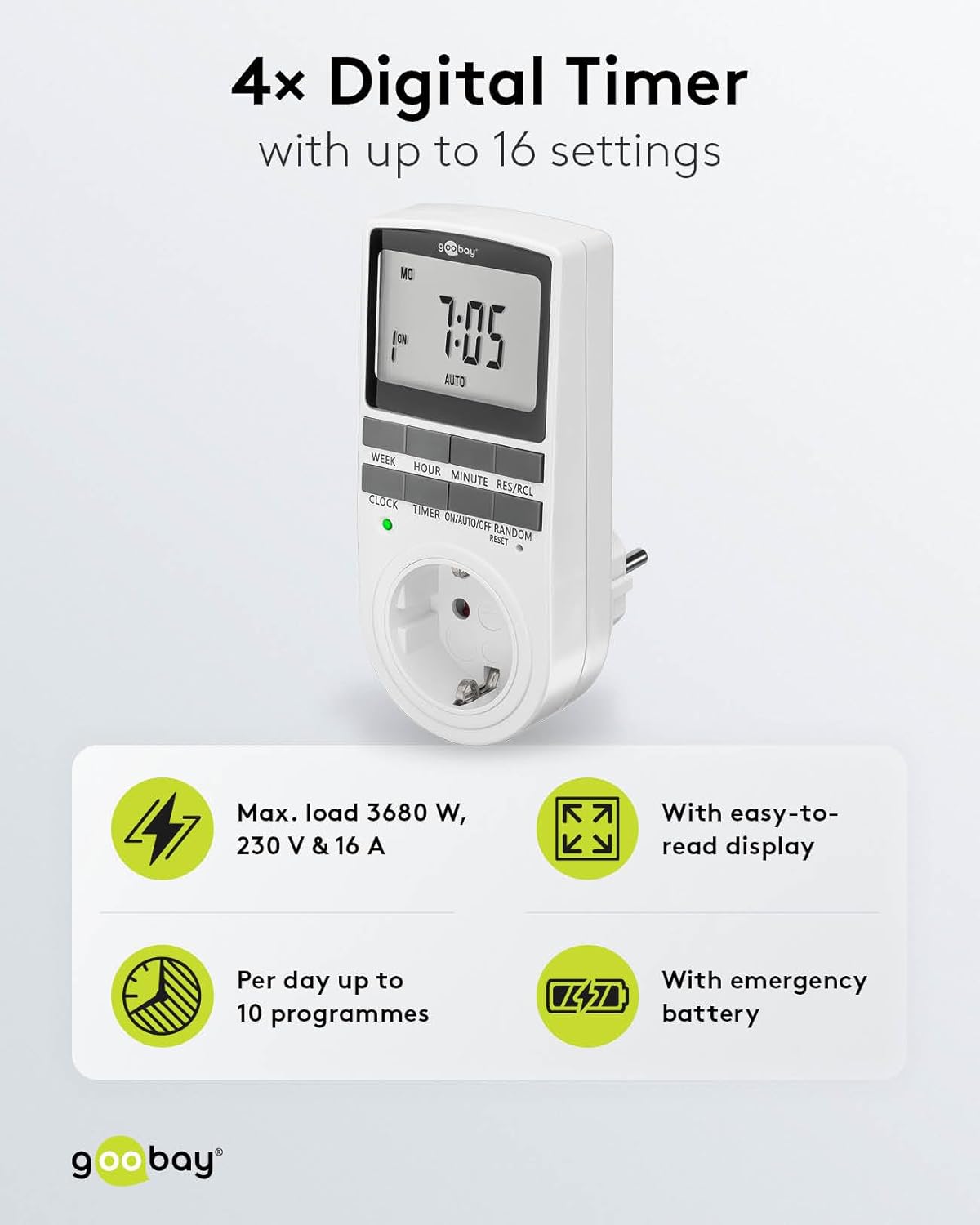
Image: goobay Digital Timer highlighting its features: Max. load 3680 W, 230 V & 16 A; Easy-to-read display; Up to 10 programs per day; Emergency backup battery.
Les característiques clau inclouen:
- Màx. Càrrega: 3680 W, 230 V & 16 A
- Configuració programable: Up to 8 ON/OFF program pairs (16 individual settings).
- Mode aleatori: Simulates presence for enhanced security.
- Bateria de seguretat: Retains settings for over 100 days during power outages.
- Estalvi d'energia: Interrupts standby mode of connected devices.
- Disseny compacte: Space-saving installation.

Imatge: Lateral view of the goobay Digital Timer showing its compact dimensions: 135 mm height, 60 mm width, 38 mm depth, and 155g weight.
4. Configuració
4.1 Càrrega inicial
Before first use, plug the timer into a wall outlet for approximately 5-10 minutes to charge the internal backup battery. This ensures the display functions and settings can be retained even when unplugged.
4.2 Restabliment del dispositiu
If the display is blank or unresponsive, or if you wish to clear all previous settings, press the RESET button using a small, non-metallic pointed object (e.g., a toothpick or the included reset tool). This will clear all programs and reset the clock.

Image: The goobay Digital Timer showing the LED status display, Reset function (with reset tool), Safety plug (Type F, CEE 7/4, 230V, 16A, 3680W), and Safety socket (Type F, CEE 7/3, 6A, 250V output).
4.3 Configuració de l'hora actual
- Premeu el botó RELOJ botó.
- Premeu el botó SETMANA button to select the current day of the week (MO, TU, WE, TH, FR, SA, SU).
- Premeu el botó HORA botó per ajustar l'hora actual (0-23).
- Premeu el botó MINUT per ajustar els minuts actuals (0-59).
- Premeu el botó RELOJ de nou per confirmar i sortir del mode de configuració de l'hora.

Image: Close-up of the goobay Digital Timer's display, indicating Weekday, Selected time setting (1-10), Time of day, and Operating mode (On/Auto/Off).
5. Instruccions de funcionament
5.1 Programació dels temps d'encesa/apagada
The timer allows for up to 8 ON/OFF program pairs (16 individual settings).
- Premeu el botó TEMPORIZADOR per entrar al mode de programació. La pantalla mostrarà "1 ON".
- Premeu SETMANA per seleccionar el(s) dia(es) d'aquest programa. Les opcions inclouen:
- Individual days (MO, TU, WE, TH, FR, SA, SU)
- Groups of days (MO TU WE TH FR SA SU, MO TU WE TH FR, SA SU, MO TU WE TH FR SA, MO WE FR, TU TH SA, MO TU WE, TH FR SA)
- Premeu HORA per configurar l'hora d'encesa desitjada.
- Premeu MINUT per ajustar el minut d'encesa desitjat.
- Premeu TEMPORIZADOR de nou. La pantalla mostrarà "1 OFF".
- Repeat steps 2-4 to set the desired OFF time for the same program.
- Continueu prement TEMPORIZADOR to cycle through program settings 2 ON, 2 OFF, up to 8 ON, 8 OFF, setting each as needed.
- Després de configurar tots els programes desitjats, premeu el botó RELOJ per sortir del mode de programació i tornar a la visualització de l'hora actual.

Image: Diagram illustrating the functions of the goobay Digital Timer's buttons: WEEK (Set weekday), HOUR (Set hours), MINUTE (Set minutes), RES/RCL (Delete or restore setting), CLOCK (Set different times of day), TIMER (Switch set times), ON/AUTO/OFF (Manual or automatic mode), RANDOM (Random mode).
5.2 Modes de funcionament (ENCÈS/AUTO/APAGAT)
Premeu el botó ON/AUTO/OFF botó per anar canviant pels modes de funcionament:
- ACTIVITAT: The connected appliance will remain continuously ON, overriding all programmed settings.
- AUTOMÀTIC: The connected appliance will operate according to the programmed ON/OFF times. This is the standard operating mode for scheduled tasks.
- DESACTIVAT: The connected appliance will remain continuously OFF, overriding all programmed settings.
5.3 Mode aleatori
The random mode is designed to simulate presence for security purposes. When activated, the timer will switch ON and OFF at random intervals between 6:00 PM and 5:30 AM.
- Assegureu-vos que el temporitzador estigui activat AUTO mode.
- Premeu el botó ALEATÒRIA button to activate or deactivate this mode. An "R" will appear on the display when random mode is active.
5.4 Horari d'estiu (DST)
To adjust for Daylight Saving Time, press the HORA i MINUT buttons simultaneously while in RELOJ mode. The time will advance or rewind by one hour. Repeat to revert.
6. Manteniment
- Neteja: Unplug the timer from the wall outlet before cleaning. Wipe the exterior with a soft, dry cloth. Do not use liquid cleaners or sprays.
- Emmagatzematge: If storing the timer for an extended period, ensure the backup battery is charged periodically to maintain its functionality.
- Bateria de seguretat: The integrated backup battery is designed to retain settings for over 100 days. No user maintenance is required for the battery.
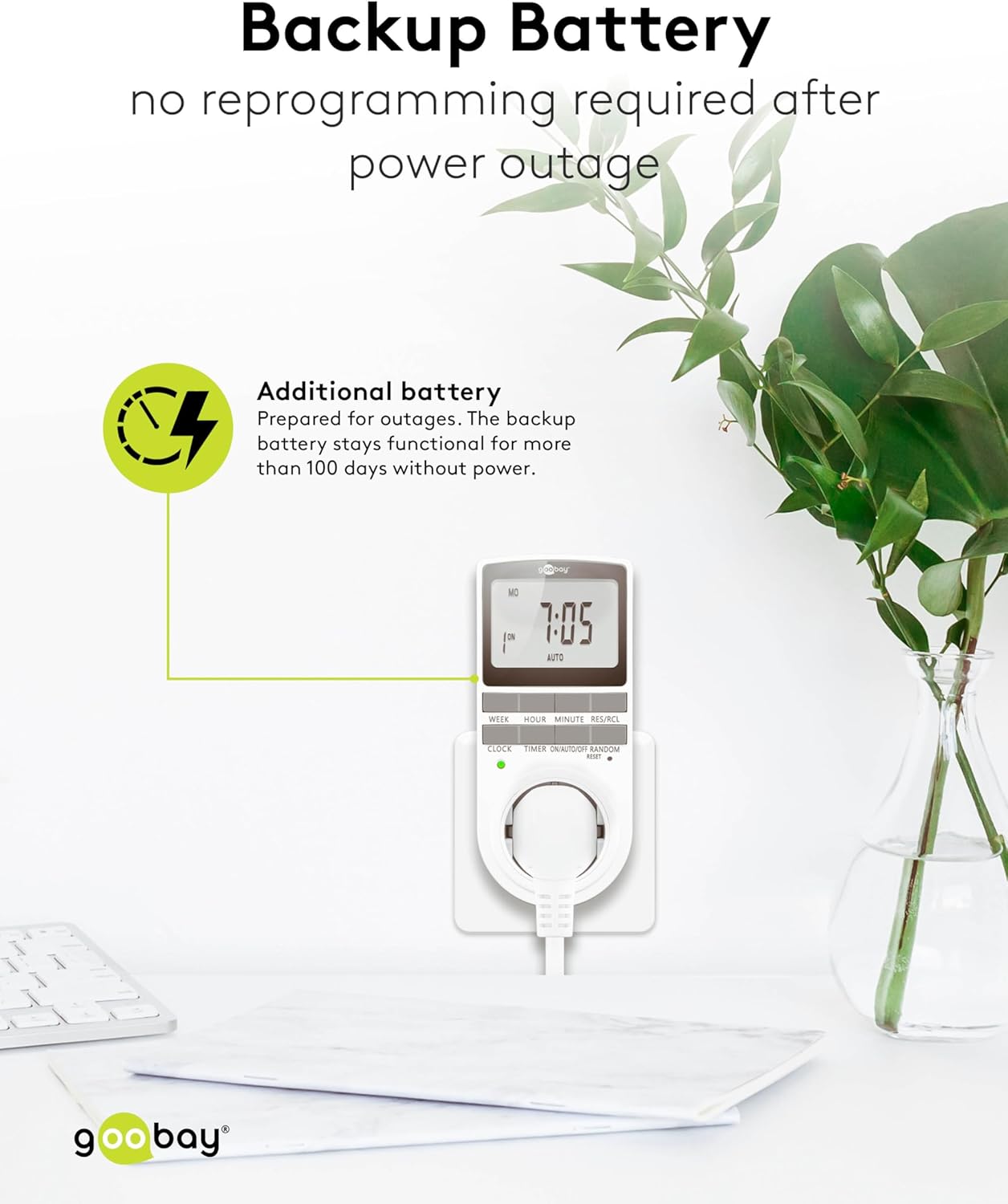
Image: The goobay Digital Timer plugged into an outlet, illustrating the backup battery feature which prevents reprogramming after a power outage.
7. Solució De Problemes
| Problema | Causa possible | Solució |
|---|---|---|
| La pantalla està en blanc o no respon. | Backup battery is depleted or device needs reset. | Plug the timer into a live outlet for 5-10 minutes to charge the battery. If still unresponsive, press the RESET botó. |
| L'aparell no s'encén/apaga a les hores programades. | Timer is not in AUTO mode, programs are incorrect, or appliance is faulty. | Assegureu-vos que el temporitzador estigui configurat a AUTO mode. Verify programmed ON/OFF times. Check if the connected appliance works when plugged directly into the wall outlet. |
| Random mode is not working. | Timer is not in AUTO mode or random mode is not activated. | Assegureu-vos que el temporitzador estigui activat AUTO mode. Premeu el botó ALEATÒRIA button to activate it (an "R" should appear on the display). |
| L'hora és incorrecta després d'un tall de correnttage. | Backup battery is depleted or was not charged sufficiently. | Plug the timer into a live outlet for at least 10 minutes to fully charge the backup battery. Reset and reprogram if necessary. |
8. Especificacions
| Marca: | encerclat |
| Número de model: | 74217 |
| Color: | Blanc |
| Material: | Acrylonitrile Butadiene Styrene Plastic |
| Dimensions del producte (L x A x A): | 7.6 x 6 x 13.5 cm |
| Pes de l'article: | 155 g |
| Subministrament Voltage: | 230 V (CA) |
| Màx. Potència de commutació: | 3680 W |
| Màx. Actual: | 16.0 A |
| Nombre de configuracions: | 16 (8 ON/OFF program pairs) |
| Classificació de protecció: | IP20 |
| Classe de protecció: | I |
| País d'origen: | Xina |
9. Garantia i Suport
Specific warranty information is not provided within this manual. For details regarding warranty coverage, technical support, or service, please refer to the official goobay weblloc o poseu-vos en contacte amb el vostre distribuïdor.
You can often find additional resources and contact information on the manufacturer's weblloc: www.goobay.com


