Introducció
The Perixx PERIMICE-513 is a wired ergonomic vertical mouse designed to provide a comfortable and efficient computing experience. Its unique vertical design promotes a natural handshake position, which can help reduce forearm strain and the risk of repetitive strain injuries (RSI) during extended use. This manual provides essential information for setting up, operating, maintaining, and troubleshooting your PERIMICE-513 mouse.
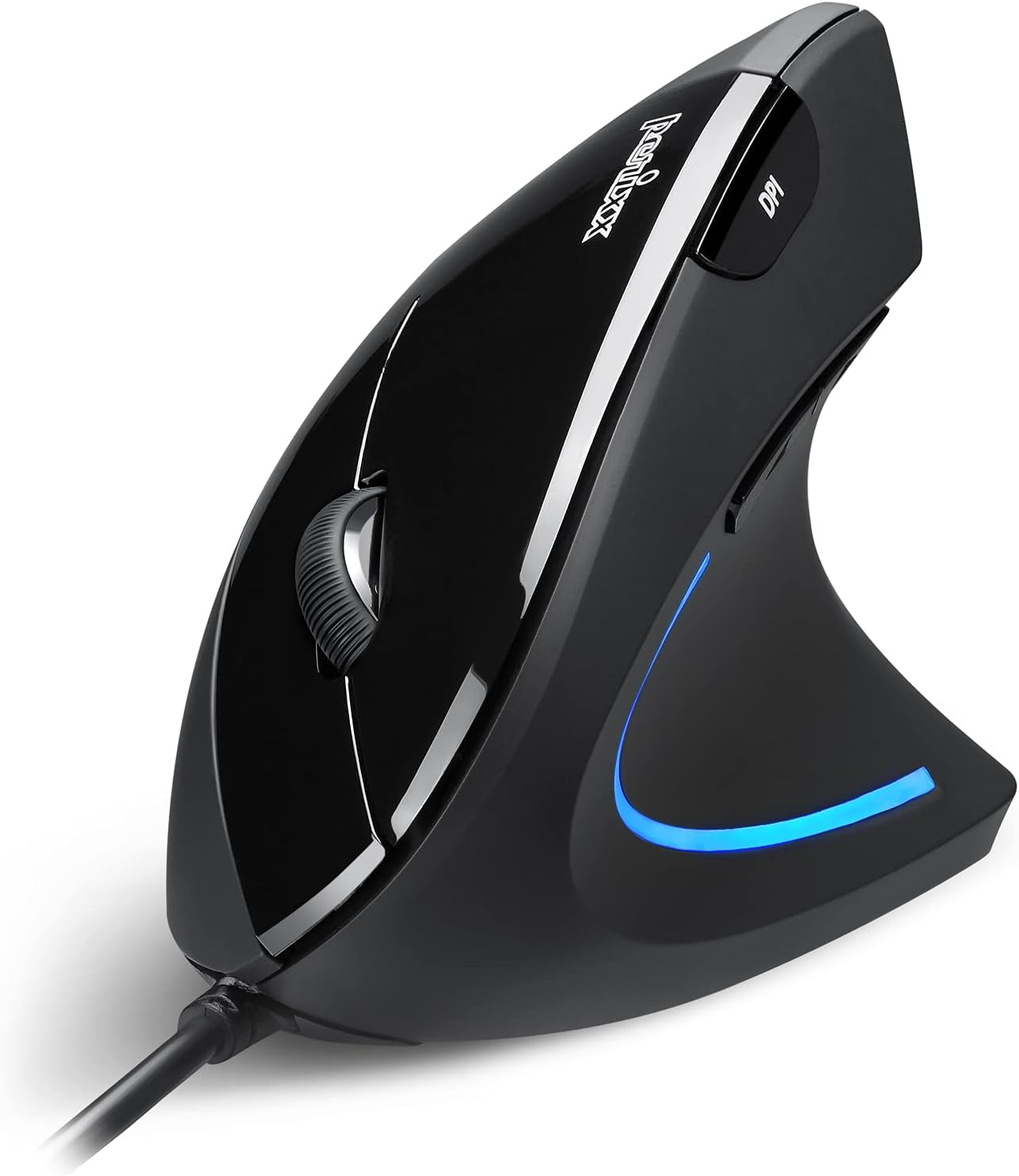
Image: The Perixx PERIMICE-513 Wired Ergonomic Vertical Mouse, showcasing its black finish and ergonomic design.
Producte acabatview
The PERIMICE-513 features six buttons and an adjustable DPI sensor for precise control. Familiarize yourself with the components:

Image: A diagram illustrating the six buttons of the Perixx PERIMICE-513 mouse, including Left Click, Right Click, Scroll Wheel, DPI Switch, Page Back, and Page Forward buttons.
- Botó esquerre de clic: Funció de clic principal estàndard.
- Botó dret: Funció de clic secundari estàndard.
- Roda de desplaçament: Per a la funcionalitat de desplaçament vertical i clic amb el botó central.
- Botó de commutació de DPI: Ajusta la sensibilitat del cursor (DPI).
- Botó de pàgina anterior: Navega enrere web navegadors o file exploradors.
- Botó Avançar pàgina: Navega cap endavant web navegadors o file exploradors.
Configuració
The Perixx PERIMICE-513 is designed for simple plug-and-play setup.
- Connecteu el cable USB: Connecteu el connector USB del ratolí a un port USB disponible de l'ordinador.
- Instal·lació del controlador: The mouse is plug-and-play and typically does not require additional drivers for basic functionality on compatible operating systems. Your computer should automatically detect and install the necessary drivers.
- Posicionament: Place the mouse on a flat, clean surface. The ergonomic design encourages a natural handshake grip.

Image: A hand connecting the USB cable of the Perixx PERIMICE-513 mouse to a computer, illustrating the plug-and-play setup.
Compatibilitat: The PERIMICE-513 is fully compatible with Windows 7, 8, 10, 11, and later versions.
Instruccions de funcionament
This section details the functions of your Perixx PERIMICE-513 mouse.
Ajust de DPI
The DPI (Dots Per Inch) switch button, located on the top of the mouse, allows you to adjust the cursor sensitivity. Press this button to cycle through the available DPI settings: 1000, 1600, 3200, and 6400 DPI. Choose a setting that best suits your task and preference for cursor speed and precision.

Image: A hand demonstrating the natural, comfortable grip on the Perixx PERIMICE-513 vertical mouse, highlighting its ergonomic design.
Ergonomic Use
The vertical design of the PERIMICE-513 encourages a neutral wrist and forearm posture, similar to a handshake. This natural position helps to alleviate pressure on the wrist and reduce muscle tension, contributing to long-term comfort and preventing strain.

Image: A visual comparison showing a twisted wrist position with a traditional mouse versus a natural, untwisted wrist position achieved with an ergonomic vertical mouse.
Funcions del botó
- Clic esquerre/dret: Perform standard selection and context menu actions.
- Roda de desplaçament: Scroll documents and web pages vertically. Press down for middle-click functionality.
- Commutador DPI: Cycle through 1000, 1600, 3200, and 6400 DPI settings.
- Page Back/Forward: Conveniently navigate web pàgines o carpetes.
Manteniment
Proper care ensures the longevity and optimal performance of your mouse.
- Neteja: Utilitzeu un suau, lleugerament damp cloth to clean the surface of the mouse. Avoid using harsh chemicals, abrasive cleaners, or solvents, as these can damage the rubber coating and internal components.
- Sensor òptic: Mantingueu el sensor òptic de la part inferior del ratolí net i lliure de pols o deixalles per garantir un seguiment precís.
- Cura del cable: Eviteu doblegar bruscament o estirar excessivament el cable USB per evitar danys.
Resolució de problemes
If you encounter issues with your Perixx PERIMICE-513 mouse, refer to the following solutions:
- El ratolí no respon:
- Assegureu-vos que el cable USB estigui ben connectat a un port USB que funcioni de l'ordinador.
- Prova de connectar el ratolí a un port USB diferent.
- Reinicieu l'ordinador.
- Moviment erràtic del cursor:
- Clean the optical sensor on the bottom of the mouse with a soft, dry cloth.
- Assegureu-vos que feu servir el ratolí sobre una superfície adequada. Eviteu superfícies molt reflectants o transparents.
- DPI Setting Not Changing:
- Press the DPI switch button firmly. The change in DPI may be subtle depending on your current setting and screen resolution.
Especificacions
Detailed technical specifications for the Perixx PERIMICE-513 mouse:
| Característica | Especificació |
|---|---|
| Dimensions del producte | 4.92 x 2.44 x 0.1 polzades |
| Pes de l'article | 5.6 unces |
| Número de model | 12364 |
| Tecnologia de connectivitat | USB |
| Tecnologia de detecció de moviment | Òptic |
| Configuració de DPI | 1000/1600/3200/6400 |
| Longitud del cable | 5.9 peus (1.8 m) |
| Compatibilitat | Windows 7, 8, 10, 11, and later |
| Característica especial | Disseny ergonòmic |
Producte acabatview Vídeo
Mira aquest producte oficialview video for a visual guide to the Perixx PERIMICE-513 mouse.
Vídeo: Un producte oficial acabatview of the Perixx PERIMICE-513 Ergonomic Vertical Mouse, demonstrating its features and ergonomic benefits.
Garantia i Suport
Perixx products are manufactured to high-quality standards. For specific warranty details, please refer to the warranty card included with your product or visit the official Perixx website. For further assistance or support, you may visit the Botiga Perixx a Amazon.


