1. Introducció
This manual provides detailed instructions for the safe and effective use of your ThruNite Archer Pro S EDC Flashlight. Please read this manual thoroughly before operating the device and retain it for future reference.
The ThruNite Archer Pro S is a compact and powerful Everyday Carry (EDC) flashlight, featuring a high-performance LED, USB-C rechargeable battery, and a versatile tail switch for various lighting modes.
2. Informació de seguretat
- No il·lumineu directament els ulls amb la llanterna. L'alta potència lumínica pot causar una discapacitat visual temporal.
- Mantenir fora de l'abast dels nens.
- No desmunteu el capçal segellat de la llanterna, ja que això podria danyar la llum i anul·lar la garantia.
- Eviteu exposar la llanterna a temperatures extremes o a la llum solar directa durant períodes prolongats.
- Ensure the USB-C charging port is clean and dry before charging to prevent damage.
3. Contingut del paquet
Verifiqueu que tots els elements siguin presents al vostre paquet:
- ThruNite Archer Pro S Cool White Flashlight x1
- Integrated Battery x1
- Pocket Clip x1
- Cable de càrrega USB-C x1

Image: Package contents of the ThruNite Archer Pro S flashlight.
4. Producte acabatview
The ThruNite Archer Pro S features a durable aluminum body, a high-performance LED, and a tactical tail switch for intuitive operation. Its compact design and dual-direction pocket clip enhance portability.

Image: The ThruNite Archer Pro S flashlight.

Image: Flashlight with dual-direction pocket clip.
5. Configuració
5.1 Càrrec inicial
Before first use, fully charge the flashlight. The Archer Pro S features an integrated USB-C charging port.
- Locate the head cap of the flashlight.
- Rotate the head cap counter-clockwise to reveal the USB-C charging port.
- Connect the provided USB-C cable to the flashlight's port and the other end to a USB power source (e.g., wall adapter, computer).
- The indicator light will show charging status. It typically turns green when fully charged.
- Once charging is complete, rotate the head cap clockwise to seal the charging port, ensuring water resistance.

Image: Accessing the USB-C charging port.

Image: Flashlight connected for USB-C charging.
6. Instruccions de funcionament
The Archer Pro S utilizes a single tactical tail switch for all operations.

Image: Operating the tactical tail switch.
6.1 Funcionament bàsic
- Activar/Desactivar: Single click the tail switch to turn the flashlight on or off. The light will turn on in the last used mode (except Firefly, Turbo, and Strobe).
- Firefly Mode: When the flashlight is off, press and hold the tail switch for approximately 1 second to activate Firefly mode.
- Mode turbo: Double click the tail switch from any mode (on or off) to activate Turbo mode.
- Mode estroboscòpic: Triple click the tail switch from any mode (on or off) to activate Strobe mode.
6.2 Changing Brightness (Infinity Mode)
When the flashlight is on in a regular mode (not Firefly, Turbo, or Strobe):
- Press and hold the tail switch to cycle through brightness levels (Infinity Low to Infinity High).
- Release the switch at your desired brightness level.
- To reverse the dimming/brightening direction, release the switch and press and hold again.
6.3 Lock/Unlock Mode
The lockout mode prevents accidental activation, conserving battery and preventing unintended light emission.
- Tancar: From Firefly mode, press and hold the tail switch for approximately 1 second. The light will flash briefly to indicate it is locked.
- Per desbloquejar: When the flashlight is locked, press and hold the tail switch for approximately 1 second. The flashlight will activate in Firefly mode, indicating it is unlocked.
- If the tail switch is clicked while locked, the light will flash briefly to remind you it is in lockout mode.

Image: Versatile use of the ThruNite Archer Pro S flashlight.
7. Manteniment
7.1 Neteja
- Netegeu el cos de la llanterna amb un drap suau iamp tela.
- For the lens, use a lens cleaning cloth to avoid scratches.
- No utilitzeu productes químics o materials abrasius.
7.2 Resistència a l'aigua
The Archer Pro S is rated IPX8 waterproof, meaning it can be submerged in water up to 2 meters for 30 minutes. Ensure the head cap is fully tightened to maintain water resistance.
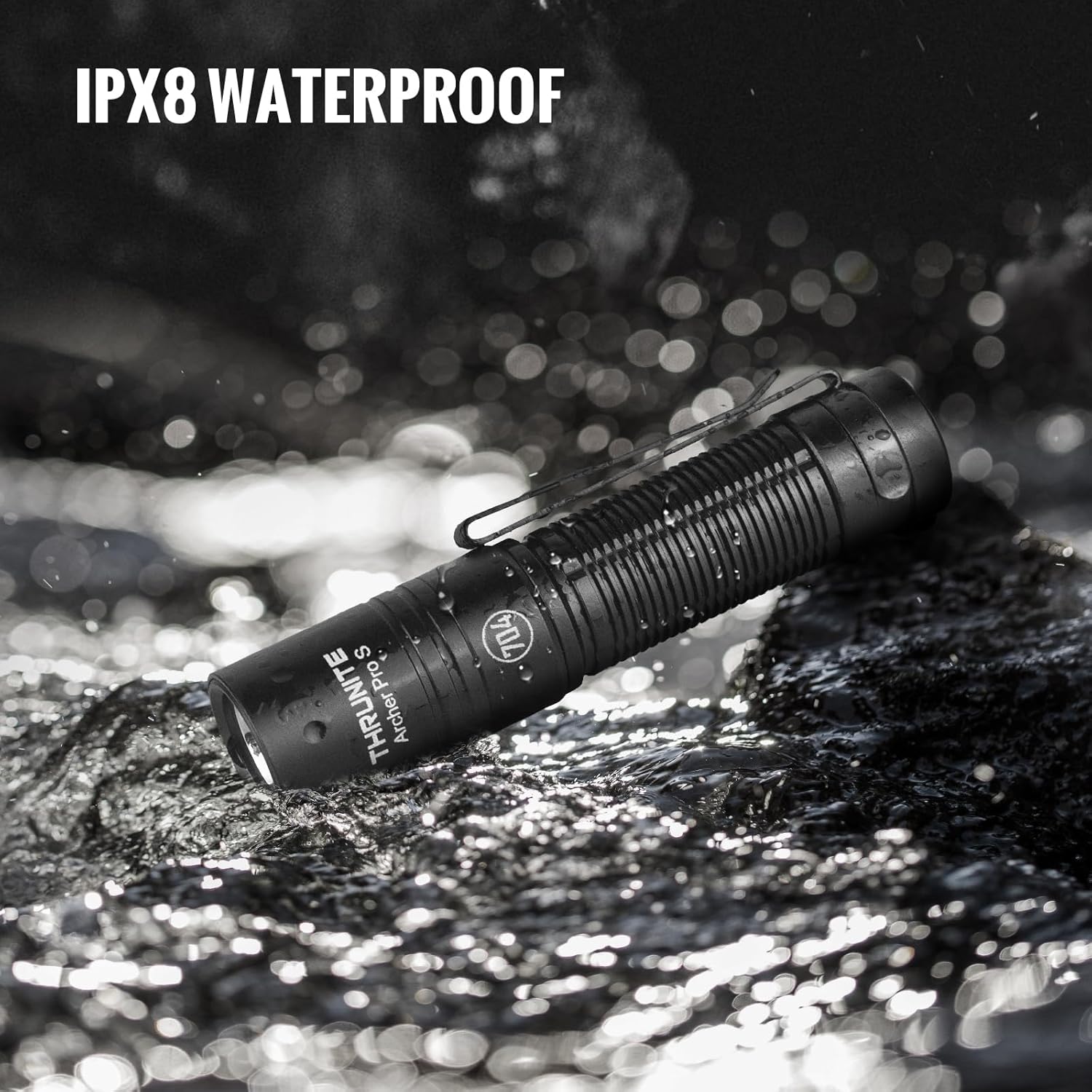
Image: ThruNite Archer Pro S demonstrating IPX8 water resistance.
8. Solució De Problemes
- La llanterna no s'encén: Check if the flashlight is in lockout mode. Press and hold the tail switch to unlock. Ensure the battery is charged.
- La sortida de llum és tènue: Pot ser que la bateria estigui baixa. Recarrega la llanterna.
- Problemes de càrrega: Ensure the USB-C cable is properly connected and the head cap is rotated to expose the charging port. Try a different USB power source or cable.
- Inconsistent mode changes: Ensure the tail switch is clean and free of debris.
9. Especificacions
| Característica | Especificació |
|---|---|
| Marca | ThruNite |
| Model | Archer Pro S |
| Tipus de font de llum | LED |
| Material | Alumini |
| Brillantor màxima | 1459 lúmens |
| Distància màxima del feix | 160 metres |
| Font d'alimentació | Alimentat per bateria (ió de liti integrat) |
| Interfície de càrrega | USB-C |
| Nivell de resistència a l'aigua | IPX8 (2 meters, 30 minutes) |
| Dimensions del producte | 0.79"D x 0.79"W x 3.67"H (98mm x 21mm) |
| Pes de l'article | 2.29 unces (65 g) |
| Característiques especials | Adjustable Light Modes, High Power, Impact Resistant, Non-Slip Grip, Rechargeable |

Image: Comparison of Archer Pro S and Archer Pro specifications.
10. Garantia i Suport
ThruNite products are designed for durability and performance. For warranty information or technical support, please refer to the official ThruNite weblloc web o contacteu directament amb el seu servei d'atenció al client. Conserveu el rebut de compra com a comprovant de compra.
Official ThruNite Weblloc: www.thrunite.com


