Introducció
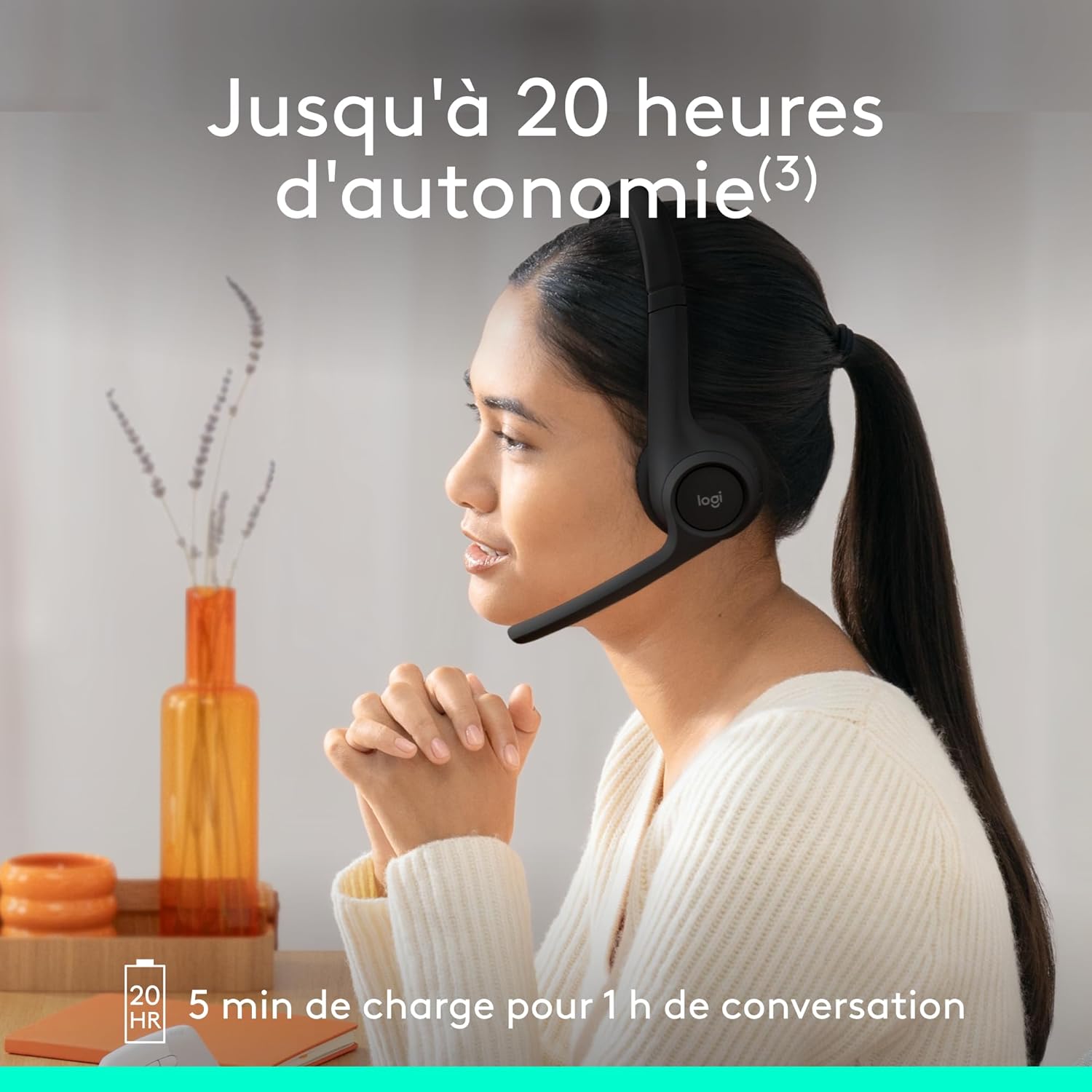
The Logitech Zone 300 is an essential wireless Bluetooth headset designed for exceptional audio quality during work and leisure. It offers reliable multi-point Bluetooth connectivity within a 30-meter range, allowing free movement at home or in the office. This headset features dual noise-cancelling microphones for clear communication and enhanced speakers for clear listening. Easily switch between your computer and smartphone. Enjoy up to 20 hours of listening and 16 hours of talk time on a single charge, with a quick 5-minute charge providing an additional hour of talk time when the battery is low. The Logitech Zone 300 headset is also an environmentally conscious choice, with plastic parts made from at least 55% recycled plastic (excluding PWA, cables, and packaging).

Informació de seguretat
Please read all safety instructions before using this product to ensure safe and optimal performance. Keep this manual for future reference.
- Do not expose the headset to extreme temperatures or humidity.
- Eviteu deixar caure els auriculars ni sotmetre'ls a impactes forts.
- Do not disassemble or attempt to repair the headset yourself. This may void the warranty and cause damage.
- Feu servir només el cable de càrrega USB-C proporcionat.
- Prolonged listening at high volume levels may cause hearing damage. Adjust volume to a comfortable level.
Contingut del paquet
Verifiqueu que tots els elements estiguin presents a l'embalatge del producte:
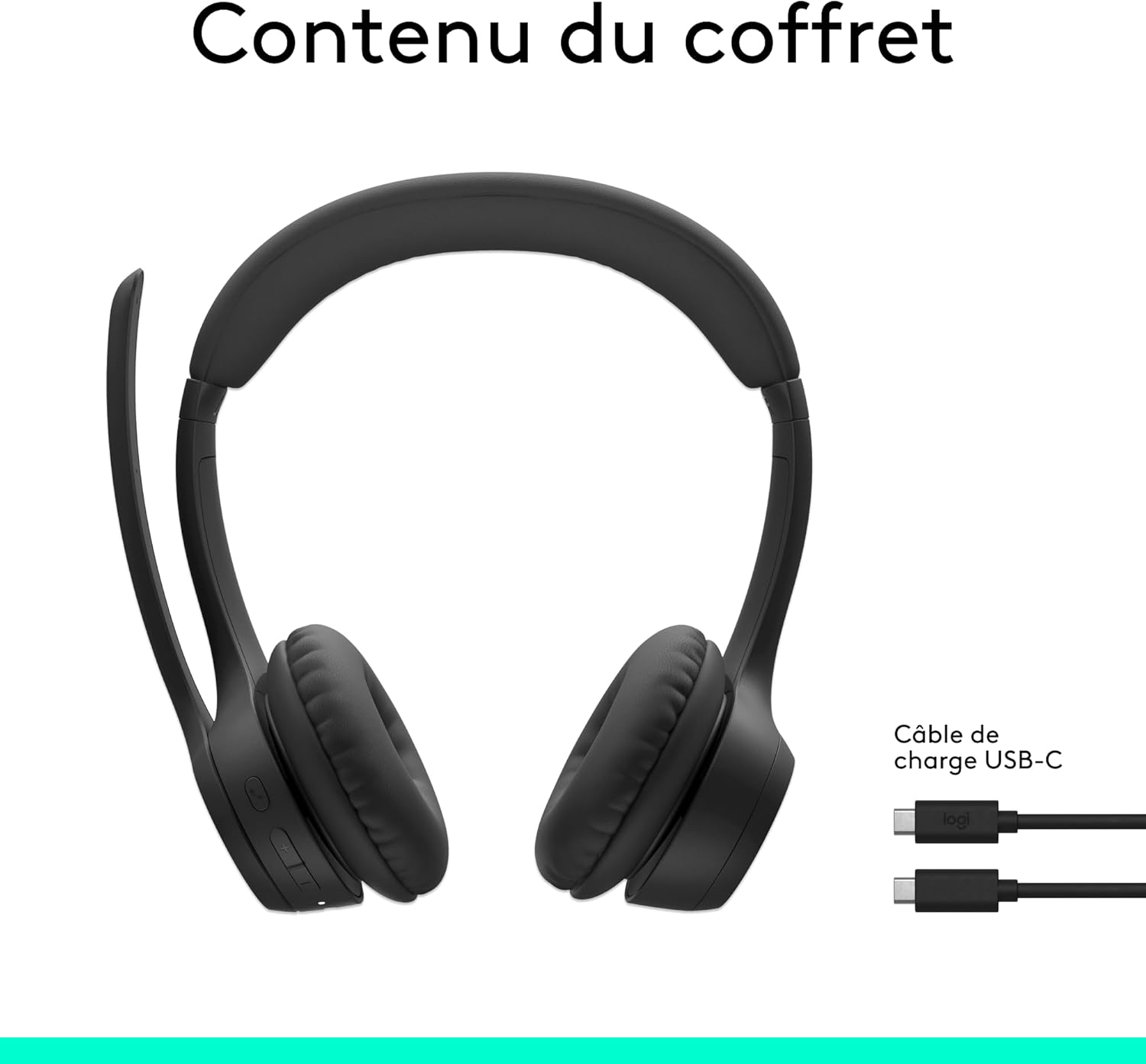
- Logitech Zone 300 Headset
- Cable de càrrega USB-C a USB-C
- Documentació d'usuari
Configuració
Càrrega dels auriculars
Before first use, fully charge your Logitech Zone 300 headset. Connect the provided USB-C charging cable to the headset's USB-C port and the other end to a power source (e.g., computer USB port or wall adapter).
- A full charge provides up to 20 hours of listening time and 16 hours of talk time.
- A quick 5-minute charge can provide up to 1 hour of additional talk time when the battery is low.
Vinculació amb dispositius
The Zone 300 headset supports multi-point Bluetooth connectivity, allowing you to connect to two devices simultaneously (e.g., computer and smartphone) and seamlessly switch between them.
- Turn on the headset by sliding the power switch.
- Put the headset into pairing mode (refer to the headset's specific pairing button/indicator, usually holding the power button or a dedicated Bluetooth button).
- Al dispositiu (ordinador, telèfon intel·ligent, tauleta), aneu a la configuració de Bluetooth i seleccioneu "Logitech Zone 300" de la llista de dispositius disponibles.
- Once connected, the headset will indicate successful pairing (e.g., LED indicator changes color).

Funcionament dels auriculars
Controls acabatsview
The Logitech Zone 300 features intuitive on-ear controls for easy management of calls and audio playback.

- Interruptor d'alimentació: Located on the right earcup, used to turn the headset on/off.
- Botons de volum: Ajusta el volum de l'àudio amunt o avall.
- Botó multifunció: Typically used for play/pause, answer/end calls, or activating voice assistant.
- Boom del micròfon: Can be flipped up to mute the microphone.
Ús del micròfon
The headset is equipped with dual beamforming noise-cancelling microphones on an extended boom, designed to eliminate background noise for clear conversations.
- Cancel·lació de soroll: The microphones use advanced algorithms to reduce ambient noise, ensuring your voice is heard clearly in busy environments.
- Flip-up Mute: Simply raise the microphone boom to automatically mute your microphone. Lower it to unmute.

Qualitat d'àudio
The 30mm dynamic audio drivers feature custom-tuned diaphragm diagrams, providing crystal-clear sound for calls and other listening experiences.

Aplicació Logi Tune
Personalize your headset's firmware and settings using the free Logi Tune application. Download the app to adjust sidetone, microphone level, and equalizer settings for a customized audio experience.

Manteniment
Proper maintenance ensures the longevity and performance of your Logitech Zone 300 headset.
Neteja
- Netegeu els auriculars amb un drap suauamp tela. No utilitzeu netejadors abrasius ni dissolvents.
- Assegureu-vos que el port USB-C estigui lliure de pols ni brutícia.
Substitució de coixinets per a les orelles
The ear pads on the Zone 300 headset are replaceable, extending the lifespan of your headset. Replacement ear pads are available for purchase separately.
Resolució de problemes
If you encounter issues with your Logitech Zone 300 headset, refer to the common problems and solutions below.
No Sound / Poor Audio
- Comprova el volum: Ensure the headset volume is turned up and not muted. Also check the volume settings on your connected device.
- Reemparella el dispositiu: Desconnecta i torna a emparellar els auriculars amb el dispositiu.
- Select Correct Output: On your computer or smartphone, ensure the Logitech Zone 300 is selected as the audio output device.
- Càrrega de la bateria: Low battery can affect audio quality. Ensure the headset is sufficiently charged.
Problemes amb el micròfon
- Comprova el silenci: Ensure the microphone boom is lowered and not in the mute position.
- Seleccioneu l'entrada correcta: On your device, ensure the Logitech Zone 300 is selected as the audio input device.
- Adjust Microphone Level: Use the Logi Tune app or your device's sound settings to adjust the microphone input level.
- Soroll ambiental: While the headset has noise-cancelling microphones, very loud ambient noise might still be picked up. Try to use the headset in a quieter environment if possible.
Problemes de connectivitat
- Rang Bluetooth: Ensure you are within the 30-meter wireless range of your connected device.
- Interferència: Allunyeu-vos d'altres dispositius sense fil (encaminadors Wi-Fi, telèfons sense fil) que puguin causar interferències.
- Reinicieu els dispositius: Try restarting both the headset and the connected device.
- Oblida el dispositiu: On your device, "forget" or "remove" the Logitech Zone 300 from your Bluetooth list, then re-pair it.
Especificacions
| Característica | Detall |
|---|---|
| Nom del model | Logitech Zone 300 wireless headset |
| Número de model | 981-001407 |
| Tecnologia de connectivitat | Sense fil (Bluetooth) |
| Tecnologia de comunicació sense fils | Bluetooth |
| Col·locació de l'orella | A l'orella |
| Factor de forma | Sobre l'orella |
| Aïllament del soroll | Cancel·lació activa de soroll (micròfon) |
| Resposta de freqüència | 20 Hz - 20,000 Hz |
| Sensibilitat | 96 dB |
| Pes | 122 grams (4.3 unces) |
| Tipus de bateria | Ió de liti |
| Durada de la bateria (escolta) | Fins a 20 hores |
| Durada de la bateria (temps de conversa) | Fins a 16 hores |
| Càrrega ràpida | 5 minutes for 1 hour talk time |
| Dispositius compatibles | Computers, smartphones, tablets |
| Material | Plastic (at least 55% recycled post-consumer plastic for black model) |
Garantia i Suport
Informació de la garantia
The Logitech Zone 300 headset comes with a Garantia del fabricant de 2 anysSi us plau, conserveu el comprovant de compra per a reclamacions de garantia. La garantia cobreix defectes de materials i fabricació en condicions d'ús normal.
Atenció al client
Per obtenir més ajuda, assistència tècnica o reclamacions de garantia, visiteu el lloc web d'assistència oficial de Logitech. website or contact their customer service. Refer to the documentation included in your package for specific contact details or visit www.logitech.com/support.


