1. Introducció i finalview
The Audio Enhancement XD Teacher Microphone ST-XD-9026 is designed to enhance vocal clarity and distribution in various educational environments. This microphone is specifically engineered to be compatible only with Audio Enhancement amplifier/receiver systems. It helps evenly distribute the teacher's natural speaking voice, ensuring high-quality audio throughout the classroom, including specialized spaces, rooms with windows, portable classrooms, and even outdoors.
This device also features built-in discreet panic buttons that integrate with Audio Enhancement's SAFE System, providing an additional layer of safety.
2. Què hi ha a la caixa
Upon unboxing your XD Teacher Microphone ST-XD-9026, please ensure all the following components are present:
- XD Teacher Microphone
- XD Battery
- Carregador USB-C

Imatge: Frontal view of the XD Teacher Microphone, showing control buttons and indicators.
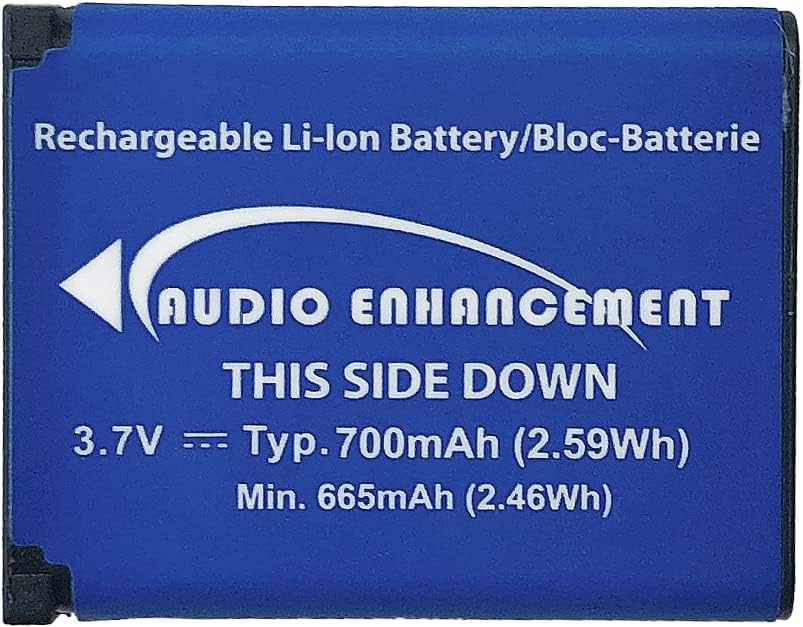
Image: The blue rechargeable Li-ion battery for the microphone, labeled "Audio Enhancement".

Image: The compact black USB-C charger with two USB ports.
3. Configuració
- Carregueu la bateria: Before first use, fully charge the provided XD Battery using the USB-C charger. Insert the USB-C cable into the microphone's DC IN port.
- Insereix la bateria: Open the battery compartment on the microphone and insert the fully charged XD Battery, ensuring correct polarity.
- Encès: Press and hold the PWR button on the microphone until the indicator lights illuminate.
- Parella amb Amplificador/receptor: The XD Teacher Microphone is designed for seamless integration with Audio Enhancement amplifier/receiver systems. Follow the pairing instructions provided with your Audio Enhancement amplifier/receiver to establish a connection. Ensure the microphone is within range of the receiver.
- Posicionament: For optimal voice pickup, wear the microphone as a lavalier microphone, positioned close to your mouth. The microphone features a clip for secure attachment to clothing.

Imatge: Lateral view of the XD Teacher Microphone, highlighting the MIC IN (3.5mm jack) and DC IN (USB-C) ports.
4. Instruccions de funcionament
- Encès/apagat: Manteniu premut el botó PWR botó per activar o desactivar el micròfon.
- Funció de silenci: Premeu breument MUT button to mute or unmute the microphone. An indicator light will show the mute status.
- Control de volum: Utilitza el Up i Avall arrow buttons to adjust the microphone's volume output.
- Selecció de canals: The microphone supports multiple channels (OWN, OTHER, CH3). Use the SELECCIONA button to cycle through available channels. Ensure the microphone is on the correct channel for your Audio Enhancement amplificador/receptor.
- Botó de pànic: The microphone includes discreet panic buttons for use with the Audio Enhancement SAFE System. Refer to your SAFE System documentation for specific instructions on activating and using this feature.
- Student Use: The microphone can be passed to students to amplify their voices, allowing for better audibility in the classroom.
- Operació de llarg abast: The XD Teacher Microphone offers a significant operating range. When moving between classrooms or outside the intended reception area, it is recommended to mute or power off the microphone to avoid unintended broadcasts.
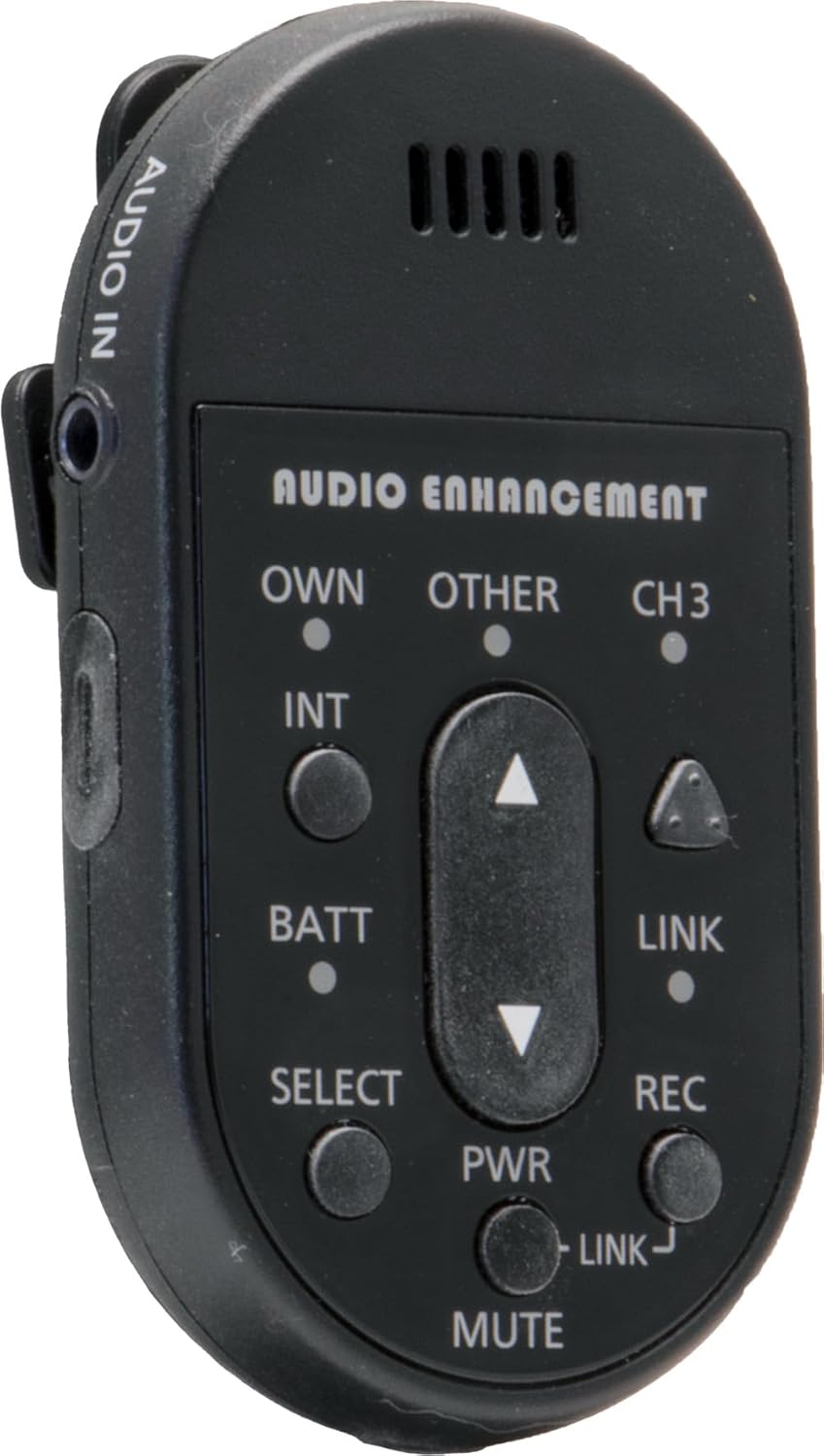
Imatge: Lateral view of the XD Teacher Microphone, showing the AUDIO IN port, which can be used for external audio sources.
5. Manteniment
- Neteja: Use a soft, dry cloth to clean the exterior of the microphone. Do not use liquid cleaners or aerosols.
- Cura de la bateria: To prolong battery life, avoid fully discharging the battery frequently. Store the microphone and battery in a cool, dry place when not in use for extended periods.
- Emmagatzematge: Keep the microphone away from extreme temperatures, direct sunlight, and high humidity.
- Manipulació: Manipuleu el micròfon amb cura per evitar danys per caigudes o impactes.
6. Solució De Problemes
| Problema | Causa possible | Solució |
|---|---|---|
| No hi ha so del micròfon | Microphone is muted; Battery is low or dead; Not paired with receiver; Incorrect channel selected. | Press MUTE button; Charge battery; Re-pair with amplifier/receiver; Select correct channel. |
| Mala qualitat de so o estàtica | Microphone too far from mouth; Interference; Low battery; Out of range. | Adjust microphone position; Check for nearby electronic devices; Charge battery; Move closer to receiver. |
| El micròfon no s'encén | Battery not inserted correctly; Battery is completely dead. | Re-insert battery correctly; Charge battery for an extended period. |
If you continue to experience issues, please refer to the support section or contact Audio Enhancement customer service.
7. Especificacions
- Nom del model: Audio Enhancement XD Teacher Microphone
- Número de model de l'article: ST-XD-9026
- Marca: Millora d'àudio
- Color: Negre
- Font d'alimentació: Funciona amb bateria
- Nombre de canals: 1
- Tecnologia de connectivitat: DECT
- Tipus de connector: USB tipus C (per carregar)
- Característiques especials: Clip, Mute Function, Volume Control, Built-in Panic Buttons (for SAFE System)
- Dispositius compatibles: Millora d'àudio Ampmés viu / receptor
- Patró polar: Unidireccional
- Factor de forma del micròfon: Lavalier
8. Garantia i Suport
For warranty information and technical support, please visit the official Audio Enhancement website or contact their customer service directly. You can also find more information and products at the Audio Enhancement Store on Amazon.
Si us plau, conserveu el comprovant de compra per a qualsevol reclamació de garantia.


