1. Producte acabatview
The Avidsen Sona-T Wireless Doorbell (Model 102508) offers a convenient and stylish solution for your home. Featuring a modern grey textile design, this doorbell system includes a chime unit with a luminous flash and a wireless call button. It provides a reliable signal range of up to 150 meters in open-field conditions and offers a selection of 36 distinct melodies.

Image 1.1: The Avidsen Sona-T wireless doorbell chime unit (left) and the call button (right).
2. Contingut del paquet
Verifiqueu que tots els components siguin presents al paquet:
- 1 x Avidsen Sona-T Wireless Doorbell Chime Unit
- 1 x Wireless Call Button
- 1 x CR2032 Battery (for the call button)
3. Configuració i instal·lació
3.1. Call Button Battery Installation
- Locate the battery compartment on the back of the call button.
- Open the compartment using a small screwdriver or by sliding the cover.
- Insert the provided CR2032 battery, ensuring the positive (+) side faces upwards.
- Tanqueu el compartiment de la bateria de manera segura.
3.2. Chime Unit Power Supply
The chime unit requires 3 x 1.5V AA batteries (not included). Open the battery compartment on the back of the chime unit and insert the batteries, observing the correct polarity.
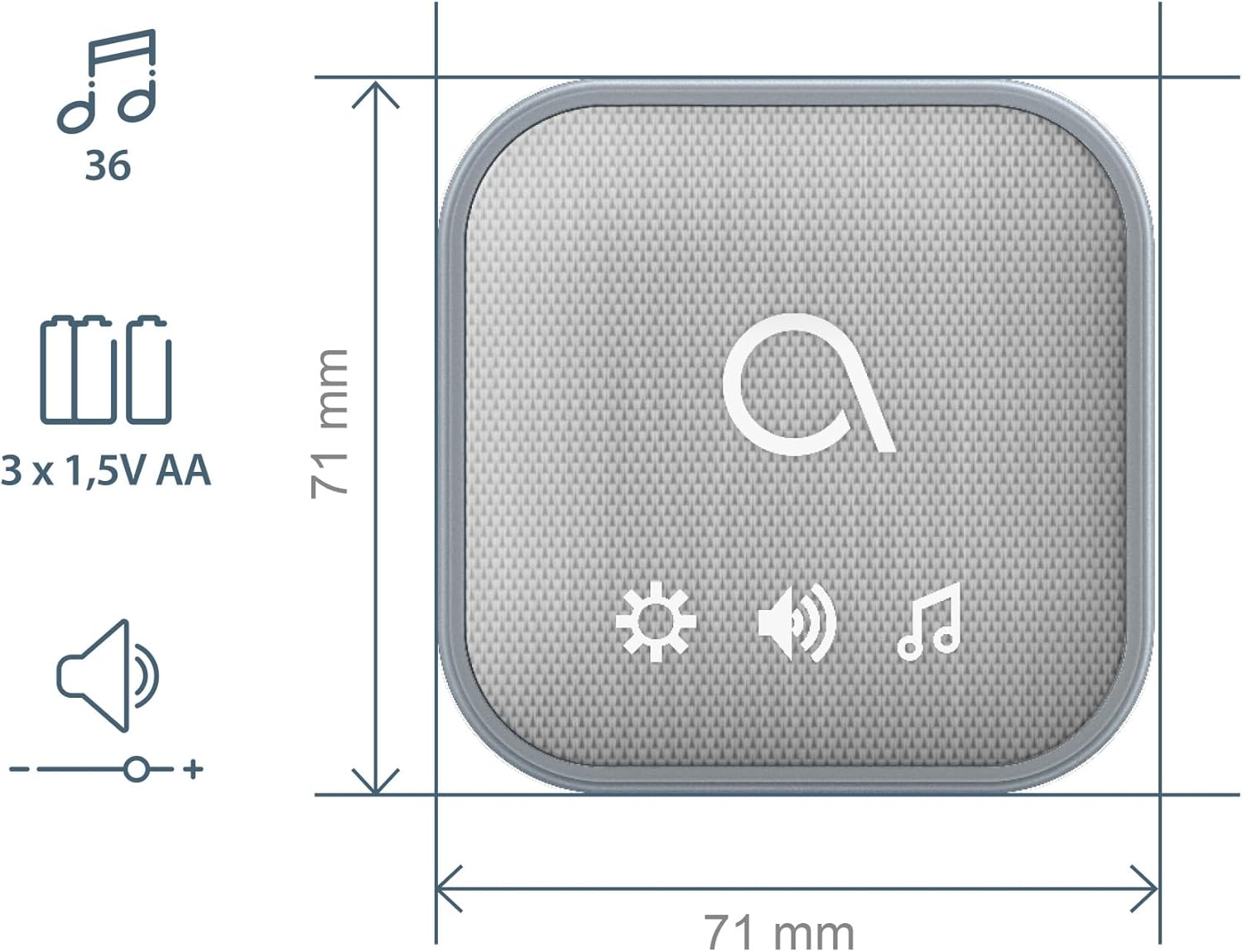
Image 3.1: Diagram showing the chime unit dimensions (71mm x 71mm) and battery requirement (3 x 1.5V AA batteries).
3.3. Mounting the Call Button
The call button is designed for outdoor use with an IP44 rating, protecting it from splashes of water. Mount it in a suitable location near your entrance using the provided adhesive or screws. Ensure it is easily accessible to visitors.

Image 3.2: Diagram showing the call button dimensions (73mm x 30mm) and its IP44 weather resistance rating.
3.4. Col·locació de la unitat de timbre
Place the chime unit indoors in a central location where the sound and luminous flash can be easily noticed. The system offers a wireless range of up to 150 meters in open areas.
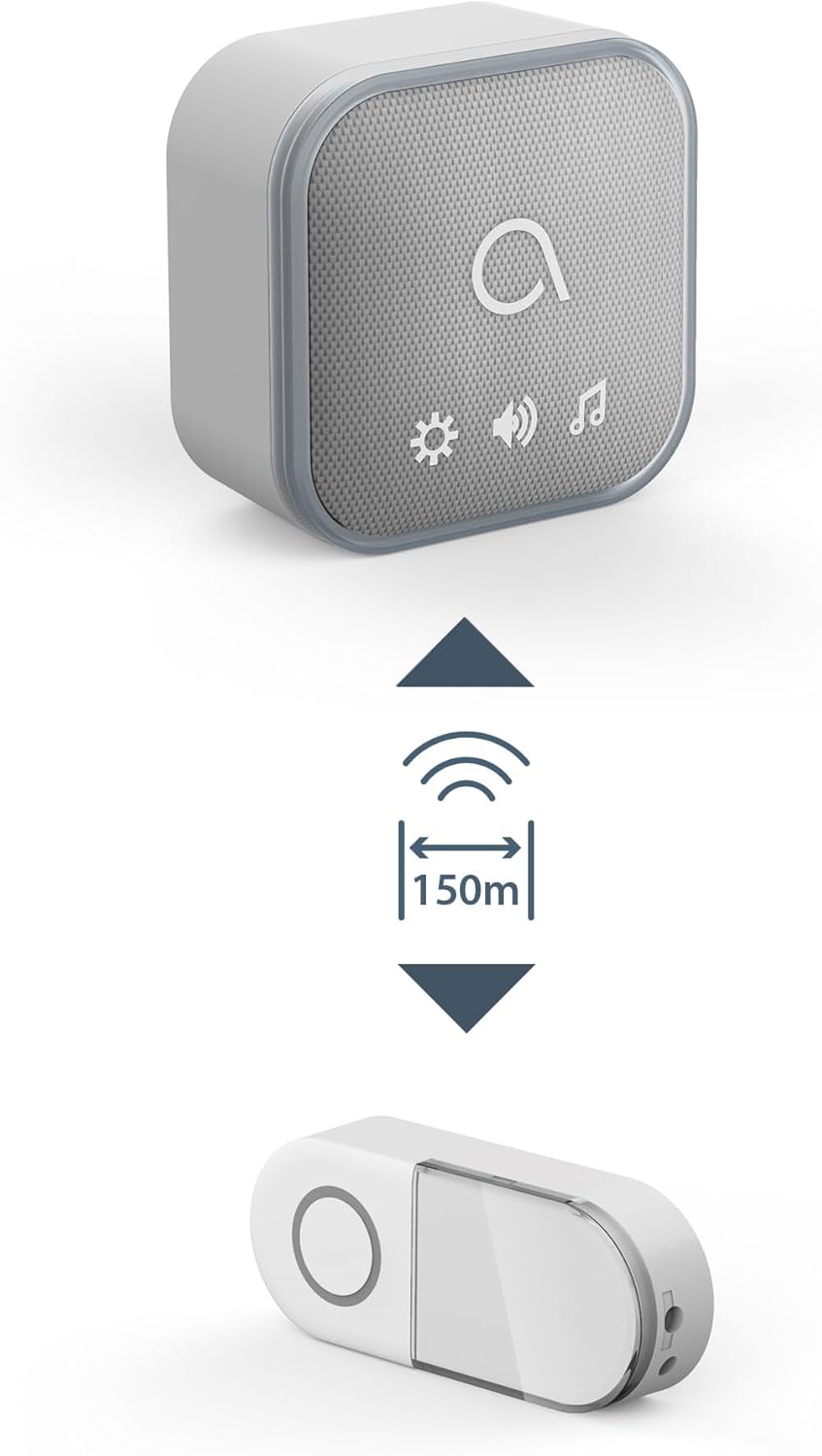
Image 3.3: Diagram illustrating the 150-meter wireless range between the call button and the chime unit.
3.5. Emparellament inicial (preemparellat)
The Avidsen Sona-T doorbell chime and call button are pre-paired at the factory, meaning no manual pairing is required for initial use. Simply install the batteries and place the units as described above.

Image 3.4: Illustration showing one call button paired with multiple chime units, indicating the ability to connect up to 8 chimes.
4. Instruccions de funcionament
4.1. Ringing the Doorbell
Press the button on the wireless call unit. The chime unit will sound the selected melody and activate its luminous flash.
4.2. Canvi de melodies
The chime unit offers 36 selectable melodies. Refer to the chime unit's controls (indicated by a music note icon) to cycle through the available options and select your preferred sound.
4.3. Ajust de volum
Use the volume control buttons (indicated by speaker icons) on the chime unit to increase or decrease the sound level.
4.4. Luminous Flash Feature
In addition to the audible chime, the Sona-T unit features a luminous halo that provides a visual alert when the doorbell is pressed. This is particularly useful in noisy environments or for individuals with hearing impairments.

Imatge 4.1: Un primer pla view of the Avidsen Sona-T chime unit, highlighting its luminous flash feature.
5. Manteniment
5.1. Neteja
Wipe the doorbell units with a soft, dry cloth. Do not use abrasive cleaners or solvents, as these may damage the surface.
5.2. Substitució de la bateria
Replace batteries in both the call button (CR2032) and the chime unit (3 x AA) when performance degrades or the units stop functioning. Dispose of used batteries responsibly according to local regulations.
6. Solució De Problemes
- No Sound/Flash from Chime Unit:
- Check if the chime unit batteries are correctly installed and not depleted.
- Ensure the call button battery is functional.
- Verify that the chime unit is within the 150m operating range of the call button.
- Reduce obstacles between the call button and chime unit (e.g., thick walls, metal structures).
- Curt abast operatiu:
- Canvieu les piles de les dues unitats.
- Relocate the chime unit to a more central position.
- Avoid placing units near large metal objects or other electronic devices that may cause interference.
7. Especificacions tècniques
| Fabricant | Avidsen |
| Model de referència | 102508 |
| Color | Gris |
| abast sense fils | Fins a 150 m (camp obert) |
| Melodies | 36 seleccionables |
| Call Button Power | 1 x bateria CR2032 (inclosa) |
| Chime Unit Power | 3 piles AA de 1.5 V (no incloses) |
| Call Button IP Rating | IP44 (a prova d'esquitxades) |
| ASIN | B0D1WT5Y1T |
| Primer disponible | 16 d'abril de 2024 |
8. Garantia i Suport
Information regarding specific warranty terms and conditions for the Avidsen Sona-T Wireless Doorbell (Model 102508) is not available in this document. For detailed warranty information or technical support, please refer to the official Avidsen weblloc web o contacteu directament amb el seu servei d'atenció al client. Conserveu el comprovant de compra per a qualsevol reclamació de garantia.


