Manual d'usuari
Multi Plug Wall Outlet Surge Protector with USB Ports
Model: CPATS00-040
Marca: CIAO TECH
Introducció
This manual provides essential information for the safe and efficient operation of your CIAO TECH Multi Plug Wall Outlet Surge Protector. This device is designed to expand a single wall outlet into multiple power points, offering both AC outlets and USB charging ports, while providing surge protection for connected electronics.
Si us plau, llegiu aquest manual detingudament abans d'utilitzar el producte i conserveu-lo per a futures consultes.
Informació de seguretat
To reduce the risk of electric shock, fire, or injury, always follow basic safety precautions when using electrical products. This device is for indoor use only. Do not expose to liquids, moisture, or extreme temperatures.
- No supereu els valors elèctrics nominals del protector de sobretensió.
- No desmunteu ni modifiqueu el dispositiu.
- Mantenir allunyat de nens i animals de companyia.
- No utilitzeu en ambients humits ni a prop de l'aigua.
- Assegureu-vos que el dispositiu estigui correctament connectat a una presa de corrent amb connexió a terra.
- If the surge protector is damaged, discontinue use immediately.
WARNING: Risk of Electric Shock. Do not plug into another relocatable power tap.
Contingut del paquet
- 1 x CIAO TECH Multi Plug Wall Outlet Surge Protector (Model: CPATS00-040)
- 1 x Manual d'usuari
Producte acabatview
The CIAO TECH Multi Plug Wall Outlet Surge Protector features a compact design that integrates multiple power options into a single unit.

Figura 1: Frontal view of the CIAO TECH Multi Plug Wall Outlet Surge Protector, showing two AC outlets, one USB-A port, and one USB-C port, with a blue indicator light.
- Preses de corrent altern (x2): Standard 3-prong grounded outlets for electrical appliances.
- USB-A Port (x1): 2.4A output for charging USB-compatible devices.
- USB-C Port (x1): 3.0A output for fast charging USB-C enabled devices.
- Indicador de protecció contra sobretensions: A blue LED light indicates that the surge protection is active and functioning.
Configuració
- Localitza una presa de corrent: Choose a standard, grounded 3-prong wall outlet that is easily accessible.
- Connecteu el dispositiu: Insert the surge protector directly into the wall outlet. Ensure it is firmly seated. The blue surge protection indicator light should illuminate, confirming that the surge protection is active.
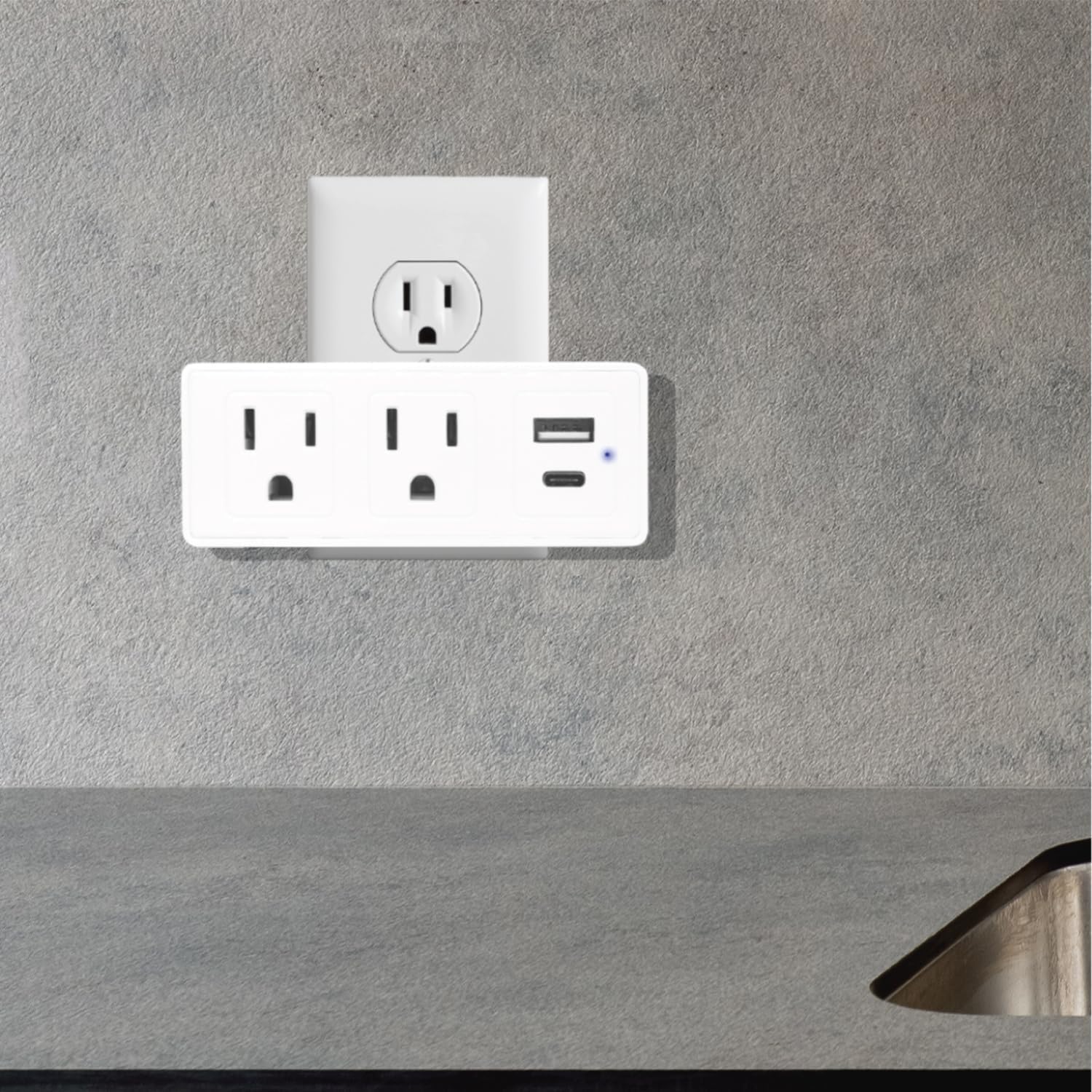
Figure 2: The surge protector securely plugged into a standard wall outlet, ready for use.
- Verificació de l'indicador lluminós: Confirm that the blue LED indicator light on the device is on. This light signifies that the surge protection feature is active. If the light is off, the surge protection may be compromised, and the device should be replaced.
Instruccions de funcionament
Once the surge protector is properly installed, you can begin connecting your devices.
- Connexió de dispositius de corrent altern: Plug your electrical appliances directly into the two AC outlets on the surge protector. The adapter-spaced design allows for larger plugs without blocking adjacent outlets.
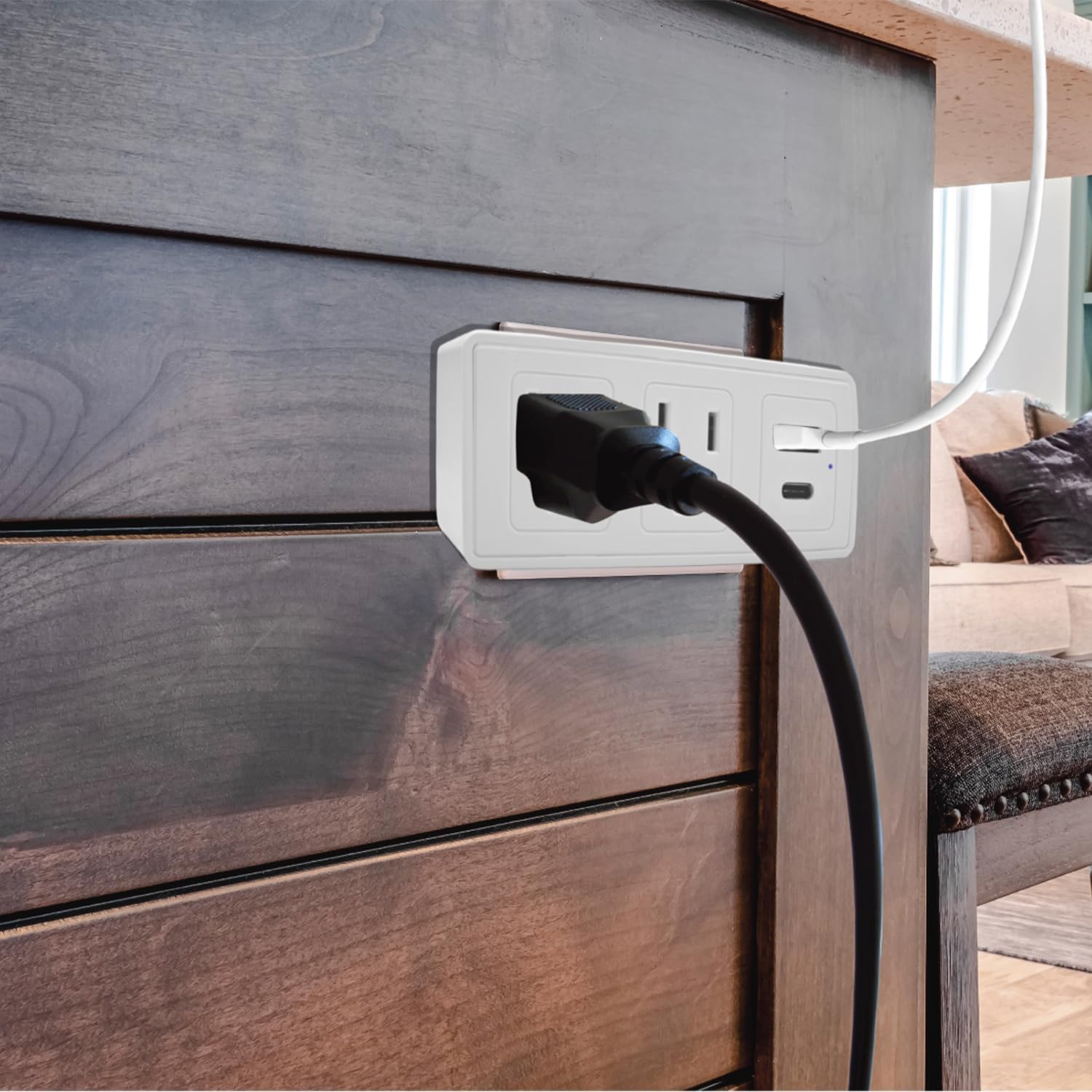
Figura 3: Un example of a power cord plugged into one of the AC outlets on the surge protector.
- Connexió de dispositius USB: Use a compatible USB cable to connect your USB-A or USB-C devices to the respective USB ports on the surge protector.
- For standard USB devices, use the USB-A port (2.4A).
- For fast-charging USB-C devices, use the USB-C port (3.0A).
- Protecció contra sobretensions: The built-in 300J surge protection safeguards your connected devices from power surges and voltage spikes. The blue indicator light confirms its active status.
Manteniment
Proper maintenance ensures the longevity and safe operation of your surge protector.
- Neteja: Desconnecteu el protector contra sobretensions de la presa de corrent abans de netejar-lo. Feu servir un drap suau i sec per netejar l'exterior. No utilitzeu netejadors líquids ni aerosols.
- Inspecció: Periodically inspect the device for any signs of damage, such as cracks, frayed wires, or discoloration. If damage is observed, discontinue use and replace the unit.
- Estat de protecció contra sobretensions: Regularly check the blue surge protection indicator light. If it is off, the surge protection has been consumed or is no longer functional, and the unit should be replaced to ensure continued protection for your devices.
Resolució de problemes
| Problema | Causa possible | Solució |
|---|---|---|
| No hi ha alimentació a les preses de corrent altern ni als ports USB. |
|
|
| Blue surge protection indicator light is off. |
|
|
| La càrrega per USB és lenta o no funciona. |
|
|
Especificacions
| Número de model | CPATS00-040 |
| Marca | CIAO TECH |
| Preses de corrent altern | 2 (3 clavilles amb connexió a terra) |
| Sortida USB-A | 5 V / 2.4 A |
| Sortida USB-C | 5 V / 3.0 A |
| Protecció contra sobretensions | 300 Joules |
| Dimensions del producte | 4 x 2 x 0.1 polzades (L x A x A) |
| Pes de l'article | 8.2 unces |
| Material | Plàstic |
| Color | Blanc |
| Només per a ús interior | Sí |
Garantia i Suport
For warranty information or technical support, please contact CIAO TECH customer service. Details can typically be found on the product packaging or the official CIAO TECH weblloc.
Please have your model number (CPATS00-040) and purchase information ready when contacting support.
Fabricant: Lifeware Group LLC


