1. Informació de seguretat
Si us plau, llegiu atentament totes les instruccions de seguretat abans d'utilitzar aquest producte. Conserveu aquest manual per a futures consultes.
- No exposeu el dispositiu a temperatures extremes, llum solar directa ni humitat elevada.
- Eviteu deixar caure o sotmetre l'altaveu a forts impactes.
- Do not disassemble, repair, or modify the speaker yourself. Contact qualified service personnel if needed.
- Mantingueu l'altaveu lluny de l'aigua i altres líquids.
- Use only the provided charging cable and a compatible power adapter (DC 5V/1A) to charge the device.
- Desfeu-vos de la bateria i del dispositiu d'acord amb la normativa local.
2. Contingut del paquet
Verifiqueu que tots els elements siguin presents al paquet:
- Aresrora T20 Portable Retro Bluetooth Speaker
- Cable de càrrega TIPUS-C (x1)
- AUX Audio Cable (x1)
- Manual d'usuari (aquest document)
3. Producte acabatview
The Aresrora T20 is a compact and versatile portable Bluetooth speaker, featuring multiple playback options and a retro design. It measures approximately 4.5 x 2.5 x 2.78 inches and weighs 8 ounces.
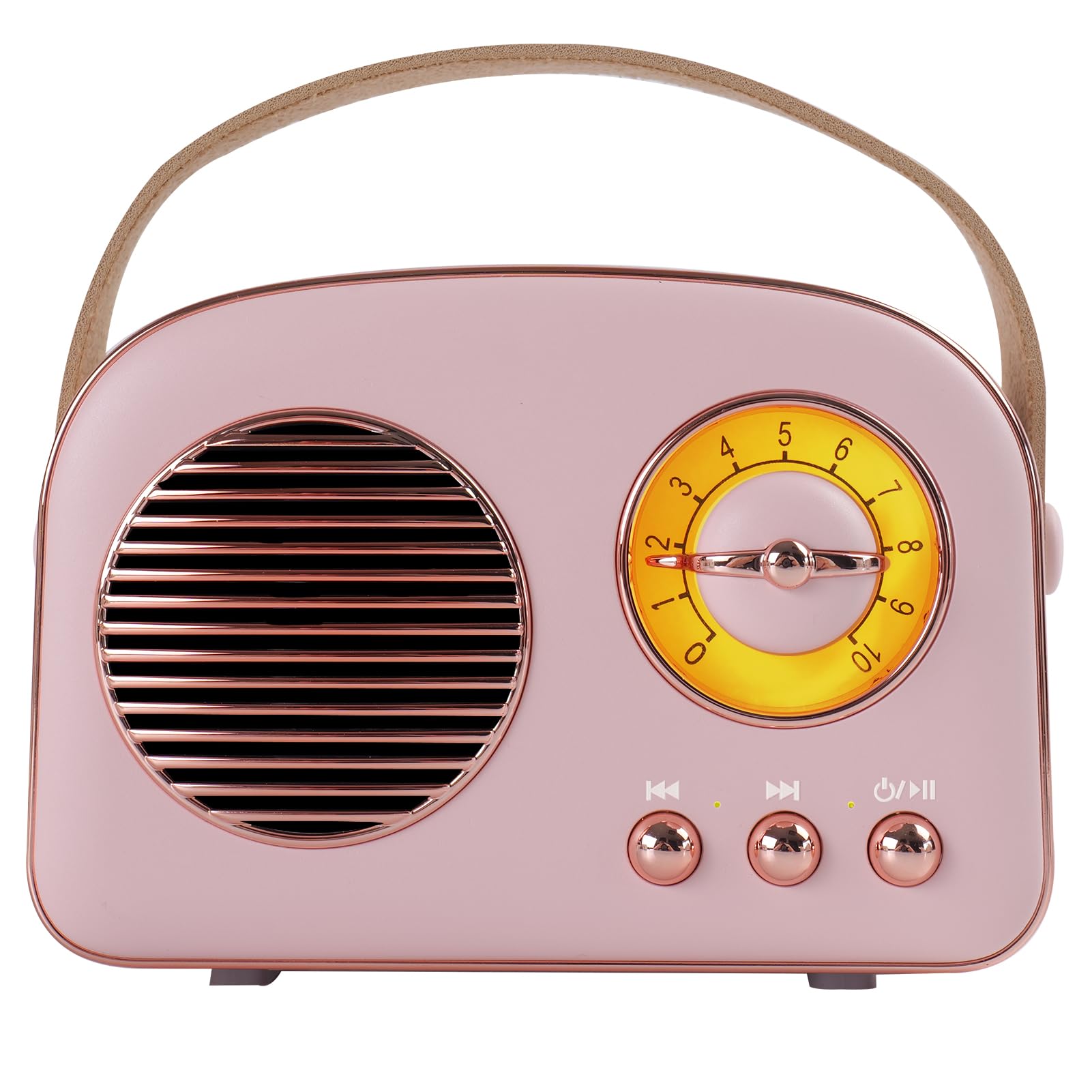
Figura 3.1: Frontal view of the Aresrora T20 Portable Retro Bluetooth Speaker.
Controls i Ports

Figure 3.2: Detailed diagram of speaker controls and ports.
- Control de volum: Rotary knob on the front.
- Previous Song / TWS Pairing Button: Short press for previous song, long press for TWS pairing.
- Power ON/OFF / Mode Button: Long press to power on/off, short press to switch modes (Bluetooth, FM, AUX, USB/TF Card).
- Botó de la següent cançó: Prem breument per a la següent cançó.
- Indicador de càrrega: Llum LED que indica l'estat de càrrega.
- MIC: Micròfon integrat per trucades mans lliures.
- PU Handle: Per a la portabilitat.
- Presa USB: For USB storage playback.
- Audio Cable Jack (AUX): Entrada de 3.5 mm per a dispositius d'àudio externs.
- Ranura per a targetes TF: For Micro SD card playback (supports up to 128GB).
- Port de càrrega TYPE-C: Per carregar l'altaveu.
4. Configuració
4.1. Carregant l’altaveu
Before first use, fully charge the speaker. Connect the provided TYPE-C charging cable to the speaker's charging port and the other end to a USB power adapter (DC 5V/1A, not included) or a computer USB port. The charging indicator will show the charging status. A full charge typically takes approximately 1.5 hours and provides 4-5 hours of playtime.
4.2. Encendre/apagar
Per encendre l'altaveu, premeu llargament el botó Power ON/OFF / Mode button. The speaker will emit an audible prompt. To power off, long press the same button again.
5. Instruccions de funcionament
5.1. Canvi de modes
Premeu breument Power ON/OFF / Mode button to cycle through available modes: Bluetooth, FM Radio, AUX Input, and Micro SD/USB Playback.

Figure 5.1: The speaker supports various playback methods.
5.2. Emparellament Bluetooth
- Power on the speaker. It will automatically enter Bluetooth pairing mode (indicated by an audible prompt).
- Al dispositiu (telèfon intel·ligent, tauleta, ordinador), activeu el Bluetooth i cerqueu els dispositius disponibles.
- Select "Aresrora T20" from the list of devices.
- Once paired, the speaker will confirm with an audible prompt. You can now play audio from your device.
5.3. Mode de ràdio FM
- Canvia l'altaveu al mode de ràdio FM.
- Connect the TYPE-C charging cable to the charging port; it acts as an external antenna to improve signal reception.
- Long press the "Previous Song" or "Next Song" button to automatically scan and save available FM stations.
- Short press the "Previous Song" or "Next Song" button to switch between saved stations.
5.4. Micro SD Card / USB Playback
- Insert a Micro SD card (up to 128GB) into the TF Card slot or a USB storage device into the USB jack.
- Switch the speaker to Micro SD/USB mode. The speaker will automatically detect and play audio files de l'emmagatzematge inserit.
- Use the "Previous Song" and "Next Song" buttons to navigate tracks.
5.5. Entrada AUX
- Connect one end of the provided 3.5mm AUX audio cable to the speaker's AUX input port.
- Connect the other end of the AUX cable to the audio output jack of your external device.
- Switch the speaker to AUX Input mode. Audio will now play through the speaker.
5.6. Emparellatge TWS (True Wireless Stereo)
To achieve a stereo sound experience, you can pair two Aresrora T20 speakers together.

Figure 5.2: TWS pairing for stereo audio playback.
- Ensure both Aresrora T20 speakers are powered on and in Bluetooth mode, but not yet connected to any device.
- On one of the speakers, long press the "Previous Song / TWS Pairing" button. The speaker will emit a pairing tone.
- The two speakers will automatically connect to each other. Once connected, they will emit a confirmation tone.
- Now, connect your device to one of the paired speakers via Bluetooth as described in section 5.2. Audio will play in stereo through both speakers.
5.7. Trucades mans lliures
When connected via Bluetooth to a smartphone, the built-in microphone allows for hands-free calling. Incoming calls will pause music playback. Press the Power ON/OFF / Mode button to answer or end a call.
6. Manteniment
- Netegeu l'altaveu amb un drap suau i sec. No utilitzeu productes de neteja abrasius ni dissolvents.
- Guardeu l'altaveu en un lloc fresc i sec quan no l'utilitzeu.
- Avoid blocking the speaker grille or ports to ensure proper airflow and sound quality.
7. Solució De Problemes
| Problema | Causa possible | Solució |
|---|---|---|
| L'altaveu no s'encén. | Bateria baixa. | Charge the speaker fully using the provided TYPE-C cable. |
| Sense so. | Volum massa baix; mode incorrecte seleccionat; dispositiu no connectat. | Increase volume; ensure correct mode (Bluetooth, AUX, etc.) is selected; re-pair Bluetooth device or check cable connection. |
| L'aparellament de Bluetooth falla. | L'altaveu no està en mode d'emparellament; el Bluetooth del dispositiu està desactivat; massa lluny de l'altaveu. | Assegureu-vos que l'altaveu estigui en mode Bluetooth; activeu el Bluetooth al dispositiu; acosteu el dispositiu a l'altaveu (a menys de 10 metres). |
| Mala recepció de ràdio FM. | No antenna connected; weak signal. | Connect the TYPE-C charging cable to act as an antenna; try moving the speaker to a different location. |
| L'emparellament TWS falla. | Altaveus ja connectats a un dispositiu; procediment d'emparellament incorrecte. | Ensure both speakers are disconnected from other devices; follow TWS pairing steps carefully. |
8. Especificacions
| Característica | Detall |
|---|---|
| Número de model | T20 |
| Sortida de l'altaveu | 5W |
| Dimensions del producte | 115 x 64 x 70.6 mm (4.5 polzades de llargada x 2.5 polzades d'amplada x 2.78 polzades d'alçada) |
| Pes de l'article | 8 unces (0.5 lliures) |
| Connectivitat | Bluetooth 5.0, AUX, USB, targeta TF |
| Freqüència de ràdio FM | 87-108 MHz |
| Bateria | 1 bateria de polímer de liti (inclosa) |
| Entrada de càrrega | DC 5V/1A (tipus C) |
| Hora de joc | Aprox. 4-5 hores |
| Suport de la targeta TF | Fins a 128 GB |
| Característiques especials | Built-in Microphone, Portable, TWS Pairing |
9. Garantia i Suport
For warranty information or technical support, please refer to the contact details provided with your purchase or visit the official Aresrora weblloc web. Conserveu el comprovant de compra per a qualsevol reclamació de garantia.


