1. Introducció
The Irfora FY128C Smart Digital Multimeter is a compact and intelligent electrical testing instrument designed for professionals, factories, schools, and home users. It is engineered to meet the safety requirements of the International Electrotechnical Safety Standard (IEC-61010) for electronic measuring instruments and handheld digital multimeters. This device offers accurate measurements for AC/DC voltage, resistance, frequency, continuity, live wire checking, and Non-Contact VoltagDetecció de e (NCV).
Precaucions de seguretat:
- Assegureu-vos sempre que el multímetre estigui en bon estat de funcionament abans d'utilitzar-lo.
- No intenteu mesurar el voltages o corrents que superen els límits màxims especificats.
- Extremeu les precaucions quan treballeu amb circuits actius.
- Canvieu les piles immediatament quan aparegui l'indicador de bateria baixa.
- Do not operate the multimeter if the casing està malmès o obert.
2. Contingut del paquet
Si us plau, comproveu el paquet per veure si hi ha els elements següents:
- 1 x Digital Multimeter (FY128C)
- 1 x Parell de cables de prova (vermell i negre)
- 1 manual d'usuari (anglès)
3. Producte acabatview
The FY128C Smart Digital Multimeter features a large, backlit LCD display for clear readings, a built-in flashlight for dark environments, and a support bracket for convenient hands-free operation. Below is an illustration of the instrument's key components and functions.

Figure 3.1: Instrument Functions Overview

Figure 3.2: Large LCD Display for Easy Reading
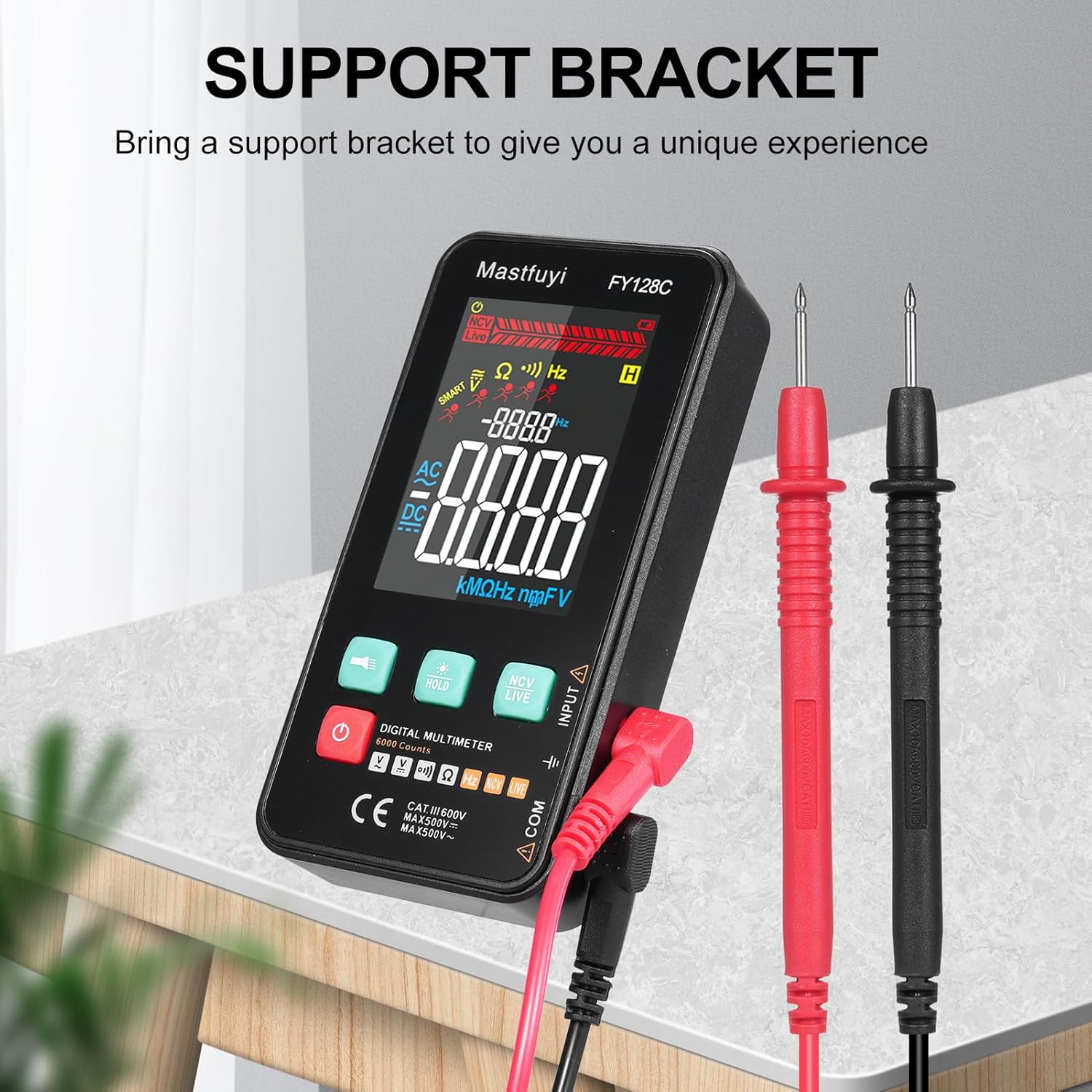
Figure 3.3: Multimeter with Support Bracket and Test Leads
4. Configuració
4.1 Instal·lació de la bateria
- Assegureu-vos que el multímetre estigui apagat.
- Localitzeu la tapa del compartiment de la bateria a la part posterior del dispositiu.
- Utilitzeu un tornavís per obrir el compartiment de la bateria.
- Insert two 1.5V AAA batteries, observing the correct polarity (+/-).
- Substituïu la tapa del compartiment de la bateria i fixeu-la amb el cargol.
4.2 Connexió dels cables de prova
- Insert the black test lead into the 'COM' (Common) input jack.
- Insert the red test lead into the 'INPUT' jack for most measurements (voltage, resistance, frequency, continuity).
- Ensure the test leads are securely connected before taking any measurements.
5. Instruccions de funcionament
The FY128C Multimeter offers two primary measurement modes: Auto Identification and Manual Switching.
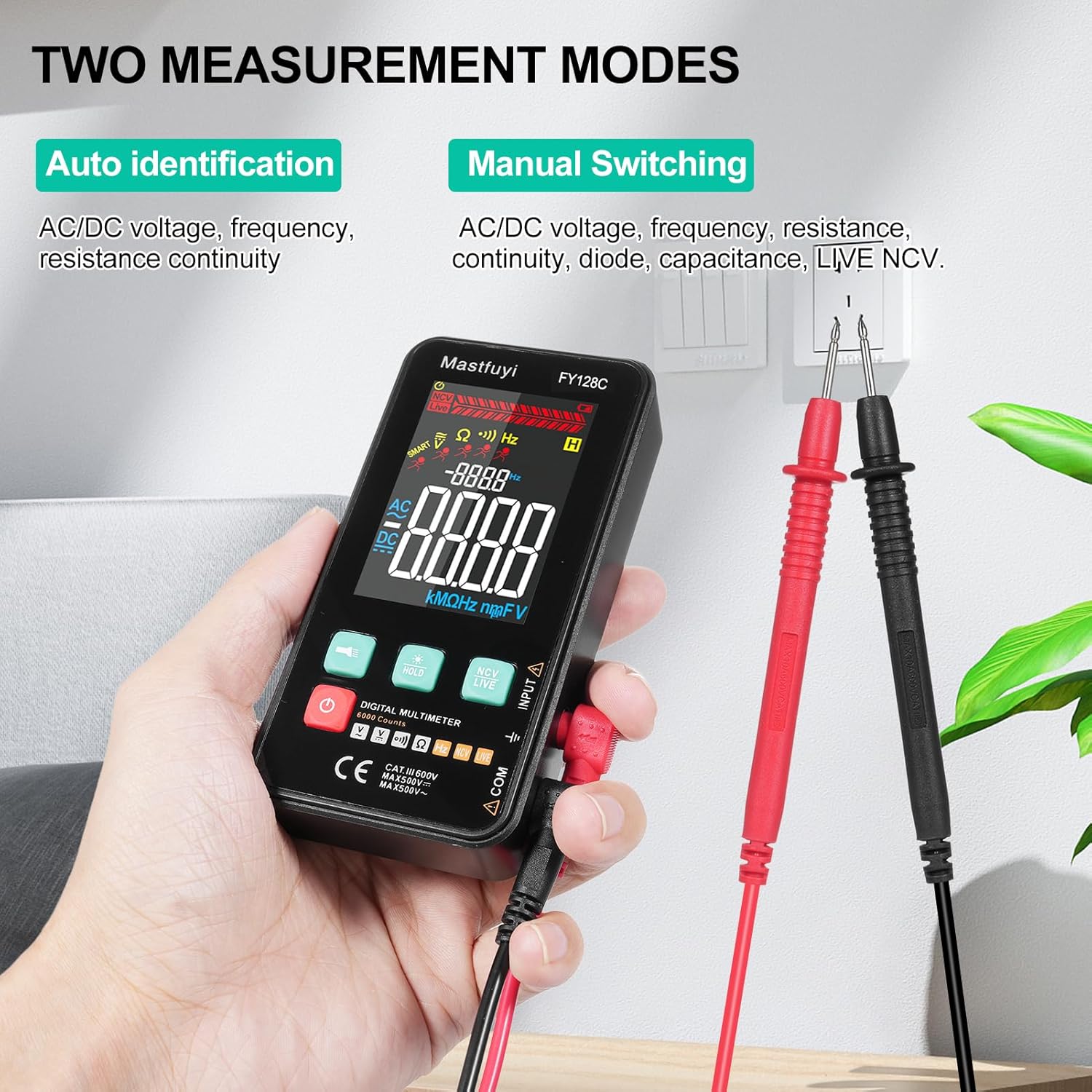
Figure 5.1: Two Measurement Modes
5.1 Encès/Apagat
Premeu el botó d'engegada (U) to turn the multimeter on or off. The device features an auto-shutdown function to conserve battery power after a period of inactivity.
5.2 Auto Identification Mode
In this mode, the multimeter automatically identifies and measures AC/DC voltage, frequency, resistance, and continuity. Simply connect the test leads to the circuit or component, and the device will display the appropriate measurement.
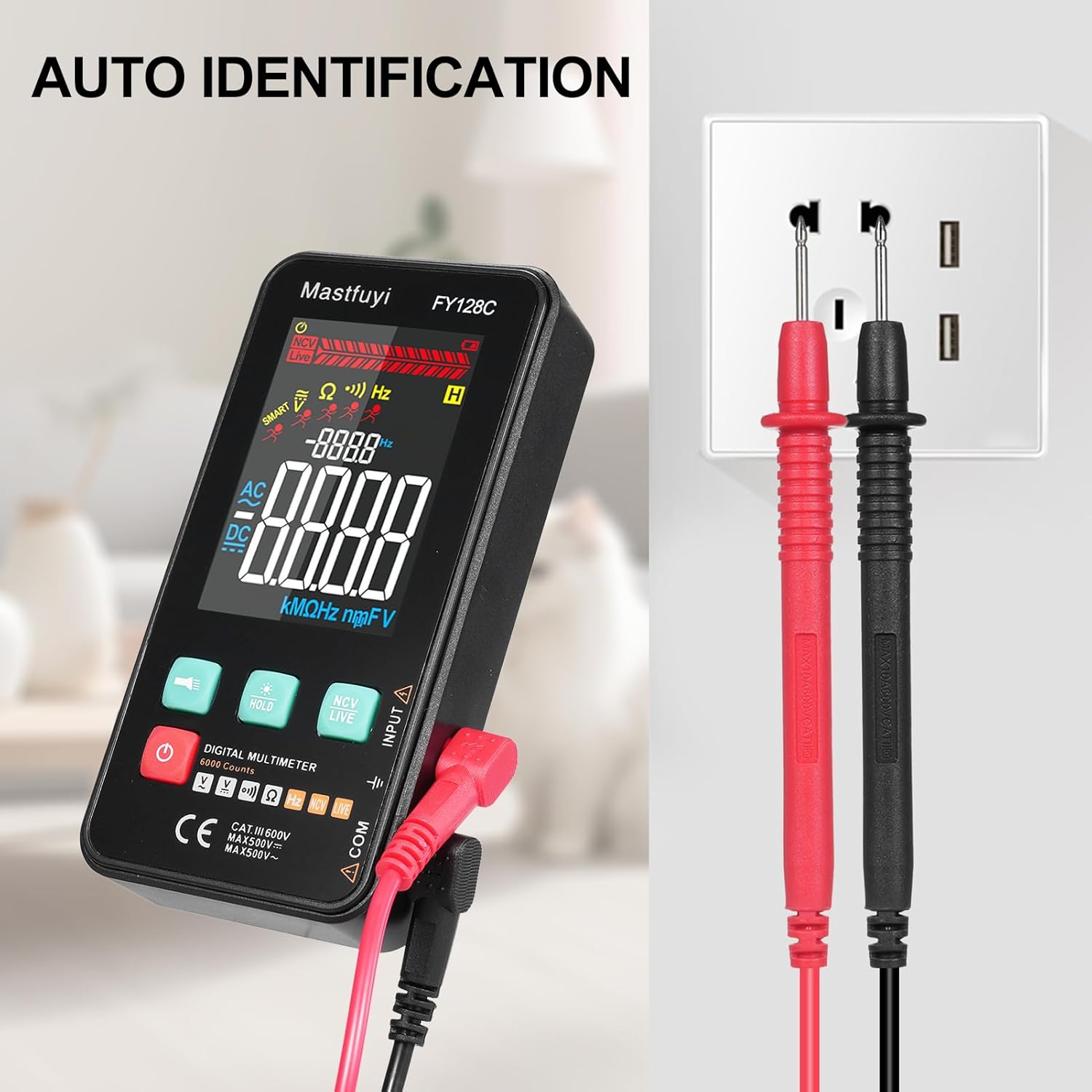
Figure 5.2: Auto Identification in Use
5.3 Manual Switching Mode
For specific measurements or when auto-identification is not desired, you can manually switch between functions. Press the 'MODE' button (often indicated by a symbol like a wave or function icon) to cycle through AC/DC voltage, frequency, resistance, continuity, and NCV/LIVE functions.
5.4 AC/DC Voltage Mesura
- Seleccioneu el vol adequattage mode (AC V or DC V) if in manual mode, or rely on auto-identification.
- Connecteu els cables de prova en paral·lel al circuit o component que voleu mesurar.
- Llegeix el voltage valor a la pantalla LCD.
5.5 Mesura de la Resistència
- Assegureu-vos que el circuit o component estigui desenergitzat abans de mesurar la resistència.
- Select the resistance mode (Ω) if in manual mode.
- Connecteu els cables de prova a través del component.
- Llegiu el valor de la resistència a la pantalla LCD.
5.6 Mesura de la freqüència
- Select the frequency mode (Hz) if in manual mode.
- Connect the test leads to the circuit where you want to measure frequency.
- Llegiu el valor de freqüència a la pantalla LCD.
5.7 Prova de continuïtat
- Assegureu-vos que el circuit o component estigui desenergitzat.
- Select the continuity mode (often indicated by a buzzer icon).
- Connecteu els cables de prova al component o cable.
- If there is continuity (a complete circuit), the multimeter will emit an audible beep.
5.8 Live Wire Checking
This function helps identify live wires without direct contact.
- Select the 'LIVE' mode (often shared with NCV).
- Bring the red test lead probe close to the wire or outlet.
- The multimeter will indicate the presence of a live wire through visual (LED) and/or audible signals.

Figure 5.3: Live Wire Checking in Progress
5.9 NCV (Volum sense contacte)tage) Prova
La funció NCV permet la detecció segura del volum de CAtage without physical contact with the conductor.
- Select the 'NCV' mode.
- Bring the top part of the multimeter (NCV sensor area) close to the suspected voltage font.
- The device will indicate the presence of AC voltage with an audible beep and/or visual indicator (e.g., LED lights). The intensity of the signal may vary with voltage força i proximitat.

Figure 5.4: NCV Insulation Safety Test
5.10 Funció de retenció de dades
Premeu el botó «HOLD» per congelar la lectura actual a la pantalla. Torneu-lo a prémer per alliberar la retenció i reprendre les mesures en directe.
5.11 Flashlight and Backlight
Press the flashlight button (often indicated by a light bulb icon) to turn on the built-in flashlight. The LCD display also has a backlight for improved visibility in low-light conditions, which typically activates automatically or can be toggled with a dedicated button.
6. Manteniment
6.1 Neteja
Netegeu el multímetre casing amb anunciamp cloth and mild detergent. Do not use abrasive cleaners or solvents. Ensure the device is completely dry before use.
6.2 Substitució de la bateria
When the low battery indicator appears on the display, replace the batteries as described in Section 4.1. Always use fresh 1.5V AAA batteries.
6.3 Emmagatzematge
If the multimeter will not be used for an extended period, remove the batteries to prevent leakage. Store the device in a cool, dry place, away from direct sunlight and extreme temperatures.
7. Solució De Problemes
This section addresses common issues you might encounter with your FY128C Smart Digital Multimeter.
| Problema | Causa possible | Solució |
|---|---|---|
| Sense pantalla o pantalla tènue | Low batteries; Device not powered on; Damaged display. | Replace batteries; Press power button; Contact support if display is damaged. |
| Lectures inexactes | Incorrect mode selected; Poor test lead connection; External interference. | Verify mode selection; Ensure leads are firmly connected; Move away from strong electromagnetic fields. |
| La prova de continuïtat no emet so | Open circuit; Continuity mode not selected; Faulty test leads. | Check the circuit for breaks; Select continuity mode; Test leads for damage. |
| Auto-shutdown too frequent | Default auto-shutdown setting. | This is a power-saving feature. Ensure you are actively using the device or press a button to reset the timer. |
8. Especificacions
Below are the technical specifications for the Irfora FY128C Smart Digital Multimeter.

Figura 8.1: Dimensions del producte
| Característica | Specification (FY128C) |
|---|---|
| Model | FY128C |
| Material | ABS |
| Vol. ACtage Rang | 1V~500V, ±(1.5%+3) |
| DC Voltage Rang | 0.5V~500V, ±(1.2%+5) |
| Interval de resistència | 30Ω~10000KΩ, ±(2%+5) |
| Interval de freqüència | 40Hz~1000Hz, ±(2.5%+5) |
| Continuïtat | Sí |
| NCV (vol sense contacte).tage) | Sí |
| Live Wire Checking | Sí |
| Apagat automàtic | Sí |
| Font d'alimentació | 2 * 1.5V AAA batteries (Not included) |
| Mida de l'article | 123 * 61 * 24 mm / 4.84 * 2.40 * 0.94 polzades |
| Pes de l'article | 113 g / 3.98 oz |
| Norma de seguretat | IEC-61010, CAT III 600V |
9. Garantia i Suport
The Irfora FY128C Smart Digital Multimeter comes with a standard manufacturer's warranty. For specific warranty terms, duration, or to obtain technical support, please refer to the documentation provided with your purchase or contact your retailer. Keep your purchase receipt as proof of purchase for warranty claims.
