1. Introducció
This user manual provides detailed instructions for the installation, operation, and maintenance of your Moman H2E Motorcycle Intercom Headset. The H2E system is designed to enhance your riding experience with seamless communication, high-fidelity audio, and advanced noise cancellation. Please read this manual thoroughly before use to ensure proper functionality and safety.
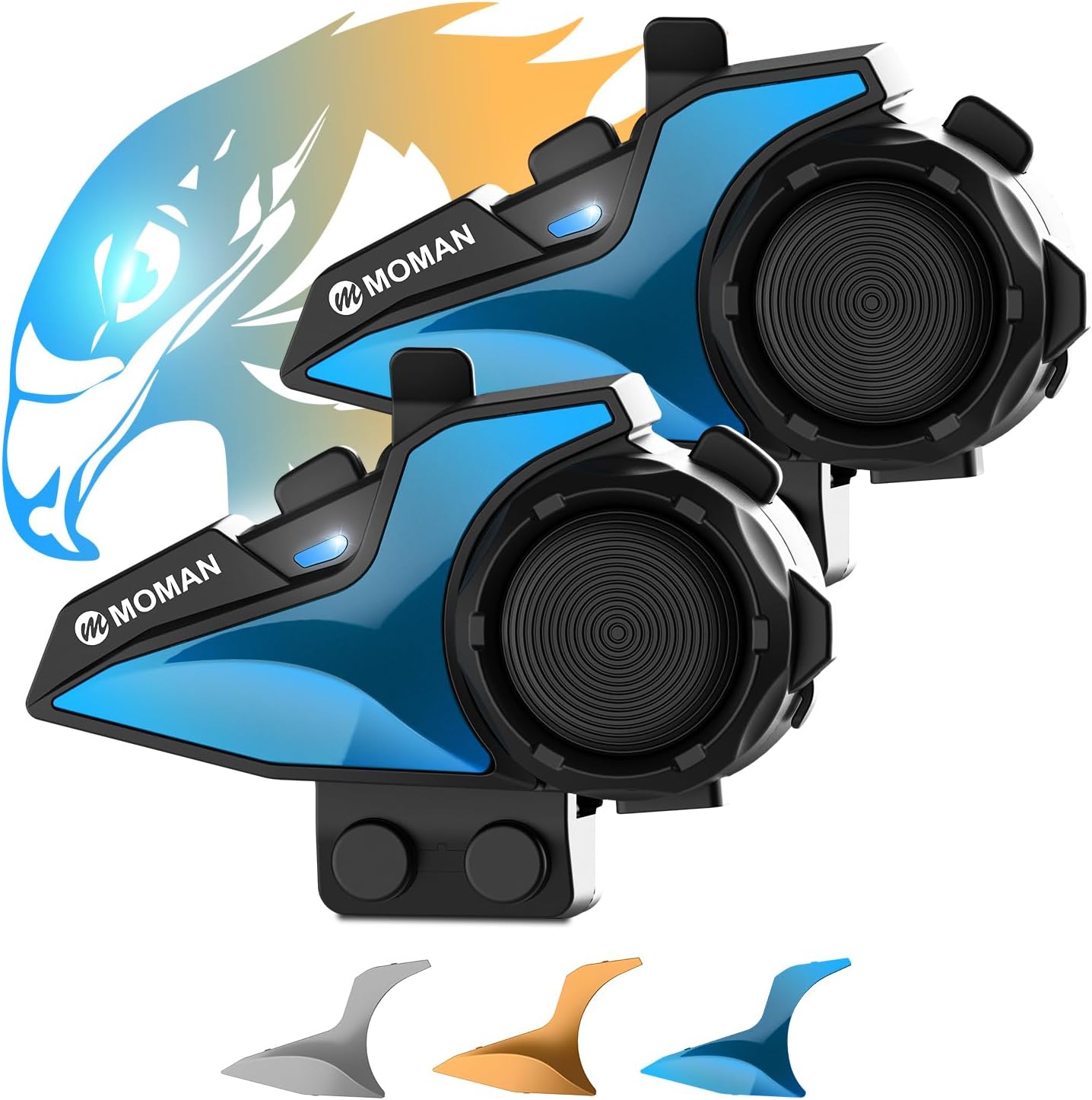
Figure 1: Moman H2E Motorcycle Intercom Headset (2-Pack) with interchangeable shells.
2. Informació de seguretat
Always prioritize your safety while riding. Adhere to all local traffic laws and regulations. Do not operate the device in a manner that distracts you from safe riding. Ensure the headset is securely installed and does not obstruct your vision or movement. Keep the device away from extreme temperatures and direct sunlight. Do not attempt to disassemble or modify the device, as this may void the warranty and pose a safety risk.
3. Contingut del paquet
The Moman H2E Motorcycle Intercom Headset package includes the following items:
- Main Unit (x2)
- Back Clip (x2)
- Pattern Shells Kit (x4)
- Replaceable Microphone Speakers (x2 sets)
- Cable de càrrega (x2)
- Manual d'usuari (x1)
- Velcro Accessories Kit (x2)

Figura 2: Frontal view of the Moman H2E product packaging.

Figura 3: posterior view of the Moman H2E product packaging, showing key specifications.
4. Producte acabatview
The Moman H2E is a motorcycle intercom headset featuring dual-chip technology for versatile audio multitasking. It offers Hi-Fi stereo sound, triple noise cancellation, and an intuitive control knob for ease of use while riding. The device is designed with an "Eagle-Like" aesthetic and includes interchangeable shells for personalization.

Figure 4: The Moman H2E headset showcasing its unique "Eagle-Like" design and interchangeable color shells.

Figure 5: The intuitive, glove-friendly control knob on the Moman H2E headset, designed for easy adjustments during rides.
5. Configuració
5.1. Instal·lació del casc
The Moman H2E headset can be installed on most motorcycle helmets using one of two methods: the clip mount or the adhesive mount.
Method 1: Clip Mount Installation
- Remove the helmet's inner padding to access the ear pockets.
- Place the speaker pads (if needed) inside the helmet's ear pockets.
- Insert the speakers into the ear pockets, ensuring they are aligned with your ears for optimal sound.
- Route the speaker and microphone wires neatly under the helmet padding.
- Attach the microphone to a suitable position near your mouth, ensuring it does not interfere with your visor.
- Secure the clip mount to the edge of the helmet shell, tightening the screws to ensure a firm grip.
- Slide the main unit onto the clip mount until it clicks into place.
- Connect the speaker/microphone cable to the main unit.
- Reinstall the helmet's inner padding.
Video 1: Detailed installation instructions for the Moman H2E headset on a motorcycle helmet using the clip mount method. This video demonstrates speaker and microphone placement, wire routing, and securing the main unit.
Method 2: Adhesive Mount Installation
- Clean the desired mounting area on the helmet's exterior with an alcohol wipe and let it dry completely.
- Peel off the protective backing from the adhesive mount.
- Firmly press the adhesive mount onto the helmet surface for at least 30 seconds. Ensure a strong bond.
- Allow the adhesive to cure for at least 24 hours before attaching the main unit.
- Once cured, slide the main unit onto the adhesive mount until it clicks into place.
- Connect the speaker/microphone cable to the main unit.
- Reinstall the helmet's inner padding.
For both methods, ensure all cables are tucked away neatly to prevent interference and maintain comfort.
5.2. Càrrega del dispositiu
Before first use, fully charge the Moman H2E headset. Connect the provided USB charging cable to the charging port on the unit and plug the other end into a USB power source (e.g., computer, wall adapter). The charging indicator light will show the charging status. A full charge typically takes approximately 2 hours.

Figure 6: The Moman H2E headset connected to its charging cable, highlighting its 800mAh battery capacity and charging time.
6. Instruccions de funcionament
6.1. Encendre/apagar
- Encès: Premeu i manteniu premut el botó d'engegada fins que l'indicador lluminós s'encengui.
- Apagar: Premeu i manteniu premut el botó d'engegada fins que l'indicador lluminós s'apagui.
6.2. Emparellament Bluetooth
The Moman H2E supports one-click pairing for convenience.
- Vinculació amb el telèfon: In power-off state, press and hold the Power button for 5 seconds until the indicator light flashes red and blue alternately. On your phone, search for "Moman H2E" in Bluetooth settings and select to connect.
- Pairing with Another H2E Intercom: Ensure both units are off. On both units, press and hold the Intercom button until the indicator lights flash red and blue alternately. They will automatically connect.

Figure 7: The Moman H2E's 1000m intercom range and simplified one-click pairing process.
6.3. Funció d'intercomunicador
Once paired, you can initiate intercom communication. The H2E supports 2-way intercom communication with a range of up to 1000 meters.
- Inicia l'intercomunicador: Briefly press the Intercom button.
- Finalitzar l'intercomunicador: Briefly press the Intercom button again.
6.4. Music Playback & Sharing
- Reproduir/pausar música: Premeu breument el botó multifunció.
- Pista següent: Rotate the control knob clockwise.
- Pista anterior: Rotate the control knob counter-clockwise.
- Compartir música: While music is playing, press and hold the Music Sharing button to share audio with a paired H2E unit.

Figure 8: The Moman H2E offers various entertainment options including music sharing, AI voice assistant, and FM radio.

Figure 9: The Moman H2E provides immersive Hi-Fi stereo sound and features DSP, CVC, and windproof mic technology for 98% noise reduction.
6.5. Ràdio FM
- Activar/desactivar la ràdio FM: Press and hold the FM button.
- Estacions d'escaneig: Briefly press the Multi-function button while FM is active.
6.6. AI Voice Assistant & Call Management
- Activa l'assistent de veu (Siri/Assistent de Google): Briefly press the Voice Assistant button.
- Respon a la trucada: Premeu breument el botó multifunció.
- Finalitzar la trucada: Briefly press the Multi-function button during a call.
- Rebutja la trucada: Press and hold the Multi-function button when a call comes in.
6.7. Control de volum
Rotate the large control knob clockwise to increase volume and counter-clockwise to decrease volume.
6.8. Audio Multitasking
Thanks to its dual-chip technology, the Moman H2E allows you to seamlessly mix intercom conversations with other audio sources like music, FM radio, or GPS navigation without interruption or manual switching.

Figure 10: The Moman H2E's dual-chip operation enables audio multitasking, allowing simultaneous intercom, music, GPS, and FM radio.
7. Manteniment
7.1. Neteja
Netegeu la unitat d'auriculars amb un drap suau iamp cloth. Do not use abrasive cleaners or solvents. Ensure the charging port is free of dust and debris.
7.2. Cura de la bateria
To prolong battery life, avoid fully discharging the battery frequently. Charge the device regularly, especially if it will be stored for an extended period. Store the device in a cool, dry place.
7.3. Resistència a l'aigua
The Moman H2E has an IPX6 waterproof rating, meaning it is protected against high-pressure water jets from any direction. While it can withstand rain and splashes, it is not designed for submersion. Ensure the charging port cover is securely closed before exposure to water.

Figure 11: The Moman H2E headset demonstrating its IPX6 waterproof capabilities in various weather conditions.
8. Solució De Problemes
| Problema | Causa possible | Solució |
|---|---|---|
| El dispositiu no s'encén. | Bateria baixa. | Carregueu el dispositiu completament. |
| No es pot emparellar amb el telèfon/intercomunicador. | Incorrect pairing mode; distance too far. | Ensure device is in pairing mode (flashing red/blue). Bring devices closer. Reset Bluetooth on phone. |
| No hi ha so dels altaveus. | Volume too low; speakers not connected properly. | Augmenta el volum. Comprova les connexions dels altaveus. |
| Connexió de l'intercomunicador inestable. | Fora de l'abast; interferències. | Move closer to the other intercom unit. Avoid areas with strong electromagnetic interference. |
| Poor microphone clarity. | Microphone position; wind noise. | Adjust microphone closer to mouth. Ensure windproof mic cover is properly installed. |
9. Especificacions
| Característica | Detall |
|---|---|
| Nom del model | H2E-2 |
| Tecnologia de connectivitat | Sense fil (Bluetooth) |
| Versió Bluetooth | 4.2 |
| Capacitat de la bateria | 800 mAh |
| Durada de la bateria | Up to 25 Hours (continuous use) |
| Temps de càrrega | Aprox. 2 hores |
| Nivell de resistència a l'aigua | IPX6 (resistent a l'aigua) |
| Control de soroll | Active Noise Cancellation (DSP + CVC + Windproof Mic) |
| Gamma d'intercomunicació | Fins a 1000 m |
| Freqüència de ràdio FM | 87.5-108 MHz |
| Tipus de controlador d'àudio | Controlador dinàmic (altaveus de 40 mm) |
| Material | Plàstic |
| Pes de l'article | 1.34 lliures |
| Fabricant | mare |
10. Garantia i assistència
Moman products are designed for durability and performance. For specific warranty terms and conditions, please refer to the warranty card included in your product packaging or visit the official Moman weblloc web. Conserveu el comprovant de compra per a reclamacions de garantia.
Suport
For technical support, troubleshooting assistance, or any inquiries regarding your Moman H2E headset, please contact Moman customer service through the following channels:
- Oficial Weblloc: www.moman.com
- Suport per correu electrònic: Refer to the contact information provided in your product manual or on the official weblloc.
Please have your product model number (H2E-2) and purchase details ready when contacting support.


