1. Introducció
This manual provides detailed instructions for the installation, operation, and maintenance of your Inefala 2+64G Android 15 Car Stereo Radio. This unit is designed as an upgraded replacement dash kit for Hyundai Accent models from 2006 to 2011. It features a 9-inch touch screen with 1024 x 600 resolution, supporting 1080P video playback. Key functionalities include Wireless CarPlay, Android Auto, Mirror Link, GPS navigation, WiFi connectivity, Bluetooth 4.2, and FM/RDS radio. Please read this manual thoroughly before installation and use to ensure proper function and safety.
2. Contingut del paquet
Verifiqueu que tots els elements que s'enumeren a continuació s'inclouen al vostre paquet:
- Inefala Android Radio for Hyundai Accent
- 1 x cable d'alimentació
- 1 x RCA Harness
- 1 x Antena GPS
- 1 x AHD Backup Camera
- 1 x Cable d'entrada de la càmera posterior
- 1 x micròfon extern
- 2 x cable USB
- 1 x Eina d’instal·lació

3. Instal·lació
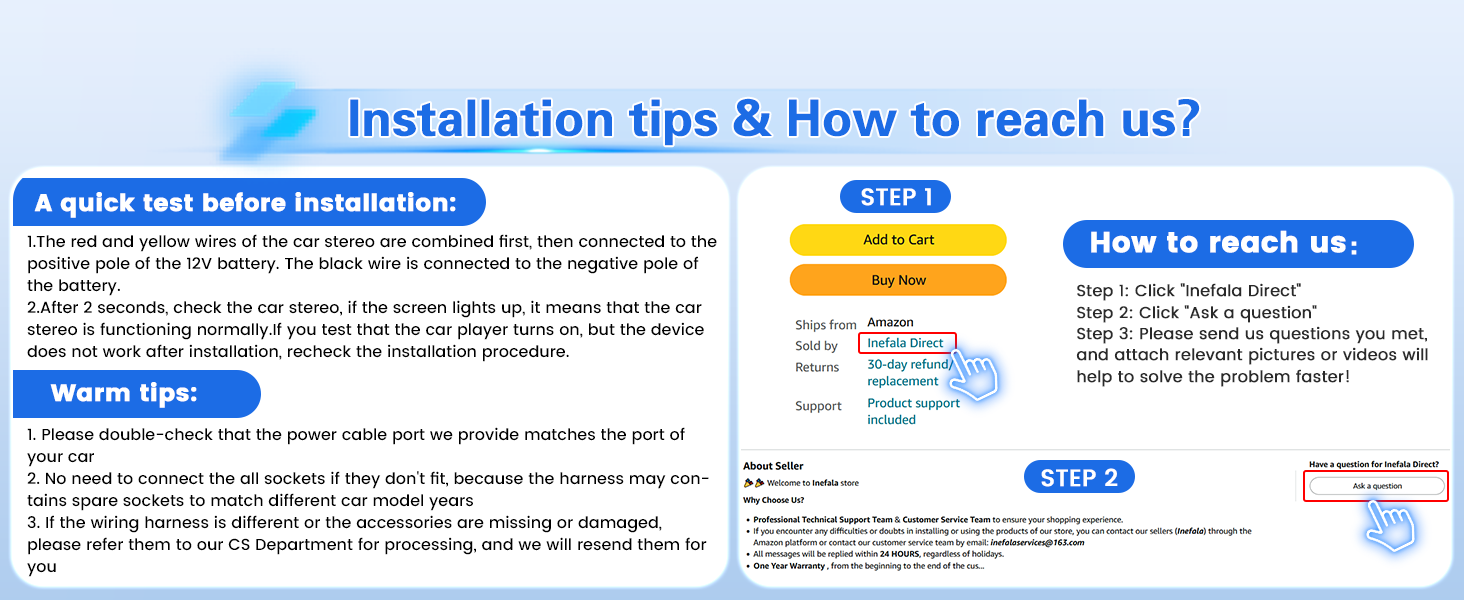
This stereo is designed for direct replacement in Hyundai Accent models from 2006-2011. It includes an in-dash head unit, wiring harness cables, and a frame panel. No modification to your car's existing cables should be necessary. Ensure the power cable port on the detail page matches your original car's port before proceeding.
3.1 Prova prèvia a la instal·lació
Before full installation, perform a quick test:
- Combine the red and yellow wires of the car stereo and connect them to the positive pole of the 12V battery.
- Connect the black wire to the negative pole of the battery.
- If the car stereo functions normally (screen turns on), proceed with the full installation. If not, recheck the connections.
3.2 Connexions de cablejat
Refer to the wiring diagram and port details for correct connections.
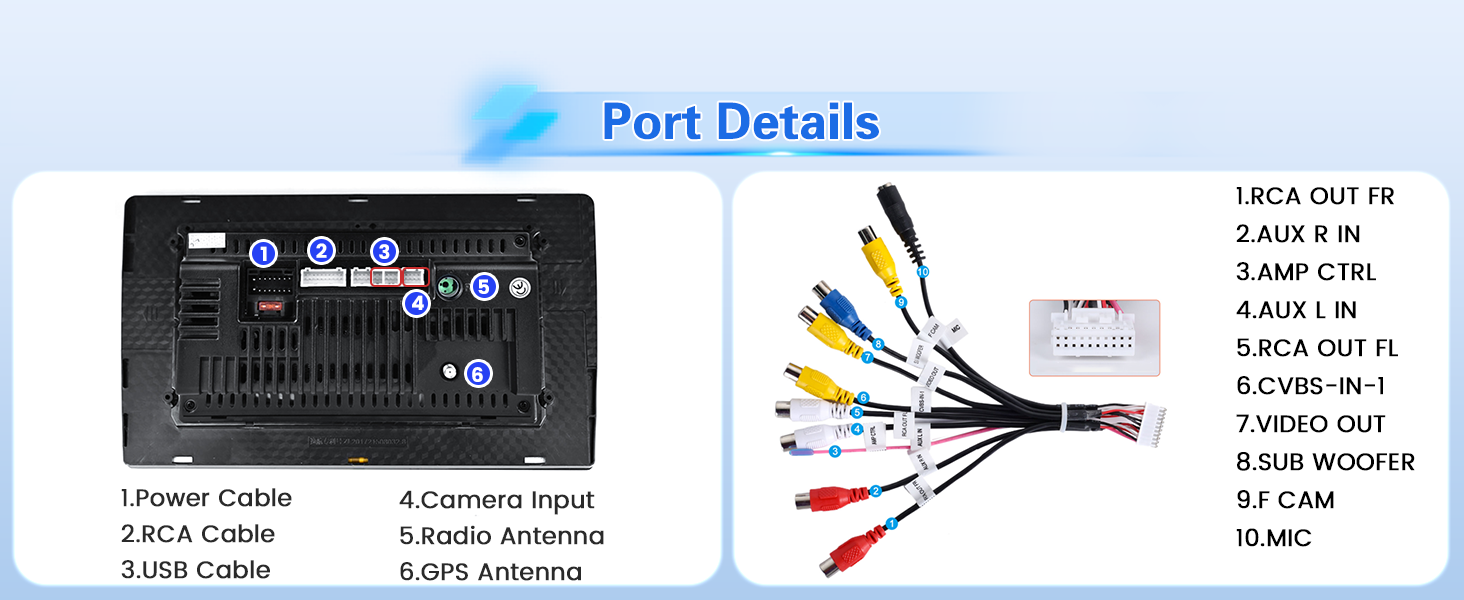
Important: If the wiring harness is different or accessories are missing/damaged, contact customer service for assistance.
3.3 AHD Backup Camera Installation
The waterproof AHD camera is included. Ensure the reversing input is plugged in, even if the camera is not used, to prevent WiFi and Bluetooth signal interference.
- Cable 1 and Cable 5: Connect to the positive pole of the car reversing light cable.
- Cable 2: Connect to the negative pole of the car reversing light cable.
- Cable 3 and Cable 4: Connect to the reverse trigger wire of the power cable. This connection is not needed if the power cable does not have this wire. Pull it out and connect it if the last step does not work.

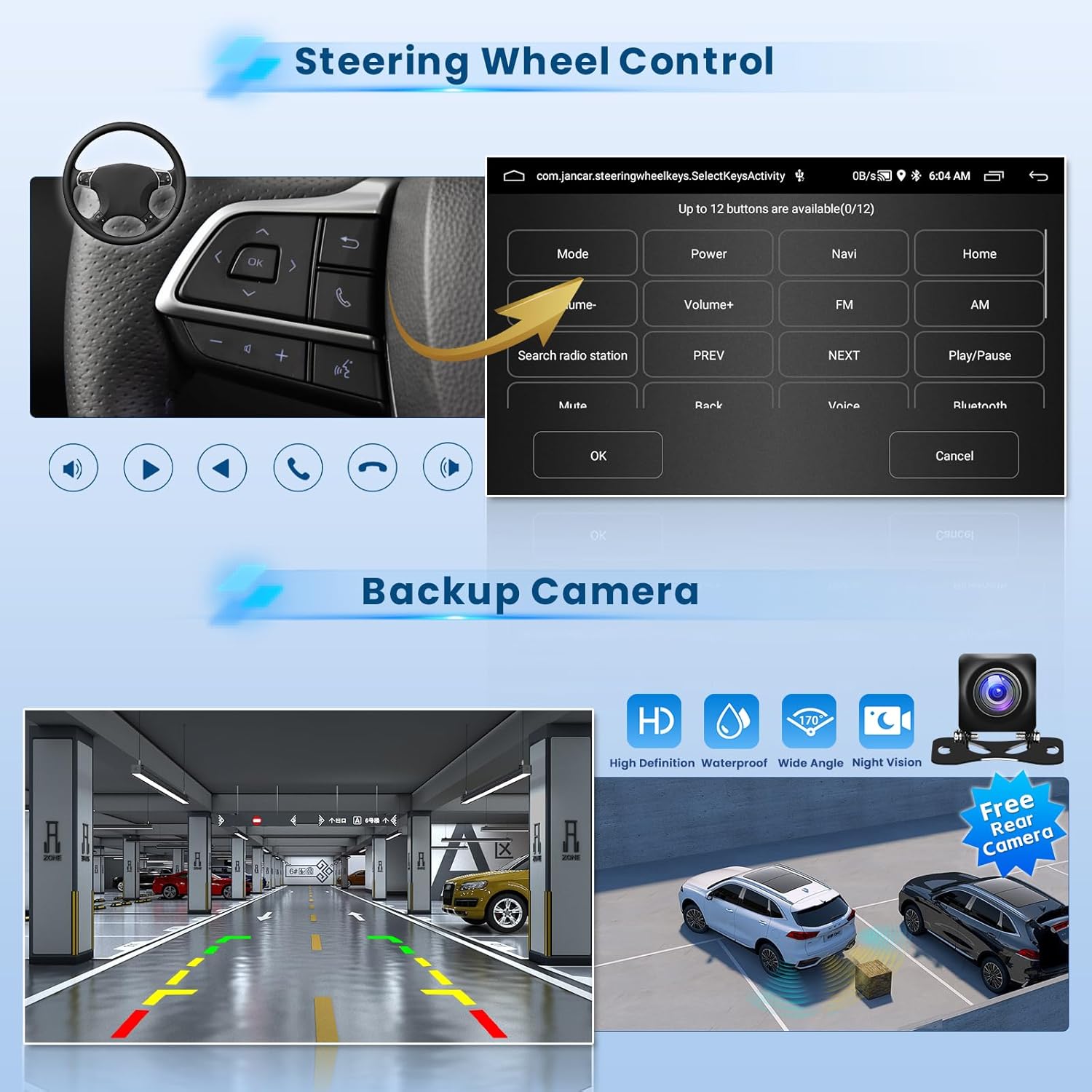
The camera provides a clear image day or night, automatically displaying when reverse gear is engaged.
3.4 Post-Installation Appearance

The stereo integrates seamlessly into the Hyundai Accent 2006-2011 dashboard, replacing the original unit with a modern touch screen display.
4. Instruccions de funcionament
4.1 User Interface and Themes
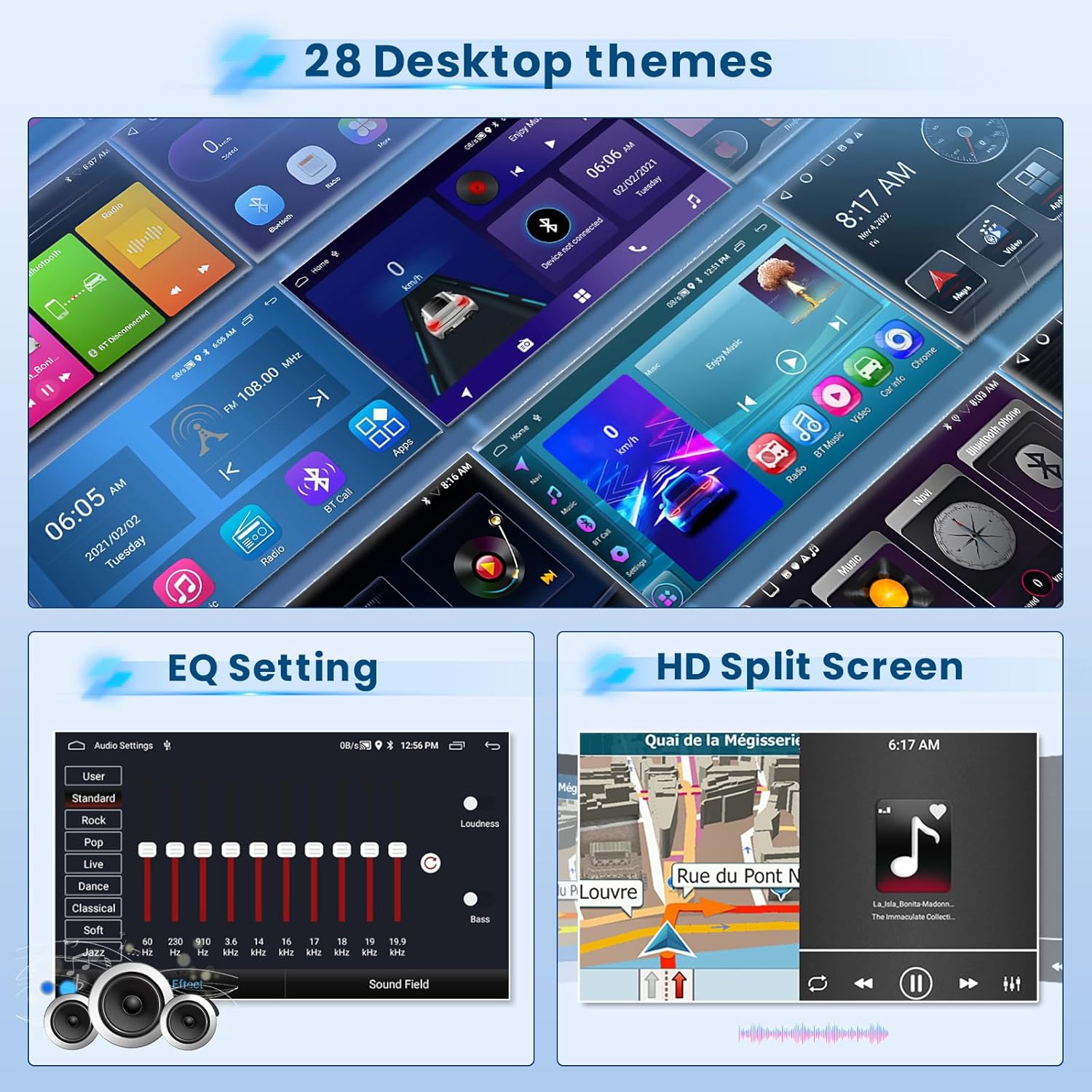
The 9-inch touch screen features a 1024 x 600 resolution and a specially designed blue main UI. It offers 28 desktop themes for customization. To switch themes, long-press on a blank space on the desktop.
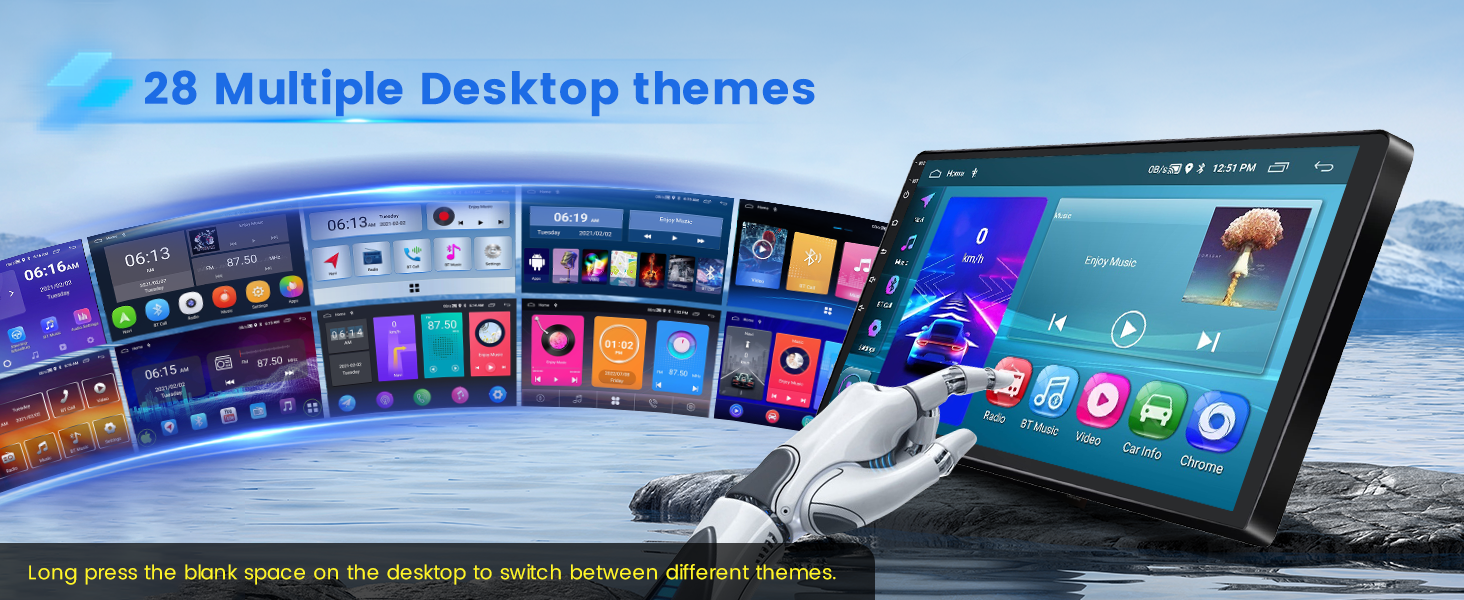
The device supports 1080P video playback for an enhanced visual experience.
4.2 CarPlay sense fil i Android Auto
The stereo supports both wireless and wired CarPlay and Android Auto. This allows for voice control and access to phone functions like music, navigation, calls, and messages.
- Connexió sense fil: Turn on your phone's Bluetooth, search for the car stereo's Bluetooth, and pair it. If using an Android phone, you may need to install the "Android Auto" app in advance. After a few seconds, the CarPlay/Android Auto wireless connection will establish automatically.
- Connexió per cable: Connect your iOS/Android phone via the phone's original USB cable. If using an Android phone, you may need to install the "Android Auto" app. The wired connection will establish automatically.
Note: For some Samsung and Huawei phones, Android Auto and Mirror Link functionality may not be supported. Ensure your phone has Google Services and the "Android Auto" app installed for Android Auto.
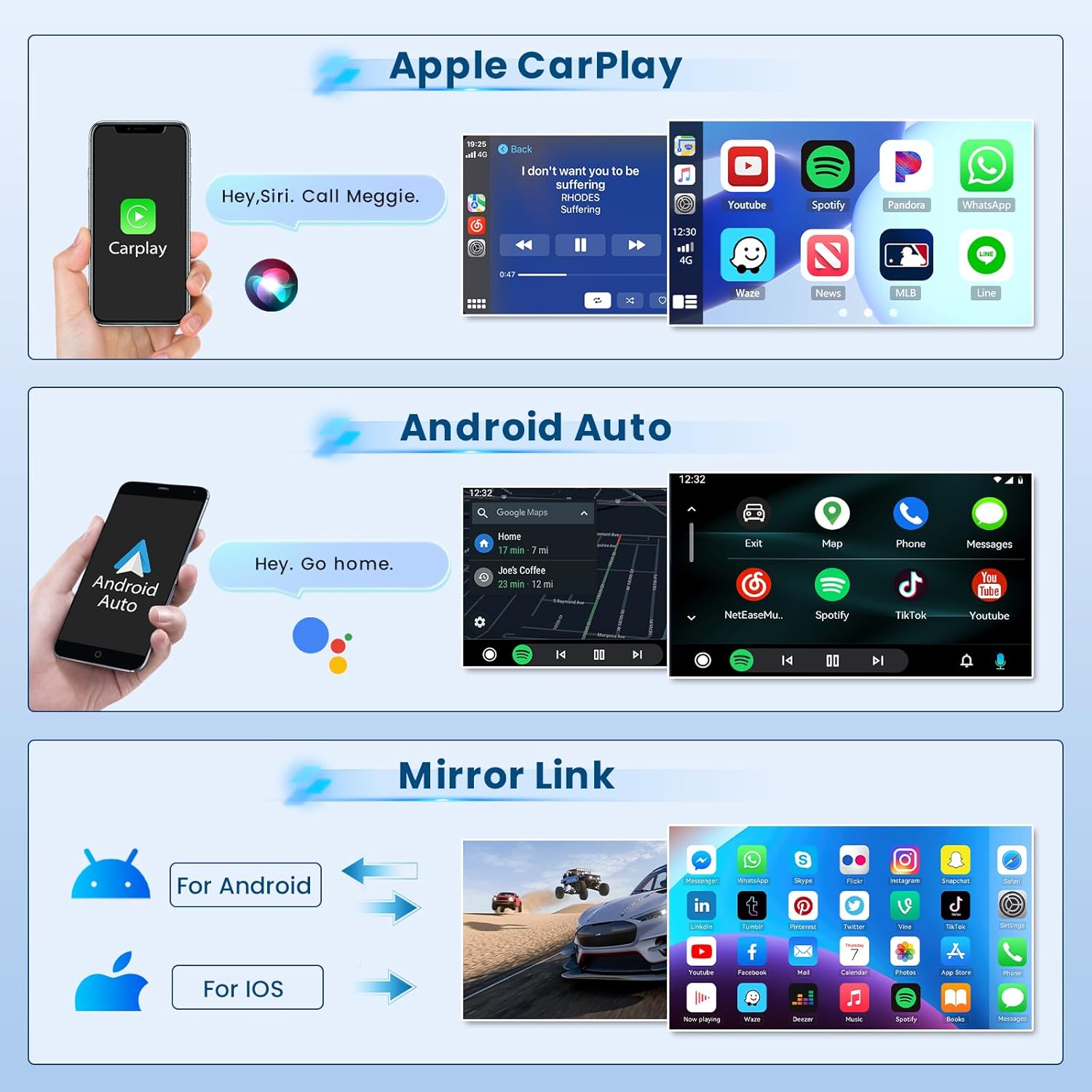

Video: Demonstration of the Android car radio upgrade function interface, including CarPlay and Android Auto connections.
4.3 Mirror Link (iOS/Android)
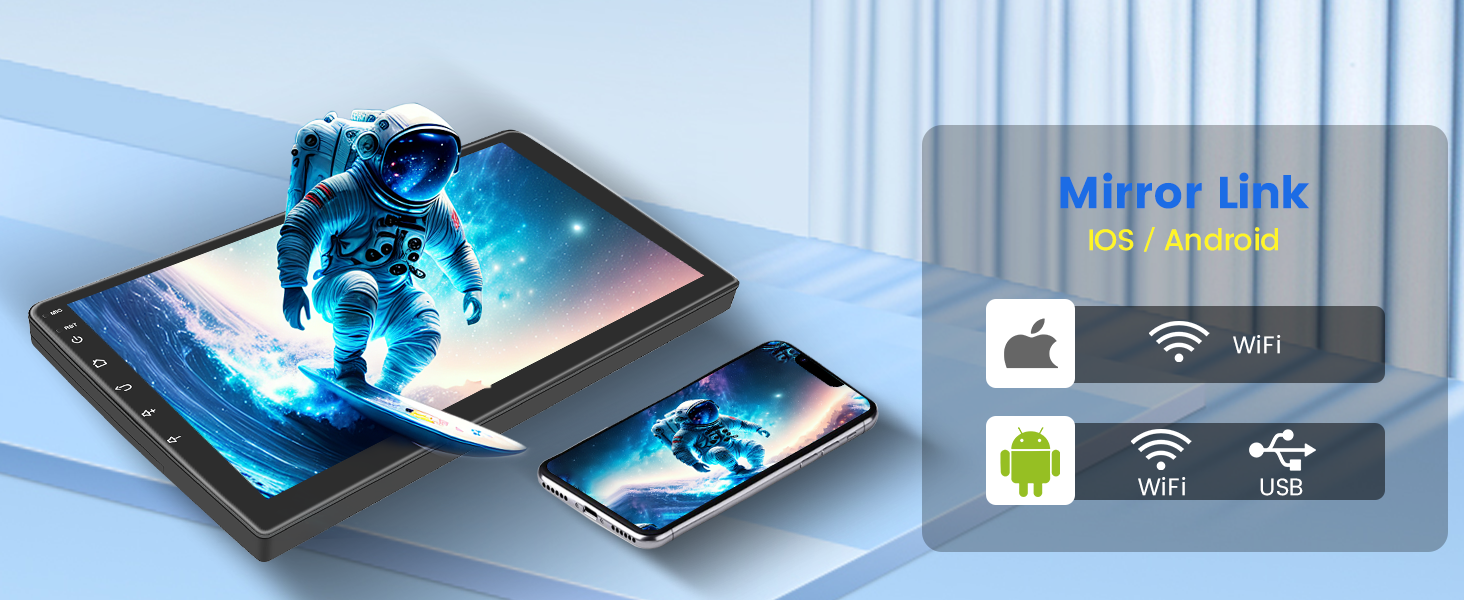
Mirror Link allows you to synchronize your cell phone's content, such as videos and navigation, to the car stereo's larger screen via the phone's original USB cable. iOS phones support one-way control, while Android phones support two-way control.
4.4 Navegació GPS i connexió WiFi
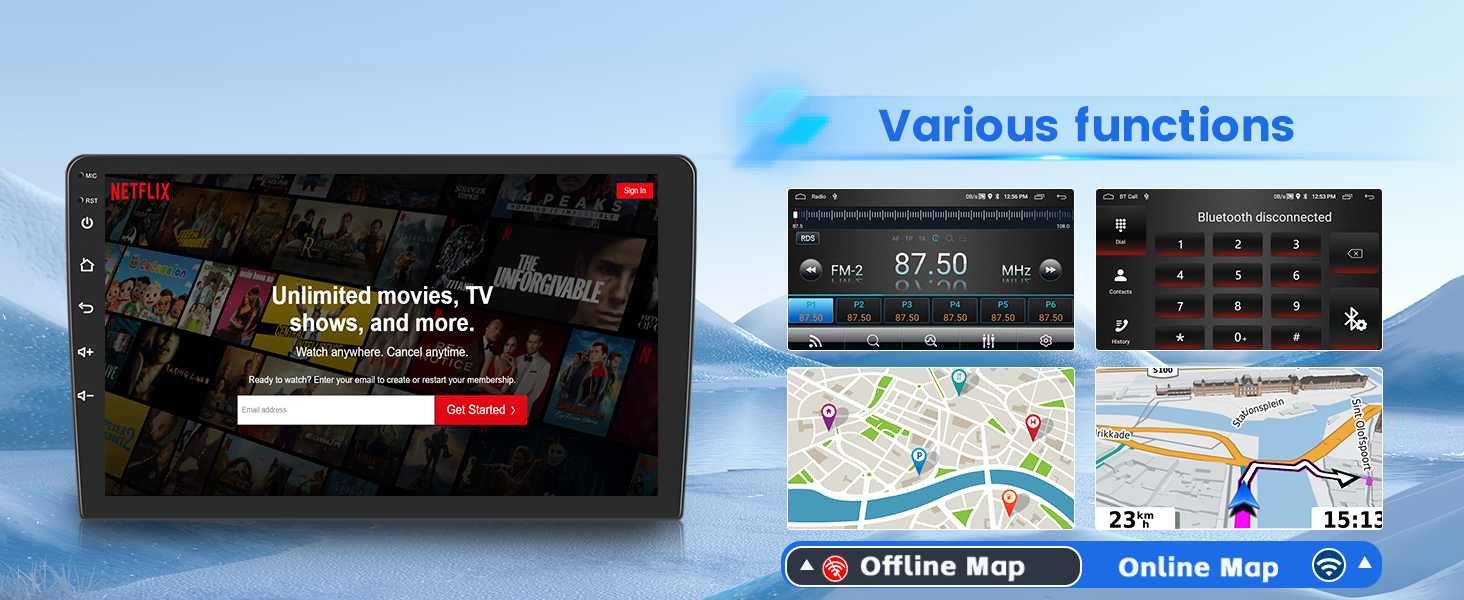
The unit supports both offline and online GPS navigation. You can download apps like Waze for offline maps or use online maps for real-time navigation. With WiFi connectivity, you can download various apps such as YouTube and TikTok for entertainment.

4.5 Bluetooth i ràdio FM/RDS
The built-in Bluetooth 4.2 module enables hands-free calls, music playback, and phonebook download. The FM/RDS radio allows you to listen to music, real-time weather forecasts, traffic updates, and news. You can save up to 18 favorite radio stations.
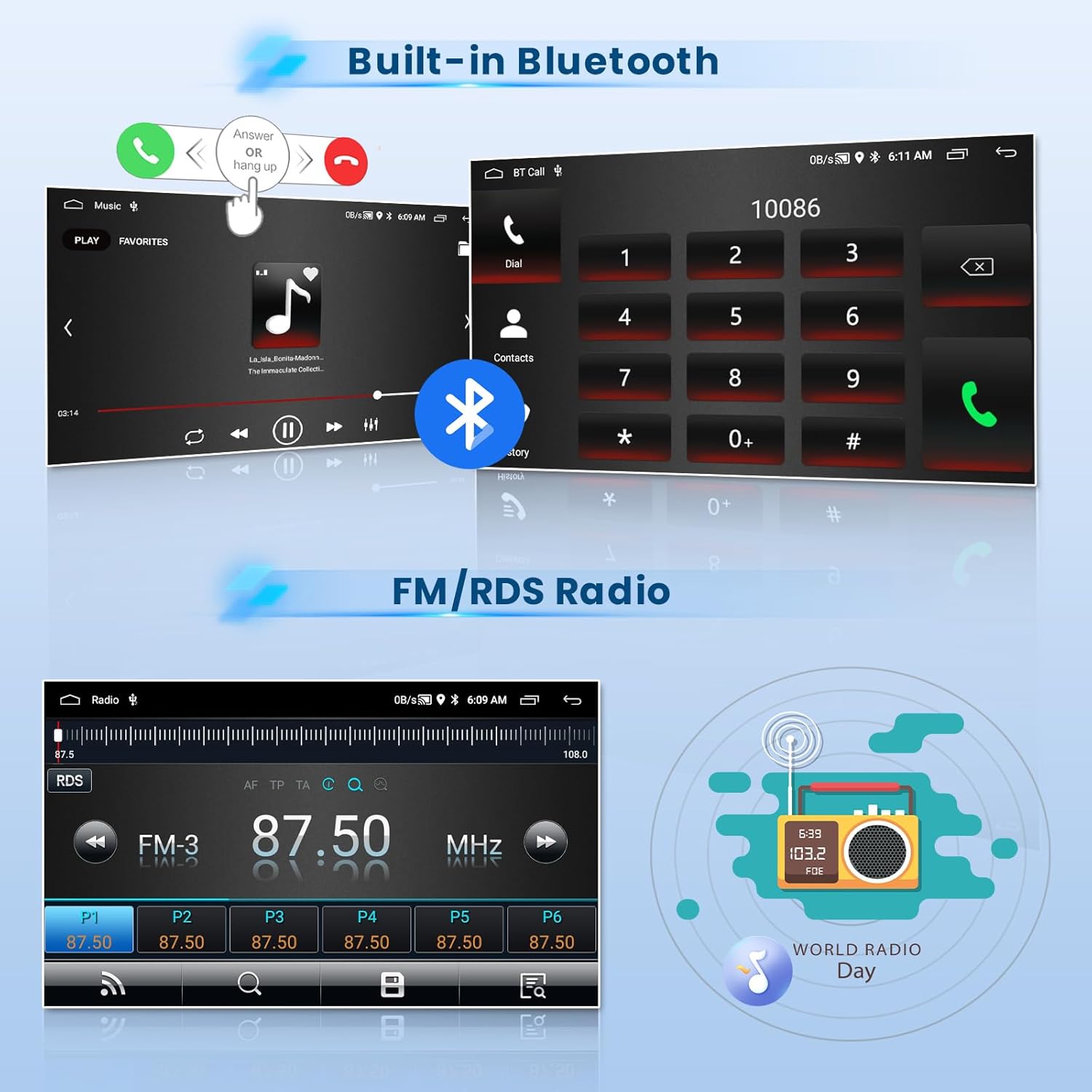
Vídeo: Acabatview of the car stereo's features including FM/RDS radio, split screen, EQ settings, and Bluetooth connection.
4.6 Control del volant
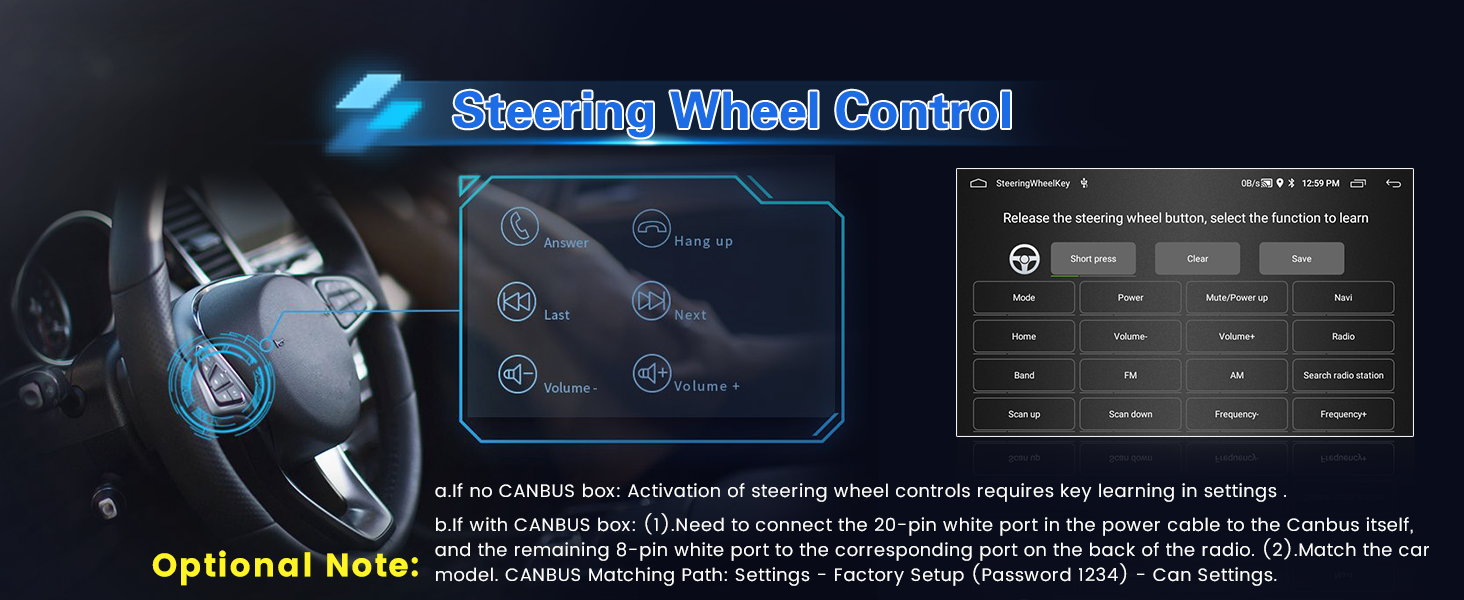
The car stereo supports steering wheel controls, allowing for quick reactions and adjustments without taking your hands off the wheel.
- Without CANBUS box: Activation of steering wheel controls requires key learning in settings.
- With CANBUS box:
- Connect the 20-pin white port in the power cable to the CANBUS itself, and the remaining 8-pin white port to the corresponding port on the back of the radio.
- Match the car model. CANBUS Matching Path: Settings -> Factory Setup (Password 1234) -> Can Settings.
4.7 EQ Efectes de so
The device offers adjustable EQ sound effects with presets like pop, rock, and jazz, allowing you to customize your listening experience.

4.8 Funció de pantalla dividida
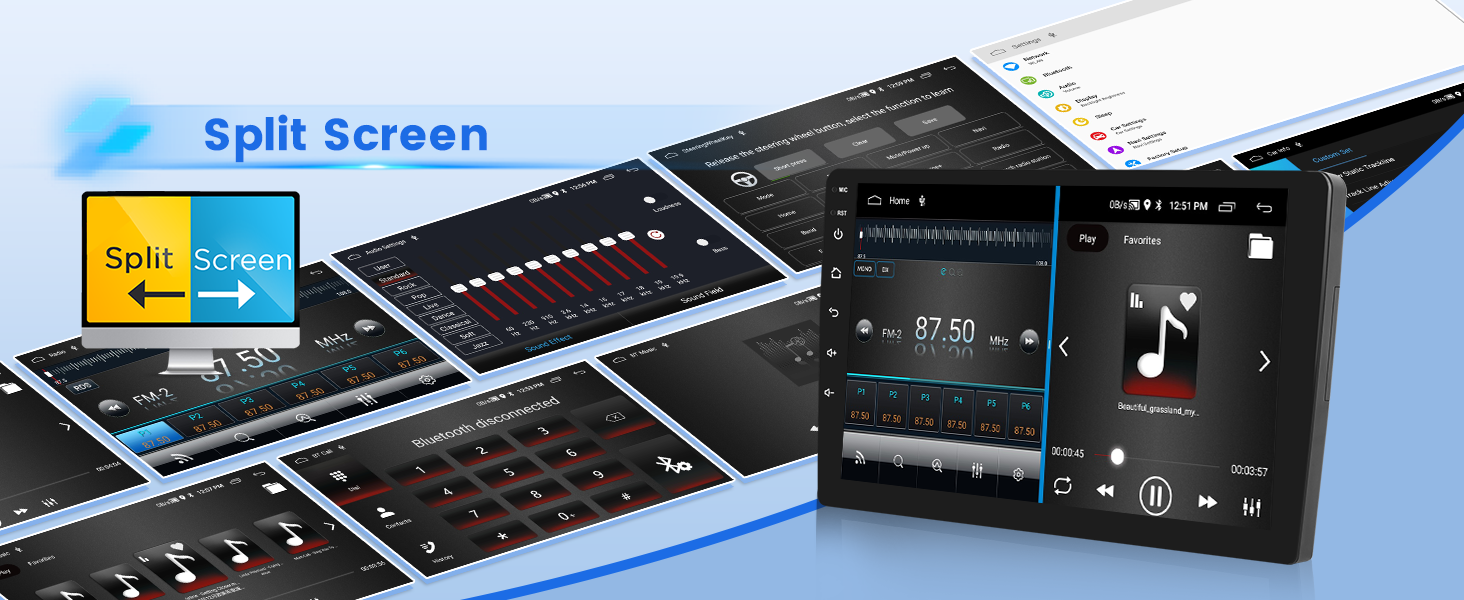
The split-screen function allows you to display and operate multiple applications simultaneously, such as navigation and FM radio.
4.9 USB DVR Support
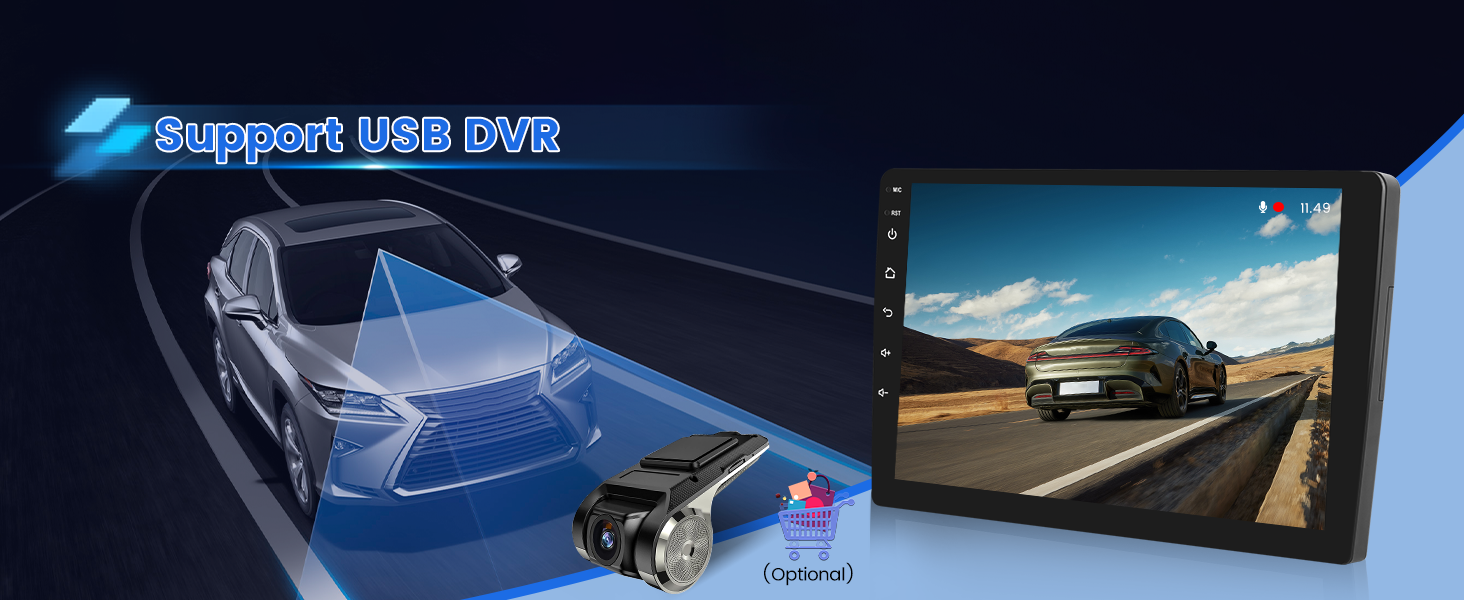
The unit supports USB DVR (Digital Video Recorder) functionality, allowing you to connect an optional USB camera for recording driving footage.
5. Manteniment
Per garantir la longevitat i el rendiment òptim de l'equip de música del vostre cotxe, seguiu aquestes pautes de manteniment:
- Neteja: Feu servir un drap suau i sec per netejar la pantalla i l'exterior. Eviteu productes de neteja abrasius o dissolvents que puguin danyar la superfície.
- Actualitzacions de programari: Periodically check for software updates to ensure the system runs efficiently and has the latest features. Updates may be available through the device's settings or the manufacturer's weblloc.
- Temperatura: Eviteu exposar la unitat a temperatures extremes, tant altes com baixes, durant períodes prolongats.
- Font d'alimentació: Ensure a stable 12V power supply. Fluctuations can affect performance and potentially damage the unit.
6. Solució De Problemes
Si teniu problemes amb l'estèreo del vostre cotxe, consulteu els passos habituals següents per resoldre problemes:
| Problema | Causa possible | Solució |
|---|---|---|
| La unitat no s'encén. | Cablejat incorrecte; Fusible fundit; Problema amb la font d'alimentació. | Check power cable connections (red, yellow, black wires). Verify car fuse. Ensure stable 12V power. |
| Sense so. | Volum massa baix; Silenciament activat; Problema de cablejat de l'altaveu. | Augmenta el volum. Comprova si el silenci està activat. Verifica les connexions dels altaveus. |
| El CarPlay/Android Auto no es connecta. | Incorrect phone settings; Incompatible phone; USB cable issue; Bluetooth not paired. | Ensure USB debugging is enabled for Android. Check phone compatibility. Try a different USB cable. Re-pair Bluetooth. |
| La càmera de marxa enrere no es mostra. | Incorrect camera wiring; Camera malfunction. | Verify camera input cable and trigger wire connections. Ensure reversing input is connected. |
| Mala recepció de ràdio. | Antena no connectada; Zona amb senyal feble. | Ensure radio antenna is securely connected. Try scanning for stations in a different location. |
Si el problema persisteix després d'intentar aquestes solucions, poseu-vos en contacte amb l'atenció al client.
7. Especificacions
| Característica | Detall |
|---|---|
| Nom del model | Inefala RM |
| Vehicle compatible | Hyundai Accent 2006-2011 |
| Mida de la pantalla | 9 polzades |
| Resolució | 1024*600 |
| Reproducció de vídeo | 1080P |
| Sistema operatiu | Android 15 |
| Memòria/emmagatzematge | 2 GB de RAM + 64 GB d'emmagatzematge |
| Connectivitat | Bluetooth 4.2, USB, Wi-Fi, Wireless CarPlay, Wireless Android Auto |
| Navegació | GPS (Offline/Online maps), Worldwide map type |
| Ràdio | Ràdio FM/RDS |
| Mode de sortida d'àudio | Stereo, EQ Setting |
| Comandament de veu | Microphone, Touchscreen (Siri/Google Voice Assistant via CarPlay/Android Auto) |
| Característiques especials | 28 Desktop Themes, Hands-free Bluetooth, Support Reverse Input, Steering Wheel Learning, Mirror Link, Split Screen, USB DVR Support |
| Pes de l'article | 3.52 lliures |
| Dimensions del producte | 13.19 x 7.68 x 3.15 polzades |
8. Garantia i Suport
8.1 Informació de la garantia
The Inefala 2+64G Android 15 Car Stereo Radio comes with a 1 anys de garantia des de la data de compra. Aquesta garantia cobreix defectes de fabricació i avaries en condicions d'ús normal. Conserveu el comprovant de compra per a reclamacions de garantia.
For additional protection, 2-Year and 3-Year Protection Plans are available for purchase.
8.2 Atenció al client
For technical assistance, installation queries, or any issues not covered in this manual, please contact Inefala customer support.
- Correu electrònic: inefalaservices@163.com
- En línia: Visit the Inefala store on Amazon and click "Ask a question" to send inquiries. Provide relevant pictures or videos to help resolve issues faster.