1. Introducció
The ATOMSTACK R1 V2 Laser Rotary Chuck Engraver is designed to expand the capabilities of your laser engraver, allowing for precise engraving on a wide variety of irregular, spherical, and cylindrical objects. This multi-functional accessory provides stable rotation and adjustable features to ensure high-quality results on challenging surfaces.
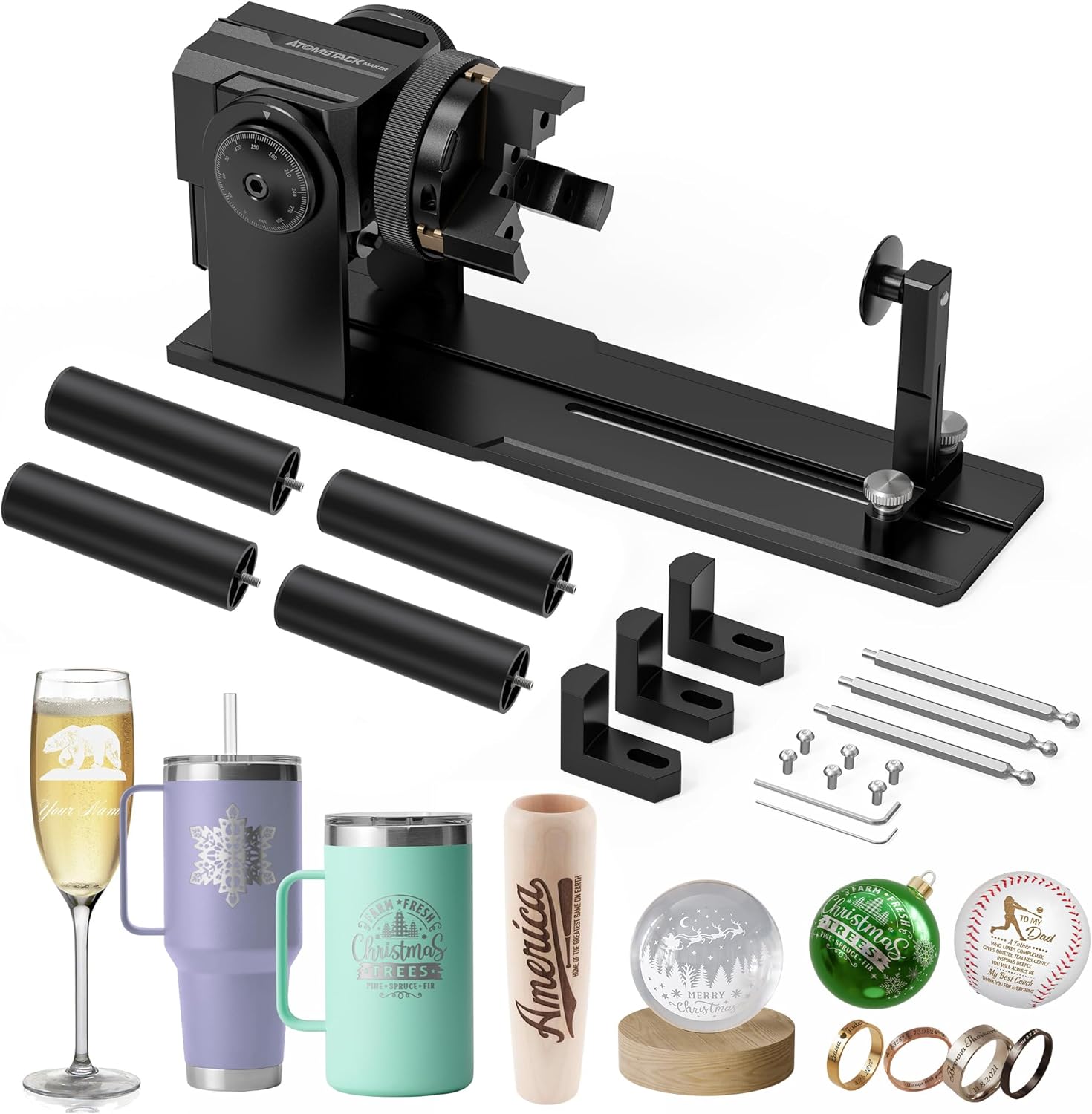
Figure 1: ATOMSTACK R1 V2 Laser Rotary Chuck Engraver and included accessories.
2. Característiques clau
- Ideal for Irregular Cylinder Engraving: Designed for engraving a wide range of irregular cylindrical objects, offering up to 180° angle adjustment and 360° rotation capability. This includes balls, rings, spherical objects, cups with handles, and various irregular items.
- Precision & High-Speed: Features a powerful high-torque motor that reaches speeds up to 6000mm/Min and achieves an impressive accuracy of 0.1mm. The claw, crafted from high-hardness brass, ensures durability and reliability, while its non-slip design guarantees stability for long-term use.
- No Need for Installation & Easy to Operate: The upgraded rotary roller features a high-strength aluminum alloy structure, eliminating the need for installation – it's ready to use right out of the box. Adjusting the roller distance is a breeze, requiring no tools.
- Alta adaptabilitat: Compatible with popular software such as LaserGRBL, LightBurn, and more, suitable for ATOMSTACK A6 A12 A24 Pro/A6 A12 A24 Ultra Laser Engraver.
3. Configuració
The ATOMSTACK R1 V2 rotary chuck is designed for ease of use with minimal setup required. It features a high-strength aluminum alloy structure, making it ready for immediate use out of the box.
3.1 Col·locació inicial
Place the rotary chuck on a stable, flat surface. Ensure there is sufficient space around the unit for the laser engraver and the objects to be engraved.
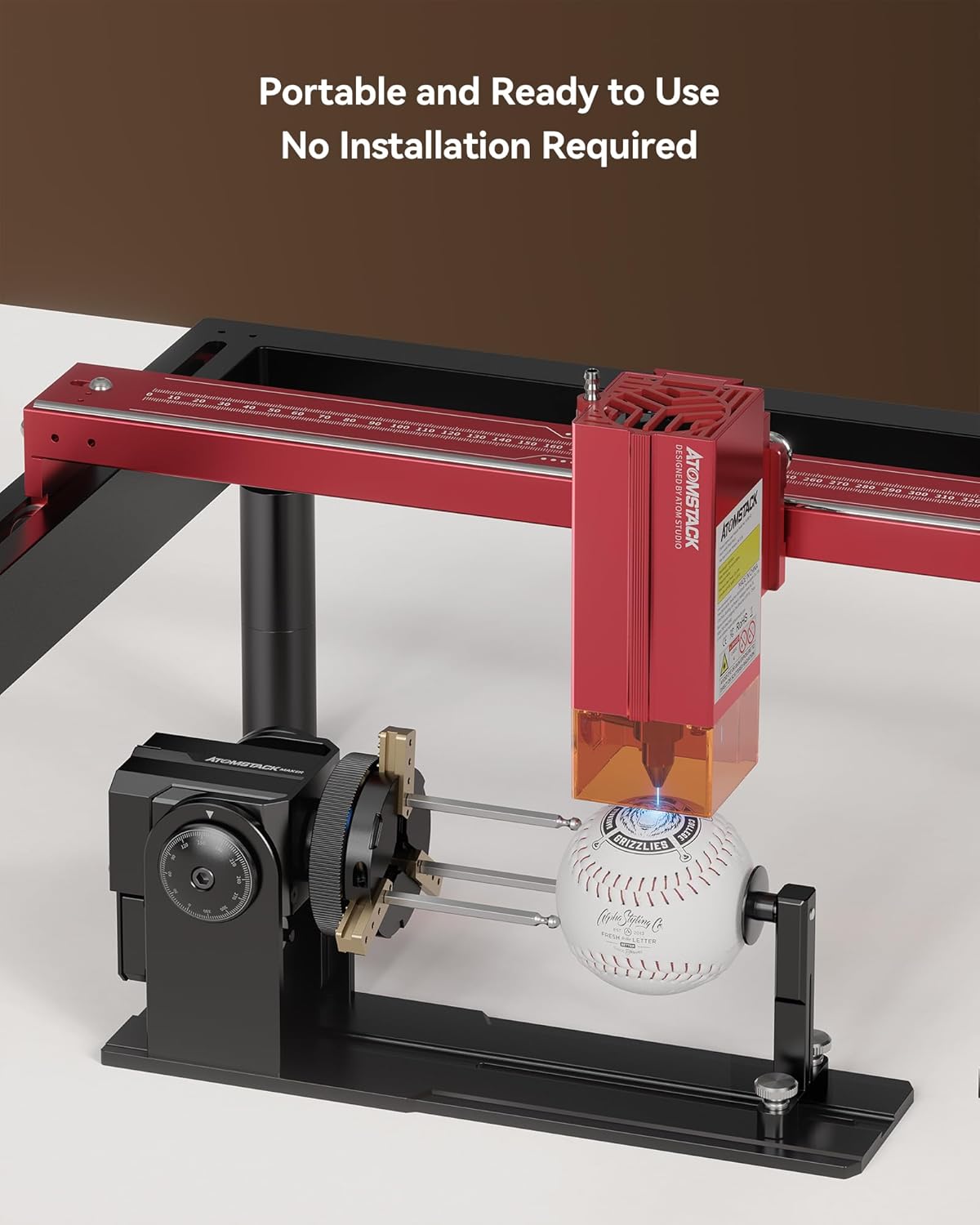
Figure 2: The ATOMSTACK R1 V2 is portable and requires no complex installation.
3.2 Connecting to Laser Engraver
To connect the rotary roller to your laser engraver, simply replace the Y-axis terminal on your engraving machine with the rotary chuck's connection. This allows the engraver to control the rotation of the chuck.
3.3 Configuració del programari
Before using the rotary roller, it is essential to modify the configuration parameters within your laser software (e.g., LaserGRBL, LightBurn). Refer to your laser engraver's software manual for specific instructions on enabling and configuring rotary axis settings.
3.4 Using Raised Foot Pads
The package includes four 100mm raised footpads. These are compatible with ATOMSTACK A6, A12, and A24 Pro Engraver Machines and are used to elevate the laser engraving machine, ensuring it perfectly aligns and fits over the laser rotary roller for optimal engraving clearance.
4. Instruccions de funcionament
The ATOMSTACK R1 V2 offers versatile rotary functions to engrave various object shapes with high precision.
4.1 Adjusting the Chuck and Jaws
The chuck is flexible and adjustable, allowing for a 180° horizontal flip angle to accommodate different object orientations. The multi-adjustable jaw pliers can be adjusted in size by scrolling the chuck or assembling the jaw in different holes to securely hold various items.
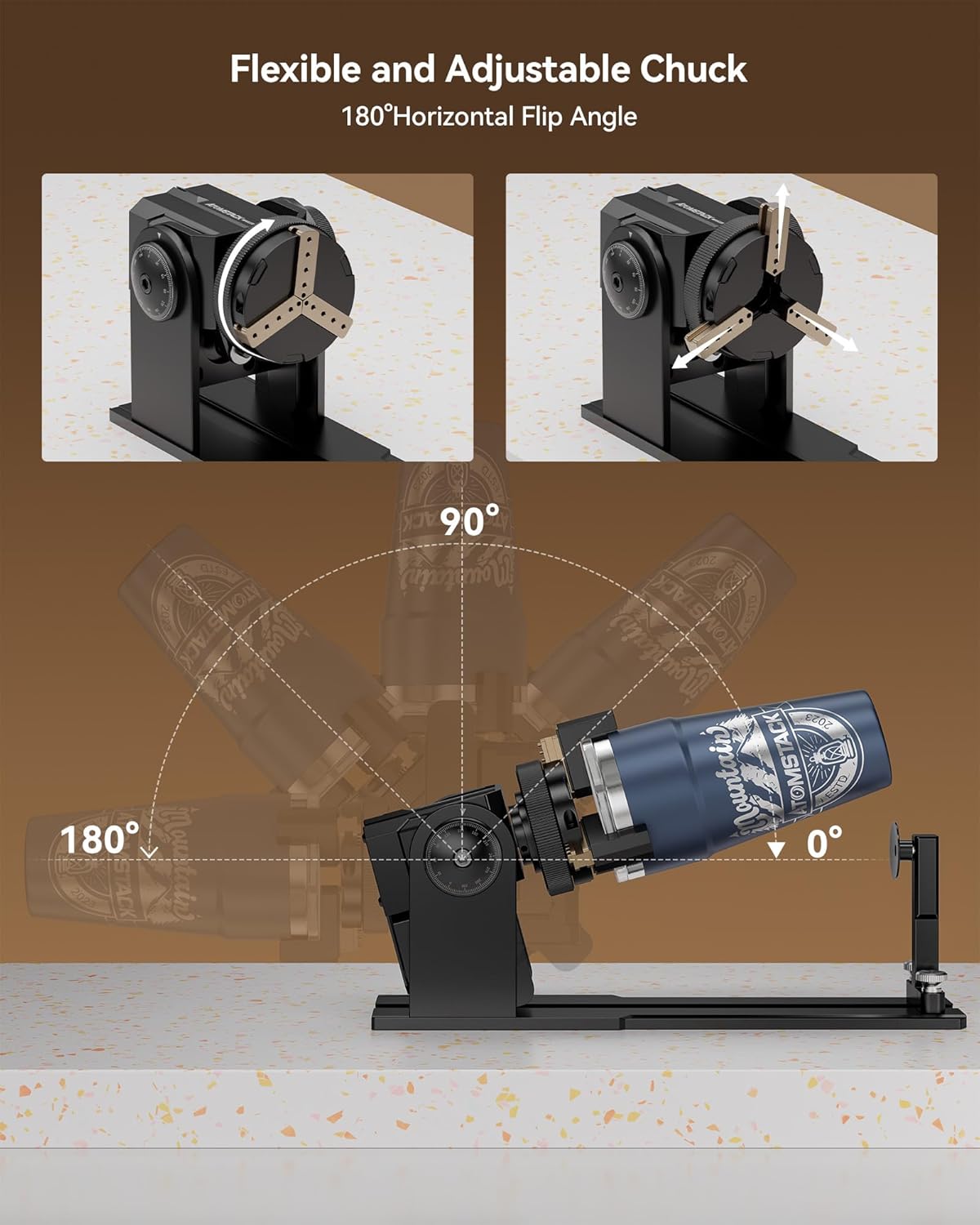
Figure 3: Flexible and adjustable chuck with 180° horizontal flip angle.

Figure 4: Multi-adjustable jaw pliers for various object sizes.
4.2 Engraving Different Object Shapes
The R1 V2 supports multiple modes for engraving irregularly shaped objects, including ring rotary, ladder jaws for cylindrical items, and L-shaped jaws for items with handles like mugs.

Figure 5: Versatile rotary function with multiple modes for various object shapes.
4.3 Achieving Precision and High Speed
The powerful high-torque motor allows for engraving speeds up to 6000mm/Min with an accuracy of 0.1mm. Ensure the object is securely clamped and the laser engraver's settings are optimized for rotary engraving to achieve the best results.

Figura 6: Example of accurate and high-speed engraving.
4.4 Vídeo oficial del producte
Watch the official product video for a visual guide on setting up and operating the ATOMSTACK R1 V2 Laser Rotary Chuck Engraver, demonstrating its versatility with various objects.
Video 1: ATOMSTACK R1 V2 Laser Rotary Chuck Engraver in action, demonstrating its features and use cases.
5. Manteniment
To ensure the longevity and optimal performance of your ATOMSTACK R1 V2 Laser Rotary Chuck Engraver, regular maintenance is recommended:
- Keep the unit clean and free from dust and debris, especially around the chuck and moving parts.
- Periodically inspect the brass claws for wear and tear. While designed for durability, replacement may be necessary after extensive use.
- Ensure all screws and adjustable components remain tightened to maintain stability and precision.
- Store the rotary chuck in a dry, clean environment when not in use.
6. Solució De Problemes
If you encounter issues with your ATOMSTACK R1 V2 Laser Rotary Chuck Engraver, consider the following common troubleshooting steps:
- Gravat inexacte:
- Verifiqueu que l'objecte estigui ben tancatamped in the chuck and not slipping.
- Check the software configuration parameters for the rotary axis to ensure they are correctly set for your object's dimensions.
- Ensure the rotary chuck is properly connected to the Y-axis terminal of your laser engraver.
- Rotary Chuck Not Moving:
- Confirm the power connection to the rotary chuck and the laser engraver.
- Check the Y-axis terminal connection.
- Review your laser software settings to ensure the rotary function is enabled and commands are being sent correctly.
- Sorolls inusuals:
- Inspect for any obstructions or loose components around the motor and chuck mechanism.
- Ensure the object is balanced and not causing excessive strain on the motor.
For persistent issues or technical assistance, please refer to the Warranty and Support section for contact information.
7. Especificacions
| Característica | Especificació |
|---|---|
| Dimensions del producte | 11.42 x 3.15 x 2.76 polzades |
| Número de model de l'article | R1 V2 |
| Pes de l'article | 5.39 lliures |
| Fabricant | ATOMSTAK |
| Velocitat de gravat (màx.) | 6000mm/Min |
| Precisió del gravat | 0.1 mm |
| Ajust d'angle | Fins a 180° |
| Capacitat de rotació | 360° |
| Compatibilitat | LaserGRBL, LightBurn, ATOMSTACK A6 A12 A24 Pro/Ultra Laser Engravers |
8. Garantia i Suport
ATOMSTACK is committed to providing excellent customer service and support for your product. For any questions or concerns, our professional technical and support teams are available 24/7.
- Garantia: El producte ve amb una garantia de 1 anys.
- Suport tècnic: Es proporciona assistència tècnica de per vida.
- Peces de recanvi: Hi ha disponibles peces de recanvi.
Please visit the official ATOMSTACK website or contact their customer service for further assistance. You can also find more information and products at the ATOMSTACK Official Store on Amazon.