Introducció
Welcome to your new THOMSON 55-inch QLED Plus Google Smart TV. This manual provides essential information for setting up, operating, and maintaining your television. Enjoy stunning 4K Ultra HD resolution, vibrant QLED colors, immersive Dolby Vision and Dolby Atmos audio, and the smart features of Google TV.
Producte acabatview
Característiques clau
- Tecnologia QLED: Quantum Dot nanocrystals deliver vibrant, realistic colors and balanced brightness.
- Resolució 4K UHD: Experience crystal-clear images with four times the detail of Full HD (3840 x 2160).
- Google TV: Access over 400,000 movies and shows from various apps, personalized content recommendations, Google Assistant voice control, and built-in Chromecast for wireless streaming.
- Dolby Vision i Dolby Atmos: Enhanced brightness and contrast with Dolby Vision, and immersive, room-filling sound with Dolby Atmos.
- Integrated Front Speaker: Designed for clear and dynamic audio output.
- Sintonitzador triple: Supports reception via satellite (DVB-S2), terrestrial antenna (DVB-T2), or cable (DVB-C).
- Connectivitat: Built-in Wi-Fi and Bluetooth 5.1 for seamless wireless connections.
- 3 any de garantia del fabricant: Provides extended assurance of product reliability.
Aspectes destacats del disseny
- Sleek, frameless design on three sides for an immersive viewexperiència.
- Swivel stand allows for flexible viewing angles to suit your room layout.
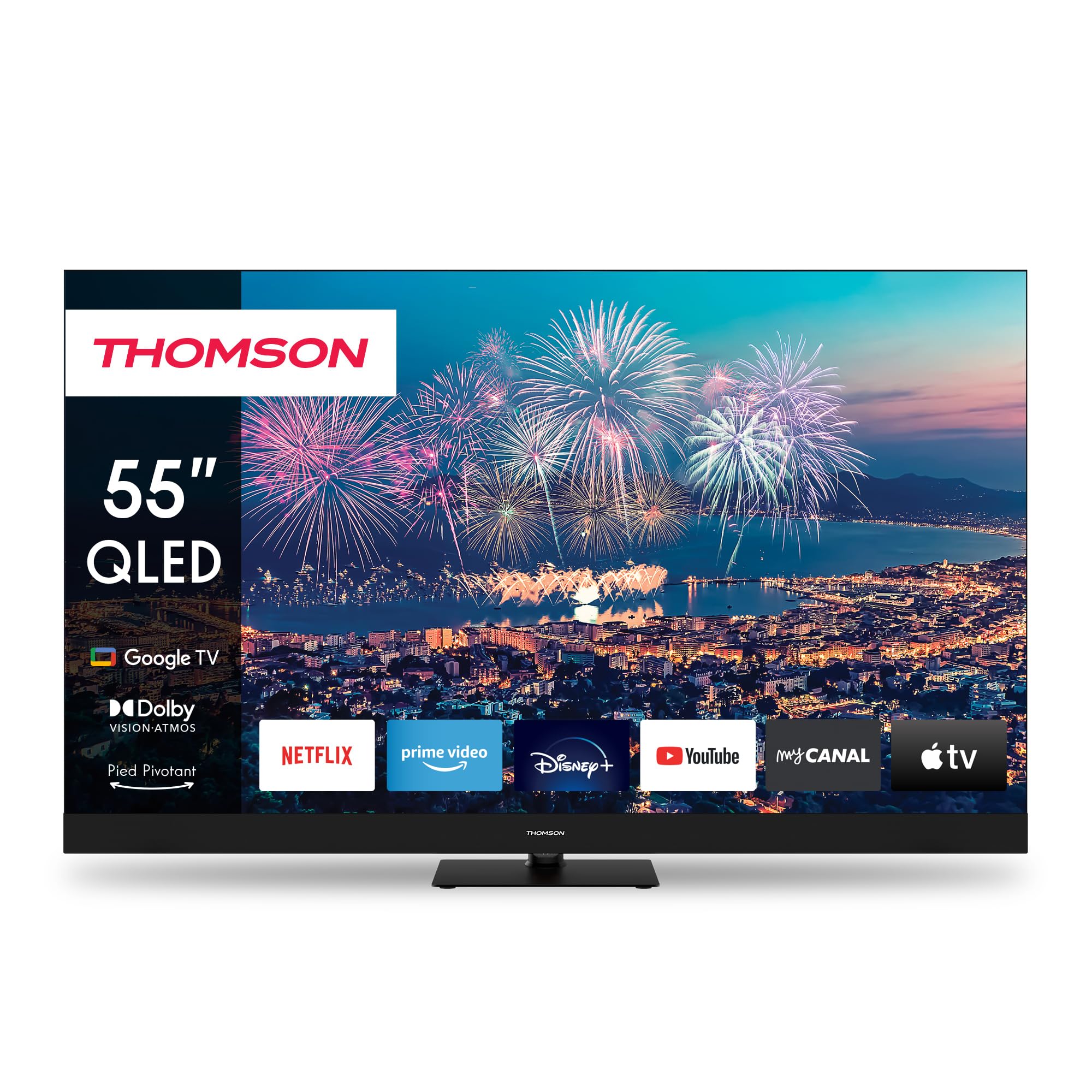
Figura 1: Frontal view of the THOMSON 55-inch QLED Google TV, showcasing its vibrant display and integrated smart features.
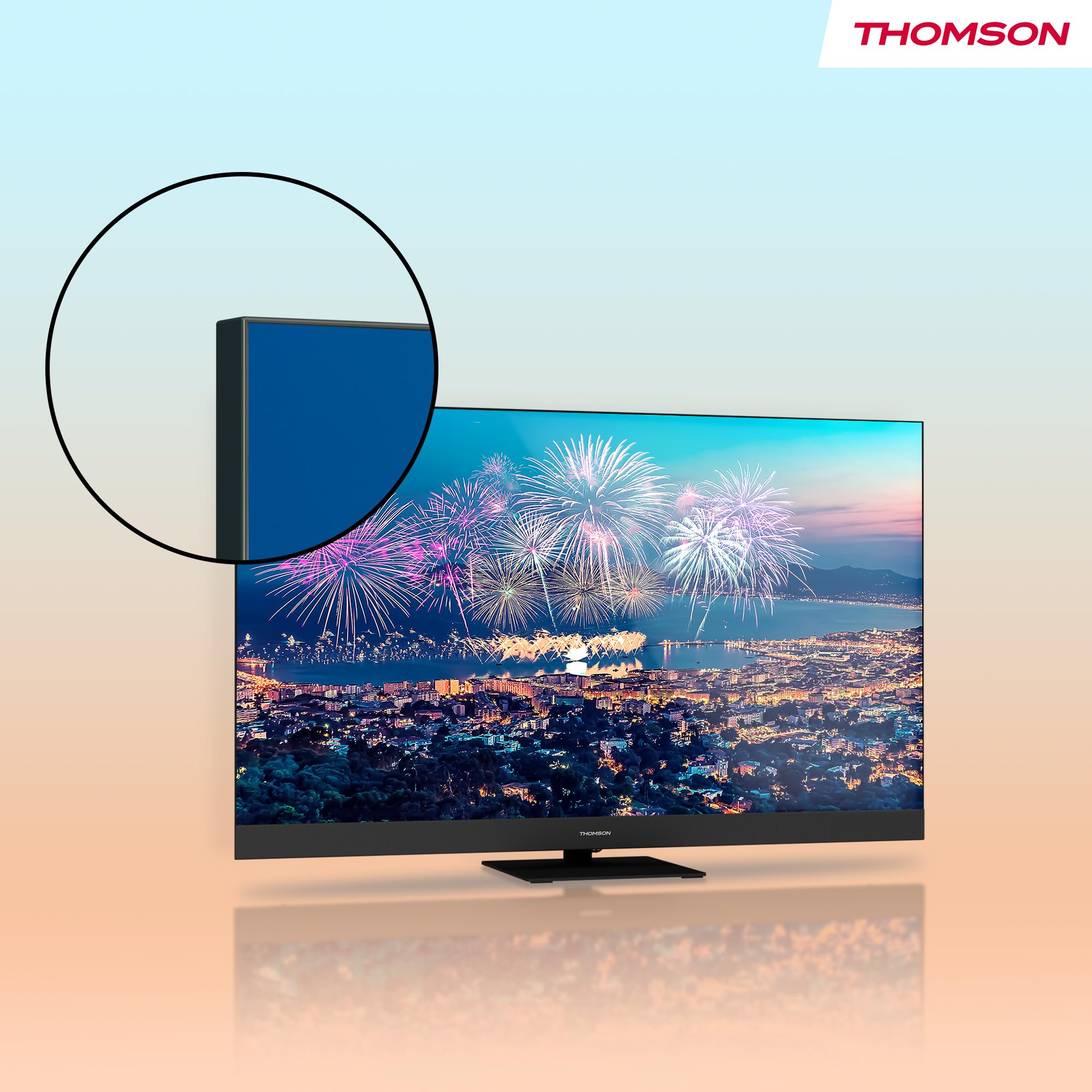
Figura 2: Un primer pla view highlighting the TV's ultra-thin bezel, providing a more expansive screen area.
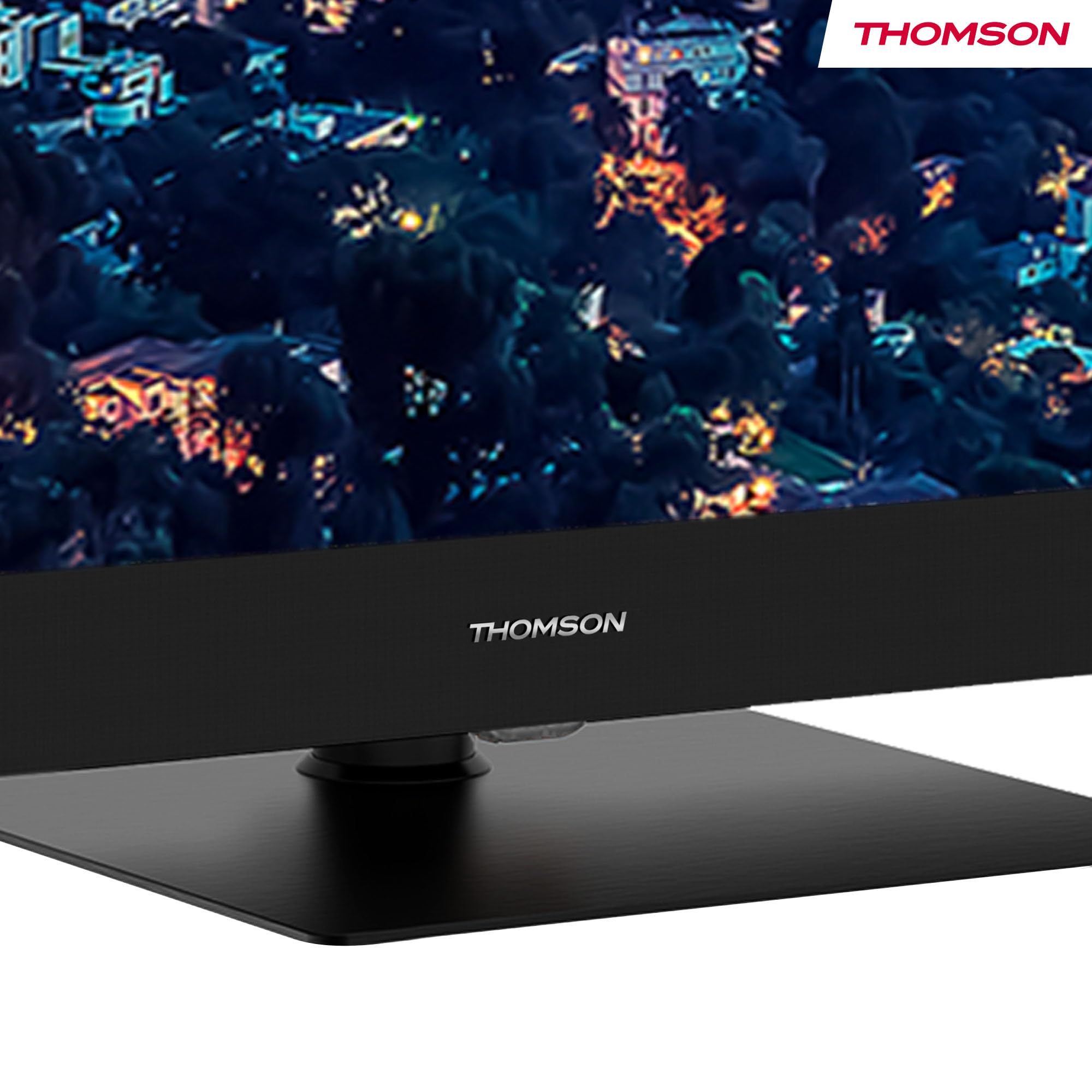
Figure 3: The elegant stand featuring the THOMSON brand logo, ensuring stable support for the television.
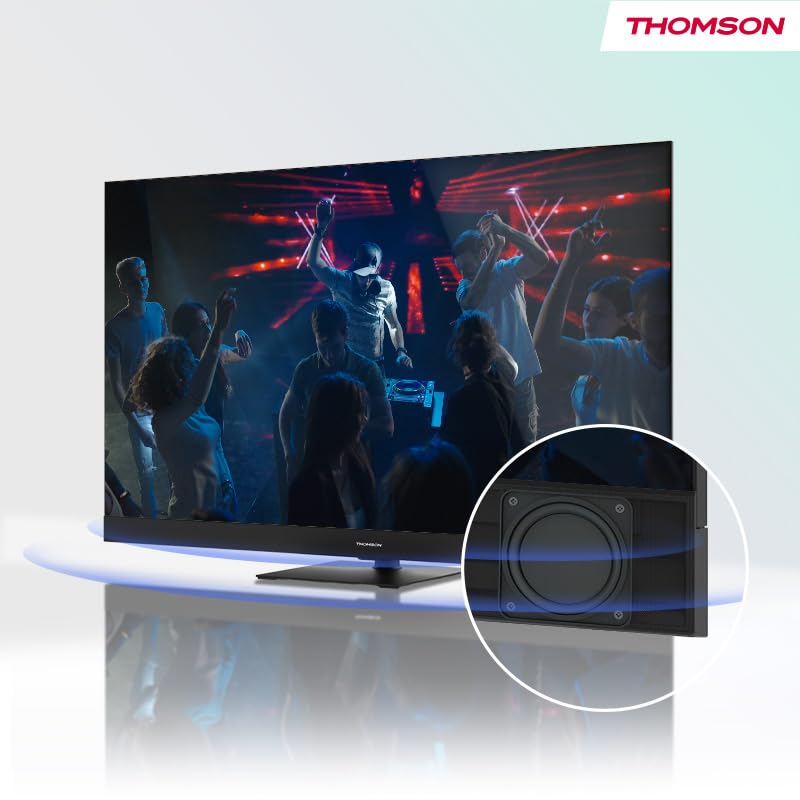
Figure 4: Illustration of the TV's integrated front speaker, designed to deliver clear and direct audio.

Figure 5: A diagram demonstrating the swivel functionality of the TV stand, allowing for flexible screen positioning.
Guia de configuració
1. Desembalatge
Carefully remove the TV from its packaging. It is recommended to have two people for this process due to the size and weight of the unit. Retain all packaging materials for future transport or service needs.
2. Instal·lació de l'estand
Attach the table stand to the bottom of the TV using the provided screws. Ensure the stand is securely fastened before placing the TV on a stable, flat surface. Refer to the included quick start guide for detailed visual instructions on stand assembly.
3. Dispositius de connexió
Before connecting any cables, ensure the TV and all external devices are powered off.
- Potència: Connecteu el cable d'alimentació a l'entrada d'alimentació del televisor i després a una presa de corrent.
- Antena/cable: Connect your terrestrial antenna, cable, or satellite dish to the appropriate input ports (DVB-T2/C/S2) on the back of the TV.
- Dispositius HDMI: Connect Blu-ray players, game consoles, or other HDMI devices to the HDMI ports. This model features 2x HDMI 2.1 (including eARC) and 2x HDMI 2.0 ports.
- Dispositius USB: Connect USB drives for media playback or software updates to the USB ports (2x USB 2.0, 1x USB 3.0).
- LAN: For a stable internet connection, connect an Ethernet cable from your router to the LAN port.
- Digital Optical Audio Out: Connecteu-lo a una barra de so o a un receptor d'àudio per obtenir un so millorat.
- AV IN: Per a dispositius més antics que utilitzen vídeo compost i àudio estèreo.
- Ranura CI+: Insert your CI+ module for encrypted digital channels.
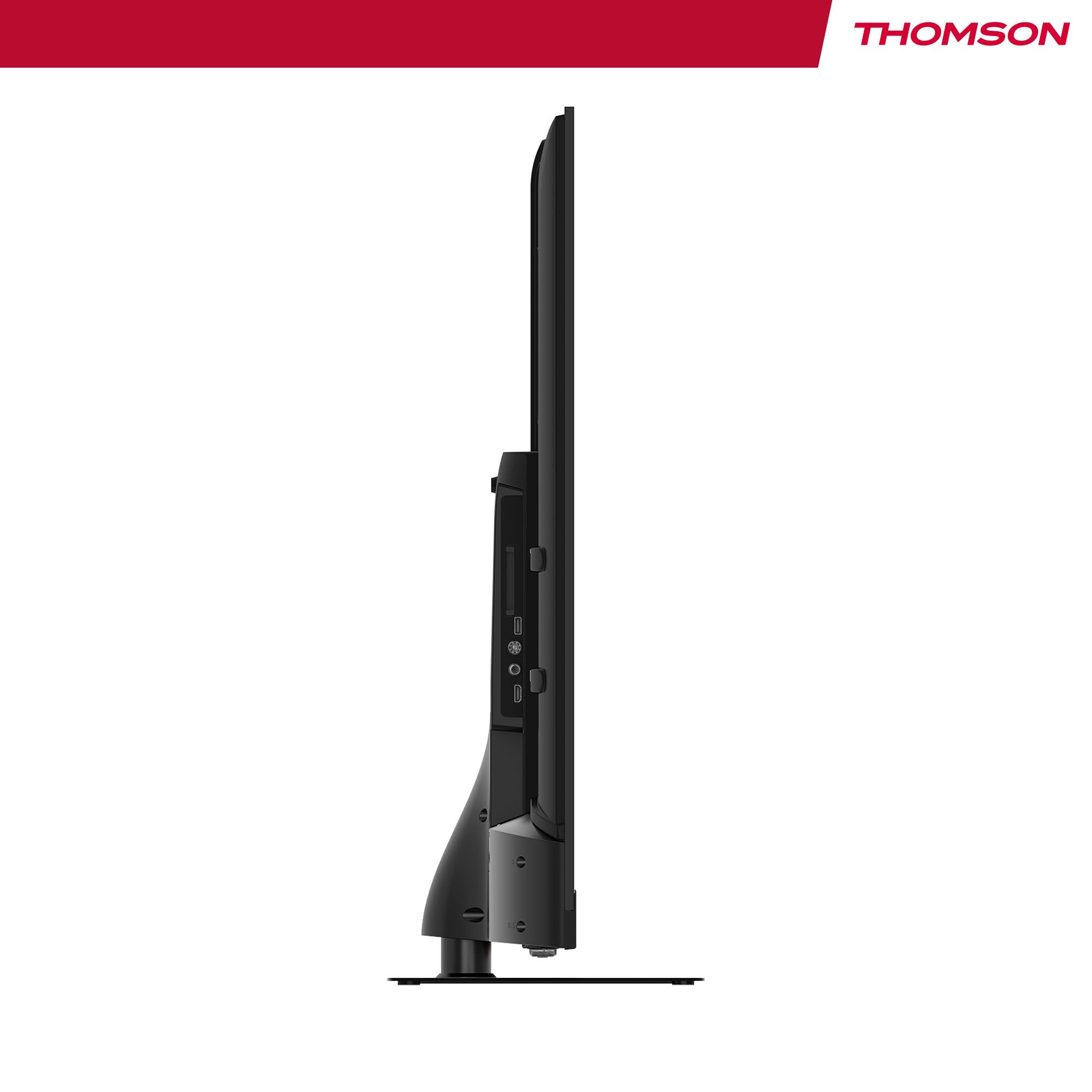
Figura 6: Pro lateralfile of the television, illustrating its slim design and the depth required for connections.
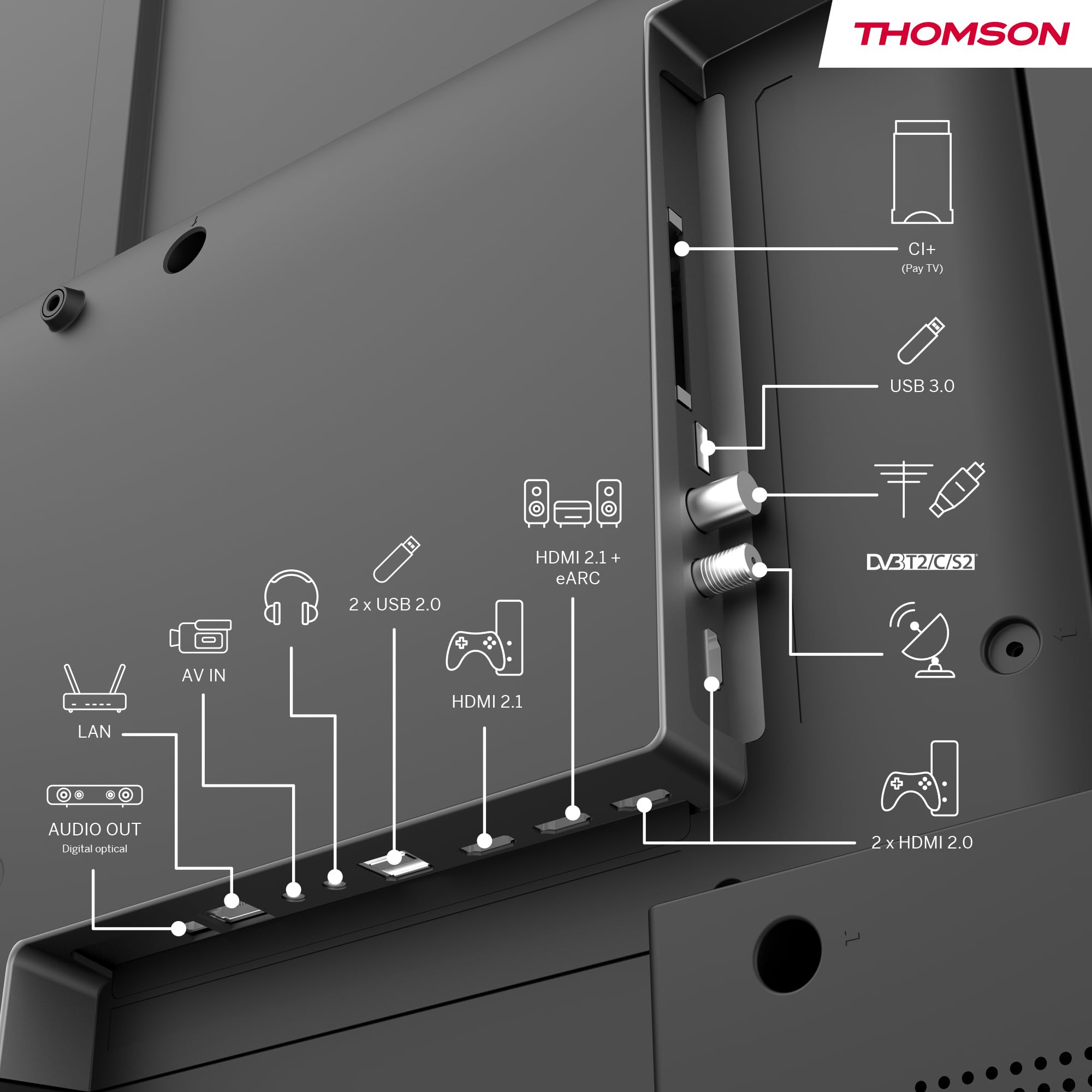
Figura 7: Part posterior detallada view of the TV, clearly labeling all input and output ports for easy connection of external devices.
Instruccions de funcionament
1. Initial Power On & Google TV Setup
After connecting all necessary cables, plug in the TV and press the power button on the remote control. Follow the on-screen instructions to complete the initial setup, which includes selecting your language, connecting to your Wi-Fi network, and logging into your Google account. This process will personalize your Google TV experience.
2. Navegació per Google TV
Google TV organizes content from your apps and subscriptions. Use the directional buttons on your remote to navigate through the home screen, discover new content, and access your favorite streaming services such as Netflix, Prime Video, YouTube, Disney+, and Canal+.

Figure 8: The intuitive Google TV home screen, showcasing a wide array of available streaming applications.
3. Control per veu amb l'Assistent de Google
Your TV comes with Google Assistant built-in. Press the Google Assistant button on your remote and speak into the microphone to control your TV, search for content, get recommendations, and even control compatible smart home devices.

Figure 9: A user demonstrating the voice control feature using the TV remote, powered by Google Assistant.
4. Chromecast integrat
Easily cast movies, music, and videos from your compatible smartphone, tablet, or computer directly to your TV using the built-in Chromecast feature. Ensure your device and TV are connected to the same Wi-Fi network.
5. Triple Tuner Usage
To switch between different input sources (Antenna, Cable, Satellite), use the 'Source' button on your remote control. The TV will automatically scan for available channels during the initial setup. You can also manually scan for channels in the TV settings menu.
6. Audio & Video Settings
Access the TV's settings menu to adjust picture modes (e.g., Standard, Vivid, Movie), sound profiles (e.g., Standard, Music, Movie), and enable or disable Dolby Vision and Dolby Atmos for an optimized viewexperiència i escolta.
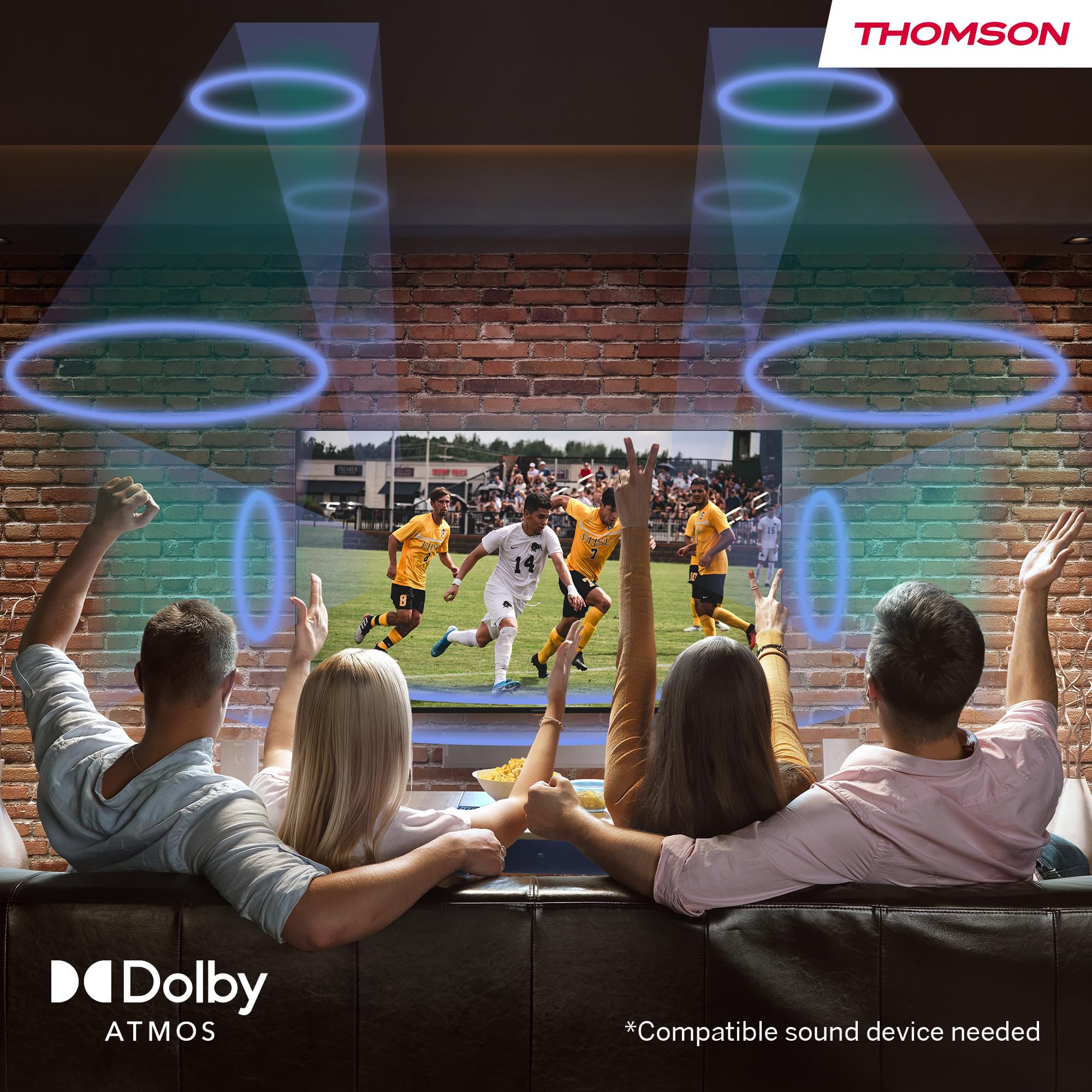
Figure 10: Visual representation of the immersive Dolby Atmos sound experience, surrounding viewers with dynamic audio.
Manteniment
1. Neteja de la pantalla
Netegeu suaument la pantalla amb un drap de microfibra suau i sec. Per a taques difícils, netegeu suaument.ampNetegeu el drap amb aigua o una solució de neteja específica per a pantalles. No ruixeu mai líquid directament sobre la pantalla.
2. Neteja de l'armari
Wipe the TV cabinet and stand with a soft, damp cloth. Avoid using abrasive cleaners, waxes, or solvents as they can damage the finish.
3. Atenció general
- Desendolleu el televisor de la presa de corrent durant tempestes o quan el deixeu sense vigilància durant llargs períodes.
- Eviteu exposar el televisor a la llum solar directa, a temperatures extremes o a una humitat elevada.
- No bloquegeu les obertures de ventilació de la part posterior del televisor.
Resolució de problemes
If you encounter any issues with your TV, please refer to the following common problems and solutions before contacting customer support.
| Problema | Causa possible | Solució |
|---|---|---|
| Sense poder | Cable d'alimentació desconnectat; Problema amb la presa de corrent. | Assegureu-vos que el cable d'alimentació estigui ben connectat. Proveu la presa de corrent amb un altre dispositiu. |
| No Picture / Poor Picture | Incorrect input source; Loose cable connection; Resolution settings. | Select correct input source. Check HDMI/antenna cable connections. Adjust picture settings. |
| No Sound / Poor Sound | Volume too low or muted; External audio system issues. | Increase volume, check mute status. Verify external audio connections and settings. |
| El comandament a distància no respon | Piles gastades; Obstrucció entre el comandament a distància i el televisor. | Canvieu les piles. Assegureu-vos que el receptor d'infrarojos del televisor estigui en una línia de visió clara. |
| Problemes de connexió de xarxa | Incorrect Wi-Fi password; Router issues. | Re-enter Wi-Fi password. Restart your router. Try a wired LAN connection if possible. |
Especificacions
Below are the detailed technical specifications for the THOMSON 55QG6C14 QLED Plus Google Smart TV.
| Característica | Especificació |
|---|---|
| Marca | Thomson |
| Número de model | 55QG6C14 |
| Mida de la pantalla | 55 polzades (139 centímetres) |
| Tecnologia de visualització | QLED |
| Resolució | 3840 x 2160 (4K Ultra HD) |
| Freqüència d'actualització | 60 Hz |
| Configuració d'àudio | 5.1 Surround (Dolby Audio, Dolby Atmos) |
| Connectivitat | Wi-Fi, Bluetooth 5.1, HDMI (2x 2.1, 2x 2.0), USB (2x 2.0, 1x 3.0), LAN, Digital Optical Out, AV In, CI+ |
| Dimensions (L x A x A) | 8 x 123 x 78 cm |
| Pes | 15 quilograms |
| Tipus d'instal·lació | Muntatge de taula |
| Relació d'aspecte | 16:9 |
| Classe d'eficiència energètica | F |

Figure 11: Official product data sheet providing detailed technical specifications and compliance information.
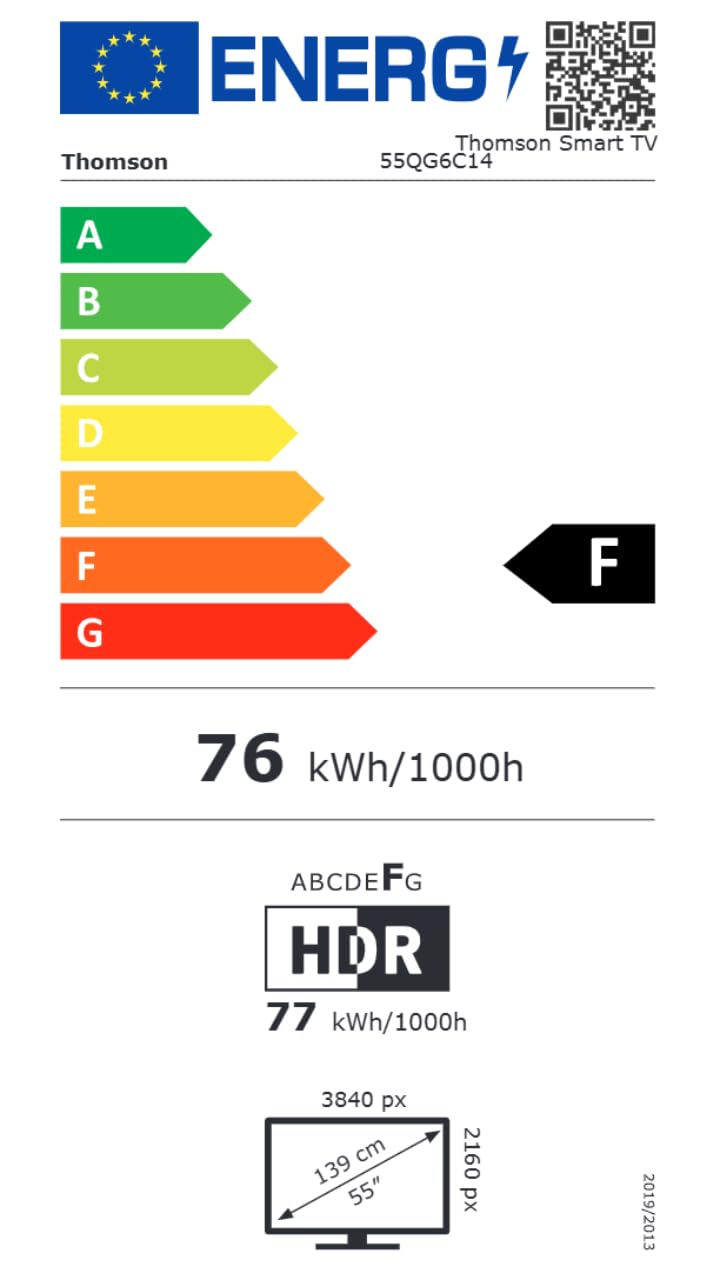
Figure 12: The energy efficiency label for the THOMSON 55QG6C14, indicating its energy consumption rating.
For more detailed product information, please visit the official EPREL database: Informació del producte EPREL
Garantia i Suport
Informació de la garantia
Your THOMSON 55-inch QLED Plus Google Smart TV is covered by a comprehensive 3-year manufacturer warranty. This warranty covers defects in materials and workmanship under normal use. Please retain your proof of purchase for warranty claims.
Atenció al client
If you require further assistance, have questions not covered in this manual, or need to make a warranty claim, please contact THOMSON customer support. Refer to the contact information provided with your product packaging or visit the official THOMSON weblloc per obtenir detalls de suport.


