1. Introducció
This manual provides detailed instructions for the setup, operation, and maintenance of your EMEET SmartCam S800-4K Webcàmera. Llegiu atentament aquesta guia per garantir un rendiment òptim i una llarga durada del vostre dispositiu.
2. Què hi ha a la caixa
- Càmera intel·ligent EMEET S800-4K Weblleva
- Stand flexible
- Standard ¼ inch nut for tripod
- Cable USB
- Manual d'usuari
3. Configuració
3.1 Configuració física
The EMEET SmartCam S800-4K Webcam features a flexible stand for easy mounting on your monitor or laptop. It also includes a standard ¼ inch nut for tripod compatibility.

Image: EMEET SmartCam S800-4K Webcam mounted on a laptop screen, showcasing its compact design and stable placement.
Connecteu el webcam to your computer using the provided USB cable. The webcam features a USB-C port on the back for connection.

Imatge: Un primer pla view of the EMEET SmartCam S800-4K Webcam's rear, highlighting the USB-C port for cable connection.
3.2 Software Installation (EMEETLINK)
For advanced settings and firmware updates, download the EMEETLINK software from the official EMEET website. The software is compatible with Windows (Win7, 10, 11) and macOS (10.14 and above).
Video: Demonstration of EMEETLINK software for webcam settings adjustment.
El webcam is plug-and-play, automatically recognized by your system without complex driver installations.
4. Instruccions de funcionament
4.1 Funcionament bàsic
Once connected, the EMEET SmartCam S800-4K is ready for use with major platforms like Zoom, Skype, Microsoft Teams, and Google Meet. It operates in USB Video Device Class (UVC) mode for seamless compatibility.
4.2 Camera Settings (EMEETLINK Software)
Utilize the EMEETLINK software to fine-tune your webcam's performance:
- Flip de la imatge: Flip the camera horizontally or vertically.
- HDR: Manually enable High Dynamic Range for improved detail in bright and dark areas.
- Focus: Choose between Face Focus or Central Area Focus. The PDAF (Phase Detection Autofocus) and TOF (Time of Flight) dual autofocus system provides fast and precise focusing.
- Zoom: Ajustar el camp de view (FOV) from 40° to 73° to frame your subject perfectly.
- Video Customization: Adjust brightness, contrast, sharpness, saturation, tone, and white balance.
Video: Demonstration of EMEETLINK software for webcam settings adjustment.
4.3 Cobertura de privadesa
El webcam features a built-in rotatable privacy cover. Simply rotate the ring around the lens to physically block the camera when not in use, ensuring your privacy.

Image: The EMEET SmartCam S800-4K Webcam showing its integrated privacy cover in the closed position.
4.4 Adjustable Field of View (FOV)
The software allows you to adjust the field of view from 40° to 73°, providing flexibility for individual use or group settings.

Image: The EMEET SmartCam S800-4K Webcam illustrating the range of its adjustable field of view, from a narrow 40 degrees to a wide 73 degrees.
4.5 Funcions d'àudio
Equipped with dual noise-cancelling microphones, the webcam uses advanced noise suppression to ensure clear audio capture within a 10-foot range, minimizing background noise.
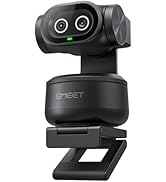
Image: The EMEET SmartCam S800-4K Webcam highlighting its dual noise-cancelling microphones for clear audio.
4.6 4K Usage and Requirements
The S800-4K supports 4K resolution at 30 frames per second (FPS) and 1080P at 60 FPS. To experience 4K at its best, ensure you use a USB 3.0 port and a 4K display.
Video: Demonstration of EMEETLINK software for webcam settings adjustment.
For 4K live streaming, professional encoder software like OBS or YouTube Studio is recommended to set up 4K resolution and encoding.
5. Especificacions
| Característica | Valor |
|---|---|
| Dimensions del producte | 2.05 x 2.83 x 2.8 polzades |
| Pes de l'article | 3.88 unces |
| Número de model de l'article | E3120 |
| Tecnologia del sensor fotogràfic | SONY |
| Resolució de captura de vídeo | 4K |
| Distància focal màxima | 3000 mil·límetres |
| Apertura màxima | 1.8 mil·límetres |
| Tecnologia de connectivitat | USB |
6. Solució De Problemes
6.1 Camera Not Recognized
- Assegureu-vos que el cable USB estigui connectat correctament a tots dos webcam and a USB 3.0 port on your computer.
- Proveu de connectar-vos a un port USB diferent.
- Reinicieu l'ordinador.
- Check your operating system's privacy settings to ensure camera access is granted to applications.
6.2 Mala qualitat d'imatge
- Assegureu-vos que hi hagi una il·luminació adequada al vostre entorn.
- Netegeu el weblent de la càmera amb un drap suau i sec.
- Adjust settings in EMEETLINK (brightness, contrast, sharpness, HDR) to optimize image.
- Verify your streaming/meeting platform settings are configured for the highest available resolution (e.g., 1080P or 4K if supported).
6.3 Problemes d'àudio
- Ensure the EMEET SmartCam S800-4K is selected as the default microphone in your computer's sound settings and your application settings.
- Check the Microphone Noise Reduction setting in EMEETLINK.
- Ensure you are within the 10-foot optimal range for the microphones.
7. Garantia i Suport
EMEET provides a 2-year warranty for the SmartCam S800-4K Webcam. Lifetime professional technical support is also available. For assistance, please visit the official EMEET support weblloc o poseu-vos en contacte amb el seu servei d'atenció al client.


