1. Introducció
Thank you for choosing the Jebao Jecob EP1000 DC Aquarium Return Pump. This pump is designed for various aquatic applications including aquariums, ponds, fountains, sumps, and hydroponics. It features a DC motor with SINE wave technology for ultra-quiet operation, an LCD controller for speed adjustment, and built-in protection mechanisms. This manual provides essential information for the safe and efficient operation and maintenance of your pump.

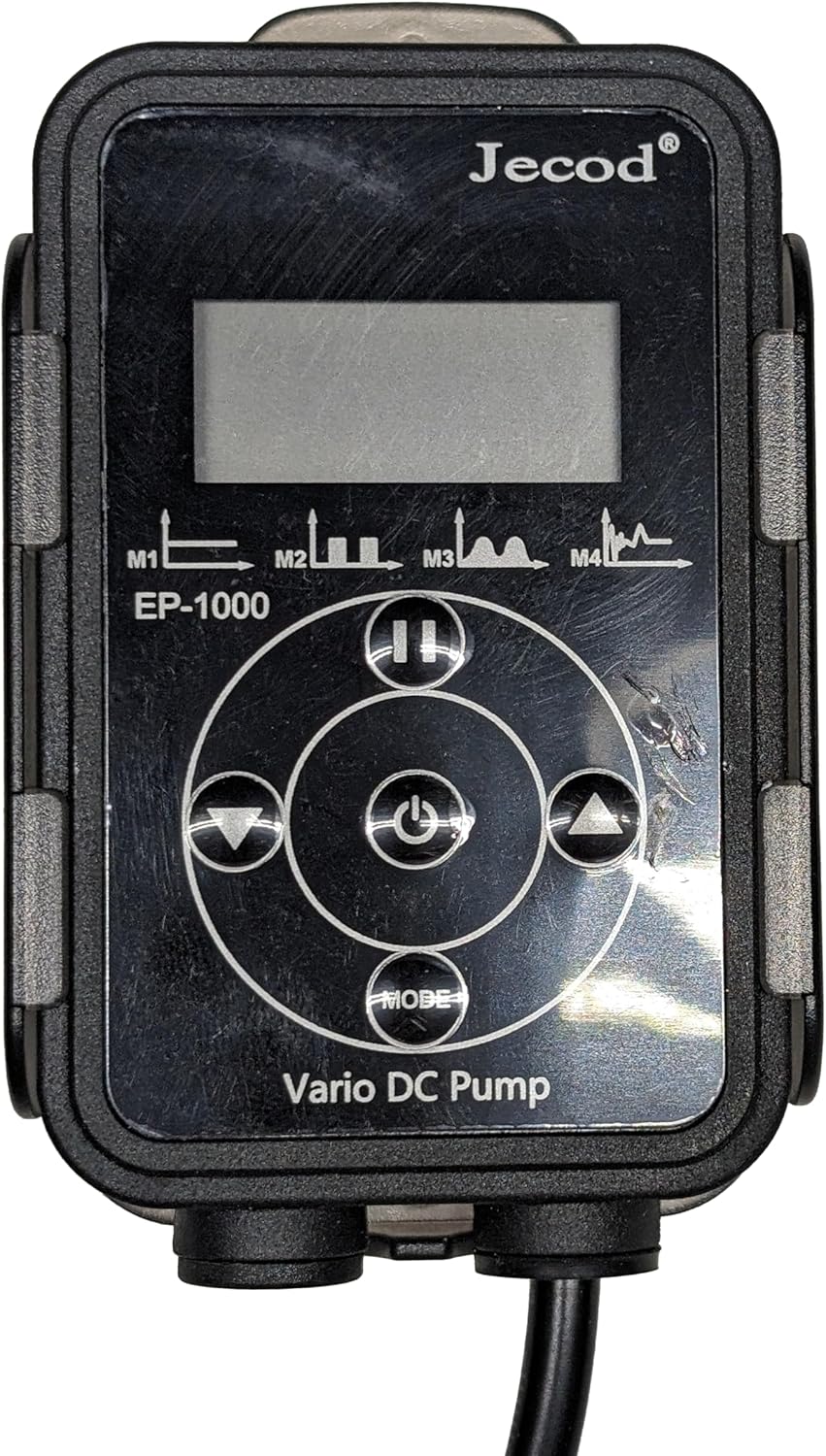
Image 1.1: The Jebao Jecob EP1000 DC Aquarium Return Pump and its LCD controller.
2. Instruccions de seguretat
Si us plau, llegiu i seguiu atentament totes les instruccions de seguretat per evitar lesions o danys al producte.
- Desconnecteu sempre l'alimentació abans de realitzar qualsevol manteniment o instal·lació.
- Ensure the pump and controller are placed in a dry, well-ventilated area, away from direct sunlight or extreme temperatures.
- No feu funcionar la bomba si el cable d'alimentació o l'endoll estan danyats.
- This pump is designed for both fresh and saltwater use.
- Do not run the pump dry for extended periods, as this can cause damage.
- Mantenir fora de l'abast dels nens.
3. Contingut del paquet
Verifiqueu que tots els components siguin presents al paquet:
- Jebao Jecob EP1000 DC Return Pump
- Controlador LCD
- Adaptador d'alimentació
- Hose Connectors/Fittings
- Mounting Accessories (e.g., rubber feet, controller bracket)
Imatge 3.1: acabatview of all included components for the EP1000 pump system.
4. Configuració
4.1 Pump Placement
The EP1000 pump can be used submerged (with bottom blowing and side draught) or externally (dry use).
- Submerged Use: Place the pump securely in your sump or water reservoir. Ensure the intake is clear of debris.
- External (Dry) Use: Position the pump on a stable, level surface outside the water. Ensure the pump is below the water level of the source to allow for gravity feeding.
4.2 Connexió de tubs
- Select the appropriate hose connector for your tubing size.
- Attach the connector securely to the pump's outlet.
- Connect your return tubing to the pump's outlet connector. Use hose clampsi cal per evitar fuites.
4.3 Connecting Controller and Power
- Connect the pump's cable to the designated port on the LCD controller.
- Connecteu l'adaptador d'alimentació al controlador.
- Connecteu l'adaptador d'alimentació a una presa de corrent adequada.
5. Instruccions de funcionament
The EP1000 features a manual control system with a visual LCD display.

Image 5.1: The LCD controller for the EP1000 pump, showing control buttons and display.
5.1 Encès/Apagat
- Premeu el botó Botó d'encesa (central button) once to turn the pump on.
- Manteniu premut el botó Botó d'encesa for a few seconds to turn the pump off.
5.2 Ajust del cabal
- Utilitza el Amunt (▲) i Avall (▼) arrow buttons on the controller to increase or decrease the pump's flow rate. The LCD will display the current speed setting.
5.3 Funció de pausa
- Premeu el botó Botó de pausa (||) to temporarily stop the pump. This is useful during feeding or maintenance.
- The pump will automatically resume operation after a preset time (typically 5-10 minutes) or when the Botó de pausa es torna a prémer.
5.4 Selecció del mode
- Premeu el botó Botó MODE to cycle through different operational modes, if available. Refer to the LCD display for mode indicators (e.g., M1, M2, M3, M4).
6. Manteniment
Un manteniment regular garanteix un rendiment òptim i allarga la vida útil de la bomba.
6.1 Neteja de la bomba
- Desconnecteu la bomba de l'alimentació.
- Remove the pump from the water or disconnect tubing for dry use.
- Disassemble the pump housing and impeller cover.
- Clean all components with a soft brush and clean water. For stubborn deposits (e.g., calcium buildup), soak parts in a mild acid solution (like vinegar) for several hours, then scrub clean.
- Rinse all parts thoroughly before reassembly.
6.2 Impeller and Ceramic Shaft
- Inspect the impeller and ceramic shaft for any signs of wear or damage. Replace if necessary.
- The ceramic shaft is wear-resistant, contributing to a longer operational life. Ensure it is free of debris during cleaning.
7. Solució De Problemes
If you encounter issues with your EP1000 pump, refer to the following table:
| Problema | Causa possible | Solució |
|---|---|---|
| La bomba no arrenca | No power, clogged impeller, airlock (for dry use) | Check power connection. Clean impeller. Prime pump by ensuring water flows into the intake before starting. |
| Caudal reduït | Clogged intake/impeller, kinked tubing, incorrect speed setting | Clean pump and impeller. Check tubing for obstructions. Increase speed setting on controller. |
| Soroll/vibració inusuals | Debris in impeller, worn impeller, improper installation | Clean impeller. Inspect impeller for damage. Ensure pump is securely placed and not vibrating against surfaces. |
| Error Code (e.g., Er-03) | Dry run protection, locked rotor protection, no water detected | Ensure pump is fully submerged or primed with water for dry use. Check for obstructions preventing impeller rotation. Power cycle the pump. |
8. Especificacions
Key technical specifications for the Jebao Jecob EP1000 DC Return Pump:
- Model: EP-1000
- Caudal: 317 GPH / 1200 LPH
- Alçada màxima d'elevació: 4.9 peus (1.5 metres)
- Font d'alimentació: DC 24 volts
- Material: Acrilonitril butadiè estirè (ABS)
- Dimensions (L x A x A): 3.76" x 2.13" x 2.83"
- Pes de l'article: 1.69 lliures
- Característiques: Manual control, visual LCD display, bottom blowing, side draught, dry use capability, SINE wave technology, IC electronic detection, dry/locked rotor protection, automatic power-off upon no water, wear-resistant ceramic shaft.
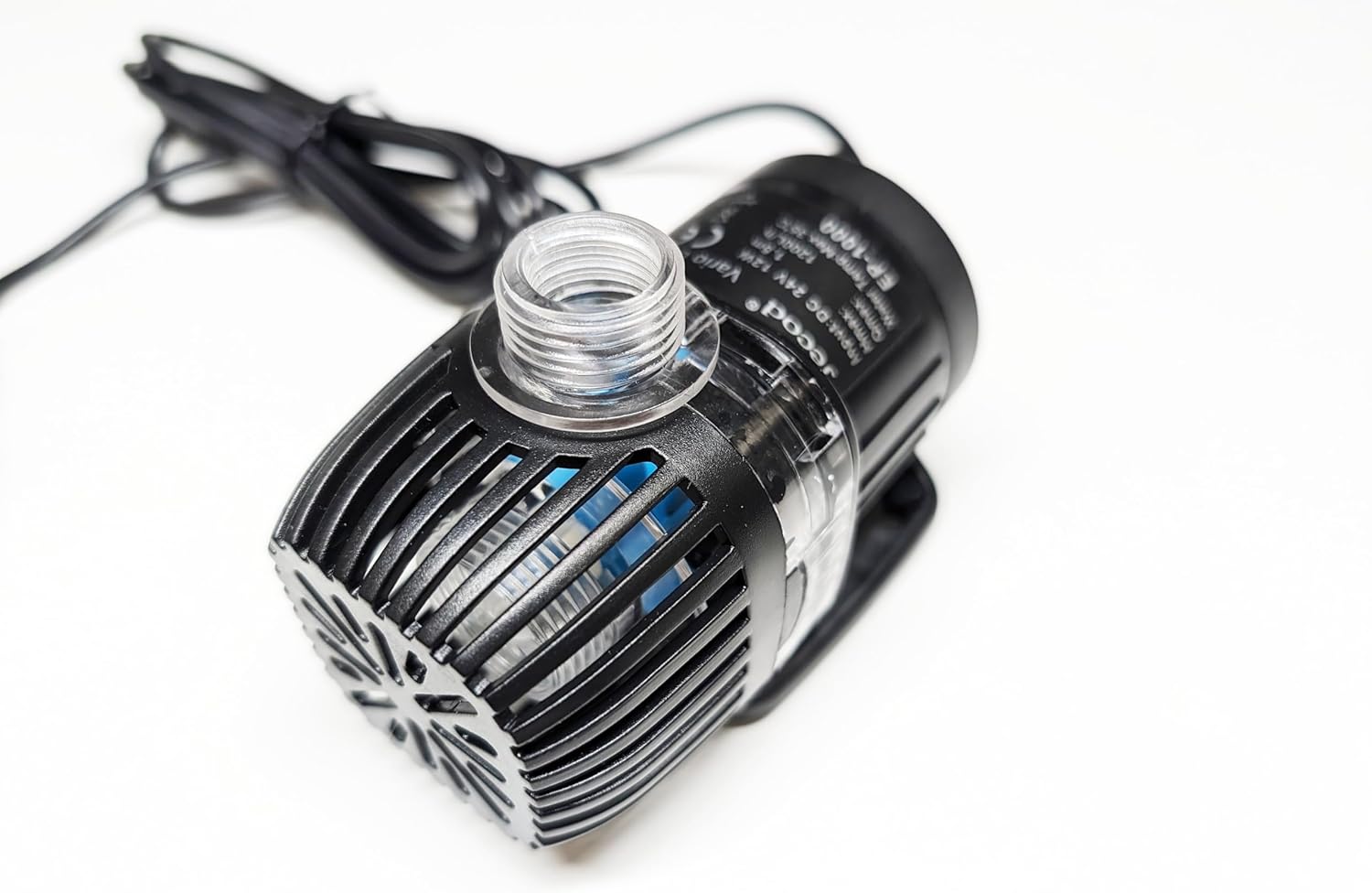
Imatge 8.1: Lateral view of the EP1000 pump, displaying technical information on its label.
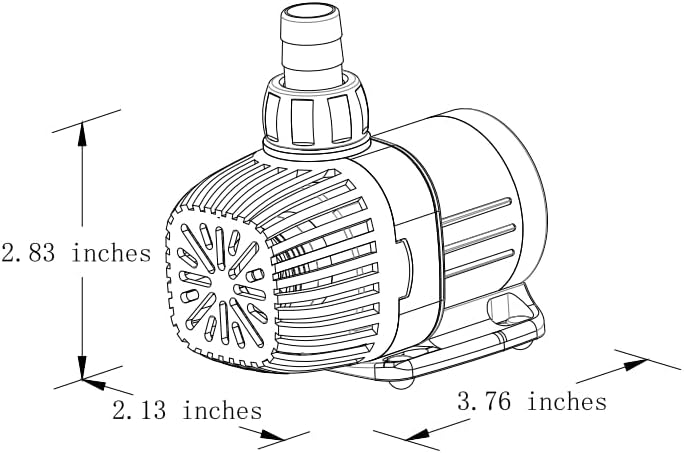
Image 8.2: Dimensional diagram of the EP1000 pump, indicating length, width, and height.
9. Garantia i Suport
For warranty information or technical support, please refer to the documentation provided with your purchase or contact Jebao customer service. Keep your purchase receipt as proof of purchase.


