1. Introducció
This instruction manual provides comprehensive guidance for the installation, operation, and maintenance of your Anyski Type C USB Cable Hardwire Kit, specifically designed for the Anyski M5 Dash Cam. This kit ensures a stable power supply to your dash cam, enabling features like parking surveillance and providing essential low voltage protection for your vehicle's battery.
Please read this manual carefully before installation and use to ensure proper functionality and to prevent any damage to the product or your vehicle.
2. Configuració i instal·lació
2.1 Contingut del paquet
Before you begin, please verify that all components are present:
- Anyski Type C USB Hardwire Kit (1 unit)
- (Additional accessories may vary based on specific product packaging)
2.2 Passos d'instal·lació
The Anyski Type C USB Hardwire Kit connects your M5 Dash Cam directly to your vehicle's fuse box, providing continuous power and enabling parking mode features while protecting your car battery from draining.
- Identify Fuse Box: Locate your vehicle's fuse box. Refer to your vehicle's owner's manual for its exact location (usually under the dashboard, in the glove compartment, or under the hood).
- Connect ACC Wire: Identify a fuse that is only active when the ignition is on (Accessory or ACC fuse). Use a fuse tap (not included, typically) to connect the red ACC wire from the hardwire kit to this fuse slot.
- Connect B+ (Constant Power) Wire: Identify a fuse that is always active, even when the ignition is off (Constant Power or B+ fuse). Use another fuse tap to connect the yellow B+ wire from the hardwire kit to this fuse slot.
- Connecteu el cable de terra: Securely attach the black ground wire from the hardwire kit to a metal bolt or screw on the vehicle's chassis that is part of the car's metal frame. Ensure a good electrical connection.
- Cable de ruta: Carefully route the Type C USB cable from the hardwire kit to the location of your Anyski M5 Dash Cam, ensuring it does not interfere with driving controls or airbags. Use cable clips if necessary to secure the cable.
- Connecteu-vos a la Dash Cam: Plug the Type C USB connector into the corresponding port on your Anyski M5 Dash Cam.
- Prova de connexió: Start your vehicle to ensure the dash cam powers on correctly. Turn off the vehicle and remove the key to verify that the dash cam enters parking mode (if supported by your dash cam) and that the low voltage protection feature is active.
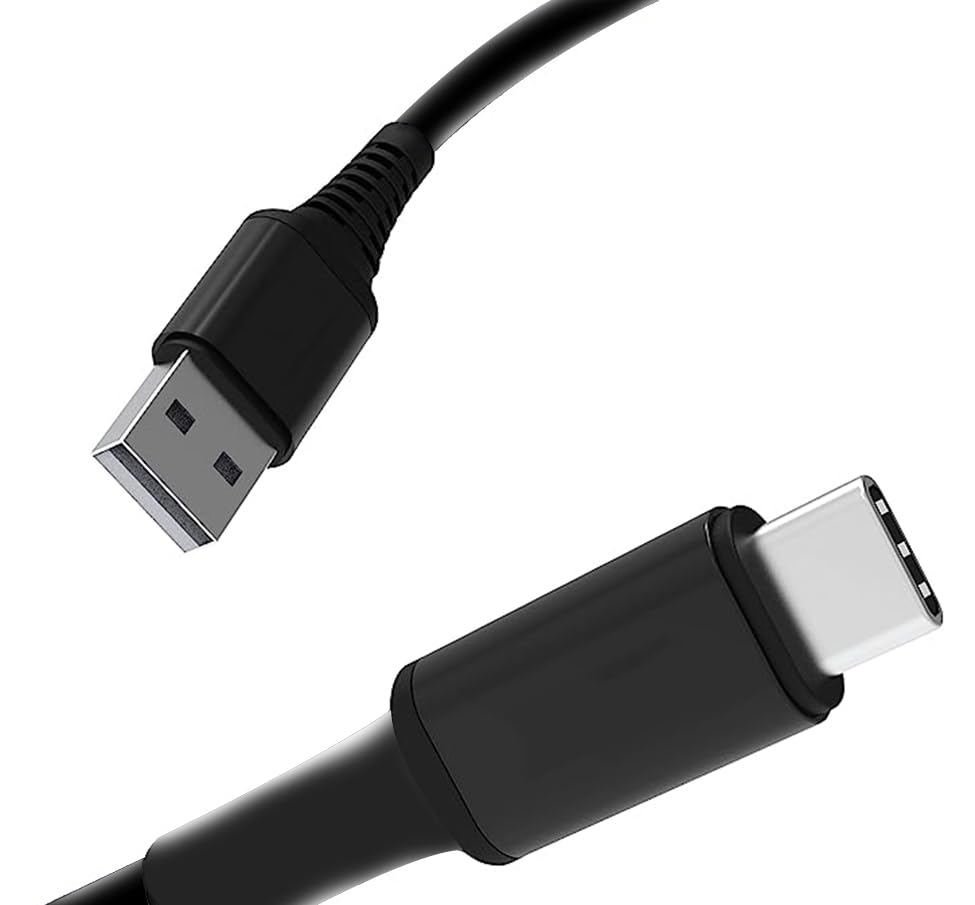
Figure 2.2.1: Anyski Type C USB Hardwire Cable. This image shows the Type C connector designed for the dash cam and the USB-A connector for power input, which is part of the hardwire kit.
3. Instruccions de funcionament
3.1 Font d'alimentació
Once correctly installed, the hardwire kit provides a stable power source to your Anyski M5 Dash Cam. The ACC wire ensures the dash cam powers on and off with your vehicle's ignition, while the B+ wire provides continuous power for parking surveillance features.
3.2 Vol baixtage Protecció
A key feature of this hardwire kit is its integrated low voltage protection. This mechanism automatically cuts off power to the dash cam if your vehicle's battery voltage drops below a preset threshold. This prevents excessive battery drain, ensuring your vehicle has enough power to start.
- El vol específictage cut-off level is pre-configured by the manufacturer to protect your vehicle's battery.
- Quan el voltage drops, the dash cam will power off to conserve battery life.
- Power will resume automatically once the vehicle's battery voltage returns to a safe level (e.g., after starting the engine).
4. Manteniment
The Anyski Type C USB Hardwire Kit is designed for durability and requires minimal maintenance. Follow these guidelines to ensure its longevity:
- Comprovacions periòdiques: Periodically inspect the cable and connections for any signs of wear, fraying, or loose connections.
- Neteja: Keep the cable and connectors free from dust, dirt, and moisture. Use a soft, dry cloth for cleaning.
- Evitar l'estrès: Do not bend the cable sharply or place heavy objects on it, as this can damage the internal wiring.
- Temperatura: Avoid exposing the cable to extreme temperatures for prolonged periods, which can degrade the material.
5. Solució De Problemes
If you encounter issues with your Anyski Type C USB Hardwire Kit, refer to the following common problems and solutions:
| Problema | Causa possible | Solució |
|---|---|---|
| La càmera del salpicader no s'encén. | Loose connection, incorrect fuse tap installation, blown fuse, vehicle battery too low. |
|
| Dash cam powers off unexpectedly in parking mode. | Vol baixtage protection activated, vehicle battery drain. |
|
| Dash cam does not enter parking mode. | Incorrect B+ wire connection, dash cam settings. |
|
6. Especificacions
| Característica | Detall |
|---|---|
| Marca | Anyski |
| Compatibilitat de models | Anyski M5 Dash Cam |
| Tipus de connector | USB tipus C |
| Tipus de cable | Kit de cable USB |
| Característica especial | Vol baixtage protecció |
| Dimensions del paquet | 5.39 x 3.78 x 1.14 polzades |
| Pes de l'article | 2.89 unces |
| Fabricant | Anyski |
| ASIN | B0D2WZYGRP |
| Data de primera disponibilitat | 29 d'abril de 2024 |
7. Garantia i Suport
7.1 Informació de la garantia
Anyski products are manufactured to high quality standards. This product comes with a standard manufacturer's warranty against defects in materials and workmanship. Please retain your proof of purchase for warranty claims. The specific duration and terms of the warranty may vary by region and retailer. For detailed warranty information, please refer to the product packaging or contact Anyski customer support.
7.2 Atenció al client
If you have any questions, require technical assistance, or need to report an issue with your Anyski Type C USB Hardwire Kit, please contact our customer support team:
- Assistència en línia: Visit the official Anyski website or Amazon Brand Store for FAQs and contact options. Anyski Amazon Store
- Suport per correu electrònic: Consulteu la informació de contacte que apareix a l'embalatge del producte o a la fitxa oficial weblloc.
When contacting support, please be prepared to provide your product model (M5 Dash Cam Hardwire Kit) and ASIN (B0D2WZYGRP).


