Introducció
Thank you for choosing Lepro B1 AI Smart Light Bulbs. These advanced LED bulbs offer a personalized lighting experience with AI-powered features, extensive color options, and seamless smart home integration. This manual provides detailed instructions for setup, operation, and troubleshooting to help you maximize your smart lighting experience.
Característiques del producte
- Personalized AI Lighting Design with LightGPM 4: Utilizes AI to learn your preferences and create customized lighting effects.
- Enhanced Voice Control: Control your lights easily with voice commands through the Lepro app, Alexa, or Google Assistant.
- Lighting Design from Photos: Generate lighting themes by uploading photos, allowing the AI to recognize emotions or scenes.
- Voice Control with Alexa and Google Assistant: Compatible with Amazon Alexa and Google Assistant for hands-free operation via 2.4GHz Wi-Fi.
- Remote and Group Control: Manage multiple bulbs simultaneously or individually from anywhere using the Lepro app.
- Music Synchronization (LightBeats): Dynamic lighting effects that sync with music rhythms for an immersive experience.
- Customizable AI-Generated Effects: Adjust brightness, speed, and color of AI-generated lighting effects.
- Extensive Color Options: Choose from 16 million colors and tunable white light (2700K-6500K).
- Programació i rutines: Set timers, wake-up, and sleep modes to automate your lighting.
Guia de configuració
Follow these steps to set up your Lepro B1 AI Smart Light Bulbs:
- Descarrega l'aplicació Lepro: Cerca "Lepro" in the App Store (iOS) or Google Play Store (Android) and install the application.
- Registra un compte nou: Open the Lepro app and follow the on-screen instructions to create and register your user account.
- Enable Bluetooth and Connect to 2.4GHz Wi-Fi: Ensure your phone's Bluetooth is turned on and connect your phone to a 2.4GHz Wi-Fi network. The Lepro B1 bulbs only support 2.4GHz Wi-Fi.
- Install and Power On the Bulbs: Screw the Lepro B1 smart bulbs into your light fixtures and turn on the power. The bulbs should begin flashing blue, indicating they are in pairing mode.
- Add AI Lights to Lepro App: In the Lepro app, navigate to the "Add Device" section. The app will automatically search for nearby devices. Select your B1 bulbs to begin the pairing process.
- Maridatge complet: Follow the app's prompts to connect the bulbs to your 2.4GHz Wi-Fi network. Once successfully paired, the bulbs will stop flashing and display a steady light.
Video: Setup Guide for Lepro B1 WiFi and Bluetooth Smart Bulb. This video demonstrates the step-by-step process of setting up your Lepro B1 smart bulbs, including app download, account registration, and connecting to your WiFi network.
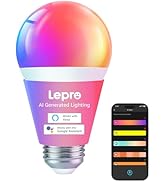
Image: Visual guide for downloading the Lepro app, registering an account, and enabling Bluetooth/WiFi.
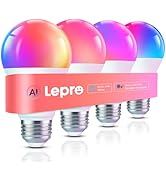
Image: Screenshot showing the process of adding AI lights within the Lepro app interface.
Instruccions de funcionament
1. Control d'aplicacions
The Lepro app provides comprehensive control over your smart bulbs:
- Selecció de color: Trieu entre 16 milions de colors utilitzant la roda de colors de l'aplicació.
- Ajust de brillantor: Dim or brighten your lights from 1% to 100%.
- Blanc ajustable: Adjust the white light temperature from warm (2700K) to cool (6500K).
Image: The Lepro app interface displaying the color wheel for selecting desired light colors.
Image: The Lepro app interface showing a brightness slider for adjusting light intensity.
2. Control de veu per IA
Use the built-in AI voice control feature in the Lepro app or connect to Alexa/Google Assistant for hands-free operation.
- App Voice Control: Speak commands like "I feel happy" or "Turn on the lights" directly into the app.
- Smart Assistant Integration: Link your bulbs to Alexa or Google Assistant for voice commands such as "Alexa, set the bulb to 70% brightness."
Video: Lepro AI Light Bulb Decor Your Home. This video demonstrates the AI voice control feature, showing how users can command the lights using natural language.

Image: Illustration of AI lights responding to user voice prompts like "I want to read" or "I feel relax."
3. Music Synchronization (LightBeats)
The LightBeats algorithm allows your bulbs to sync with music, creating dynamic lighting effects.
Video: Lepro Smart Light Bulbs, AI Generated Lighting, Music Sync. This video showcases the music synchronization feature, where lights change in response to audio.

Image: A visual representation of the LightBeats music sync feature, showing lights changing colors in rhythm with music.
4. Control de grup
Group multiple bulbs together to control them simultaneously, or manage them individually for specific lighting zones.

Image: Diagram illustrating how multiple smart bulbs can be grouped and controlled together within a home environment.
5. Programació i rutines
Set personalized schedules for your lights, including wake-up and sleep modes, to automate your daily lighting needs.
- Mode despertador: Gradually brighten the lights to simulate sunrise, promoting a natural wake-up.
- Mode de repòs: Gradually dim the lights to simulate sunset, aiding in relaxation before sleep.

Image: Visual demonstration of the wake-up mode (gradual brightening) and wind-down mode (gradual dimming) for personalized scheduling.
Especificacions
| Característica | Descripció |
|---|---|
| Marca | Lepros |
| Nom del model | B1 |
| Tipus de llum | LED |
| Característica especial | Color Changing, Dimmable, Energy Efficient, Timer, Tunable |
| Wattage | 8.5 watts |
| Mida de la forma del bulb | A19 |
| Base del bulb | E26 |
| Wat equivalent incandescenttage | 60 watts |
| Usos específics per al producte | Appliance, Bedroom, Decoration, Gaming, Party |
| Color clar | Multicolor (RGBWW) |
| Voltage | 120 volts (CA) |
| Recompte d'unitats | 4.0 recompte |
| Temperatura de color | 2700K - 6500K |
| Brillantor | 800 lúmens |
| Forma | Arbitrària (A) |
| Material | Plàstic |
| Ús interior/exterior | Interior |
| Font d'alimentació | Elèctric amb cable |
| Índex de reproducció del color (CRI) | 90 |
| Angle del feix | 160 graus |
| Quantitat de paquet d'articles | 4 |
| Especificació Met | ETL, FCC |
| Pes de l'article | 6.3 unces (0.18 quilograms) |
| Mètode de control | Aplicació, comandament a distància, veu |
| Vida Mitjana | 15000 hores |
| Eficiència | Eficient energèticament |
| Components inclosos | Bombeta inclosa |
| Piles incloses? | No |
| Necessites piles? | No |

Image: Diagram showing the bulb size (2.36 in x 4.21 in), wattage (8.5W), brightness (800 Lumens), shape (A19), and base (E26).
Resolució de problemes
Common issues and solutions for your Lepro B1 AI Smart Light Bulbs:
Q: What should I do when the app crashes?
A: 1. Check the App Version: Ensure you're using the latest version of the Lepro APP by visiting the [App Store/Google Play]. Upgrades often resolve compatibility issues. 2. Restart Devices: A simple reboot of your phone/tablet and router can improve connectivity. Additional Suggestions: 1. Reset the bulb by switching ON/OFF 4 times; 2. Try deleting and re-adding the bulb through the "Add Device" option. For immediate control, you may also use voice assistants like Alexa or Google Home (if set up). If the issue persists, please share the following information to customer service: Your device ID and OS version, Any error messages/screenshots (if applicable).
Q: Could I use these AI smart bulbs with dimmer switches?
A: No, the Lepro AI smart bulbs cannot work with dimmer switches or will flicker badly.
Q: Can I connect a voice assistant such as Alexa or Google Assistant to this Lepro AI light bulb?
A: Yes, you can. If you connect this Alexa light bulb to your home 2.4GHz WiFi via the Lepro APP, you can easily connect this smart bulb to Alexa or Google Assistant.
Q: Can I control this smart light bulb without a WiFi connection?
A: Sure, after connecting the bulb via Bluetooth, click "skip" to skip the Wi-Fi connection, and then you can control the bulb through the Lepro APP. But please enable mobile data or connect to WiFi on your phone when using the AI functions.
Q: Why should I download the new correct APP - "Lepro", NOT the Lepro LampUX app? NOT Smart Life app?
A: To improve users' experience, we have launched a series of new products with AI Generated Lighting, then need a new app "Lepro" to control. While the previous Lepro lighting products used the Tuya Module & App. So please search for "Lepro" in the app store.
Q: Why can't I find the device on the APP when connecting?
A: You can try to reset the light by turning it off and on three times, then re-adding the device to connect.
Q: How to share the device control permission with other members?
A: Please enter the "Me" page on the Lepro APP and choose "Share", then enter your member's Lepro APP account, done.
Q: My router supports both 2.4GHz and 5GHz Wi-Fi. How to change the WiFi to 2.4GHz to connect the bulbs?
A: Access the router's "Wireless Settings" page according to the back label of the router. Find the 2.4GHz settings page, change and save the Wi-Fi name (SSID) to "xxx-2.4G". Then you can find the "xxx-2.4G" network on your phone's Wi-Fi search page.
Q: The APP needs to obtain permissions for the camera, microphone, and GPS. Is there a risk of personal information leakage?
A: The relevant permissions are only required when using specific functions, such as APP voice input requiring a microphone and expression recognition requiring a camera. Any information you input is only used to generate matching lighting effects and will not be stored or used for other purposes, so there is no need to worry about personal information leakage.
Informació de seguretat
Si us plau, llegiu i seguiu atentament aquestes instruccions de seguretat:
- Do not use with standard dimmer switches.
- Ensure power is off before installation or removal.
- Apte només per a ús en interiors.
- Eviteu l'exposició a l'aigua o a la humitat excessiva.
- No desmunteu la bombeta.
- Mantenir fora de l'abast dels nens.
Garantia i Suport
Lepro B1 AI Smart Light Bulbs come with a standard manufacturer's warranty. For warranty details, technical support, or any inquiries, please visit the official Lepro website or contact our customer service team through the Lepro app.