Introducció
Thank you for choosing the Taiahiro RGB Backlit Wired Gaming Mouse. This manual provides detailed instructions for setting up, operating, and maintaining your new gaming mouse. Designed for precision and comfort, this mouse features adjustable DPI, vibrant RGB backlighting, and an ergonomic design to enhance your gaming experience.

Image: The Taiahiro RGB Backlit Wired Gaming Mouse, showcasing its sleek black design and illuminated elements.
Característiques del producte
- Sensor òptic d'alta precisió: Ensures accurate tracking for various gaming genres.
- 4 Adjustable DPI Levels: Easily switch between 800, 1600, 2400, and 3200 DPI for customized sensitivity.
- 7-Color Breathing RGB Backlighting: Dynamic lighting effects that cycle through multiple colors.
- Disseny ergonòmic: Contoured shape for comfortable long-term use, reducing hand fatigue.
- Anti-Skid Scroll Wheel: Proporciona un control de desplaçament precís.
- Super-Fast Game Engine: Optimized for responsive performance in demanding games.
- Botons Endavant/Enrere: Convenient side buttons for navigation.

Image: Key features of the mouse highlighted, including DPI settings, RGB lighting, and navigation buttons.
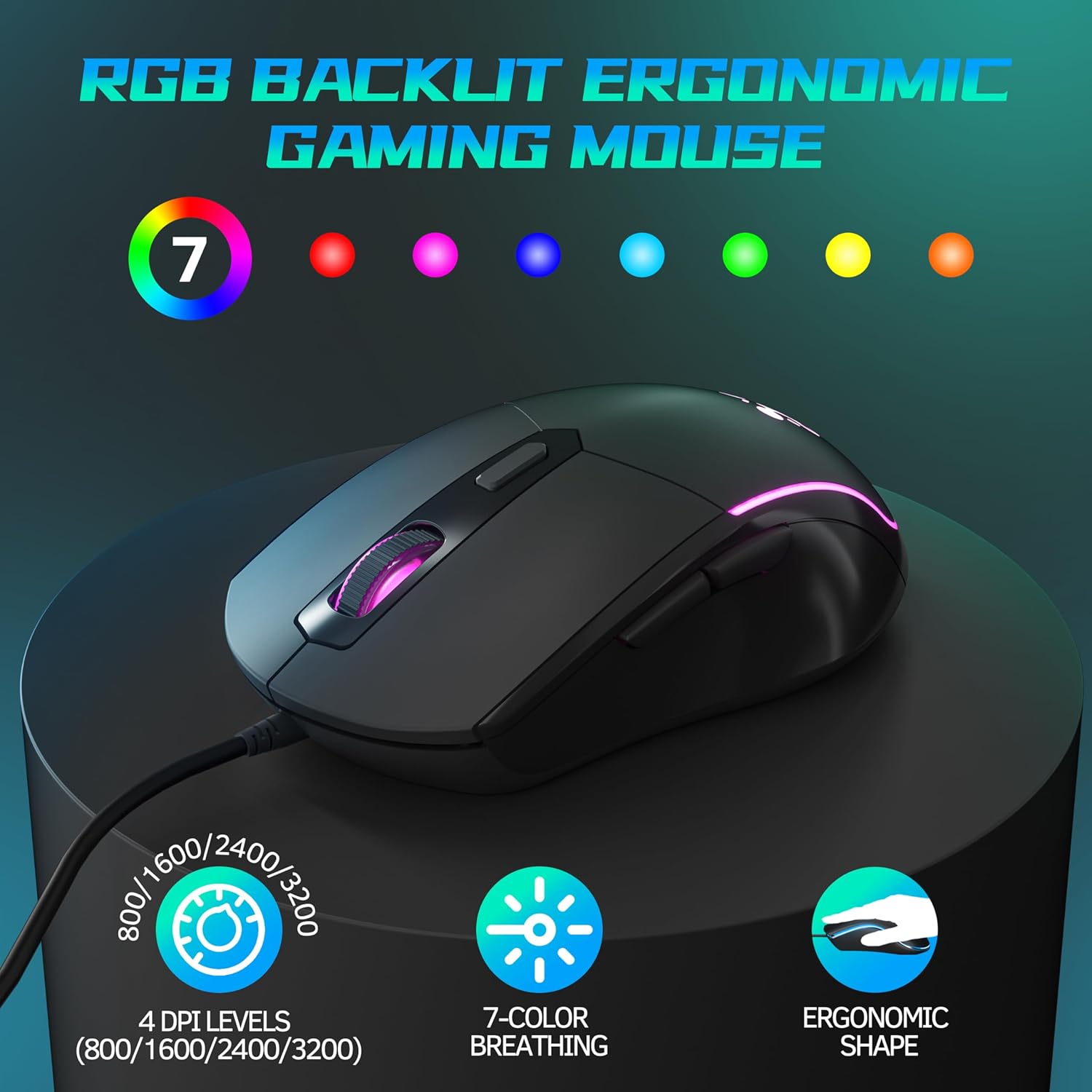
Imatge: Una altra view emphasizing the ergonomic shape, DPI levels, and 7-color breathing light feature.
Contingut del paquet
- 1 x Taiahiro RGB Backlit Wired Gaming Mouse
- 1 x Manual d'usuari
Configuració
- Connecteu el ratolí: Localitzeu un port USB disponible al vostre ordinador.
- Plug and Play: Insert the USB connector of the Taiahiro Gaming Mouse into the USB port.
- Instal·lació del controlador: The mouse is plug-and-play and does not require additional driver installation. Your operating system will automatically detect and configure the device.
- A punt per al seu ús: Once detected, the mouse will be ready for immediate use.
Instruccions de funcionament
The Taiahiro Gaming Mouse features standard mouse buttons along with additional programmable buttons for enhanced functionality.
- Botó esquerre de clic: Funció de clic principal estàndard.
- Botó dret: Funció de clic secundari estàndard.
- Roda de desplaçament: Scroll up or down. Pressing the scroll wheel acts as a middle click button.
- Botó DPI: Located behind the scroll wheel. Press to cycle through DPI settings.
- Botó Endavant: Located on the left side of the mouse. Default function is to navigate forward in web navegadors o file exploradors.
- Botó enrere: Located on the left side of the mouse. Default function is to navigate backward in web navegadors o file exploradors.

Image: Illustration of the forward and backward navigation buttons located on the side of the mouse.
Ajust de DPI
The mouse offers four adjustable DPI (Dots Per Inch) levels, allowing you to change the cursor sensitivity on the fly. This is useful for different tasks, such as precise aiming in games or fast navigation across multiple monitors.
- Nivells de DPI: 800 DPI, 1600 DPI, 2400 DPI, 3200 DPI.
- Com ajustar: Press the dedicated DPI button, located just behind the scroll wheel, to cycle through the available DPI settings. Each press will switch to the next DPI level.

Image: Visual representation of the DPI adjustment feature and the different sensitivity levels.
Il·luminació RGB
The Taiahiro Gaming Mouse features dynamic 7-color breathing RGB backlighting, which automatically cycles through a spectrum of colors, adding an aesthetic appeal to your setup.
- Automatic Cycling: The lighting effect is pre-programmed to continuously cycle through 7 different colors.
- No es requereix cap programari: The lighting effect operates automatically upon connection and does not require any software for customization.
Manteniment
Un manteniment adequat garanteix la longevitat i el rendiment òptim del vostre ratolí per a jocs.
- Neteja: Feu servir un drap suau i sec per netejar la superfície del ratolí. Per a la brutícia persistent, netegeu lleugerament.ampNetegeu el drap amb aigua o una solució de neteja suau. Eviteu productes químics agressius o materials abrasius.
- Cura del sensor: Keep the optical sensor on the bottom of the mouse clean and free from dust or debris to ensure accurate tracking. Use a cotton swab or compressed air if necessary.
- Gestió de cables: Eviteu doblegar bruscament o estirar excessivament el cable USB per evitar danys.
- Emmagatzematge: Quan no l'utilitzeu, guardeu el ratolí en un entorn net i sec, allunyat de temperatures extremes.
Resolució de problemes
| Problema | Possible solució |
|---|---|
| El ratolí no respon |
|
| El moviment del cursor és erràtic o brusc |
|
| RGB lighting is not working |
|
| El botó DPI no canvia la sensibilitat |
|
Especificacions
| Característica | Detall |
|---|---|
| Marca | Taiahiro |
| Model | B0D3DFQ1MW |
| Tecnologia de connectivitat | Cable USB |
| Tecnologia de detecció de moviment | Òptic |
| Nivells de DPI | 800/1600/2400/3200 |
| Nombre de botons | 1 |
| Característica especial | LED Lights (RGB Backlighting) |
| Pes de l'article | 4.4 unces |
| Dimensions del paquet | 6.65 x 3.86 x 2.17 polzades |
| País d'origen | Xina |
| Data de primera disponibilitat | 12 de juliol de 2024 |
Garantia i Suport
For warranty information or technical support, please contact Taiahiro customer service. Details can typically be found on the product packaging or the official Taiahiro weblloc.
Per a més ajuda, també podeu consultar la Botiga Taiahiro a Amazon.


