1. Introducció
This manual provides detailed instructions for the setup, operation, and maintenance of your DANFI AUDIO DF TE-103 Vinyl Record Player. This versatile audio system features a 3-speed turntable, Bluetooth input, USB/SD card playback and recording, FM radio, and auxiliary input/output options. Please read this manual thoroughly before use to ensure proper function and longevity of your device.
2. Informació de seguretat
- No exposeu la unitat a la pluja o la humitat.
- No obstruïu cap obertura de ventilació.
- Assegureu-vos que el cable d'alimentació no estigui pessigat ni trepitjat.
- Desendolleu la unitat durant les tempestes llamps o quan no l'utilitzeu durant llargs períodes.
- Demaneu tot el servei a personal de servei qualificat.
- Mantingueu la unitat allunyada de la llum solar directa, de fonts de calor i de camps magnètics forts.
3. Contingut del paquet
Verifiqueu que tots els elements que s'enumeren a continuació s'inclouen al vostre paquet:
- DANFI AUDIO DF TE-103 Vinyl Record Player
- Unitat de potència
- Adaptador de 45 RPM
- Slipmat
- Backup Needle
4. Producte acabatview
Familiarize yourself with the main components and controls of your record player.

Figura 4.1: Frontal view of the DANFI AUDIO DF TE-103 Vinyl Record Player.
4.1 Controls i connexions del tauler frontal

Figura 4.2: Detallada view of the front panel with USB, AUX IN, LED Display, and Mode Switch key.
- Pantalla LED: Mostra el mode actual, la informació de la pista o la freqüència FM.
- Tecla de canvi de mode: Toggles between Turntable, Bluetooth, USB/SD, FM Radio, and AUX modes.
- Port USB: For USB flash drives for playback and recording.
- AUX IN: Entrada de 3.5 mm per connectar dispositius d'àudio externs.
- Control de volum: Ajusta el volum de sortida.
- Botó EQ: Selects sound equalizer presets (Jazz, Pop, Classical, Rock, Vocal).
4.2 Connexions del panell posterior

Figure 4.3: Rear panel with RCA Line Out connections.
- Sortida de línia RCA: Connects to external ampelevadors o altaveus alimentats.
- Entrada d'alimentació: Es connecta a l'adaptador de corrent proporcionat.
5. Configuració
- Desembalatge: Carefully remove the record player and all accessories from the packaging. Retain packaging for future transport or storage.
- Col·locació: Place the unit on a stable, level surface away from direct sunlight, heat sources, and excessive dust.
- Funda antipols: Attach the dust cover to the hinges at the back of the unit.
- Connexió d'alimentació: Connect the power unit to the DC input on the rear of the record player, then plug the power adapter into a wall outlet.
- Encesa inicial: Press the power button to turn on the unit. The LED display will illuminate.
6. Instruccions de funcionament
6.1 Reproducció de discos de vinil

Figure 6.1: The turntable supports 3 speeds for various record types.
- Assegureu-vos que la unitat estigui encès.
- Aixequeu la coberta antipols.
- Place a vinyl record on the platter. If playing a 45 RPM single, use the included 45 RPM adaptor.
- Seleccioneu la velocitat adequada (33, 45 o 78 RPM) amb el selector de velocitat.
- Gently move the tonearm to the desired position on the record. The platter will begin to spin automatically.
- Ajusteu el volum segons les vostres preferències.
- The AUTO STOP function will automatically stop the turntable when the record finishes playing.
6.2 Bluetooth Connection (Input Only)
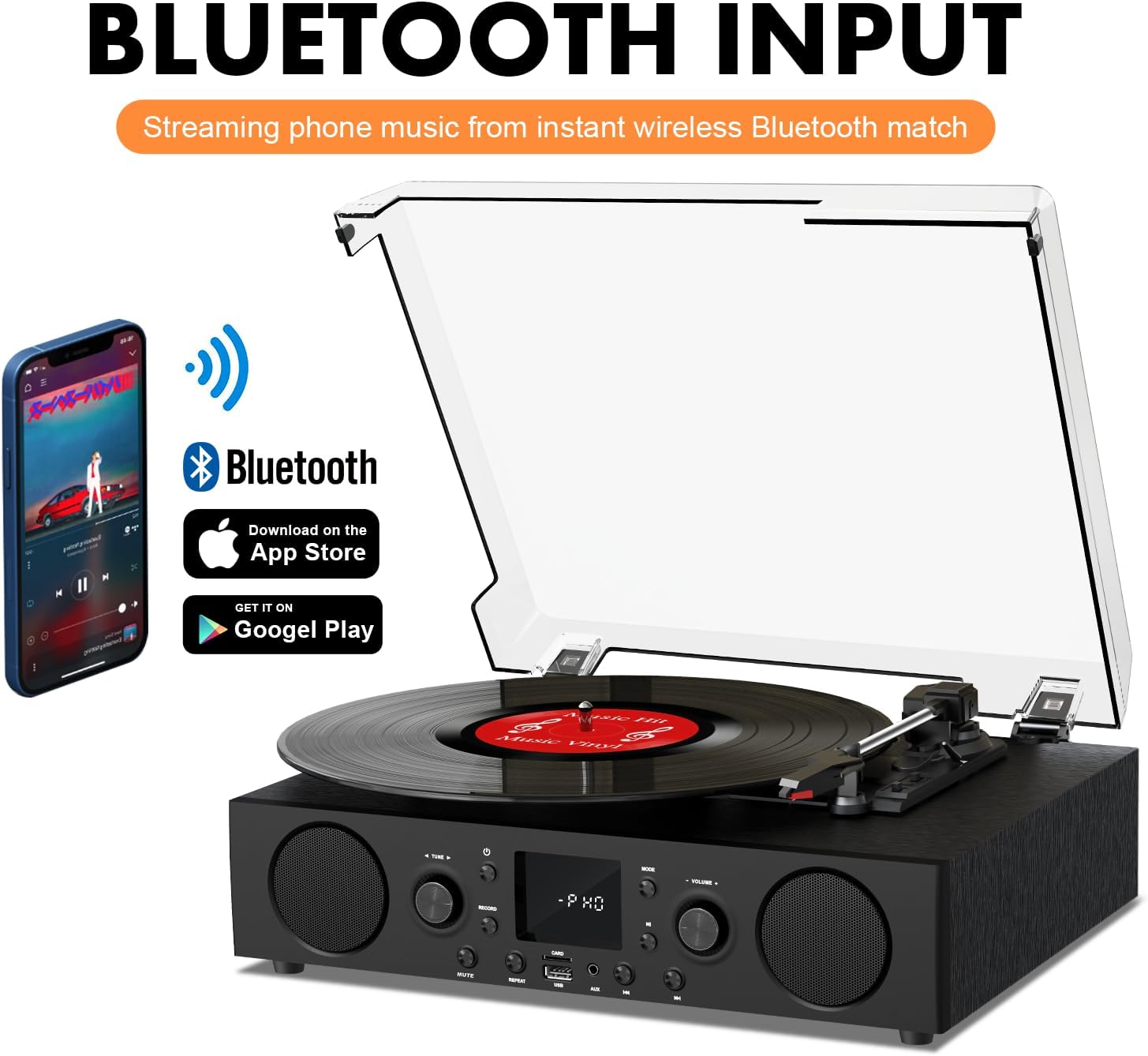
Figure 6.2: Connecting a smartphone via Bluetooth to the turntable.
- Premeu el botó Mode button until "Bluetooth" or a similar indicator appears on the LED display. The unit will enter pairing mode.
- Al telèfon intel·ligent, la tauleta o l'ordinador, activeu el Bluetooth i cerqueu els dispositius disponibles.
- Select "DANFI AUDIO DF TE-103" (or similar name) from the list of devices to pair.
- Once paired, you can stream audio wirelessly from your device to the record player.
- Nota: This turntable supports Bluetooth input only and cannot transmit audio to Bluetooth headphones or speakers.
6.3 USB/SD Input and MP3 Encoding

Figure 6.3: Vinyl to MP3 encoding process using a USB flash drive.
- Reproducció USB/SD: Insert a USB flash drive or SD card into the respective port. Press the Mode button to select USB/SD mode. The unit will automatically play compatible audio files.
- Vinyl to MP3 Encoding:
- Insert a USB flash drive or SD card into the port.
- Start playing a vinyl record.
- Premeu el botó Registre button. The LED display will indicate recording is in progress.
- Premeu el botó Registre button again to stop recording. The recorded audio will be saved as an MP3/WAV file on the USB drive/SD card.
6.4 Ràdio FM
- Premeu el botó Mode button to select FM Radio mode. The current frequency will appear on the LED display.
- Use the tuning controls (often the Skip/Search buttons) to scan for radio stations.
- The unit can store approximately 20 stations.
6.5 RCA Line Out and AUX Input

Figure 6.4: Connecting to external speakers using RCA Line Out.
- Sortida de línia RCA: Connect RCA cables from the rear of the record player to the audio input of an external amplifier or powered speakers. This allows for boosted volume and playback through a larger sound system. The turntable's internal speakers will not be muted automatically when using RCA output.
- Entrada AUX: Connect an external audio source (e.g., MP3 player, smartphone) to the 3.5mm AUX IN port on the front panel using an audio cable. Press the Mode button to select AUX mode to play audio from the connected device.
6.6 Equalitzador (EQ)

Figure 6.5: Available equalizer presets for audio customization.
Premeu el botó EQ button to cycle through the available sound equalizer presets: Jazz, Pop, Classical, Rock, and Vocal. Select the preset that best suits your audio preference.
7. Manteniment
- Neteja: Use a soft, dry cloth to clean the exterior of the unit. For the dust cover, use a slightly damp cloth and then dry thoroughly. Avoid abrasive cleaners.
- Cura del stylus: Periodically check the stylus (needle) for wear or damage. A worn stylus can damage records and degrade sound quality. Replace the stylus with a compatible backup needle when necessary.
- Cura de registres: Keep your vinyl records clean and stored vertically in their sleeves to prevent dust accumulation and warping.
8. Solució De Problemes
| Problema | Causa possible | Solució |
|---|---|---|
| Sense poder | Cable d'alimentació no connectat; Presa de corrent no activa | Assegureu-vos que el cable d'alimentació estigui ben connectat; proveu la presa de corrent amb un altre dispositiu |
| Sense so | Volume too low; Incorrect mode selected; External speakers not connected/powered | Increase volume; Press Mode button to select correct source; Check RCA connections and external speaker power |
| La plataforma giratòria no gira | Unit not powered on; Tonearm not moved over record | Ensure power is on; Gently move tonearm over the record to activate platter |
| Bluetooth no connectat | Not in Bluetooth mode; Device too far; Already paired with another device | Select Bluetooth mode; Move device closer; Disconnect from other devices and try pairing again |
| Mala qualitat de so del vinil | Dirty record; Worn stylus; Incorrect speed selected | Clean record; Replace stylus; Select correct RPM speed |
9. Especificacions
| Característica | Detall |
|---|---|
| Nom del model | TE-103 |
| Marca | DANFI AUDIO DF |
| Dimensions del producte | 14.37 x 10.82 x 5.28 polzades |
| Pes de l'article | 6.2 lliures |
| Material | Acrylic, Engineered Wood |
| Velocitats de la placa giratòria | 33 1/3, 45 i 78 RPM |
| Components inclosos | Power unit, 45 rpm adaptor, Slipmat, Backup needle |
| Característiques especials | Equalizer (EQ), FM Radio, USB Input, USB/SD Card Recording, Bluetooth Input |
| Connectivitat | Bluetooth (Input only), USB, SD Card, AUX Input, RCA Line Out |
| Dispositius compatibles | Headphones, MP3 Players, Personal Computers, Smartphones, Speakers, Tablets |
| Consum d'energia (mode encès) | 5 watts |
10. Garantia i Suport
For warranty information or technical support, please refer to the documentation provided with your purchase or contact DANFI AUDIO DF customer service through their official channels. Keep your purchase receipt as proof of purchase for warranty claims.


