Introducció
This manual provides detailed instructions for the setup, operation, and maintenance of your AT&T GL2101-4 DECT 6.0 4-Handset Cordless Home Phone. Please read this manual thoroughly to ensure proper use and to take full advantage of all available features.
Què hi ha a la caixa
Comproveu que el vostre paquet contingui els elements següents:
- Unitat base
- 4 Telèfons
- 3 Chargers (for additional handsets)
- 4 adaptadors de CA
- 4 paquets de bateries
- Cordó de línia telefònica
- Guia d'inici ràpid
Configuració
Follow these steps to set up your new cordless phone system.
1. Connect the Base Unit
Plug one end of the telephone line cord into the TEL LINE jack on the back of the base unit. Plug the other end into a telephone wall jack. Plug the small end of the base unit AC adapter into the POWER jack on the back of the base unit. Plug the large end into an electrical outlet.
2. Install and Charge Handset Batteries
Open the battery compartment cover on each handset. Connect the battery pack connector securely into the jack inside the compartment. Place the battery pack inside the compartment and close the cover. Place each handset in its respective charger or the base unit. Allow the handsets to charge for at least 10 hours before first use. The CHARGE light on the handset will illuminate when properly placed in the charger.

Image: A handset placed in its charging base, indicating proper charging setup.
Instruccions de funcionament
Learn how to use the various features of your AT&T cordless phone.
Fer i rebre trucades
- Per fer una trucada: Premeu TELÈFONi, a continuació, marqueu el número.
- Per respondre una trucada: Premeu TELÈFON o qualsevol tecla de marcatge.
- Per finalitzar una trucada: Premeu OFF o col·loqueu el telèfon al carregador.
Full-Duplex Handset Speakerphone
The built-in full-duplex speakerphone allows both parties to speak and be heard simultaneously for more natural conversations. During a call, press PONENT to activate the speakerphone. Press PONENT again to return to normal handset use.
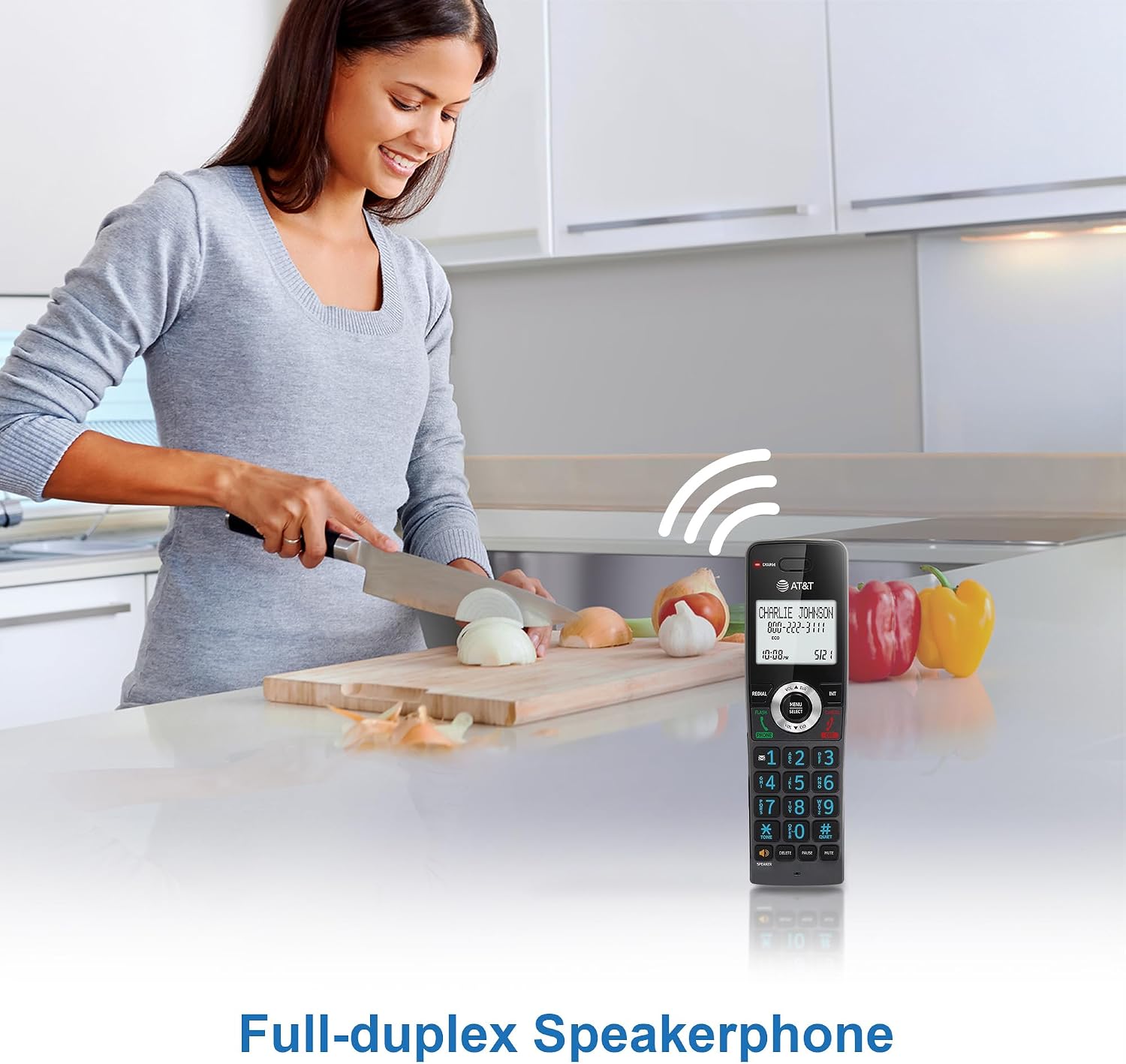
Image: A user demonstrating the full-duplex speakerphone feature, allowing hands-free communication.
Identificador de trucades / Trucada en espera
The handset's 2-inch white backlit display shows the caller's name and number (if available) for incoming calls. This feature requires a subscription from your telephone service provider. If you have call waiting, the display will show the incoming caller's information while you are on another call.

Image: The phone's display clearly showing caller ID information, including name and number.
Bloqueig de trucades
Block unwanted calls by adding up to 20 names and numbers to the call block directory. When an incoming call is received, press the BLOC DE CONVOCAT .RIES button to add the number to the block list. This feature requires Caller ID subscription.

Image: The call block feature allows users to easily block unwanted callers, enhancing privacy.
Intercomunicador de telèfon a telèfon
Feu servir la funció d'intercomunicador per comunicar-vos entre auriculars. Premeu INT on one handset, then dial the number of the desired handset (e.g., 2 for Handset 2). The receiving handset will ring, and you can begin an intercom conversation.

Image: Visual representation of the intercom function, enabling communication between multiple handsets.
Phonebook Directory
Store up to 50 names and numbers in the phonebook directory for quick dialing. To add an entry, press MENÚ/SELECT, navigate to 'Phonebook', and follow the on-screen prompts. To dial from the phonebook, press DIR and select the desired entry.

Image: The phonebook feature allows storage and quick access to frequently called contacts.
Backlit Keypad and Display
The handset features a 2-inch white backlit display and an orange backlit keypad, making it easy to read caller information and dial numbers in low-light conditions.

Image: The 2-inch white backlit display provides clear visibility of information.

Image: The backlit keypad ensures easy dialing even in dim lighting.
Mode silenciós
Activate Quiet Mode to silence all handset and base unit ringers for a set period. Press and hold the #TRANQUIL button to toggle Quiet Mode on or off. You can configure the duration in the phone settings.

Image: The Quiet Mode feature allows users to silence ringers for undisturbed periods.
Battery Life and ECO Mode
The rechargeable handset battery provides up to 10 hours of talk time or 5 days of standby time on a single charge. ECO mode automatically manages power consumption, optimizing battery life and reducing energy usage.

Image: Illustration of the phone's long-lasting battery, offering extended talk and standby times.
Manteniment
To ensure optimal performance and longevity of your phone system, follow these maintenance guidelines:
- Neteja: Netegeu el telèfon i la unitat base amb un drap suau i sec.amp drap. No utilitzeu esprais de neteja ni productes químics agressius.
- Cura de la bateria: Replace batteries when they no longer hold a charge effectively. Use only the specified replacement battery packs.
- Ubicació: Avoid placing the phone system near heat sources, direct sunlight, or areas with excessive moisture.
Resolució de problemes
If you encounter any issues with your phone system, refer to the table below for common problems and solutions.
| Problema | Solució |
|---|---|
| Sense to de marcatge | Ensure the base unit is properly connected to the telephone wall jack and power outlet. Check the telephone line cord for damage. |
| El telèfon no es carrega | Make sure the handset is correctly seated in the charger. Verify the charger's AC adapter is plugged into a working electrical outlet. Clean the charging contacts on the handset and charger. |
| Mala qualitat de so/estàtica | Move closer to the base unit. Avoid placing the phone near other electronic devices that may cause interference. Check for loose connections. |
| No puc fer/rebre trucades | Check if the telephone line is active. Ensure the handset battery is charged. Reset the base unit by unplugging it from power for a few minutes, then plugging it back in. |
Especificacions
Key technical specifications for the AT&T GL2101-4 DECT 6.0 4-Handset Cordless Home Phone:
| Característica | Detall |
|---|---|
| Dimensions del producte | 4.25 x 3.23 x 7.24 polzades (unitat base) |
| Pes de l'article | 2.55 lliures |
| Número de model | GL2101-4 |
| Marca | AT&T |
| Color | Grafit |
| Tipus de telèfon | Sense fils |
| Material | Plàstic |
| Font d'alimentació | Elèctric amb cable |
| Tipus de contestador | No |
| Dispositius compatibles | Standard Landline Networks |
| Operació multilínia | Operació d'una sola línia |
Garantia i Suport
For warranty information or technical support, please refer to the documentation included with your product or visit the official AT&T support weblloc web. Conserveu el rebut de compra com a comprovant de compra per a reclamacions de garantia.


