Introducció
This manual provides detailed instructions for the setup, operation, and maintenance of your TONGVEO 12x Zoom Conference Room Video Camera System. This system combines a high-definition PTZ camera with an AI auto-tracking feature and a Bluetooth conference speakerphone, designed for effective video and audio conferencing in medium to large rooms.
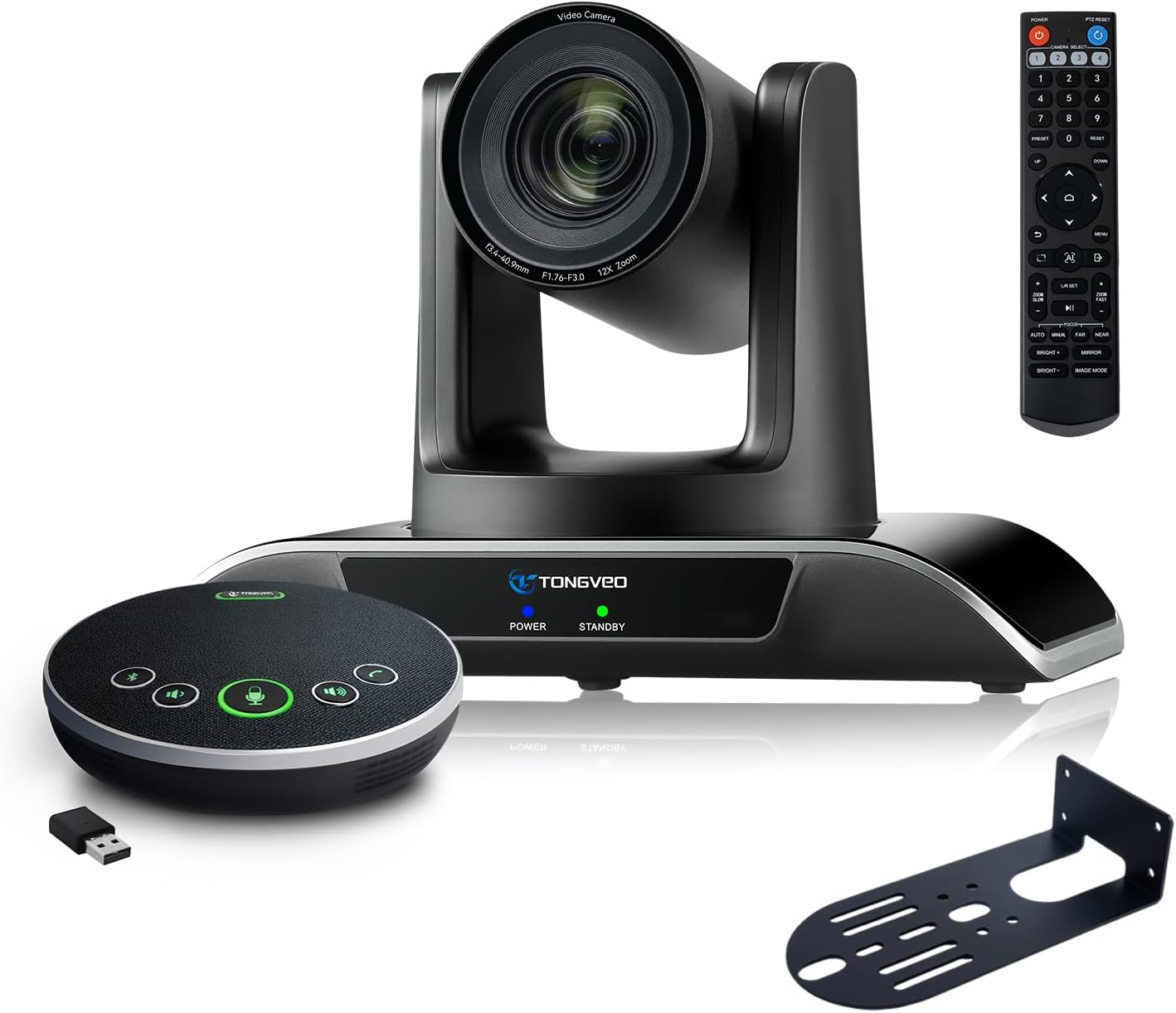
Figure 1: TONGVEO 12x Zoom Conference Room Video Camera System
Què hi ha a la caixa
Verifiqueu que tots els elements siguin presents al paquet:
- 1 * DC 12V/2A power adaptor
- 1 * Comandament a distància IR
- 1 * 9.8ft USB 3.0 cable
- 1 * wall mount with screws
- 1 * PTZ Camera manual
- 1 * Speakerphone
- 1 * 4.9ft USB 2.0 cable
- 1 * Dongle
Producte acabatview
The TONGVEO conference system integrates a high-performance PTZ camera and a versatile Bluetooth speakerphone to provide a complete conferencing solution.
Característiques de la càmera
- Zoom òptic 12x: Provides clear visuals even from a distance.
- HD 1080P 60fps: Delivers crisp and smooth video quality.
- AI Auto-Tracking: Automatically detects and tracks speakers with humanoid and face recognition.
- Funcionalitat PTZ: Pan (350°), Tilt (180°), and Zoom control via IR remote.
- 75° Wide Angle FOV: Captura una àmplia view of the conference room.
- Sortides múltiples: USB 3.0 and HDMI for simultaneous video output.

Figure 2: AI Tracking PTZ Camera and Conference Speaker Combination
Speakerphone Features
- Full-Duplex Microphones: Array with echo cancellation for clear audio.
- 16.4ft (5M) Voice Pickup: Ensures all participants are heard.
- Múltiples modes de connexió: USB, Bluetooth 5.0, and Wireless Dongle.
- Bateria incorporada: 2400mAh for 6-8 hours of continuous operation.
- Disseny mans lliures: Integrated microphone and speaker for convenience.
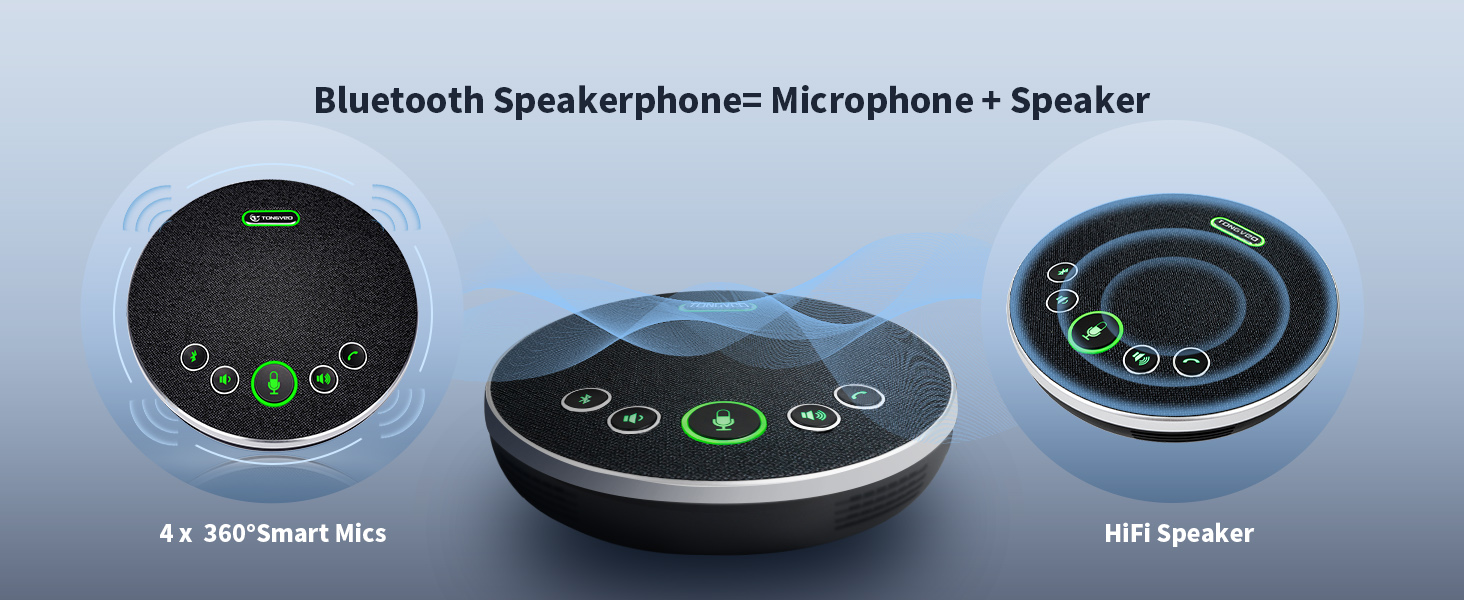
Figure 3: Bluetooth Speakerphone
Configuració
1. Instal·lació de la càmera
The camera offers multiple installation options:
- Muntatge d'escriptori: Col·loqueu la càmera sobre una superfície plana.
- Muntatge en paret: Use the provided wall mount and screws to secure the camera to a wall.
- Muntatge de trípode: Attach the camera to a standard tripod.
- Muntatge al sostre: Secure the camera to the ceiling using appropriate mounting hardware (not included, but compatible).
2. Connexió de la càmera
- Connect the DC 12V/2A power adaptor to the camera's power input and plug it into an electrical outlet.
- For video output to a computer, connect the 9.8ft USB 3.0 cable from the camera's USB 3.0 port to your laptop or desktop PC.
- For video output to a display (e.g., Smart TV), connect an HDMI cable (not included) from the camera's HDMI port to the display.

Figure 4: Camera Interface Connection Options
3. Connecting the Speakerphone
The speakerphone offers flexible connection options:
- Connexió USB: Connect the 4.9ft USB 2.0 cable from the speakerphone to your computer. This provides both power and audio/microphone functionality.
- Connexió Bluetooth: Power on the speakerphone and pair it with your Bluetooth-enabled device (e.g., laptop, smartphone).
- Dongle sense fil: Insert the provided USB dongle into your computer. The speakerphone will automatically connect wirelessly.
No drivers are typically required for any of these connections, ensuring a plug-and-play experience.
Instruccions de funcionament
1. Camera Control with IR Remote
Use the included IR remote control to manage camera functions:
- Panorama/inclinació: Use the directional arrows to move the camera horizontally (350°) and vertically (180°).
- Zoom: Use the 'Zoom In' and 'Zoom Out' buttons for 12x optical zoom.
- AI Auto-Tracking: Activate or deactivate AI tracking for automatic speaker framing.
- Presets: Store and recall up to 10 preset camera positions for quick adjustments.
- Menú: Access camera settings and configurations.

Figure 5: IR Remote Control Functions
2. Speakerphone Operation
The speakerphone features intuitive controls:
- Control de volum: Adjust audio output using dedicated volume buttons.
- Silència del micròfon: Mute or unmute the microphone during a call.
- Resposta / Penjar: Manage calls directly from the speakerphone.
- Botó Bluetooth: Inicia l'emparellament Bluetooth.
3. Compatibilitat del programari
The system is compatible with most video conferencing software, including:
- Zoom
- YouTube
- Microsoft Teams
- Facetime
- Hangout
- OBS
It supports Windows 7, 8, 10, 11, and Mac OS 10.10 or higher.

Figura 6: Compatibilitat universal de programari
Manteniment
To ensure optimal performance and longevity of your TONGVEO Conference Room Video Camera System, follow these maintenance guidelines:
- Neteja: Feu servir un drap suau i sec per netejar les superfícies de la lent de la càmera i l'altaveu. Eviteu productes de neteja o dissolvents abrasius.
- Emmagatzematge: Quan no l'utilitzeu durant períodes prolongats, guardeu el sistema en un lloc fresc i sec, allunyat de la llum solar directa i de temperatures extremes.
- Gestió de cables: Ensure all cables are neatly organized and not kinked or strained to prevent damage.
Resolució de problemes
Si teniu problemes amb el sistema, consulteu els passos habituals següents per a la resolució de problemes:
- Sense sortida de vídeo: Ensure the camera is powered on and connected correctly via USB 3.0 or HDMI. Check your computer's device manager or conferencing software settings to confirm the camera is recognized.
- Sense àudio/micròfon: Verify the speakerphone is powered on and connected via USB, Bluetooth, or dongle. Check volume levels on both the speakerphone and your computer. Ensure the microphone is not muted.
- AI Auto-Tracking Not Working: Confirm the AI tracking feature is enabled via the remote control. Ensure there are no obstructions blocking the camera's view de l'orador.
- Problemes de control remot: Check the remote control batteries. Ensure there is a clear line of sight between the remote and the camera/speakerphone.
- Interrupció de la connexió: For wireless connections, ensure the speakerphone is within range of the Bluetooth device or dongle. For wired connections, check cable integrity.
If problems persist, consult the detailed user manual or contact technical support.
Especificacions
| Característica | Especificació |
|---|---|
| Dimensions del paquet | 12 x 10.5 x 8.5 polzades |
| Pes de l'article | 6.54 lliures |
| Número de model de l'article | 3ece374c-d69c-4702-8d41-e0e82085d2bf |
| Bateries | Necessites 1 piles de ions de liti (incloses) |
| Tecnologia del sensor fotogràfic | CMOS |
| Resolució de captura de vídeo | 1080p |
| Distància focal màxima | 105 |
| Apertura màxima | 28 mil·límetres |
| Tipus de memòria flash | SD |
| Format de captura de vídeo | MPEG |
| Format d'àudio compatible | PCM, OPUS |
| Mida de la pantalla | 2.1 centímetres |
| Tecnologia de connectivitat | Bluetooth, HDMI, USB |
Garantia i Suport
This TONGVEO Conference Room Video Camera System is provided with technical support. Any questions or concerns will be answered within 24 hours. Please refer to your purchase documentation for specific warranty details.


