Introducció
This manual provides detailed instructions for the setup, operation, and maintenance of your ATTACK SHARK X11 Lightweight Wireless Gaming Mouse. Please read this manual thoroughly before using the product to ensure optimal performance and longevity.
Producte acabatview
Components
- ATTACK SHARK X11 Wireless Gaming Mouse
- Base de càrrega RGB
- Cable USB-C
- Receptor USB 2.4G
Característiques clau
- Connexió trimodal: Supports 2.4G wireless, Bluetooth, and USB-C wired connections.
- Sensor òptic PAW3311: High-performance sensor with up to 22000 DPI.
- RGB Backlight Charging Dock: Convenient charging with customizable RGB lighting.
- Disseny ultralleuger: Pesa aproximadament 62 g per a un ús prolongat còmode.
- HUYU Switch & TTC Encoder: Ensures precise clicks and long lifespan (20 million clicks).
- 5 botons programables: Customizable via dedicated software.
Diagrama del producte
Refer to the diagrams below for an overview of the mouse components and features.

Image: The ATTACK SHARK X11 Wireless Gaming Mouse shown with its RGB charging dock and USB receiver. The mouse is black with a blue LED indicator. The charging dock has an RGB light strip at its base.

Imatge: Una explosió view of the ATTACK SHARK X11 mouse, detailing its internal components including the lightweight material case, engineering curved keys, PCB, lithium battery, TTC encoder, HUYU white spots, PAW3311 sensors, and mouse bottom case.
Configuració
Carregant el ratolí
Before first use, fully charge the mouse using the provided USB-C cable and RGB charging dock.
- Connect the USB-C cable to the charging dock and a power source (e.g., computer USB port, USB wall adapter).
- Place the mouse onto the charging dock, ensuring the magnetic contacts align. The RGB lighting on the dock will indicate charging status.
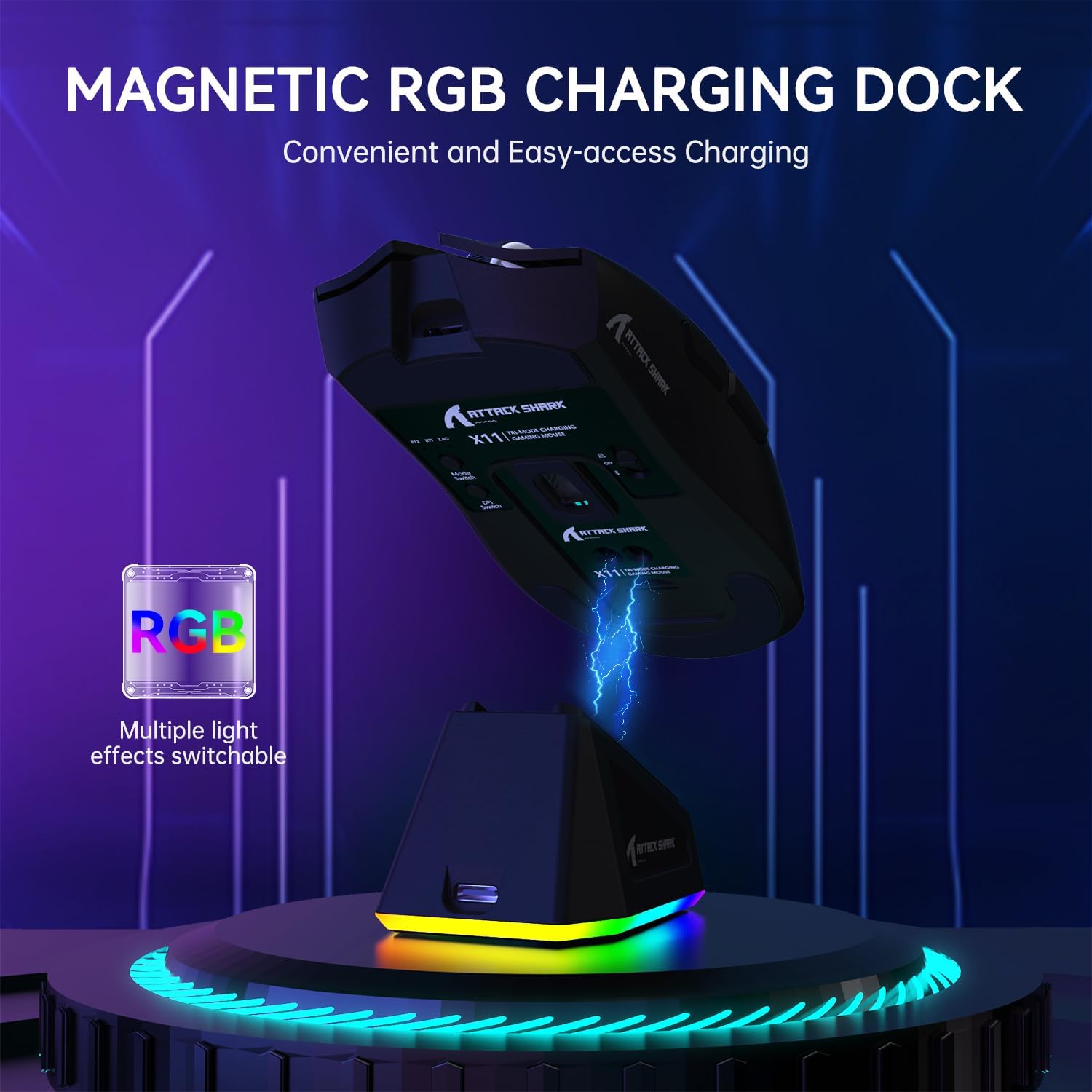
Image: The ATTACK SHARK X11 mouse magnetically attached to its RGB charging dock, illustrating the charging process.
Connexió del ratolí
The ATTACK SHARK X11 offers three connection modes: 2.4G Wireless, Bluetooth, and USB-C Wired.
Connexió sense fils 2.4G
- Locate the 2.4G USB receiver at the bottom of the mouse.
- Connecteu el receptor USB a un port USB disponible de l'ordinador.
- Switch the mode button on the bottom of the mouse to the 2.4G position.
- The mouse should automatically connect. If not, refer to the troubleshooting section.
Connexió Bluetooth
- Switch the mode button on the bottom of the mouse to the Bluetooth (BT) position.
- A l'ordinador o dispositiu, activeu el Bluetooth i cerqueu dispositius nous.
- Select "ATTACK SHARK X11" from the list of available devices to pair.
- For multiple Bluetooth devices (BT1/BT2/BT3), short press the BT switching key on the mouse to cycle through channels. Press and hold for 3 seconds to enter pairing mode for a new device.
Connexió per cable USB-C
- Connect the USB-C cable directly from the mouse to a USB port on your computer.
- The mouse will automatically switch to wired mode and function as a plug-and-play device.

Image: The ATTACK SHARK X11 mouse connected wirelessly to a laptop via its 2.4GHz USB receiver, demonstrating tri-mode connectivity options.
Instruccions de funcionament
Ajust de DPI
The mouse features 6 adjustable DPI settings (800-1600-2400-3200-5000-22000). The DPI button is located on the bottom of the mouse. Each DPI setting is indicated by a different color light inside the mouse.
Botons programables
The ATTACK SHARK X11 has 5 programmable buttons. To customize these buttons, DPI settings, polling rate, LOD, shortcuts, and macros, download and install the official driver software from the ATTACK SHARK weblloc.

Image: A screenshot of the ATTACK SHARK X11 mouse software interface, showing options for button settings, DPI adjustment, light settings, and polling rate, with a visual representation of the mouse and its programmable buttons.
RGB Backlight Customization
The RGB backlight on the charging dock can be customized. Refer to the driver software for detailed options or use the physical button on the dock (if available) to cycle through effects.
Manteniment
Neteja
Per netejar el ratolí, feu servir un drap suau i sec. Per a la brutícia persistent, feu servir un drap lleugerament sec.amp Es pot fer servir un drap amb sabó suau, assegurant-se que no entri líquid al ratolí. Eviteu netejadors o dissolvents abrasius.
Emmagatzematge
Guardeu el ratolí en un lloc fresc i sec, allunyat de la llum solar directa i de temperatures extremes quan no l'utilitzeu durant períodes prolongats.
Cura de la bateria
To prolong battery life, avoid fully discharging the mouse frequently. Charge it regularly, especially if it will be stored for a long time.
Resolució de problemes
| Problema | Causa possible | Solució |
|---|---|---|
| El ratolí no respon | Low battery; Incorrect connection mode; USB receiver not plugged in; Bluetooth not paired. | Charge the mouse; Ensure correct mode (2.4G/BT/Wired) is selected; Re-plug USB receiver; Re-pair Bluetooth. |
| Retard o moviment erràtic | Interferències; Sensor brut; Problemes de superfície. | Move closer to receiver/device; Clean optical sensor; Use on a clean, non-reflective mouse pad. |
| El programari no detecta el ratolí | Driver not installed correctly; Compatibility issues. | Reinstall driver software; Ensure mouse is connected via wired or 2.4G mode (Bluetooth may not be supported by software); Check compatibility (Windows XP/VISTA/7/8/10/MAC). |
Especificacions
- Model: ATTACK SHARK X11
- Modes de connexió: 2.4G Wireless, Bluetooth 5.2, USB-C Wired
- Sensor: Sensor òptic PAW3311
- DPI: 800-1600-2400-3200-5000-22000 (Adjustable)
- Velocitat de seguiment: 300 IPS
- Taxa de resposta: 1000 Hz
- Acceleració: 35G
- Interruptors: HUYU Switch
- Click Lifespan: 20 milions de clics
- Botons: 5 Botons programables
- Pes: Aproximadament 62 g
- Compatibilitat: Windows XP / VISTA / 7 / 8 / 10 / MAC
- Dimensions del paquet: 7.01 x 4.53 x 2.05 polzades
Garantia i Suport
For warranty information and technical support, please visit the official ATTACK SHARK weblloc web o poseu-vos en contacte amb el servei d'atenció al client. Conserveu el rebut de compra per a reclamacions de garantia.
Oficial Weblloc: Botiga ATTACK SHARK a Amazon
Recursos addicionals
No hi ha vídeos oficials de productes del venedor disponibles a les dades proporcionades.


