Producte acabatview
The ATTACK SHARK L80 is a versatile ultra-light wireless gaming headset designed for an immersive audio experience across multiple platforms. It offers tri-mode connectivity: Bluetooth 5.3, 2.4GHz wireless, and a 3.5mm wired connection, ensuring compatibility with PCs, laptops, tablets, and mobile phones. Featuring 40mm Pro-G drivers for precise sound reproduction and a detachable omnidirectional noise-cancelling microphone for clear communication, the L80 is built for extended gaming sessions with its 600mAh battery providing up to 50 hours of playtime.
Contingut del paquet
Si us plau, assegureu-vos que tots els elements següents estiguin inclosos al vostre paquet:
- ATTACK SHARK L80 Gaming Headset
- Manual d'usuari
- Cable d'àudio de 3.5 mm
- 2-in-1 2.4G Receiver (USB-A and Type-C)
- Cable de càrrega tipus C.
- Micròfon desmuntable

Image: The ATTACK SHARK L80 headset with its complete set of accessories, including the user manual, various cables, and the 2-in-1 receiver.
Guia de configuració
1. Càrrega dels auriculars
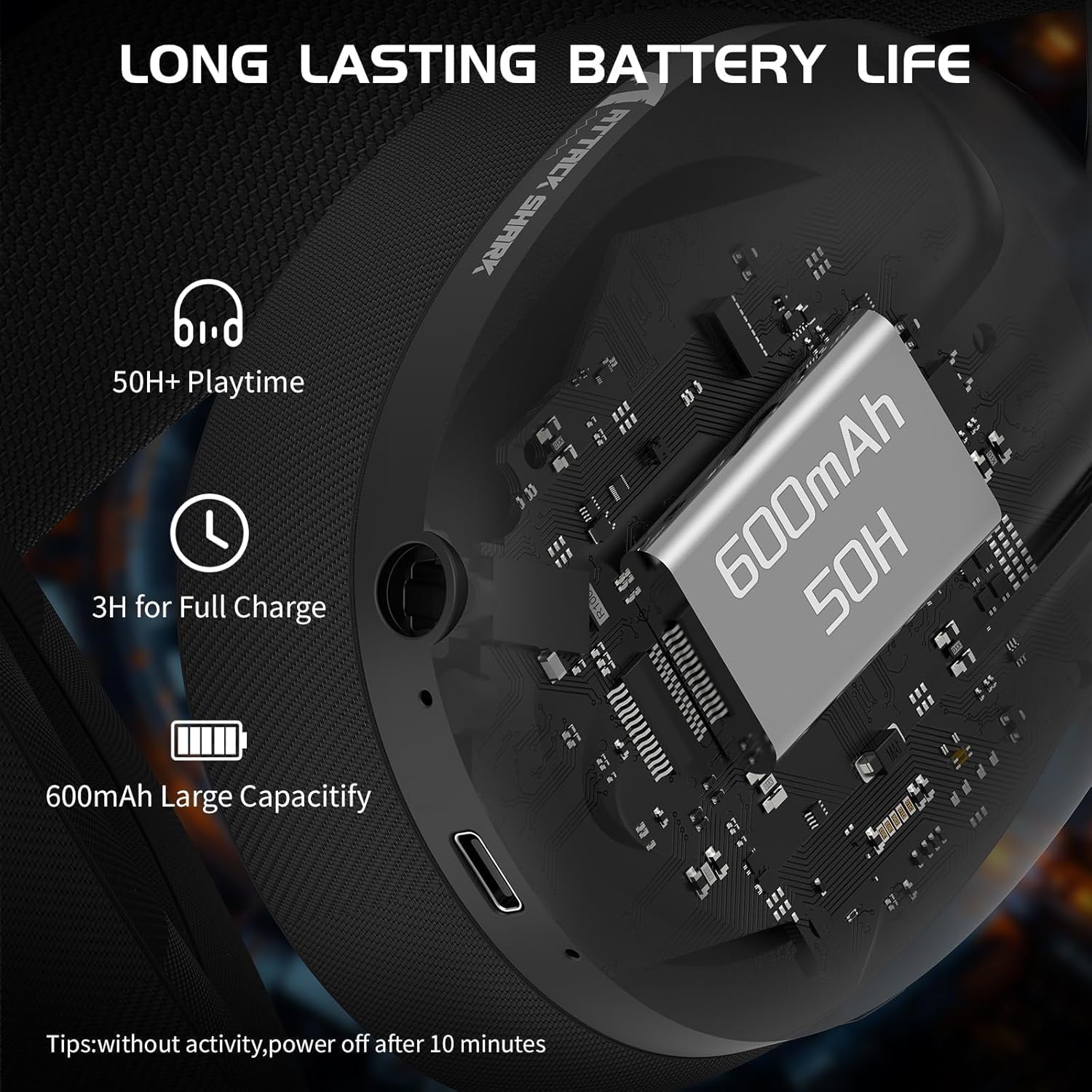
Before first use, fully charge the headset. Connect the supplied Type-C charging cable to the headset's charging port and the other end to a USB power source. The indicator light will show charging status. A full charge takes approximately 3 hours.
The 600mAh battery provides up to 50 hours of playtime at 50% volume and up to 200 hours of standby time via Bluetooth.

Imatge: Detallada view of the headset's charging port and internal battery capacity.
2. Connectar el micròfon
The L80 headset comes with a detachable omnidirectional microphone. Insert the microphone jack firmly into the designated port on the left earcup until it clicks into place. The microphone is flexible and can be adjusted 360° for optimal positioning.

Image: The headset with its detachable, adjustable microphone, highlighting its noise-cancelling capability.
3. Connexió dels auriculars
The ATTACK SHARK L80 supports three connection modes: 2.4GHz Wireless, Bluetooth, and Wired (3.5mm).
3.1. Connexió sense fil de 2.4 GHz
For low-latency gaming, use the 2.4GHz wireless mode. The headset includes a 2-in-1 USB-A and Type-C receiver.
- Plug the 2.4GHz receiver into an available USB-A or Type-C port on your PC, laptop, PS4/PS5 console, or Switch dock.
- Long press the power button on the headset for 3 seconds to turn it on.
- Double-click the multi-function button (usually the power button) to switch to 2.4G mode. The indicator light will turn white.
- The headset will automatically connect to the receiver.
Note: When using the USB-A connection, the USB-C plug must also be inserted into the receiver for a complete connection.
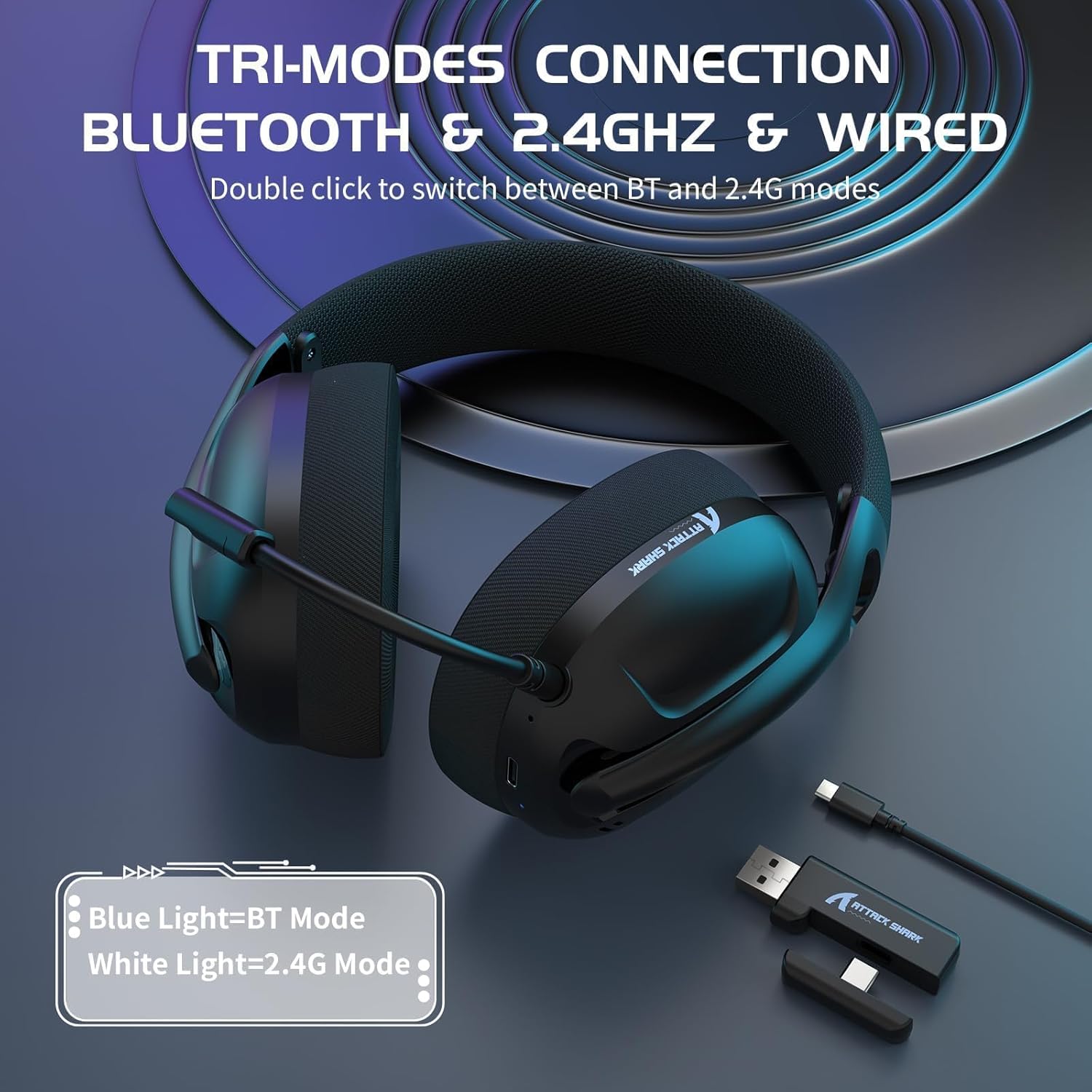
Image: The headset illustrating its tri-mode connectivity and the 2-in-1 USB receiver.
Imatge: Una imatge detallada view of the 2-in-1 USB receiver, demonstrating its compatibility with both USB-A and Type-C ports and its low latency performance.
3.2. Connexió Bluetooth
For mobile devices and general wireless use:
- Long press the power button on the headset for 3 seconds to turn it on.
- Double-click the multi-function button to switch to Bluetooth mode. The indicator light will turn blue.
- On your device (smartphone, tablet, laptop), enable Bluetooth and search for "ATTACK SHARK L80" in the list of available devices.
- Select the headset to pair. Once paired, the indicator light will remain solid blue.
3.3. Wired Connection (3.5mm)
For devices with a 3.5mm audio jack or when battery is low:
- Connect one end of the supplied 3.5mm audio cable to the headset's 3.5mm port.
- Connect the other end to the 3.5mm audio jack on your device (PC, console controller, mobile phone, etc.).
- Els auriculars canviaran automàticament al mode amb cable.
Note: In wired mode, volume adjustment for PS4/PS5/Xbox may need to be done via the controller or console settings.
Instruccions de funcionament
Controls dels auriculars
The ATTACK SHARK L80 features intuitive controls located on the earcups:

Image: A visual guide to the headset's control layout and functions.
- Power Button / Multi-function Button:
- Premda llarga (3 segons): Encès / apagat.
- Feu clic a: Play/Pause audio. Answer/Hang up phone calls.
- Feu doble clic: Switch between Bluetooth and 2.4G wireless modes.
- Botó per pujar el volum (+):
- Feu clic a: Augmenta el volum.
- Premsa llarga: Cançó anterior.
- Botó per baixar el volum (-):
- Feu clic a: Disminuir el volum.
- Premsa llarga: Cançó següent.
- Botó del micròfon:
- Feu clic a: Mute/Unmute microphone. A voice prompt will indicate microphone status.
- Llum indicadora:
- Llum blava: Mode Bluetooth.
- Llum blanca: 2.4G Mode.
- Llum vermella: Bateria baixa.
Ajust dels auriculars
The L80 headset features an adjustable headband and breathable mesh earmuffs for comfortable wear during long periods.
- Ajust de la diadema: Gently slide the earcups up or down along the headband to find a comfortable fit for your head size.
- Orelles: The ultra-soft and breathable memory foam earmuffs are designed for comfort and to reduce pressure, ensuring a pleasant experience even during extended use.

Image: The headset's breathable mesh earmuffs, designed for comfort and airflow.

Image: Illustration of the adjustable headband, designed to fit various head sizes.
Manteniment i cura
Proper maintenance ensures the longevity and optimal performance of your ATTACK SHARK L80 headset.
- Neteja: Use a soft, dry cloth to wipe the headset. For the earmuffs, a slightly damp es pot fer servir un drap, però assegureu-vos que estigui completament sec abans d'usar-lo. No utilitzeu productes químics agressius ni netejadors abrasius.
- Emmagatzematge: Guardeu els auriculars en un lloc fresc i sec, allunyat de la llum solar directa i de temperatures extremes. Eviteu col·locar objectes pesats a sobre dels auriculars.
- Cura de la bateria: To preserve battery life, avoid fully discharging the headset frequently. If storing for an extended period, charge the battery to about 50% every few months.
- Resistència a l'aigua: The headset is not waterproof. Avoid exposure to water or excessive moisture.
Resolució de problemes
If you encounter issues with your ATTACK SHARK L80 headset, please refer to the following common solutions:
Sense so / Volum baix
- Ensure the headset is powered on and connected correctly (2.4GHz, Bluetooth, or Wired).
- Comproveu els nivells de volum tant dels auriculars com del dispositiu connectat.
- If using 2.4GHz, ensure the receiver is properly plugged in and the headset is in 2.4G mode (white indicator light).
- If using Bluetooth, ensure the headset is paired and connected (blue indicator light).
- If using wired connection, ensure the 3.5mm cable is fully inserted into both the headset and the device.
- Prova amb una altra font o dispositiu d'àudio per descartar problemes específics del dispositiu.
El micròfon no funciona
- Assegureu-vos que el micròfon desmuntable estigui ben connectat als auriculars.
- Press the microphone button on the headset to ensure it is not muted. A voice prompt will confirm its status.
- Check microphone settings on your connected device (e.g., Windows Sound Settings, game audio settings) to ensure the L80 headset microphone is selected as the input device and its volume is not muted.
- Prova el micròfon amb una altra aplicació o dispositiu.
Problemes de connexió (sense fil)
- 2.4 GHz: Ensure the 2.4G receiver is within 10 meters (33 feet) of the headset and there are no significant obstructions. Try plugging the receiver into a different USB port.
- Bluetooth: Ensure Bluetooth is enabled on your device and the headset is in pairing mode or already paired. Try unpairing and re-pairing the headset. Keep the headset within 10 meters of the device.
- Ensure the headset is not simultaneously connected to another device in the same mode.
- Double-check that you are in the correct mode (Bluetooth or 2.4G) by double-clicking the multi-function button.
Els auriculars no es carreguen
- Ensure the Type-C charging cable is securely connected to both the headset and the power source.
- Try a different USB charging port or power adapter.
- Assegureu-vos que el cable de càrrega no estigui danyat.
Especificacions tècniques
| Característica | Detall |
|---|---|
| Nom del model | L80 |
| Marca | ATACA AL TAURON |
| Tecnologia de connectivitat | Wireless (2.4GHz, Bluetooth 5.3), Wired (3.5mm) |
| Mida del controlador | 40 mm |
| Interval de freqüència | 20 Hz - 20,000 Hz |
| Impedància | 32 ohms |
| Micròfon | Detachable, Omnidirectional, Noise-Cancelling |
| Capacitat de la bateria | 600 mAh |
| Hora de joc | Fins a 50 hores (amb un 50% de volum) |
| Temps de càrrega | Aprox. 3 hores |
| Pes | 180 grams (aprox.) |
| Dispositius compatibles | PC, Laptop, Tablet, Mobile Phones, PS4, PS5, Switch |
| Material | Plàstic |

Image: The headset highlighting its ultra-light design and compatibility across various gaming platforms.
Garantia i Suport
Per obtenir informació sobre la garantia i l'atenció al client, consulteu la pàgina oficial d'ATTACK SHARK. weblloc web o poseu-vos en contacte amb el punt de compra. Conserveu el comprovant de compra per a qualsevol reclamació de garantia.
You can visit the ATTACK SHARK store on Amazon for more information: ATTACK SHARK Amazon Store


