CORSAIR RS120 120mm PWM Fan Instruction Manual
Model: RS120
Introducció
The CORSAIR RS120 120mm PWM Fan is designed to enhance your PC's cooling performance with efficient airflow and quiet operation. Featuring a daisy-chain connection system, multiple fans can be controlled through a single 4-pin PWM header on your motherboard, simplifying cable management. This fan is equipped with CORSAIR AirGuide technology for focused airflow and Magnetic Dome bearings for reduced noise and extended lifespan. The Zero RPM mode allows for silent operation under low thermal loads.
Característiques principals:
- Streamlined Fan Connections: Daisy-chain multiple fans using a single 4-pin PWM connector.
- Precise PWM Speeds: Adjustable fan speeds up to 2,100 RPM, delivering up to 72.8 CFM airflow.
- CORSAIR AirGuide Technology: Anti-vortex vanes direct airflow for concentrated cooling, ideal for radiators and heatsinks.
- High Static Pressure: Optimized for use as radiator fans with 4.15mm-H2O static pressure.
- Quiet Operation with Magnetic Dome Bearing: Minimizes noise and friction for increased longevity.
1. Configuració i instal·lació
Follow these steps to properly install your CORSAIR RS120 PWM fan into your PC system.
1.1 Desembalatge i comprovació de components
Carefully unpack the fan and ensure all components are present. The package typically includes the fan unit and mounting screws.
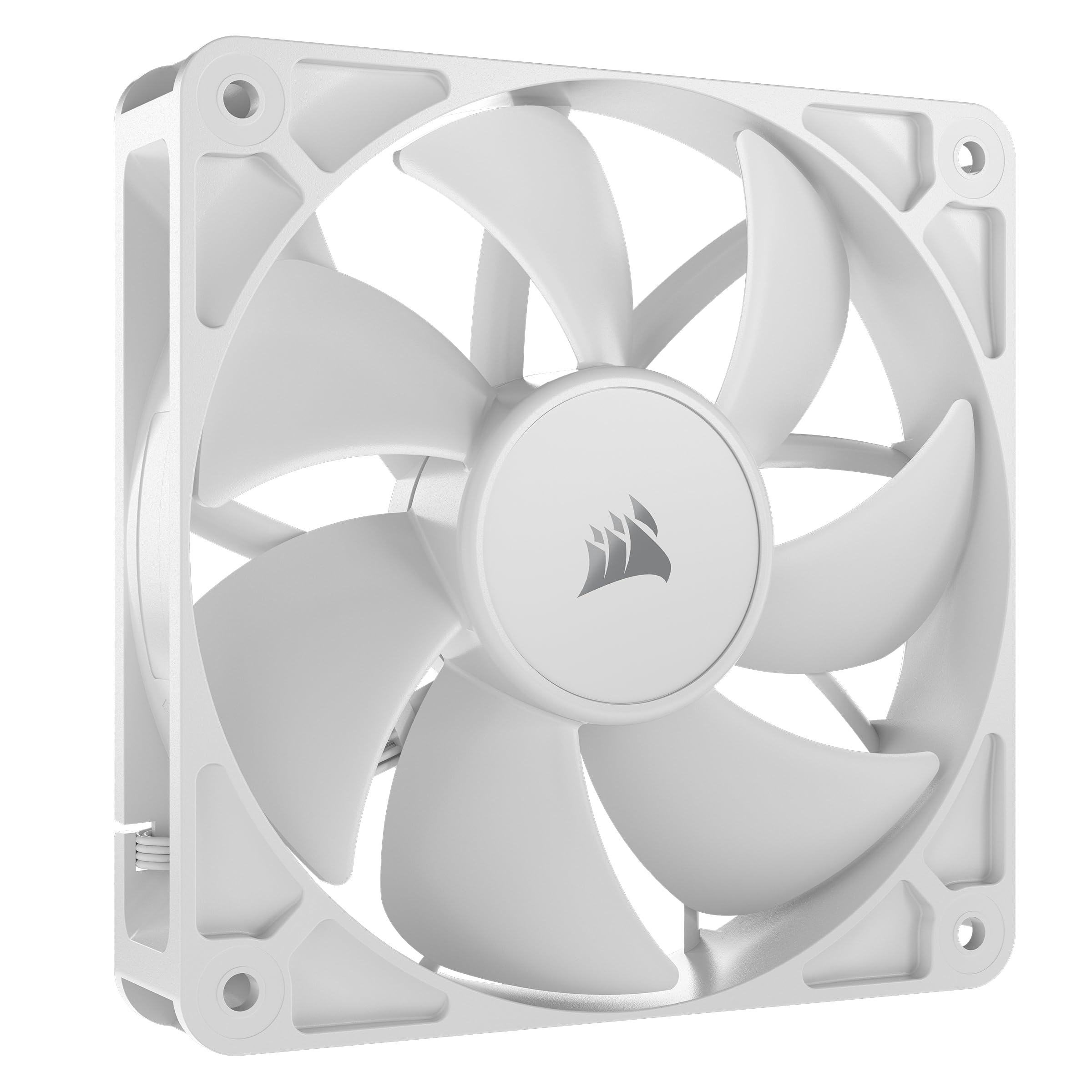
Image: The CORSAIR RS120 120mm PWM Fan, showing its white blades and black frame.
1.2 Muntatge del ventilador
- Identify the desired mounting location within your PC case (e.g., front intake, rear exhaust, top exhaust, or on a radiator).
- Align the fan with the screw holes on your case or radiator. Ensure the fan is oriented to provide the desired airflow direction (typically, the side with the frame supports points towards the exhaust direction).
- Fixeu el ventilador amb els cargols de muntatge proporcionats. No l'estrengueu massa.

Image: Multiple CORSAIR RS120 fans installed in a PC case, illustrating typical mounting positions.
1.3 Connexió del ventilador
The CORSAIR RS120 fans feature a daisy-chain connection system for simplified cable management.
- Locate the 4-pin PWM connector on your motherboard.
- Connect the primary fan's 4-pin PWM cable to the motherboard header.
- If installing multiple RS120 fans, connect the daisy-chain cable from the first fan to the next fan, and so on. This allows all connected fans to be controlled via a single motherboard header.
- Assegureu-vos que totes les connexions siguin segures.

Image: A visual representation of the daisy-chain connection for multiple CORSAIR RS120 fans, connecting to a single motherboard PWM header.
2. Instruccions de funcionament
The CORSAIR RS120 fan offers flexible control over its operation to balance cooling performance and noise levels.
2.1 Control PWM
The fan utilizes Pulse-Width Modulation (PWM) technology, allowing your motherboard or fan controller to precisely adjust fan speeds based on system temperature. This ensures optimal cooling when needed and quieter operation during lighter loads.
- Access your motherboard's BIOS/UEFI settings or use compatible fan control software (e.g., CORSAIR iCUE, if applicable, or motherboard manufacturer's software) to configure fan curves.
- Ajusta la velocitat del ventilador professionalmentfiles to match your cooling requirements and noise preferences.
2.2 Mode zero RPM
For ultimate silence during low thermal loads, the RS120 fan supports Zero RPM mode. When configured, the fan blades will stop spinning completely until the system temperature reaches a predefined threshold, eliminating fan noise entirely.
- Enable Zero RPM mode through your motherboard's BIOS/UEFI settings or fan control software.
- Monitor your system temperatures to ensure adequate cooling even in Zero RPM mode.

Image: A CORSAIR RS120 fan highlighting the Zero RPM mode feature, indicating silent operation at low loads.
3. Manteniment
Regular maintenance helps ensure the longevity and optimal performance of your CORSAIR RS120 fans.
3.1 Neteja
- Periodically inspect the fan blades and frame for dust accumulation.
- Gently clean the fan blades and frame using a soft brush, compressed air, or a microfiber cloth.
- Ensure the fan is powered off and disconnected from the power source before cleaning.
- Avoid using liquid cleaners directly on the fan or its electrical components.
3.2 Connection Check
Occasionally check all fan connections to the motherboard and between daisy-chained fans to ensure they are secure and free from obstruction.
4. Solució De Problemes
If you encounter issues with your CORSAIR RS120 fan, refer to the following common troubleshooting steps:
4.1 Soroll excessiu
- Check Fan Speed: Ensure fan speeds are not set too high in your BIOS/UEFI or fan control software. Adjust fan curves to a lower RPM if noise is a concern.
- Inspeccionar per obstruccions: Verify that no cables or other components are touching the fan blades, causing rattling or buzzing sounds.
- Acumulació de pols: Clean the fan blades and frame as described in the Maintenance section.
- Muntatge: Ensure the fan is securely mounted and screws are not overtightened, which can sometimes cause vibrations.
4.2 Refrigeració insuficient
- Direcció del flux d'aire: Confirm the fan is installed with the correct airflow direction for its position (e.g., intake for front/bottom, exhaust for rear/top).
- Velocitat del ventilador: Increase fan speeds in your BIOS/UEFI or fan control software to provide more airflow.
- Filtres de pols: If your case has dust filters, ensure they are clean and not restricting airflow.
- Configuració del sistema: Ensure other cooling components (CPU cooler, GPU cooler) are functioning correctly.
5. Especificacions
| Característica | Detall |
|---|---|
| Marca | Corsari |
| Model | RS120 |
| Mida del ventilador | 120 mm |
| Tipus de connector d'alimentació | PWM de 4 pins |
| Voltage | 12 Volts |
| Wattage | 4.8 watts |
| Mètode de refrigeració | Ventilador |
| Dispositius compatibles | Escriptori |
| Nivell de soroll | 36 decibels (màxim) |
| Material | Copper (internal motor components) |
| Velocitat de rotació màxima | 2100 RPM |
| Capacitat de cabal d'aire | 72.8 peus cúbics per minut (CFM) |
| Pressió estàtica | 4.15 mm-H2O |
| Tipus de rodament | Magnetic Dome Bearing |
| UPC | 840006684244 |
6. Informació de la garantia
The CORSAIR RS120 120mm PWM Fan comes with a 5 anys de garantia del fabricant. Please retain your proof of purchase for warranty claims. For detailed terms and conditions, visit the official Corsair weblloc o contacteu amb el servei d'atenció al client.
7. Atenció al client
For further assistance, technical support, or warranty inquiries, please contact Corsair customer support through their official weblloc:
8. Vídeo oficial del producte
Vídeo: Un funcionari ha acabatview of the CORSAIR RS Series Fans, showcasing their features and design. This video provides a visual guide to the fan's capabilities and aesthetic.


