1. Introducció
Thank you for choosing the THOMSON 24-inch HD Google TV (Model 24HG2S14CW). This manual provides essential information for setting up, operating, and maintaining your new television. Please read these instructions carefully before using the product to ensure safe and optimal performance.
Experience complete entertainment for the whole family with the Thomson 24-inch HD Google TV. Google TV simplifies your entertainment experience by organizing content from your apps and subscriptions per user. Create multiple user profiles and benefit from organized recommendations. Enjoy a wide range of smart features, including access to over 400,000 movies and TV shows from numerous available apps, smart voice control with Google Assistant, and integrated Google Cast for wireless streaming of movies, music, and videos from compatible devices. Its elegant design with a 3-sided bezel-less frame allows you to fully concentrate on the on-screen action. Dolby Audio technology creates a dynamic sound experience. The integrated triple tuner allows reception via satellite antenna, terrestrial antenna, or cable, meaning you can receive all available channels without additional equipment. The ergonomic remote control with backlighting allows you to keep track of everything, even in dim lighting, and a dedicated 'Favorite' button provides quick access to your preferred app.
2. Informació de seguretat
Seguiu sempre les precaucions de seguretat bàsiques quan utilitzeu aquest producte per reduir el risc d'incendi, descàrrega elèctrica i lesions.
- Font d'alimentació: Ensure the TV is connected to a power supply that matches the voltage specified on the rating label. For 12V operation, use only the provided 12V adapter.
- Ventilació: No bloquegeu les obertures de ventilació. Deixeu prou espai al voltant del televisor per a un flux d'aire adequat per evitar el sobreescalfament.
- Col·locació: Place the TV on a stable, level surface. Avoid placing it in direct sunlight, near heat sources, or in environments with high humidity or dust.
- Aigua i humitat: No exposeu el televisor a la pluja ni a la humitat. No col·loqueu objectes plens de líquids, com ara gerros, a sobre del televisor.
- Neteja: Desendolleu el televisor abans de netejar-lo. Feu servir un drap suau i sec. No utilitzeu netejadors líquids ni aerosols.
- Manteniment: No intenteu atendre aquest producte vosaltres mateixos. Consulteu tots els serveis a personal de servei qualificat.
3. Contingut del paquet
Si us plau, comproveu que tots els articles estiguin inclosos al vostre paquet:
- THOMSON 24-inch HD Google TV
- Comandament a distància (amb piles)
- Power Adapter (for standard AC outlet)
- 12V Power Cable (for camping/caravan use)
- Suports per a TV (2 peces)
- Cargols per a suports de TV
- Guia d'inici ràpid
- Manual d'instruccions (aquest document)
4. Configuració
4.1 Instal·lació física
Fixació dels suports:
- Col·loqueu amb cura el televisor cara avall sobre una superfície suau i neta per evitar que es facin malbé la pantalla.
- Align the stands with the screw holes on the bottom of the TV.
- Fixeu els suports amb els cargols proporcionats. Assegureu-vos que estiguin ben fixats.
The TV offers two stand positions to fit various furniture widths. Refer to the image below for guidance.

Muntatge a la paret (opcional):
If you plan to wall mount your TV, please consult a professional installer. Ensure the wall mount is compatible with the TV's VESA mounting pattern and weight.
4.2 Connexió de potència
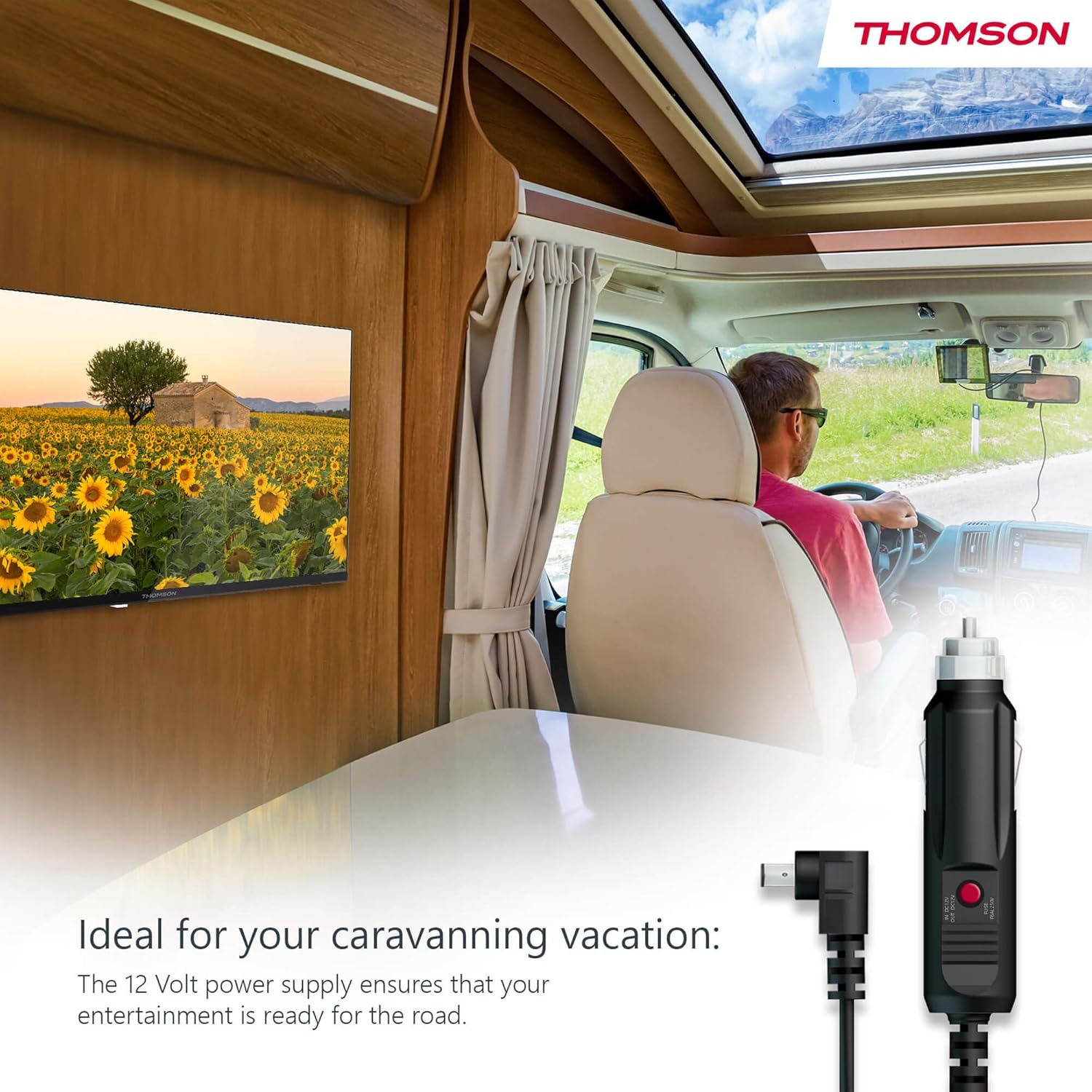
Your THOMSON TV supports both standard AC power and 12V DC power, making it ideal for camping or caravan use.
- Standard AC Power: Connect the provided power adapter to the TV's power input and then plug it into a standard wall outlet.
- 12V DC Power (Camping): For mobile use, connect the 12V power cable to the TV's power input and then to a compatible 12V power source in your vehicle or caravan.
4.3 Connecting Antennas/Cables
The integrated triple tuner allows reception via DVB-T (terrestrial antenna), cable, or satellite antenna.
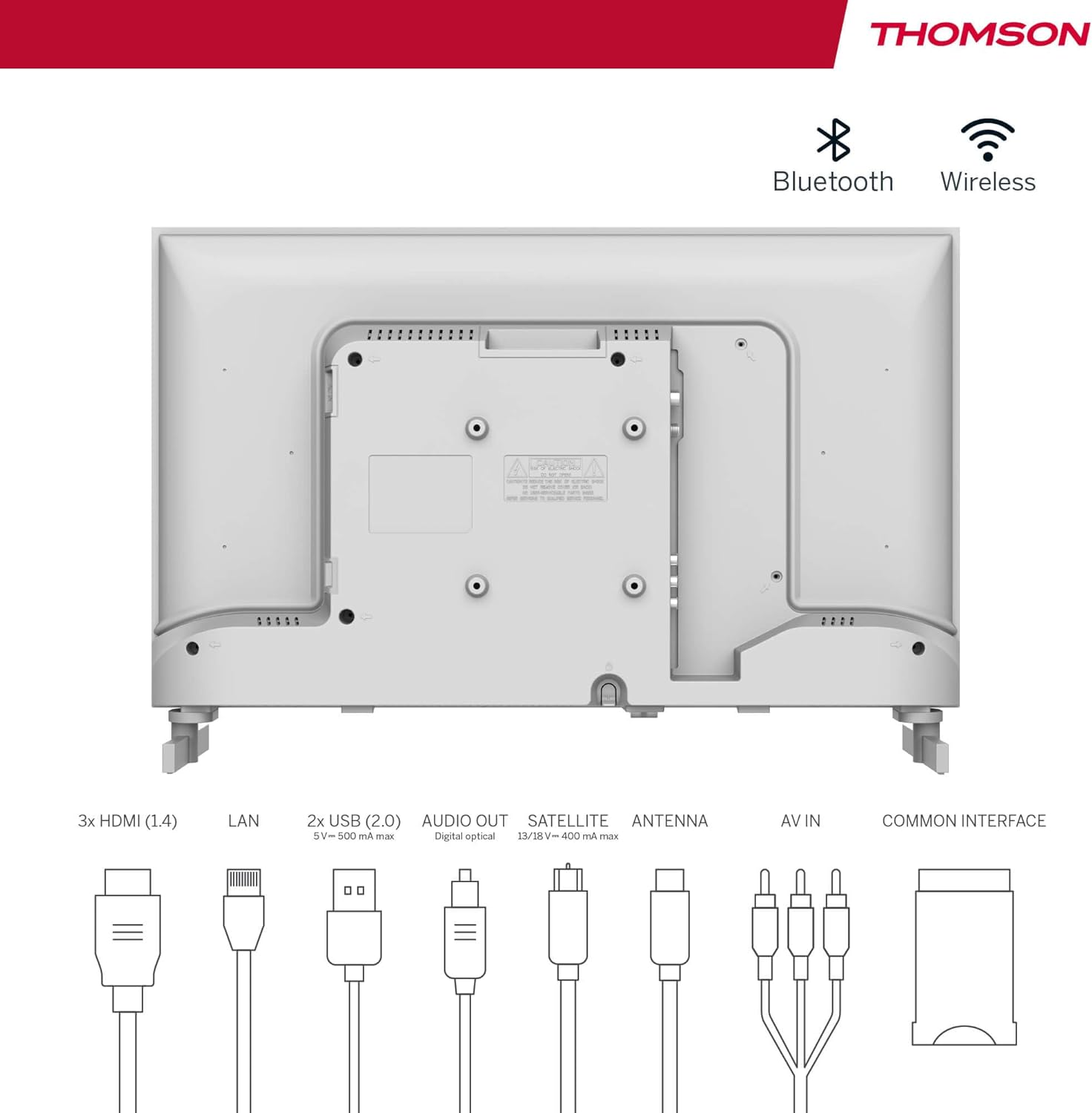
- Terrestrial Antenna: Connect a DVB-T/T2 antenna cable to the 'ANTENNA' input on the TV.
- Televisió per cable: Connect your cable TV coaxial cable to the 'ANTENNA' input on the TV.
- Antena parabòlica: Connect your satellite dish cable to the 'SATELLITE' input on the TV.
4.4 Connexió de dispositius externs
- Dispositius HDMI: Connect Blu-ray players, game consoles, or other HDMI devices to the HDMI ports (3 available).
- Dispositius USB: Connect USB drives for media playback or software updates to the USB ports (2 available).
- Sortida d'àudio: Use the digital optical audio output to connect to a soundbar or home theater system.
- Entrada AV: For older devices, use the AV In ports.
- LAN: Per a una connexió a Internet per cable, connecteu un cable Ethernet al port LAN.
- CI+ Module: Insert a CI+ module and smart card (if required by your service provider) into the Common Interface slot.
4.5 Configuració inicial (Google TV)
- Power on the TV. The initial setup wizard will guide you through the process.
- Seleccioneu el vostre idioma preferit.
- Connect to a Wi-Fi network or use a wired LAN connection.
- Inicia la sessió amb el teu compte de Google per accedir a les funcions, aplicacions i recomanacions personalitzades de Google TV.
- Follow the on-screen prompts to set up Google Assistant and tune channels (for antenna/cable/satellite).
5. Funcionament del televisor
5.1 Control remot
The included remote control is designed for intuitive navigation of your Google TV.

- Botons retroil·luminats: The remote features backlighting for easy use in dark environments.
- Control de veu: Press the Google Assistant button and speak into the remote to control your TV, search for content, or ask questions.
- Favorite App Button: Use the star button to quickly access your most frequently used application.
- Profile Canvi: Easily switch between different user profiles set up on your Google TV.

5.2 Interfície de Google TV
Google TV organizes content from your streaming services and apps into a single, easy-to-navigate interface.

- Recomanacions personalitzades: The 'For You' tab provides content suggestions based on your viewing habits across all your streaming services.
- Aplicacions: Access a wide range of applications from the Google Play Store, including popular streaming platforms.
- Biblioteca: Find your purchased movies and shows from Google Play.
- Profiles: Create separate user profiles for each family member to get personalized content and recommendations.
5.3 Google Cast
Integrated Google Cast allows you to wirelessly stream movies, music, and videos from compatible devices (smartphones, tablets, computers) directly to your TV screen.
- Assegureu-vos que el dispositiu i el televisor estiguin connectats a la mateixa xarxa Wi-Fi.
- Open a Cast-enabled app on your device (e.g., YouTube, Netflix).
- Toca la icona de Cast (▶) within the app and select your THOMSON TV.
5.4 Dolby Audio
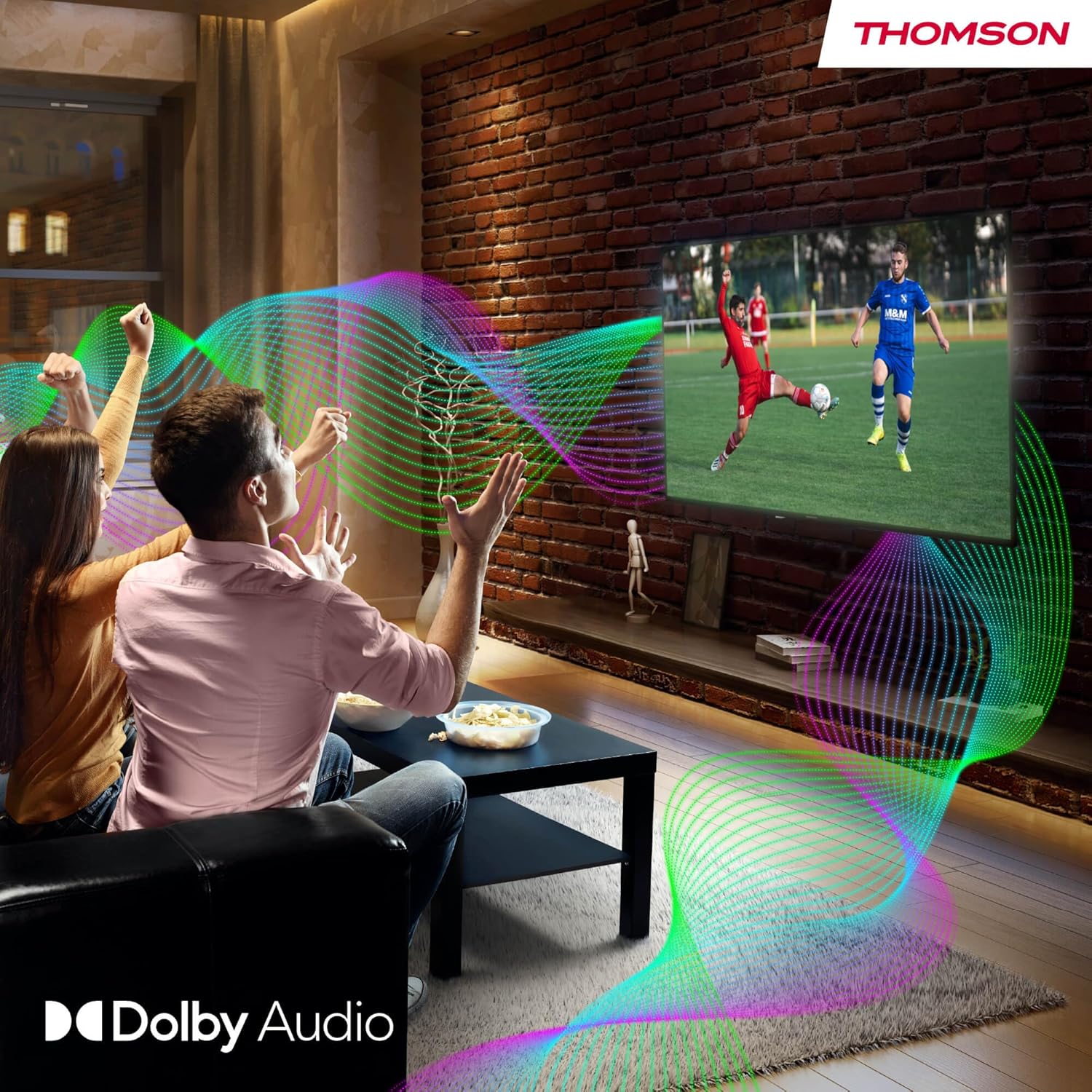
Your TV features Dolby Audio technology for an enhanced sound experience, delivering clear dialogue and immersive audio.
6. Manteniment
- Neteja de la pantalla: Netegeu suaument la pantalla amb un drap suau i sense borrissol. Per a marques difícils, netegeu lleugerament.ampen the cloth with water or a specialized screen cleaner (ensure it's safe for LED screens). Never spray liquid directly onto the screen.
- Neteja de la carcassa del televisor: Use a soft, dry cloth to wipe the exterior of the TV.
- Actualitzacions de programari: Your Google TV will periodically check for and install software updates. Ensure your TV is connected to the internet for these updates.
- Gestió de cables: Keep cables tidy and organized to prevent damage and ensure proper ventilation.
7. Solució De Problemes
If you encounter any issues with your TV, refer to the following common problems and solutions:
| Problema | Possible solució |
|---|---|
| Sense poder | Check if the power cable is securely connected to the TV and the power outlet. Ensure the outlet is working. Try a different power source. |
| No hi ha imatge, però hi ha so | Comproveu la font d'entrada. Assegureu-vos que els dispositius externs estiguin connectats i encesos correctament. |
| No hi ha so, però hi ha imatge | Check the volume level. Ensure mute is not activated. Check audio output settings and external audio device connections. |
| El comandament a distància no funciona | Check and replace batteries. Ensure there are no obstructions between the remote and the TV. |
| No es pot connectar a la Wi-Fi | Ensure your router is on and working. Re-enter the Wi-Fi password. Try restarting the TV and router. |
| Poca qualitat d'imatge | Check antenna/cable connections. Adjust picture settings. For streaming content, check internet speed. |
8. Especificacions
| Característica | Detall |
|---|---|
| Marca | Thomson |
| Número de model | 24HG2S14CW |
| Mida de la pantalla | 24 polzades (60 cm) |
| Resolució | HD (1366 x 768) |
| Tecnologia de visualització | LED |
| Freqüència d'actualització | 60 Hz |
| Sistema operatiu | Google TV |
| Control de veu | Assistent de Google |
| Tecnologia d'àudio | Dolby Audio |
| Suport HDR | HDR10 |
| Connectivitat | Wi-Fi, Bluetooth 5.1, HDMI (3 ports), USB (2 ports), LAN, Digital Optical Audio Out, AV In, CI+ |
| Tipus de sintonitzador | Triple Tuner (DVB-T/T2, DVB-C, DVB-S/S2) |
| Font d'alimentació | 12V DC / Standard AC |
| Color | Blanc |
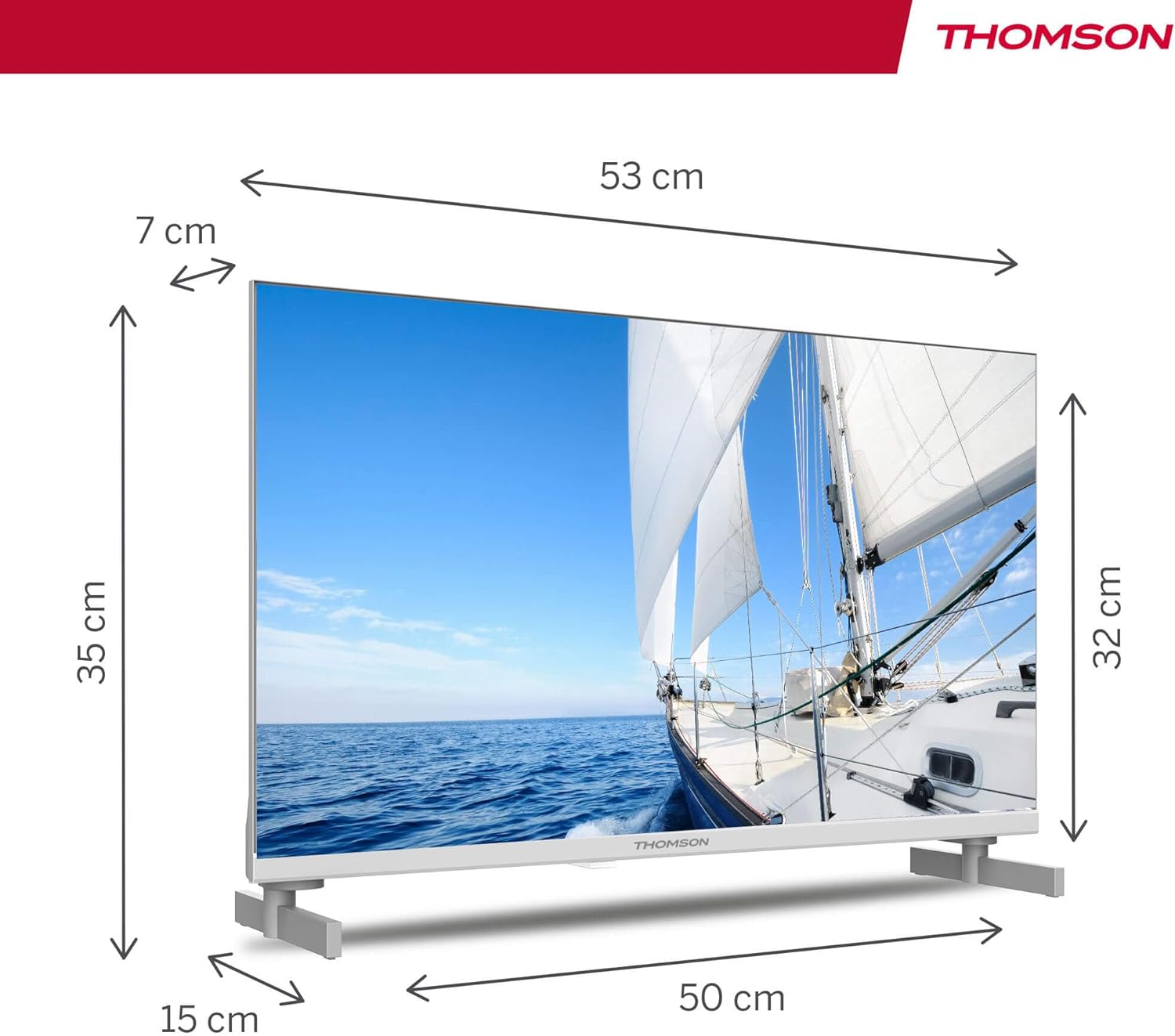
| Dimensions del producte (L x A x A) | 53.48 x 15.05 x 35.32 cm |
| Pes | 3.5 kg |
| Classe d'eficiència energètica | E |
| Power Consumption (1000h) | 18 kWh |

9. Garantia i Suport
THOMSON products are designed and manufactured to the highest quality standards. This product is covered by a manufacturer's warranty. Please refer to the warranty card included in your package for specific terms and conditions, including the warranty period and coverage details.
For technical support, troubleshooting assistance, or warranty claims, please contact THOMSON customer service through their official weblloc web o la informació de contacte que es proporciona a la documentació de la garantia.


