1. Introducció
Thank you for choosing the TREBLAB HD-360 Pro Ultra High-Tech Bluetooth Speaker. This manual provides essential information for setting up, operating, and maintaining your speaker to ensure optimal performance and longevity. The HD-360 Pro delivers immersive 360° surround sound with a 90W high-powered 5-driver system, subwoofer, and 8 bass radiators, designed for home, party, and outdoor use.
2. Què hi ha a la caixa
- TREBLAB HD-360 Pro Speaker
- Cable de càrrega USB-C
- Cable auxiliar de 3.5 mm
- Guia d'inici ràpid
- Targeta de garantia
3. Producte acabatview
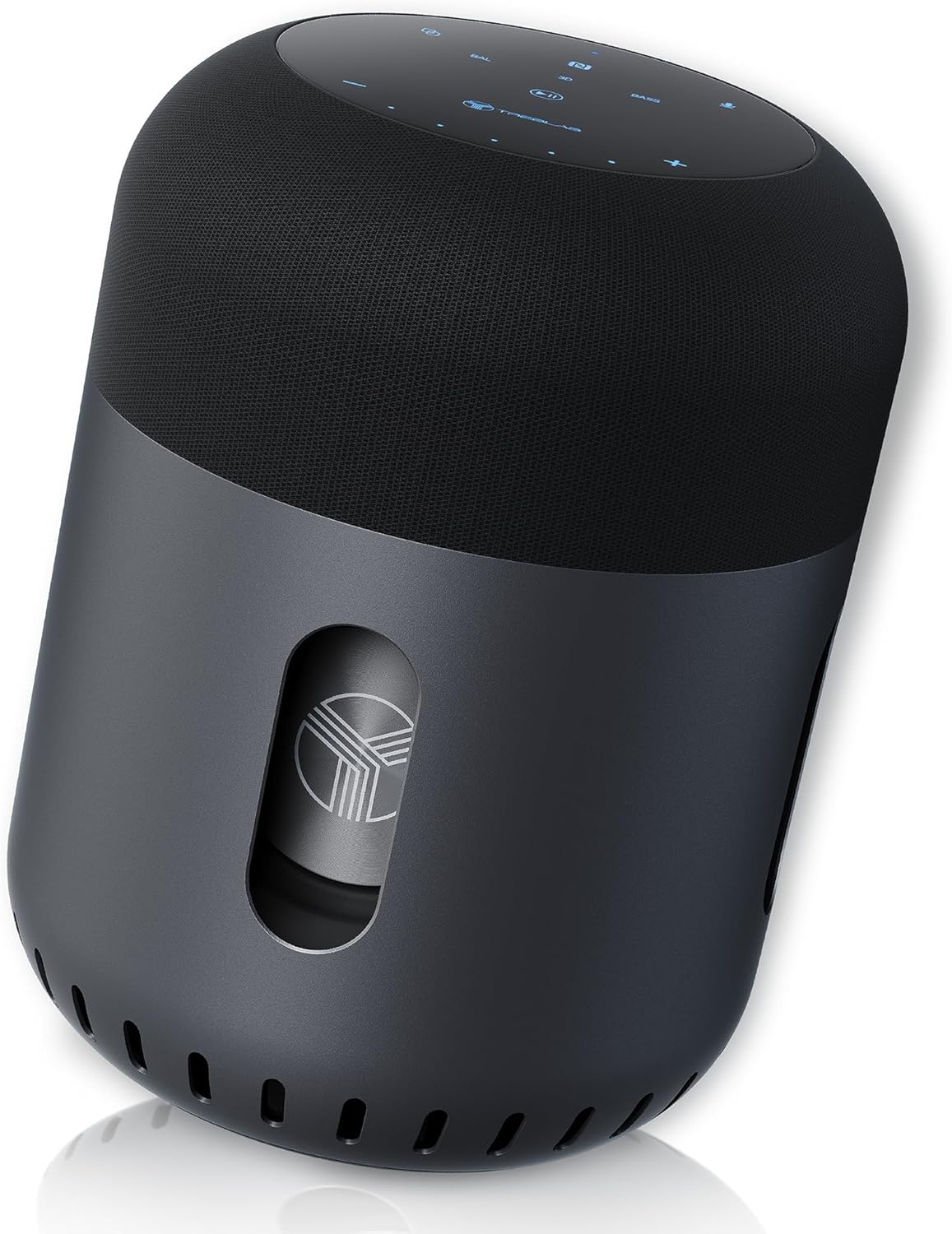
Davant view of the TREBLAB HD-360 Pro speaker, showcasing el seu disseny elegant i la seva construcció robusta.
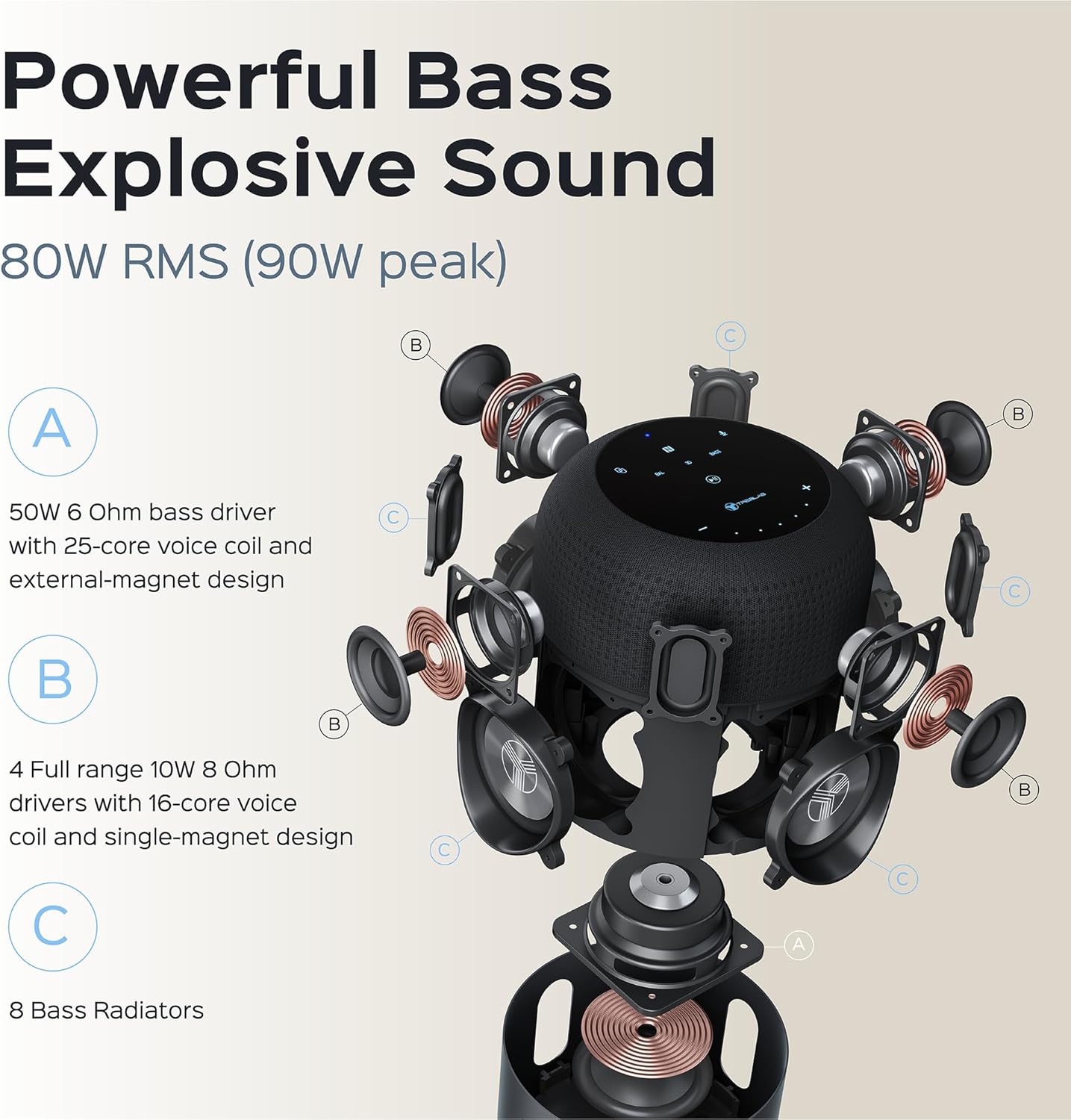
Detall explosionat view illustrating the 5-driver system, subwoofer, and 8 bass radiators for powerful, explosive sound.
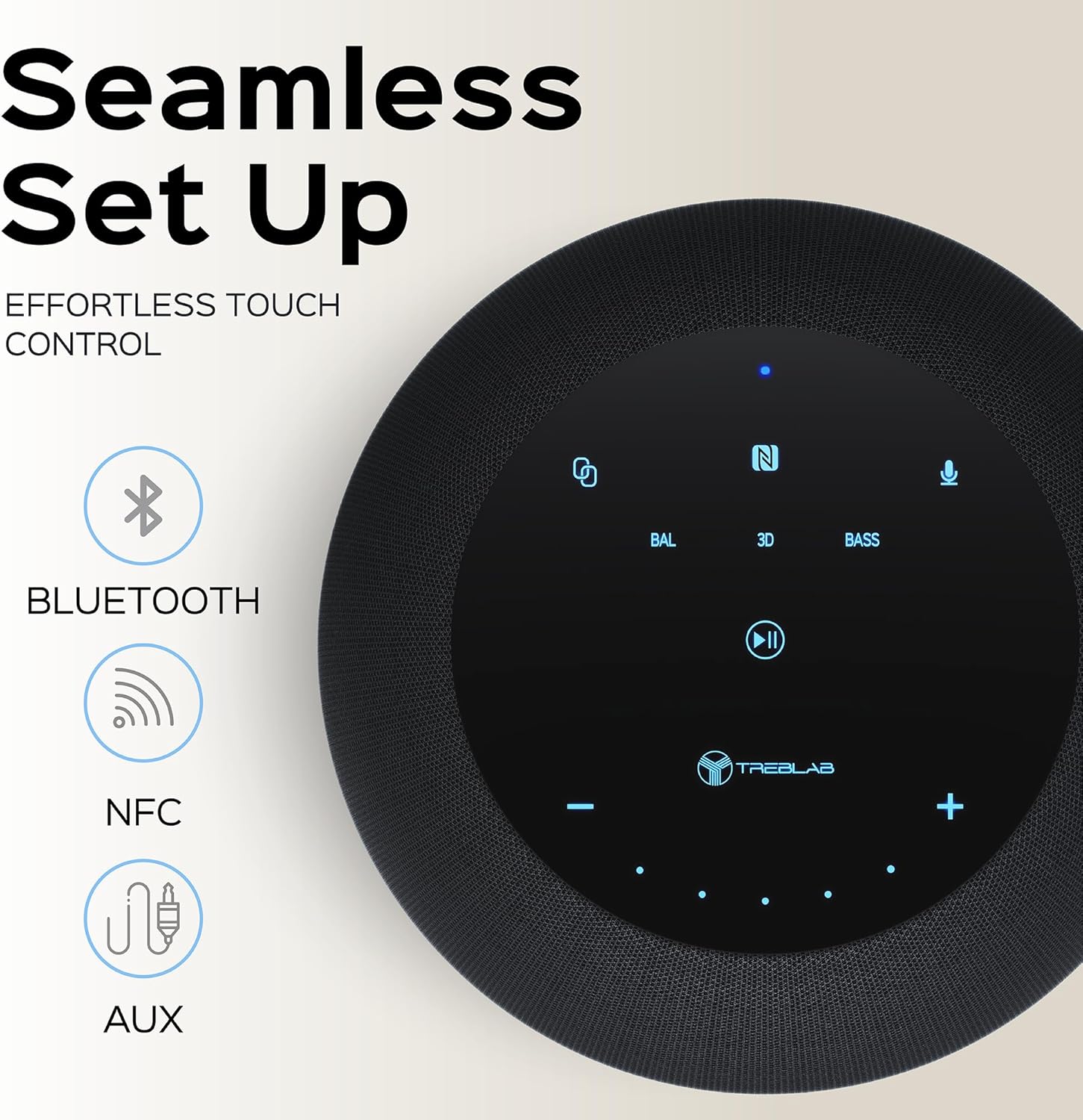
Top panel showing the intuitive touch controls for seamless operation, including Bluetooth, NFC, and AUX input options.

The speaker features an IPX4 waterproof rating, making it resistant to splashes and light rain, suitable for various environments.
4. Configuració
4.1 Càrrega inicial
Before first use, fully charge your TREBLAB HD-360 Pro speaker. Connect the provided USB-C charging cable to the speaker's charging port and a compatible USB power adapter (not included). The charging indicator light will show the charging status. A full charge takes approximately 2 hours.
4.2 Engegada/apagada
To power on the speaker, press and hold the Power button on the top panel until you hear an audible prompt and the indicator lights illuminate. To power off, press and hold the Power button again until the lights turn off.
5. Instruccions de funcionament
5.1 Vinculació Bluetooth
- Assegureu-vos que l'altaveu estigui encès i en mode d'emparellament (indicat per una llum blava intermitent).
- Al dispositiu (telèfon intel·ligent, tauleta, ordinador portàtil), activeu el Bluetooth.
- Cerca available Bluetooth devices and select "TREBLAB HD-360 Pro" from the list.
- Once connected, the indicator light will turn solid blue, and you will hear a confirmation sound.
The speaker supports Bluetooth 5.0 for fast and stable connections up to 34 feet (10 meters).
5.2 Emparellatge estèreo sense fil veritable (TWS)
For an enhanced stereo experience, you can pair two TREBLAB HD-360 Pro speakers together:
- Ensure both speakers are powered on and not connected to any other Bluetooth devices.
- On one speaker (this will be the primary speaker), press and hold the TWS button until you hear a prompt.
- The speakers will automatically search for and connect to each other. Once paired, you will hear a confirmation sound, and the indicator lights will synchronize.
- Connect your device to the primary speaker via Bluetooth as described in section 5.1.

Illustration of two HD-360 Pro speakers connected via TWS for a doubled audio experience.
5.3 Controls tàctils
The HD-360 Pro features intuitive touch controls on its top panel:
- Pujar/baixar el volum: Tap the '+' or '-' icons.
- Reproduir/pausa: Toqueu la icona Reprodueix/Pausa.
- Seguiment anterior / següent: Swipe left or right on the touch surface.
- Respondre/Finalitzar la trucada: Toqueu la icona del telèfon.
- Activa l'Assistent de veu: Tap the Microphone icon.
- Modes de so: Tap 'BAL' for Balanced, '3D' for 3D Surround, or 'BASS' for Bass Boost mode.
5.4 Fer trucades
When connected via Bluetooth, the speaker's built-in microphone allows you to make and receive calls hands-free. Use the Phone icon on the touch panel to manage calls.
6. Càrrega
The TREBLAB HD-360 Pro is equipped with a 15600 mAh battery, providing up to 22 hours of playtime on a single charge. To charge, use the included USB-C cable. The speaker can be used while charging.

Primer pla view of the USB-C charging port and AUX input, protected by a rubber flap.
7. Manteniment i cura
- Neteja: Netegeu l'altaveu amb un drap suau i sec. No utilitzeu productes de neteja abrasius ni dissolvents.
- Resistència a l'aigua: The speaker has an IPX4 rating, meaning it is splash-proof. Do not submerge the speaker in water. Ensure the charging port cover is securely closed when near water.
- Emmagatzematge: Guardeu l'altaveu en un lloc fresc i sec, allunyat de temperatures extremes i de la llum solar directa.
8. Solució De Problemes
| Problema | Causa possible | Solució |
|---|---|---|
| L'altaveu no s'encén | Bateria baixa; no s'ha premut prou estona el botó d'engegada | Charge the speaker; Press and hold Power button for 3-5 seconds |
| No es pot emparellar per Bluetooth | L'altaveu no està en mode d'emparellament; el Bluetooth del dispositiu està desactivat; l'altaveu ja està connectat a un altre dispositiu | Ensure speaker is blinking blue; Turn on device Bluetooth; Disconnect from other devices |
| Sense so | Volum massa baix; Font d'entrada incorrecta; Dispositiu no connectat | Increase volume on speaker and device; Check Bluetooth connection; Ensure AUX cable is fully inserted |
| L'aparellament de TWS falla | Speakers too far apart; One speaker already paired to a device | Place speakers closer; Ensure both speakers are disconnected from other devices before TWS pairing |
9. Especificacions
| Característica | Detall |
|---|---|
| Nom del model | HD-360-Pro |
| Tipus d'altaveu | Subwoofer, Portable Bluetooth Speaker |
| Potència de sortida | 90 watts (màxim) / 80 W RMS |
| Tecnologia de connectivitat | Bluetooth 5.0, AUX, NFC |
| abast sense fils | Fins a 33 peus (10 metres) |
| Durada de la bateria | Fins a 22 hores |
| Capacitat de la bateria | 15600 milionsamp Hores |
| Temps de càrrega | 2 Hours (USB-C Fast Charging) |
| Resistència a l'aigua | IPX4 (a prova d'esquitxades) |
| Material | Metal (Aluminum), ABS, Fabric |
| Dimensions (P x A x A) | 5.79 "P x 7.68" W x 5.79" H |
| Pes de l'article | 5.2 lliures (2.36 kg) |
| Micròfons | 4 (for calls) |
| Canal de so envoltant | 3.0 |
10. Informació de seguretat
- No exposeu l'altaveu a temperatures extremes, llum solar directa ni humitat elevada.
- Eviteu deixar caure o sotmetre l'altaveu a forts impactes.
- Mantenir fora de l'abast dels nens.
- No intenteu desmuntar ni modificar l'altaveu. Això anul·larà la garantia i pot causar danys.
- Utilitzeu només el cable de càrrega subministrat.
- Desfeu-vos de la bateria de manera responsable d'acord amb la normativa local.
11. Garantia i Suport
The TREBLAB HD-360 Pro comes with a limited warranty. Please refer to the included Warranty Card for details regarding coverage and terms. For technical support, troubleshooting assistance, or warranty claims, please visit the official TREBLAB weblloc o poseu-vos en contacte amb el seu servei d'atenció al client.
També podeu trobar el manual d'usuari complet en format PDF aquí.
Visit the TREBLAB Store for more products and information: TREBLAB Official Store


