1. Introducció
This manual provides detailed instructions for the setup, operation, and maintenance of your TECPHILE B023-Black Bluetooth Wireless Foldable Keyboard. Please read this manual thoroughly before using the product to ensure proper functionality and longevity.
2. Contingut del paquet
Verifiqueu que tots els elements siguin presents al paquet del producte:
- 1 x TECPHILE B023-Black Foldable Keyboard
- 1 x cable de càrrega USB-C
- 1 x Adjustable Phone Stand
- 1 x Manual d'usuari (aquest document)
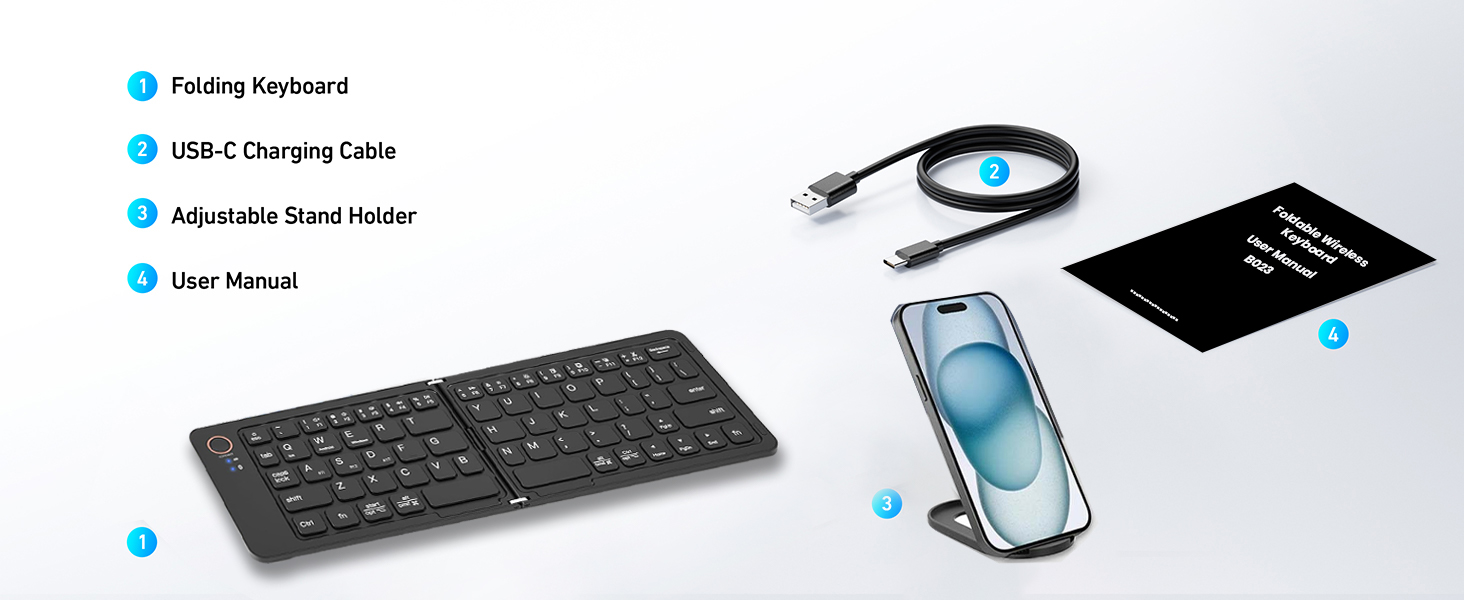
Figure 2.1: Contents of the TECPHILE B023-Black Foldable Keyboard package.
3. Especificacions
| Característica | Descripció |
|---|---|
| Model | B023-Black |
| Connectivitat | Bluetooth 5.1 |
| Sistemes operatius compatibles | iOS, Android, Windows, Mac OS |
| Capacitat de la bateria | Ió de liti de 140 mAh (inclosa) |
| Temps d'ús continu | Fins a 40 hores |
| Temps d'espera | Fins a 180 dies |
| Port de càrrega | USB tipus C |
| Temps de càrrega | 2-3 hores |
| Interval d'operació | Fins a 10 metres |
| Dimensions (plegades) | Aproximadament 17 x 9.5 x 1.5 cm |
| Dimensions (desplegada) | Aproximadament 28 x 9.5 x 0.75 cm (11 x 3.7 x 0.3 polzades) |
| Pes | Aproximadament 170 g |
| Material | Plàstic |
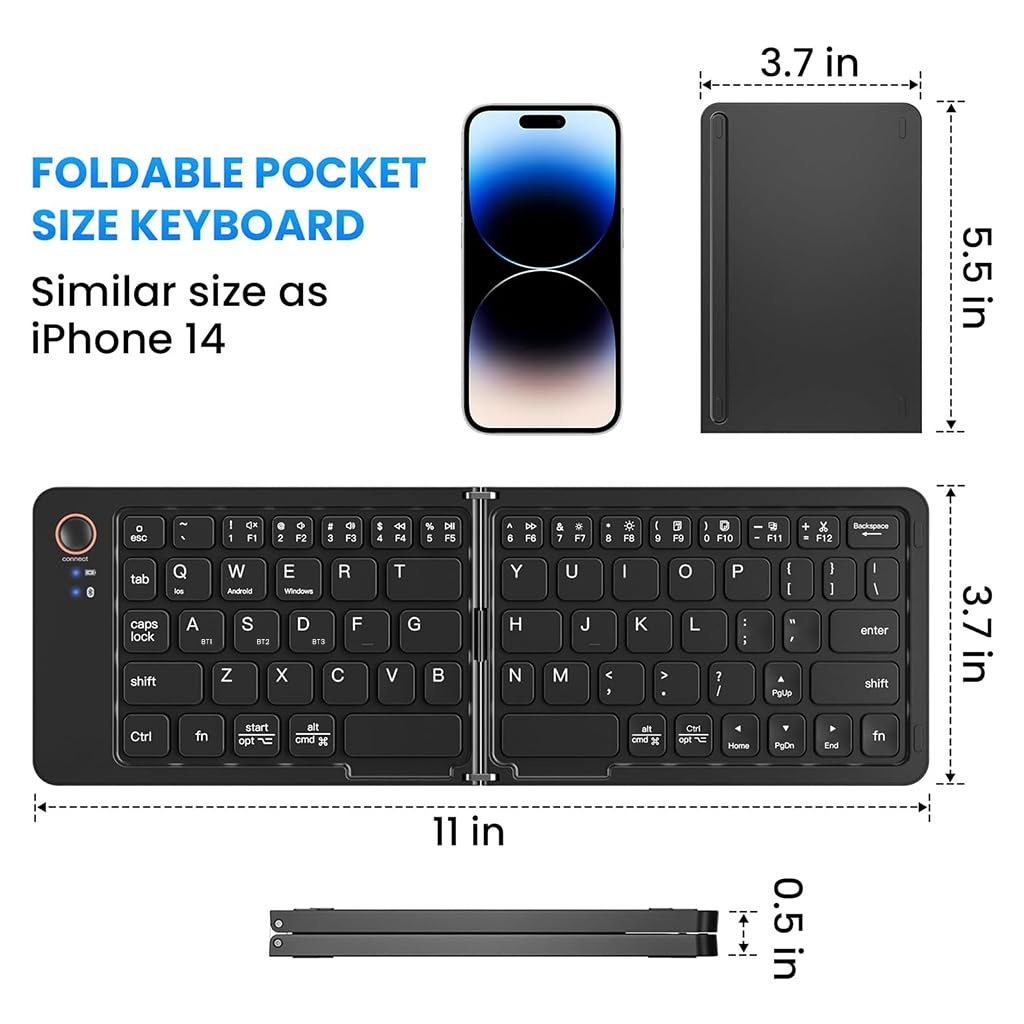
Figure 3.1: Folded and unfolded dimensions of the keyboard.
4. Configuració
4.1. Càrrega del teclat
Before initial use, fully charge the keyboard. Connect the supplied USB-C charging cable to the keyboard's charging port and the other end to a USB power source (e.g., computer, wall adapter). The LED indicator will show charging status and turn off when fully charged.
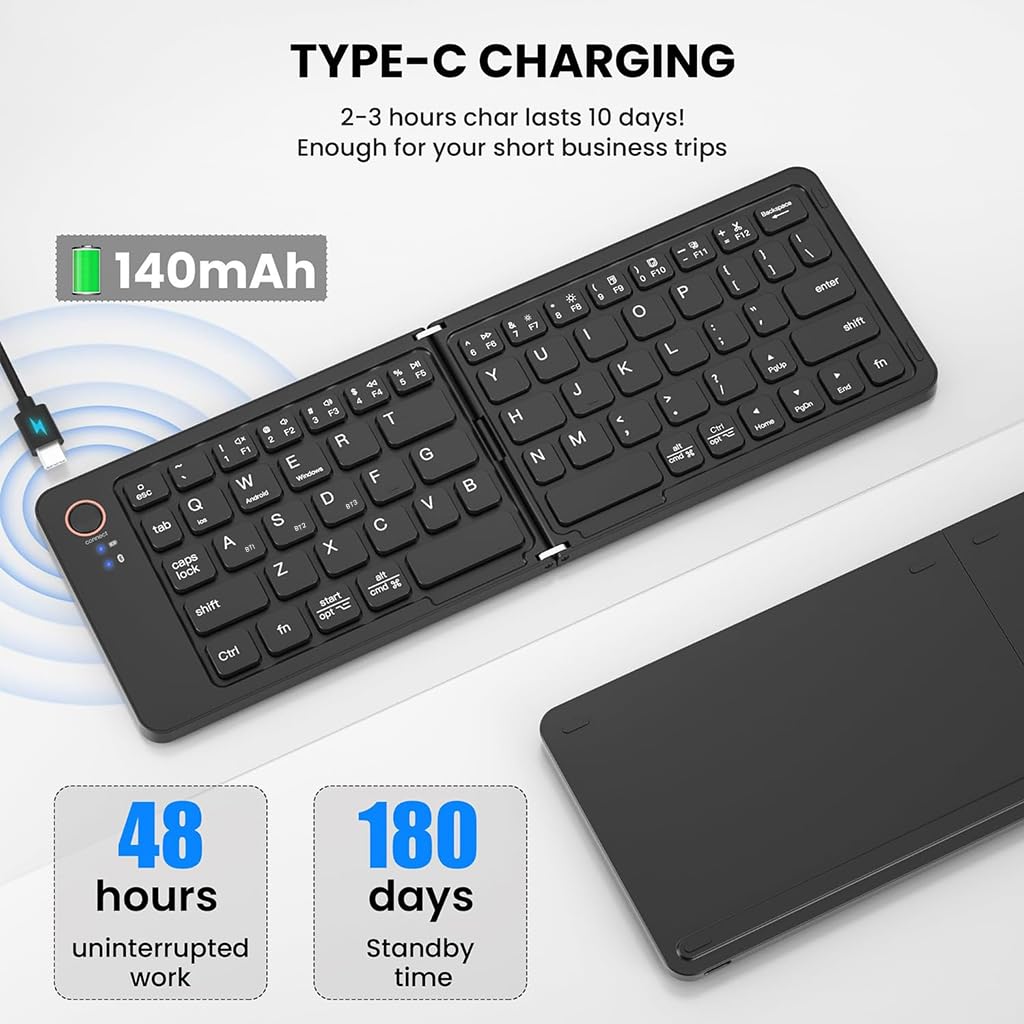
Figure 4.1: Keyboard connected for Type-C charging.
4.2. Encendre/apagar
The keyboard features an automatic power on/off function. Simply unfold the keyboard to power it on, and fold it to power it off. A magnetic closure ensures it stays securely folded when not in use.
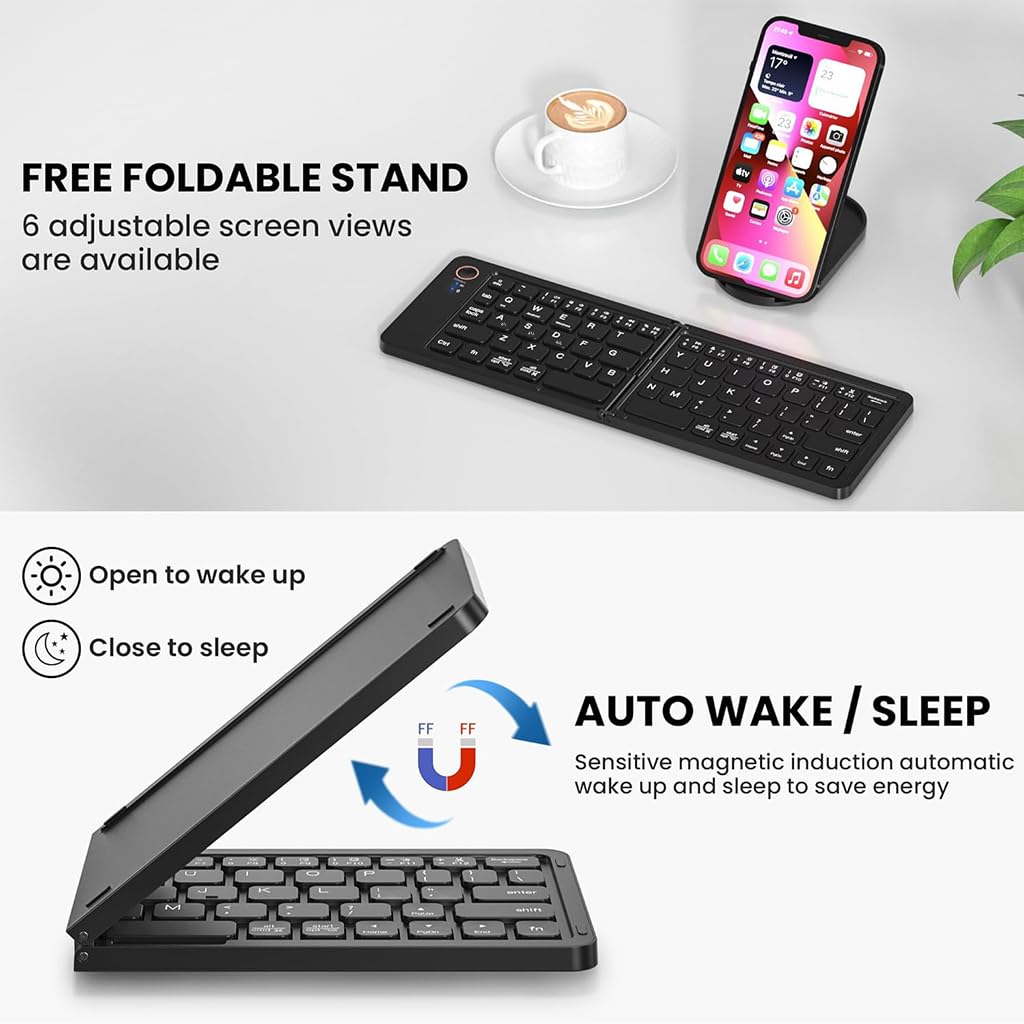
Figure 4.2: Auto wake/sleep functionality.
4.3. Emparellament Bluetooth
The keyboard supports multi-device connectivity, allowing you to pair with up to three devices simultaneously.
- Unfold the keyboard to power it on. The Bluetooth indicator light will begin to flash.
- Al dispositiu (telèfon intel·ligent, tauleta, ordinador portàtil), navegueu fins a la configuració de Bluetooth.
- Seleccioneu 'B023-Black Keyboard' de la llista de dispositius disponibles.
- If prompted, enter the pairing code displayed on your device.
- Once connected, the Bluetooth indicator light will stop flashing.
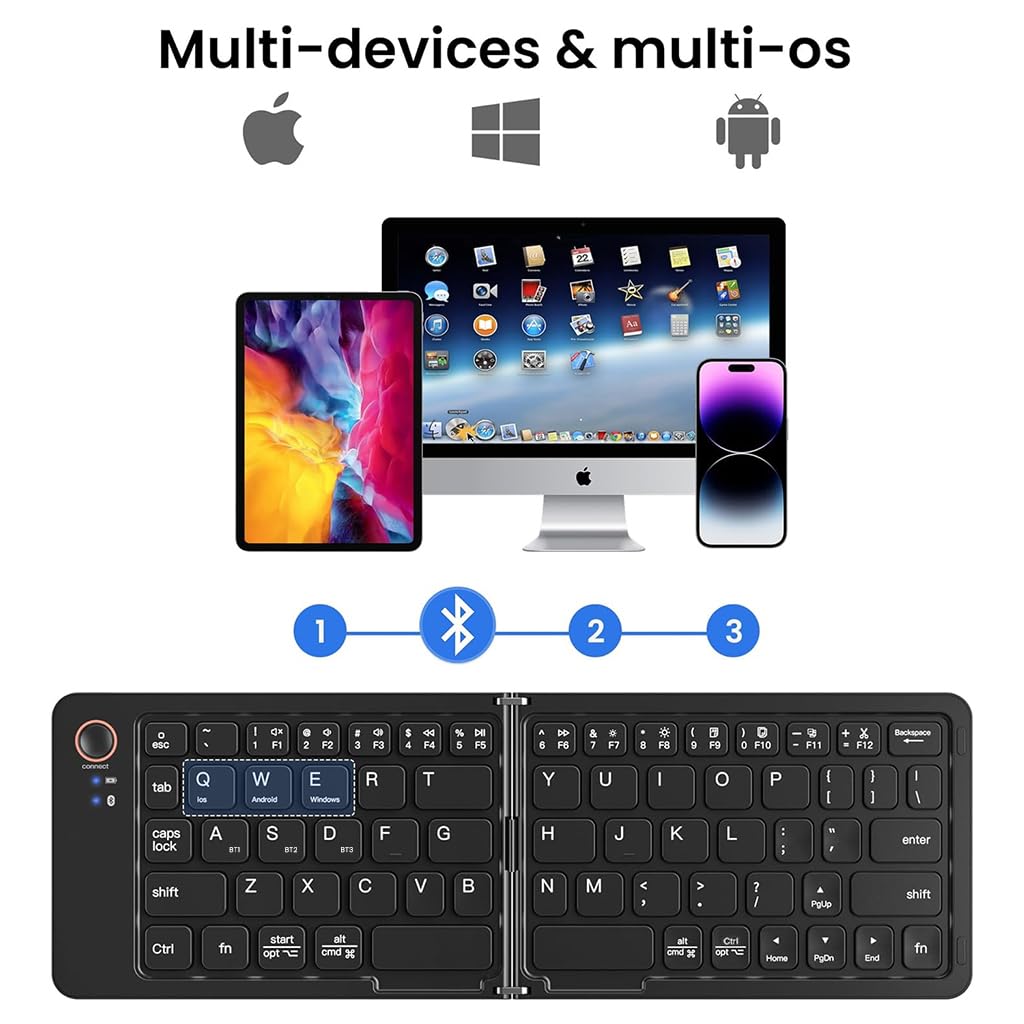
Figure 4.3: Multi-device Bluetooth connectivity.
4.4. Canviar entre dispositius
To switch between paired devices (up to three), press the corresponding function key:
- Premeu Fn + 1 for Device 1
- Premeu Fn + 2 for Device 2
- Premeu Fn + 3 for Device 3
4.5. Canvi de sistema operatiu
The keyboard is compatible with various operating systems. To optimize key functions for your specific OS, press the following key combinations:
- Premeu Fn + Q per a iOS
- Premeu Fn + W per a Android
- Premeu Fn + E per a Windows
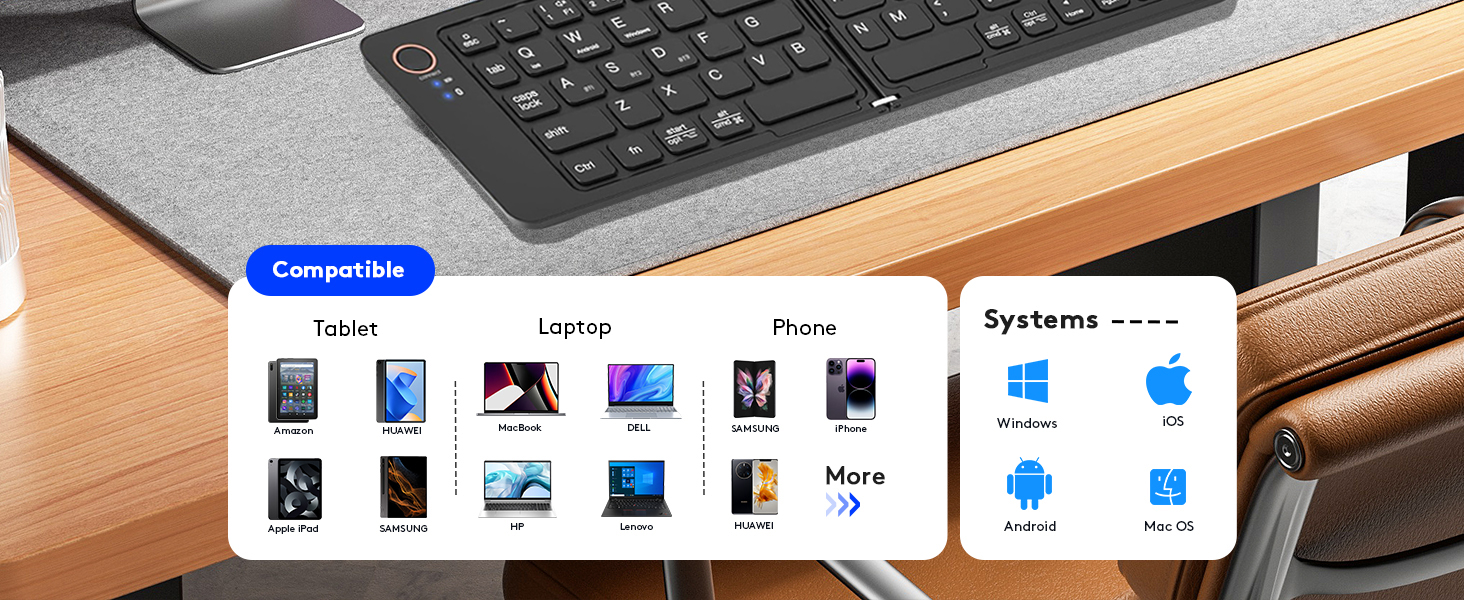
Figure 4.4: Keyboard compatibility across devices and operating systems.
5. Funcionament del teclat
5.1. Funcions bàsiques
The keyboard layout is standard QWERTY. Most keys function as they would on a full-sized keyboard. Special function keys (F1-F12) may require pressing the Fn key simultaneously, depending on your operating system setting.
5.2. Indicadors LED
- Indicador Bluetooth: Flashes during pairing, solid when connected, off when disconnected.
- Indicador de bloqueig de majúscules: S'il·lumina quan el Bloq Maj està activat.
- Indicador de càrrega: Illuminates during charging, turns off when fully charged.
5.3. Using the Adjustable Phone Stand
The included adjustable phone stand can be used to hold your smartphone or tablet at a comfortable viewing angle while using the keyboard. It is crafted from sturdy plastic and offers multiple viewangles d'ajust.

Figure 5.1: Keyboard in use with the adjustable phone stand.
6. Manteniment
6.1. Neteja
Per netejar el teclat, netegeu suaument la superfície amb un drap suau iamp cloth. Avoid using harsh chemicals or abrasive materials that could damage the finish. Ensure the keyboard is powered off and disconnected from any charging source before cleaning.
6.2. Emmagatzematge
When not in use, fold the keyboard to protect the keys and conserve battery life. Store it in a cool, dry place away from direct sunlight and extreme temperatures. The compact, foldable design makes it easy to store in a bag or pocket.
Figure 6.1: Keyboard stored in a backpack.
7. Solució De Problemes
- El teclat no es connecta per Bluetooth:
Ensure the keyboard is charged and powered on (unfolded). Make sure Bluetooth is enabled on your device and the keyboard is within the 10-meter operating range. Try unpairing and re-pairing the keyboard. If connecting to a new device, ensure previous connections are not active on other devices. - Les tecles no responen o s'escriuen incorrectament:
Check the battery level. Ensure the correct operating system mode is selected (Fn+Q for iOS, Fn+W for Android, Fn+E for Windows). If certain keys like 'Y' and 'Z' are swapped, your device's keyboard layout might be set to a non-standard English layout (e.g., QWERTZ). Adjust your device's keyboard language settings to 'English (US)' or the appropriate standard layout. - El teclat no es carrega:
Verify that the USB-C cable is securely connected to both the keyboard and the power source. Try using a different USB-C cable or power adapter. - Auto sleep mode not working:
The keyboard enters auto sleep mode after 10 minutes of inactivity. If it's not sleeping, ensure no keys are being accidentally pressed. It will automatically wake and reconnect when any key is pressed.
8. Garantia i Suport
For warranty information or technical support, please refer to the contact details provided on the product packaging or visit the official TECPHILE weblloc web. Conserveu el rebut de compra com a comprovant de compra per a reclamacions de garantia.
Fabricant: TECFILE
Correu electrònic d'atenció al client: Customercare@conceptkart.com
9. Informació de seguretat
- No exposeu el teclat a l'aigua ni a una humitat excessiva.
- Eviteu deixar caure el teclat ni sotmetre'l a impactes forts.
- No intenteu desmuntar ni reparar el teclat vosaltres mateixos. Això anul·larà la garantia.
- Keep the keyboard away from extreme temperatures and direct heat sources.
- Desfeu-vos de la bateria d'acord amb la normativa local. No la incinereu.


