1. Introducció
The Logitech Combo Touch is a versatile keyboard case designed to enhance your iPad Air 11-inch (M3 & M2) experience. It combines a protective case, a full-size keyboard, and a high-precision trackpad, offering multiple modes for typing, viewing, sketching, and reading. This manual will guide you through the setup, operation, and maintenance of your Combo Touch to ensure you get the most out of its features.

Image: The Logitech Combo Touch keyboard case, featuring a full keyboard and trackpad, with an iPad Air securely attached and open, ready for use.
2. Configuració
2.1 Connectar el vostre iPad
- Align your iPad Air with the Combo Touch case, ensuring the camera cutout and ports match.
- Gently press your iPad into the case until it is securely seated. The case is designed to provide snug and protective fit.
2.2 Smart Connector Connection
The Combo Touch keyboard connects to your iPad Air via the Smart Connector. This eliminates the need for Bluetooth pairing or separate charging. Simply attach the keyboard to the case, and it will instantly power on and be ready for use, drawing power directly from your iPad.

Image: An iPad Air securely fitted into the Logitech Combo Touch case, demonstrating the integrated design and compatibility with the device.
3. Modes de funcionament
The Logitech Combo Touch offers four versatile modes to adapt to your needs:
- Mode d'escriptura: Dock the keyboard upright and use the integrated kickstand to adjust the viewing angle for comfortable typing.
- ViewMode d'acció: Detach the keyboard and use the adjustable kickstand to watch videos or presentations.
- Mode d'esbós: Fully extend the kickstand to a lower angle, ideal for drawing or writing with Apple Pencil.
- Mode de lectura: Plegueu el suport cap enrere i separeu el teclat per a una experiència de lectura còmoda amb la mà.

Image: A collage of four distinct images illustrating the Logitech Combo Touch in its various operational modes: Typing, Viewing, Sketch, and Reading, showcasing la seva adaptabilitat.
4. Característiques
4.1 Teclat desmuntable
The keyboard can be easily detached from the case, allowing you to switch between typing and non-typing tasks seamlessly. This flexibility makes the Combo Touch ideal for both productivity and entertainment.

Imatge: Un primer pla view of the Logitech Combo Touch keyboard, detached from the iPad case, highlighting its Japanese layout and portable design.
4.2 Precision Trackpad
The integrated trackpad offers precise navigation and supports multi-touch gestures, providing a laptop-like experience. It is designed to be larger than previous models, enhancing usability and control.

Image: A detailed close-up of the large, responsive trackpad on the Logitech Combo Touch keyboard, emphasizing its smooth surface and integrated design.
4.3 Enhanced Protection and Design
The Combo Touch case provides robust protection for your iPad Air against bumps, scratches, and spills. Despite its protective capabilities, it maintains a lightweight and thin profile, making it easy to carry.
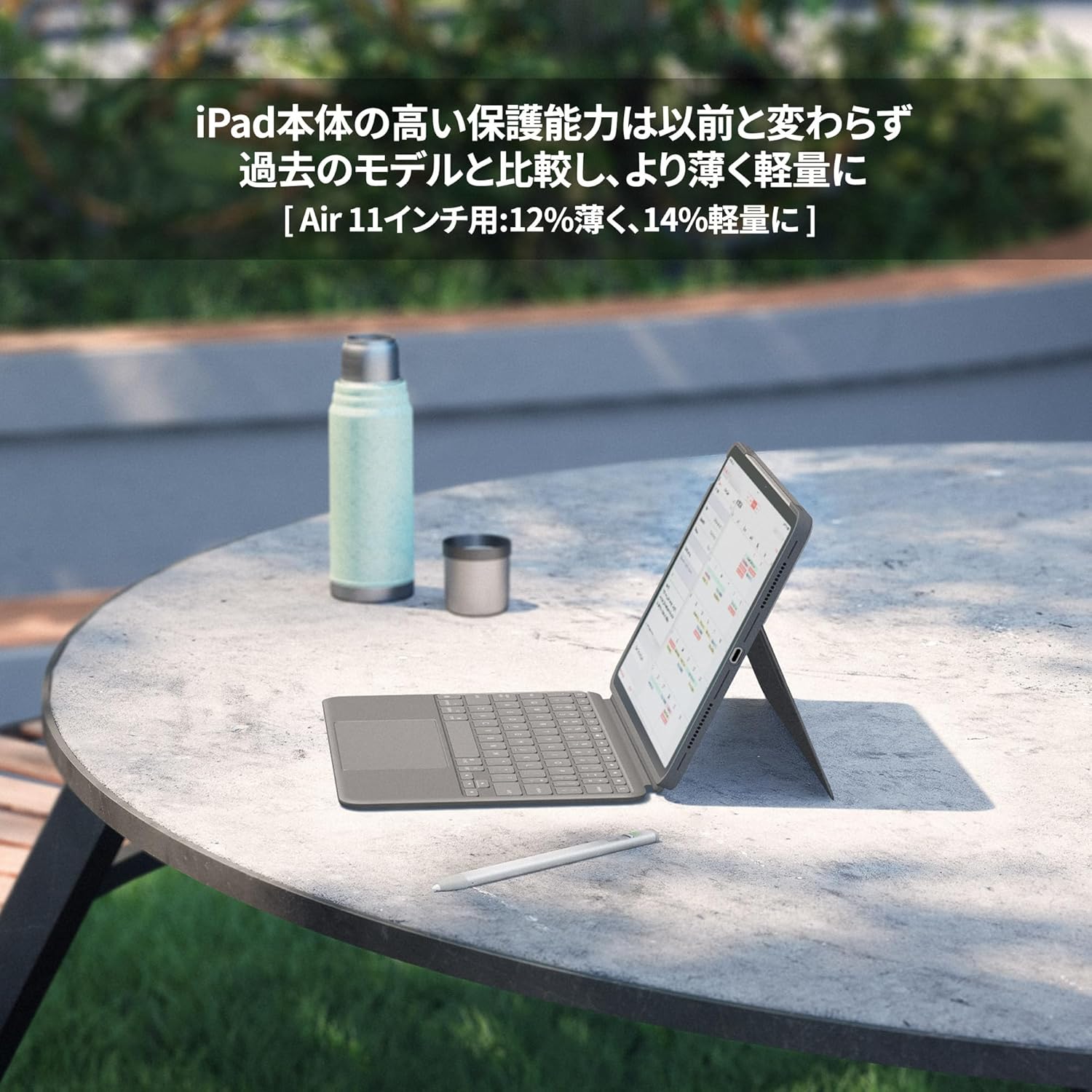
Imatge: Un professional lateralfile view of the Logitech Combo Touch case with an iPad Air, showcasing its slim design and the adjustable kickstand in use on an outdoor table.
4.4 Sustainable Materials
Logitech is committed to sustainability. The Combo Touch is made with sustainable materials, including recycled plastics, contributing to a reduced environmental footprint.

Image: The Logitech Combo Touch keyboard case with two circular icons, one purple and one gold, symbolizing the use of recycled and sustainable materials in its construction.
5. Manteniment
- Neteja de la caixa: Utilitzeu un suau, damp cloth to wipe down the exterior of the case. Avoid harsh chemicals or abrasive cleaners.
- Neteja del teclat: Use a soft, lint-free cloth to gently wipe the keys. For stubborn dirt, a slightly damp cloth can be used. Ensure no liquid enters the keyboard.
- Cleaning the Trackpad: Wipe the trackpad surface with a clean, dry microfiber cloth.
- Emmagatzematge: When not in use for extended periods, store the Combo Touch in a cool, dry place away from direct sunlight.
6. Solució De Problemes
| Problema | Causa possible | Solució |
|---|---|---|
| El teclat no respon | Loose Smart Connector connection; iPad software issue. | Ensure the iPad is correctly seated in the case and the Smart Connector is clean. Restart your iPad. |
| Trackpad not working | Software glitch; dirty trackpad surface. | Restart your iPad. Clean the trackpad surface. Check iPad accessibility settings for trackpad options. |
| Les tecles són enganxoses o no responen | Restes sota les claus. | Gently clean around and under the affected keys using compressed air or a soft brush. |
7. Especificacions
- Nom del model: COMBO TOUCH
- Número de model del producte: iK1178GRA
- Dispositius compatibles: iPad Air 11-inch (M3), iPad Air 11-inch (M2), iPad Air 11-inch (5th Generation)
- Color: Oxford Gray
- Disseny del teclat: Japanese QWERTY
- Nombre de claus: 78
- Característiques: Trackpad, Detachable Keyboard
- Font d'alimentació: Powered by iPad via Smart Connector (No batteries required)
- Pes del producte: Aproximadament 495 g
- Dimensions del paquet: 28.8 x 22 x 2.7 cm
8. Garantia i Suport
Logitech products are manufactured to the highest quality standards. For information regarding warranty coverage, technical support, or service, please visit the official Logitech support website or contact your local customer service representative. Please retain your proof of purchase for warranty claims.
Logitech Official Weblloc: www.logitech.com


