Producte acabatview
The Herdio 6.5 Inch 800W Outdoor Bluetooth Speakers system provides high-quality audio for various environments, including patios, homes, poolside areas, decks, and backyards. This system includes four passive speakers and a multifunctional amplifier, offering robust sound and versatile connectivity options.
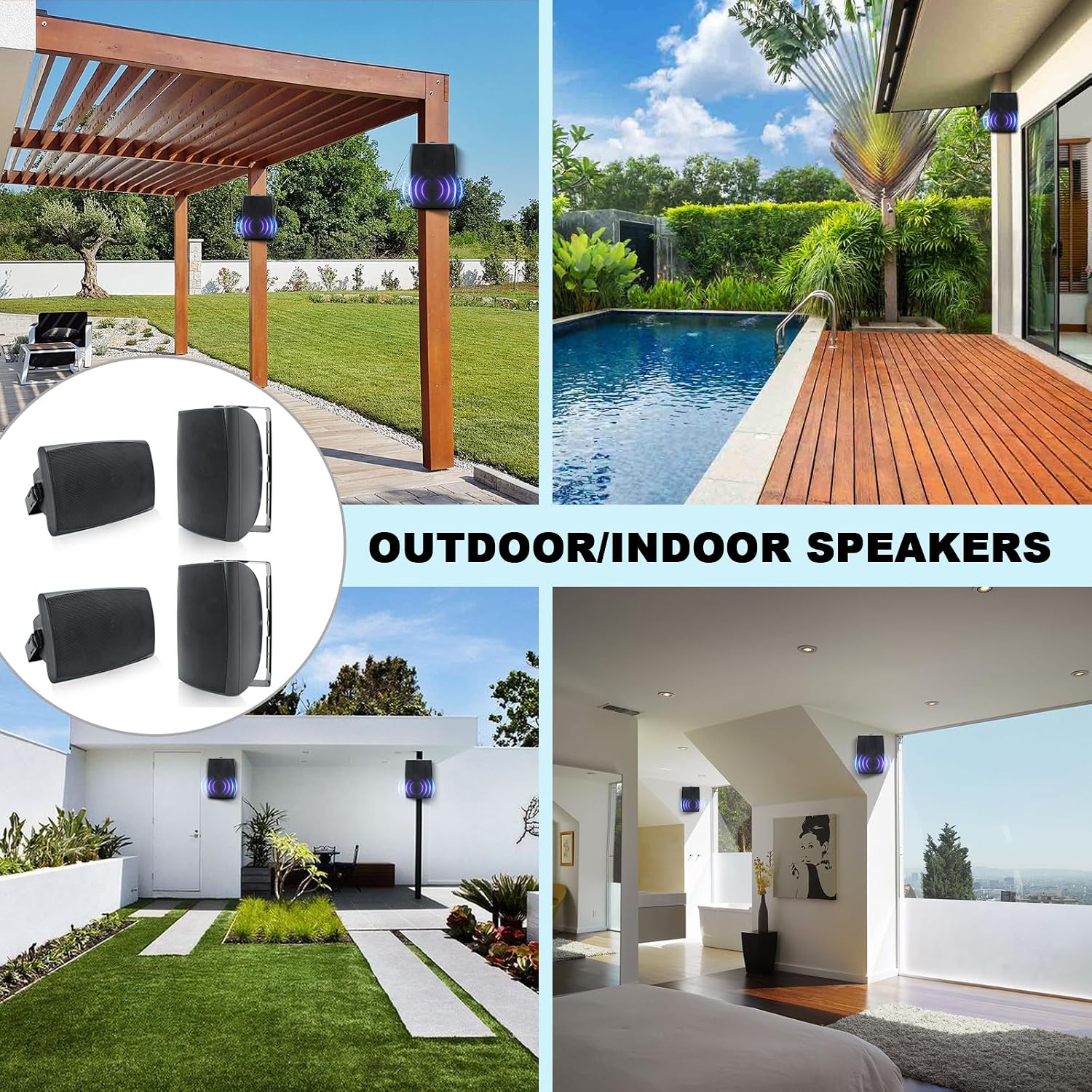
Image: Herdio 6.5-inch speakers installed in different indoor and outdoor environments, showcasing la seva versatilitat.

Imatge: Una completa view of the four Herdio 6.5-inch outdoor speakers and the accompanying ampunitat més viva.
Guia de configuració
Què s'inclou
Abans de començar la instal·lació, assegureu-vos que tots els components estiguin presents al paquet:
- 4 x Passive Speakers
- 1 x Four Channel Ampmés viu
- 1 x 24V5A-US Power Cable
- 4 x 5M Speaker Cables
- 1 manual d'usuari

Image: Visual representation of all items included in the Herdio speaker system package.
Speaker Cable Connection
Connect the speaker cables to the speakers and then to the amplifier. Ensure correct polarity: red for positive (+) and black for negative (-).

Image: A clear diagram illustrating the wiring connections between the four speakers and the 4-channel ampmés viu.
Video: Demonstrates the process of connecting speaker cables to the speakers and amplifier, including proper polarity (0:16 - 0:28).
Muntatge dels altaveus
The speakers come with easy-install swivel brackets allowing for a 90-120 degree swivel range. To install, first turn the knob on the speaker to detach the bracket. Fix the bracket to your desired surface using appropriate nails or screws. Once the bracket is secured, place the speaker onto the bracket and tighten it with the knob.
Video: Illustrates how to remove the bracket, fix it to a surface, and then reattach the speaker, demonstrating the swivel functionality (0:29 - 0:41).
Amplifier and Power Connection
After connecting the speaker cables to the amplifier, plug the amplifier into the provided power supply. Ensure the power supply is connected to a suitable electrical outlet.
Video: Shows the final steps of connecting the amplifier to the power supply and plugging it into an electrical outlet (0:42 - 0:54).
Emparellament Bluetooth
Un cop el amplifier is powered on, it will enter Bluetooth pairing mode. On your mobile device, navigate to Bluetooth settings and select "HOS-602" to connect. A voice prompt will confirm successful pairing.
Video: Demonstrates how to pair your device with the amplifier via Bluetooth, including the voice prompt confirmation (0:54 - 1:00).
Instruccions de funcionament
AmpControls més vius
El amplifier features several controls for managing playback and modes:

Image: Detailed diagram of the amplifier's front panel with numbered controls and their corresponding functions.
- Botó d'encesa: Press and hold for 3 seconds to power on/off. Short press to play/pause. Press and hold for 3 seconds to restore factory settings.
- Botó de mode: Short press to switch between Bluetooth, AUX, USB, and MIC modes.
- Volume Down / TWS: Press and hold for 3 seconds to turn on/off TWS mode. Short press to decrease volume.
- Volume Up / Mono: Press and hold for 3 seconds to turn on/off Mono Mode. Short press to increase volume.
- Previous Track / Rewind: Press and hold for 3 seconds to fast rewind. Short press to go to the previous song.
- Pista següent / Avançament ràpid: Press and hold for 3 seconds to fast forward. Short press to go to the next song.
Audio Input Modes
El amplifier supports multiple audio input modes:
- Bluetooth: Connecteu-vos sense fil al vostre telèfon intel·ligent, tauleta o altres dispositius compatibles amb Bluetooth.
- AUX: Use the auxiliary input for wired connections to audio sources.
- USB: Reprodueix àudio files directament des d'una unitat USB.
- MIC: Connect a microphone for public address or karaoke functions.
- TWS (True Wireless Stereo): Allows for linking multiple compatible speakers for a wider stereo soundstage.
Manteniment
Waterproofing and Weather Resistance
The Herdio outdoor speakers are designed with IP66 grade waterproofing, making them safe for use in various weather conditions, including rain, snow, and sun. The heavy-duty ABS construction ensures durability in outdoor environments.

Image: The speakers are shown with water splashing on them, highlighting their IP66 waterproof design.
Video: A demonstration of the speakers' waterproofing capabilities, showing water being poured over them while they continue to function (1:08 - 1:19).
Neteja
To maintain the appearance and performance of your speakers, wipe them down with a soft, damp cloth as needed. Avoid using harsh chemicals or abrasive cleaners. Ensure the speaker grills are free from debris to maintain optimal sound quality.
Resolució de problemes
If you encounter any issues with your Herdio speaker system, refer to the following common troubleshooting steps:
| Problema | Causa possible | Solució |
|---|---|---|
| Sense poder | Cable d'alimentació no connectat; Problema amb la presa de corrent. | Assegureu-vos que el cable d'alimentació estigui connectat correctament a amplifier and a working power outlet. Check the power indicator light on the ampmés viu. |
| No hi ha so dels altaveus | Incorrect speaker wiring; Volume too low; Incorrect input mode. | Verify speaker cable polarity (red to positive, black to negative). Increase the volume on both the amplifier and your connected device. Press the MODE button to cycle through input modes (Bluetooth, AUX, USB, MIC). |
| Bluetooth no connectat | Dispositiu massa lluny; AmpEl lifier no està en mode d'emparellament; Interferència. | Ensure your device is within the 65-foot Bluetooth range. Press and hold the power button on the amplifier to restore factory settings and re-enter pairing mode. Move closer to the amplifier and away from other electronic devices that may cause interference. |
| Distorted Sound at High Volume | Excedit amplifier; Source audio quality. | Baixeu el nivell de volum de la amplifier or your connected device. Ensure the audio source is of good quality. |
Especificacions
Detailed technical specifications for the Herdio 6.5 Inch 800W Outdoor Bluetooth Speakers:
- Nom del model: SZJW-4-602BTB
- Tipus d'altaveu: A l'aire lliure
- Mida de l'altaveu: 6.5 polzades
- Potència de sortida màxima dels altaveus: 800 Watts (200 Watts Each)
- Entrada Voltage: 24 Volts
- Material: Acrilonitril butadiè estirè (ABS)
- Tipus de muntatge: Muntatge de paret
- Característica especial: Bluetooth, Waterproof
- Usos recomanats per al producte: Garden, Indoor, Outdoor, Patio, Swimming Pool
- Dispositius compatibles: Smartphone, Tablet, Laptop, MP3 Player, Desktop, Television, Projector
- Recompte d'unitats: 1.0 Count (referring to the system)
- Configuració del canal de so envoltant: 4.0
- Color: Negre
- Dimensions del producte (L*W*H): 30 cm x 17 cm x 21 cm de profunditat
- És impermeable: True (IP66 Grade)
- Tecnologia de comunicació sense fils: Bluetooth
- Font d'alimentació: Elèctric amb cable
- Ràtio senyal / soroll: 89 dB
- Diàmetre del woofer: 6.5 polzades
- Rang Bluetooth: 65 peus
- Resposta de freqüència: 60-20 KHZ
- Impedància: 6 ohms

Image: Visual representation of the speaker's dimensions.

Imatge: Una imatge interna view of the speaker, detailing its high-performance components and specifications like impedance and frequency response.
Garantia i Suport
Informació de la garantia
This product comes with a limited warranty. Please refer to the included Owner's Manual for specific terms and conditions regarding warranty coverage.
Atenció al client
For further assistance, technical support, or inquiries, please contact Herdio Direct. You can also visit the official Herdio Store for more product information and resources.
Official Herdio Store: Herdio Store on Amazon
Always refer to the physical Owner's Manual provided with your product for the most comprehensive and up-to-date information.