1. Producte acabatview
The SSYING 1080P Video Doorbell Camera is designed to enhance your home security with its advanced features and user-friendly operation. This manual provides detailed instructions for setup, operation, and maintenance to ensure optimal performance of your device.

Image: The SSYING 1080P Video Doorbell Camera, its accompanying indoor chime, and a smartphone displaying a live feed from the doorbell.
Video: An official product video demonstrating the key features and functionality of the SSYING 1080P Video Doorbell, including its weather resistance, motion detection, two-way audio, and night vision capabilities.
2. Contingut del paquet
Si us plau, comproveu que tots els articles estiguin presents i en bon estat en obrir el paquet:
- Video Doorbell Camera (1 pc)
- Indoor Chime (1 pc)
- Cargols i ancoratges de muntatge
- Cinta adhesiva de doble cara
- Manual d'usuari
3. Característiques clau
The SSYING Video Doorbell is equipped with several advanced features for comprehensive security:
3.1 1080P HD Camera & IR Night Vision
Experience crystal-clear video with 1080P Full HD resolution. The doorbell automatically activates infrared night vision mode in low-light conditions, ensuring clear visibility even at night.

Image: A split image demonstrating the doorbell's clear color day vision on the left and its infrared night vision (black and white) on the right, showing a house scene.
3.2 Smart Human Detection
The built-in PIR sensor detects human presence and sends instant alerts to your mobile phone. You can customize detection levels to minimize false alarms.

Image: An illustration showing a person within the defined human detection zone of the doorbell, with an alert notification displayed.
3.3 Àudio bidireccional
Communicate directly with visitors at your door using the integrated microphone and speaker, enabling clear, real-time two-way conversations from your smartphone.
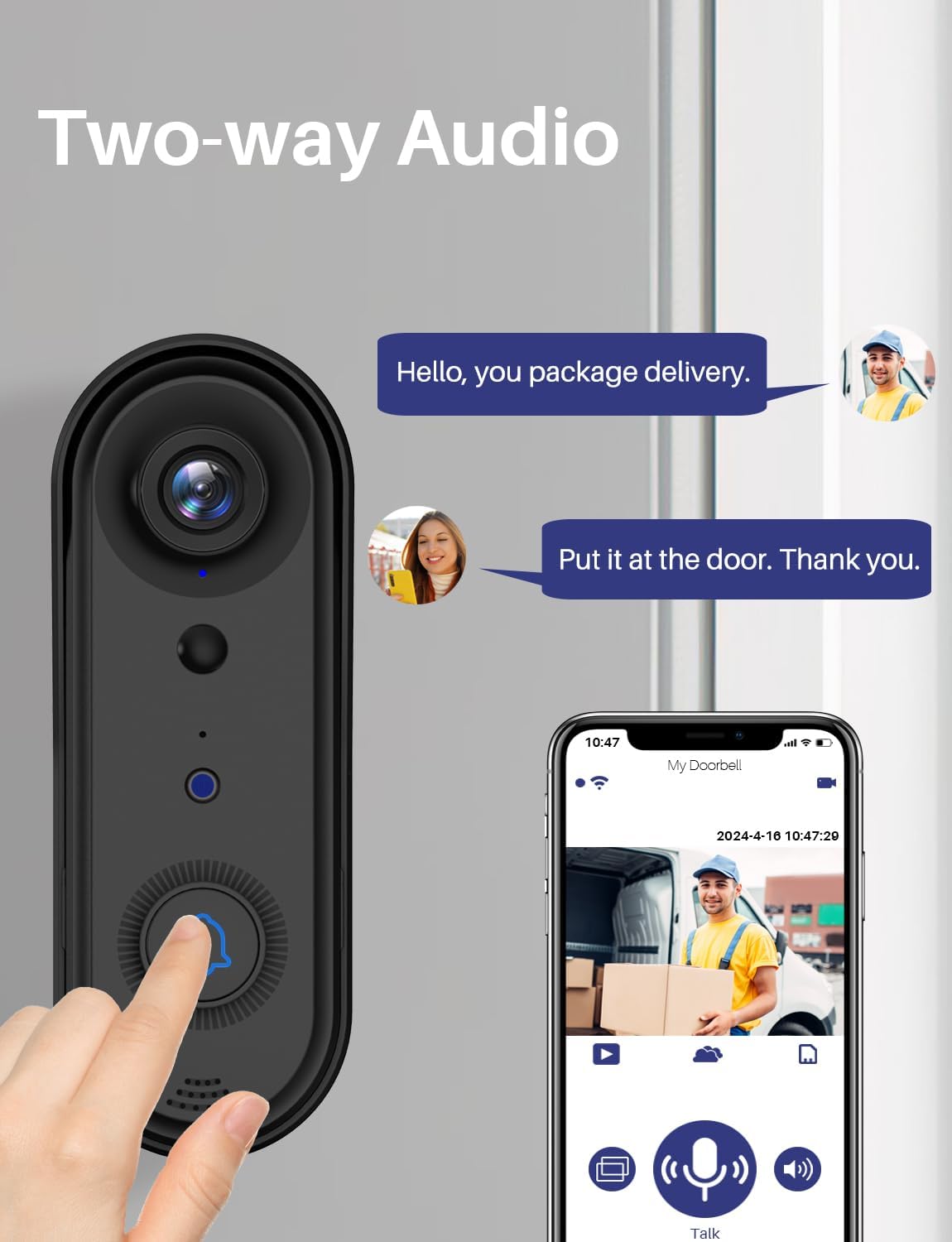
Image: A visual representation of the two-way audio feature, showing a person at the door and a smartphone screen with a live view and communication interface.
3.4 IP65 Waterproof Design
The doorbell is rated IP65 waterproof, providing reliable operation in various outdoor weather conditions, including rain and snow.

Image: The doorbell mounted outdoors, with simulated rain demonstrating its IP65 waterproof capability.
3.5 Secure Storage Options
The doorbell supports both local storage via a Micro SD card (up to 128GB, not included) and secure cloud storage services. A 1-year free trial of 2-day loop cloud storage is included.
3.6 Easy Wireless Installation
Designed for quick and simple wireless setup, the doorbell connects via 2.4Ghz WiFi for a stable signal. Installation can typically be completed in about 10 minutes.
4. Guia de configuració
Follow these steps to set up your SSYING Video Doorbell:
- Carrega el timbre: Ensure the doorbell is fully charged before installation.
- Descarrega l'aplicació: Cerca the recommended app (refer to packaging or quick start guide) on your smartphone's app store (iOS or Android) and install it.
- Crea un compte: Obriu l'aplicació i seguiu les instruccions que apareixen a la pantalla per crear un compte d'usuari nou.
- Afegeix un dispositiu: In the app, select 'Add Device' or the '+' icon and choose 'Video Doorbell'. Follow the pairing instructions, which typically involve scanning a QR code on the doorbell or pressing a button to enter pairing mode.
- Connecta't a Wi-Fi: Connect the doorbell to your 2.4Ghz Wi-Fi network. (Note: 5Ghz Wi-Fi is not supported).
- Muntar el timbre de la porta: Choose a suitable location near your front door. Use the provided screws and anchors or double-sided adhesive tape to securely mount the doorbell. Ensure the camera has a clear view de la zona desitjada.
- Plug in the Chime: Plug the indoor chime into a power outlet within range of the doorbell. It will automatically pair with the doorbell.
- Funcionalitat de prova: Test the doorbell by pressing the button. Verify that the chime rings and you receive notifications and live video on your smartphone.
5. Instruccions de funcionament
Once set up, operate your video doorbell using the dedicated mobile application:
- Viu View: Open the app to access a live video feed from your doorbell camera at any time.
- Xerrada bidireccional: When a visitor rings the doorbell or motion is detected, you will receive a notification. Tap the notification to open the live view and use the microphone icon to speak with the visitor.
- Alertes de moviment: Configure motion detection sensitivity and zones within the app to receive alerts for activity at your door.
- Reproducció de vídeo: Access recorded video clips from the app. Recordings are stored on your Micro SD card (if installed) or in the cloud storage.
- Chime Settings: Adjust the volume and select different melodies for the indoor chime through the app.
- Accés compartit: You can share access to your doorbell's live feed and features with family members or trusted friends through the app's sharing options.
6. Manteniment
To ensure the longevity and optimal performance of your video doorbell:
- Netegeu la lent: Periodically wipe the camera lens with a soft, dry cloth to remove dust and smudges that may affect video clarity.
- Comproveu el nivell de la bateria: Monitor the battery status via the app and recharge as needed.
- Actualitzacions de firmware: Keep the doorbell's firmware updated through the app to benefit from new features and security enhancements.
- Estabilitat de la xarxa: Ensure your 2.4Ghz Wi-Fi network is stable and strong at the doorbell's location for consistent performance.
7. Solució De Problemes
If you encounter issues with your SSYING Video Doorbell, refer to the following common problems and solutions:
| Problema | Causa possible | Solució |
|---|---|---|
| El timbre no es connecta a la Wi-Fi | Incorrect Wi-Fi password; 5Ghz network; too far from router. | Double-check password; ensure 2.4Ghz network is selected; move router closer or use a Wi-Fi extender. |
| Sense alertes de detecció de moviment | PIR sensor blocked; sensitivity too low; detection zone not set. | Clear obstructions; increase sensitivity in app; configure detection zones. |
| Poor video quality at night | Infrared lights obstructed; dirty lens. | Assegureu-vos de clar view for IR lights; clean camera lens. |
| L'àudio bidireccional no funciona | Microphone/speaker blocked; app permissions. | Check for obstructions; grant microphone permissions to the app in phone settings. |
| El timbre no sona | Chime unplugged; not paired; volume too low. | Ensure chime is plugged in; re-pair if necessary; increase chime volume in app. |
8. Especificacions tècniques
| Especificació | Detall |
|---|---|
| Número de model | 1080P-SSJ2 |
| Resolució de vídeo | 1080p HD |
| Connectivitat | Wireless 2.4Ghz Wi-Fi |
| Font d'alimentació | Alimentat per piles (2 piles de liti-ió incloses) |
| Resistència a la intempèrie | Impermeable IP65 |
| Visió nocturna | Infrared (IR) Night Vision |
| Àudio | Àudio bidireccional |
| Opcions d'emmagatzematge | Targeta Micro SD (fins a 128 GB, no inclosa), emmagatzematge al núvol |
| Dimensions (L x A x A) | 5.51 x 1.77 x 1.18 polzades |
| Pes de l'article | 12.5 unces |
| Dispositius compatibles | Android, iPhone |
9. Garantia i Suport
SSYING products are designed for reliability and performance. For warranty information or technical support, please refer to the contact details provided on the product packaging or visit the official SSYING website. Our customer service team is available to assist you with any questions or issues you may encounter during the use of your video doorbell.