1. Introducció
This manual provides detailed instructions for the safe and effective use of your xTool Mini Heat Press Machine. Please read this manual thoroughly before operating the device and retain it for future reference. The xTool Mini Heat Press is designed for heat transfer applications on various materials, including fabrics, wood, and ceramics.
2. Informació de seguretat
Per garantir un funcionament segur, observeu les precaucions següents:
- Always place the heat press on a heat-resistant surface.
- Do not touch the hot plate during or immediately after use. Use the insulated safety base provided.
- Mantenir fora de l'abast dels nens i mascotes.
- Desendolleu el dispositiu quan no l'utilitzeu o abans de netejar-lo.
- No submergiu el dispositiu en aigua o altres líquids.
- Ensure the power cord is not damaged and avoid placing heavy objects on it.
- The device features an automatic shut-off function after 11 minutes of inactivity for enhanced safety.
- Utilitzeu-ho en una zona ben ventilada.

Imatge: The xTool Mini Heat Press highlights its safety features, including an 11-minute auto-off, V0 flame-retardant materials, an insulated safety base, and overheat protection, ensuring safe operation for users.
3. Contingut del paquet
Verifiqueu que tots els elements siguin presents al paquet:
- xTool Mini Heat Press Machine
- Base de seguretat aïllada
- Cable d'alimentació
- Manual d'usuari (aquest document)
4. Producte acabatview
Familiarize yourself with the components of your xTool Mini Heat Press:
- Placa de calor: The heating surface for transfers.
- Mànec: Ergonomically designed for comfortable grip and pressure application.
- Botó d'encesa: Controls power on/off and temperature settings.
- Llums indicadores: Display current temperature level and heating status.
- Insulated Safety Base: Provides a safe resting place for the hot press.
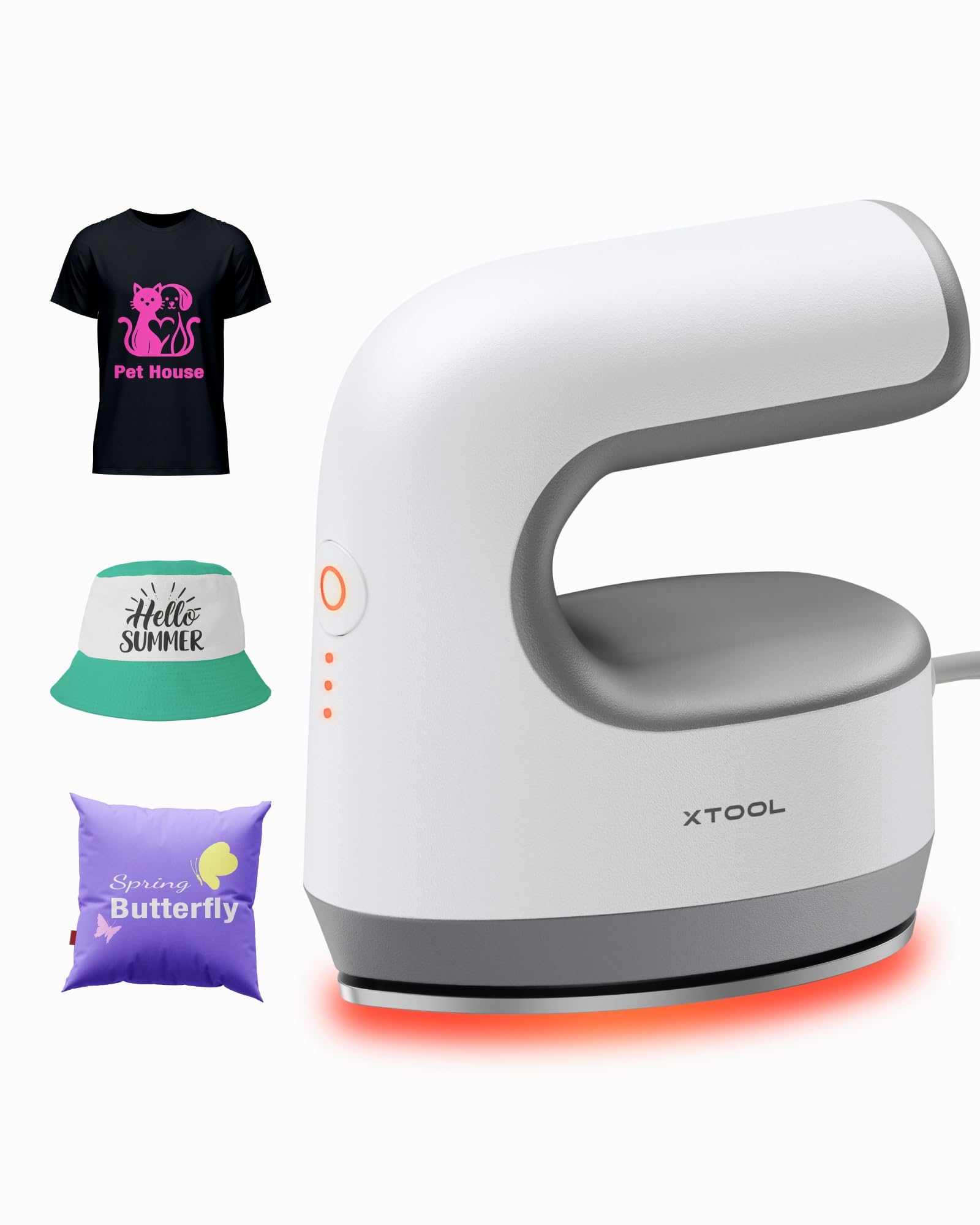
Imatge: The xTool Mini Heat Press Machine shown resting on its insulated safety base, highlighting its compact design.

Imatge: A visual comparison illustrating the ergonomic open handle of the xTool Mini Heat Press, designed for easier and more comfortable holding compared to a closed-handle design.

Imatge: A visual comparison showing the xTool Mini Heat Press with a larger heat plate (platen) compared to another mini press, indicating its suitability for a wider range of project sizes.
5. Configuració
Follow these steps to set up your xTool Mini Heat Press:
- Unpack the xTool Mini Heat Press and its accessories.
- Col·loqueu la base de seguretat aïllada sobre una superfície estable i resistent a la calor.
- Plug the power cord into the heat press and then into a standard electrical outlet. The device will beep once, and the power indicator light will illuminate.
- If using the optional Control Pod (not included), insert the transceiver from the Control Pod into the designated port on the Mini Heat Press. The Control Pod allows for precise temperature and time control.
Vídeo: This video demonstrates the compatibility of the xTool Mini Heat Press with an optional Control Pod (not included), showing how to connect the transceiver for advanced temperature and time control.
6. Instruccions de funcionament
6.1. Power On and Temperature Selection
- Press the Power Button once to turn on the device. The orange indicator light will show, indicating low-level preheating.
- Press the Power Button repeatedly to cycle through the three temperature settings:
- Nivell baix: 295 °C (145 °F)
- Middle Level: 355 °C (180 °F)
- Alt nivell: 400 °C (205 °F)
- The indicator lights will change to green when the selected temperature is reached.

Imatge: A visual representation of the xTool Mini Heat Press's three heat settings, indicating the corresponding temperatures for Low, Medium, and High levels.
Vídeo: This video demonstrates the rapid heating capability of the xTool Mini Heat Press, showing it reaches operating temperature in approximately 2 minutes.
6.2. Heat Transfer Application
The xTool Mini Heat Press is suitable for various heat transfer materials, including HTV, DTF, and sublimation projects. Always refer to the specific instructions for your transfer material for optimal temperature and time settings.
- Prepare your material (e.g., T-shirt, shoe, hat) by ensuring it is clean and wrinkle-free.
- Place your transfer design onto the material in the desired position.
- Cover the design with a protective sheet (e.g., parchment paper, Teflon sheet).
- Once the Mini Heat Press reaches the desired temperature, place it firmly over the design. Apply even pressure.
- Hold the press in place for the recommended time (typically 10-60 seconds, depending on the material and transfer type). For larger designs, move the press in sections, overlapping slightly to ensure full coverage.
- Carefully lift the heat press and place it back on its safety base.
- Allow the material to cool according to your transfer material's instructions (cold peel or warm peel).
- Gently peel off the protective sheet and transfer film.

Imatge: A visual guide illustrating the simple three-step process for heat transfer using the xTool Mini Heat Press: Set the design, Press with the device, and achieve a successful transfer on a plush toy.

Imatge: Una exposició de collageasing the wide range of applications for the xTool Mini Heat Press, including customizing shoes, acrylic keychains, canvas bags, socks, stuffed toys, t-shirts, and earrings.
Vídeo: This video provides a review of the xTool Mini Heat Press, demonstrating its ease of use and effectiveness for various heat transfer projects.
Vídeo: This video illustrates the process of using the xTool Mini Heat Press to create custom fall-themed shirts, showcasing its application on fabric.
7. Manteniment
Proper maintenance ensures the longevity and performance of your heat press:
- Neteja: After the device has cooled completely, wipe the heat plate with a soft, damp tela. No utilitzeu netejadors abrasius ni dissolvents.
- Emmagatzematge: Store the Mini Heat Press on its insulated safety base in a dry, cool place, away from direct sunlight and moisture.
- Cura del cordó: Avoid wrapping the power cord tightly around the device. Store it loosely to prevent damage.
8. Solució De Problemes
Si teniu problemes, consulteu els següents problemes i solucions habituals:
| Problema | Causa possible | Solució |
|---|---|---|
| El dispositiu no s'encén. | El cable d'alimentació no està connectat correctament; no hi ha corrent a la presa de corrent. | Comproveu la connexió del cable d'alimentació; proveu la presa de corrent amb un altre dispositiu. |
| Heat plate not heating up. | Incorrect temperature setting; device malfunction. | Ensure correct temperature level is selected; contact customer support if issue persists. |
| La transferència no s'adhereix correctament. | Insufficient heat or pressure; incorrect time; material incompatibility. | Increase temperature/time/pressure as per transfer material instructions; ensure material is suitable for heat transfer. |
| El dispositiu s'apaga automàticament. | 11-minute inactivity safety feature activated. | This is normal operation. Press the power button to restart. |
9. Especificacions
| Característica | Detall |
|---|---|
| Número de model | xTool Mini Heat Press |
| Marca | xTool |
| Temperatura màxima | 400 °C (205 °F) |
| Configuració de calor | 3 (Low: 295°F, Mid: 355°F, High: 400°F) |
| Temps de calefacció | Approx. 2 minutes to 400°F |
| Pes de l'article | 0.77 lbs (1.94 lbs with packaging) |
| Dimensions del producte | 7.48 x 5.12 x 8.66 polzades |
| Característiques de seguretat | 11-min Auto-off, V0 Flame-retardant materials, Overheat Protection, Insulated Safety Base |
| Usos recomanats | T-shirts, bags, ceramic coasters, wood, acrylic, hats, shoes, keychains, socks, stuffed toys |
10. Garantia i assistència
For warranty information and technical support, please refer to the official xTool weblloc web o contacteu directament amb el servei d'atenció al client. Conserveu el rebut de compra com a comprovant de compra per a reclamacions de garantia.
- Assistència en línia: Visit the xTool official weblloc web amb preguntes freqüents, tutorials i informació de contacte.
- Suport per correu electrònic: Reach out via email for assistance with product issues.
- Suport telefònic: Contact the dedicated support line for immediate help.


