1. Introducció
This manual provides detailed instructions for the proper use and maintenance of your Sandberg Pocket Radio FM+AM Recharge, Model 421-02. Please read this manual thoroughly before operating the device to ensure optimal performance and longevity.
2. Producte acabatview
The Sandberg Pocket Radio is a compact, portable device designed for receiving FM and AM radio broadcasts. It features a built-in rechargeable battery and a digital display for easy tuning.
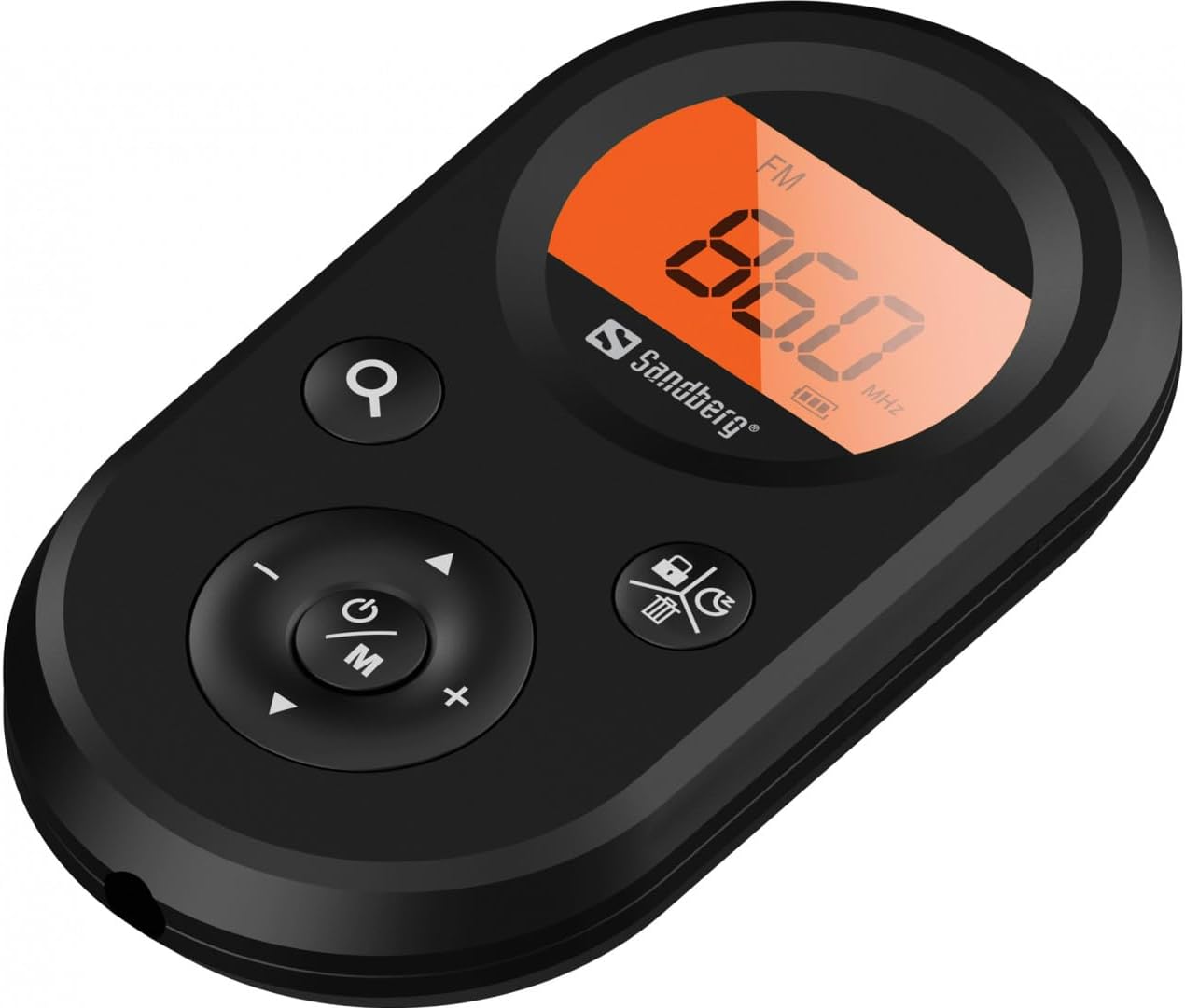
Figura 1: Frontal view of the Sandberg Pocket Radio, displaying the frequency and controls.
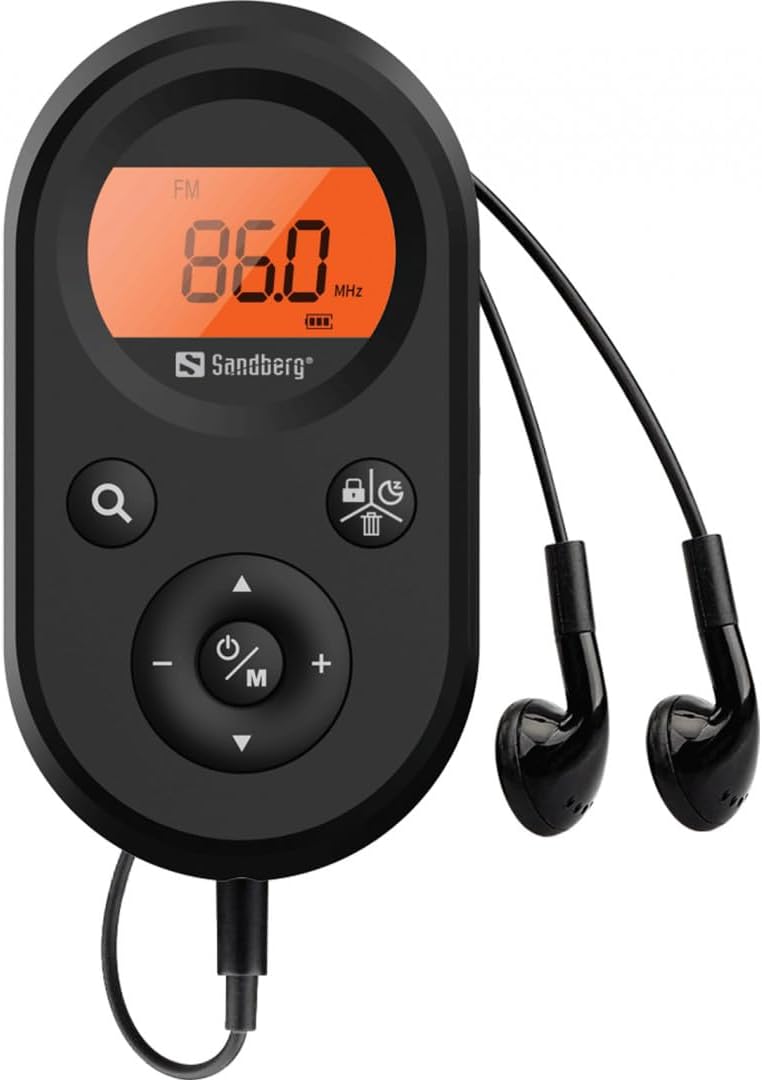
Figure 2: The radio connected to the included earphones, which also function as the FM antenna.
Contingut del paquet:
- 1 x Sandberg Pocket Radio FM+AM Recharge (Model 421-02)
- 1 x Auricular
- 1 x Charging cable (USB-A to USB-C, 50 cm)
3. Configuració
3.1 Càrrega de la bateria
- Connect the small end of the included USB-C charging cable to the charging port on the radio.
- Connect the standard USB-A end of the cable to a USB power adapter (not included) or a computer's USB port.
- The radio's display will indicate charging status. A full charge typically takes a few hours.
- Disconnect the charging cable once the battery is fully charged.
3.2 Connecting Earphones
The included earphones are essential for operation as they serve as the antenna for FM reception. Without them, FM reception will be severely limited or non-existent.
- Insert the 3.5mm jack of the earphones into the earphone port on the radio.
- Assegureu-vos que la connexió sigui segura.
4. Instruccions de funcionament
4.1 Encès/Apagat
- Per encendre la ràdio, premeu i manteniu premut el botó Power/Mode (ⓘ/M) button for approximately 2-3 seconds. The display will light up.
- To power off the radio, press and hold the Power/Mode (ⓘ/M) button again for approximately 2-3 seconds. The display will turn off.
4.2 Mode Selection (FM/AM)
- While the radio is powered on, short press the Power/Mode (ⓘ/M) button to switch between FM and AM radio bands. The current band will be indicated on the display.
4.3 Estacions d'afinació
- Escaneig automàtic: To automatically scan for and store available stations, press and hold the Search (⌕) button. The radio will scan through the frequency range and save stations with strong signals.
- Sintonització manual: To manually tune to a specific frequency, short press the Amunt (▲) or Avall (▼) buttons to adjust the frequency incrementally.
4.4 Control de volum
- Per augmentar el volum, premeu el botó Puja el volum (+) botó.
- Per baixar el volum, premeu Baixar el volum (-) botó.
4.5 Mostra informació
The digital display shows the current radio band (FM or AM), the tuned frequency, and the battery level indicator.
5. Manteniment
5.1 Neteja
- Netegeu l'exterior de la ràdio amb un drap suau i sec.
- Do not use abrasive cleaners, solvents, or strong chemicals, as these can damage the surface.
- Eviteu que entri humitat a cap obertura.
5.2 Cura de la bateria
- Per allargar la durada de la bateria, eviteu descarregar-la completament amb freqüència.
- Guardeu la ràdio en un lloc fresc i sec quan no la feu servir durant períodes prolongats.
- Recarrega la bateria periòdicament si l'has emmagatzemat durant molt de temps per evitar una descàrrega profunda.
6. Solució De Problemes
- Sense energia: Ensure the battery is charged. Connect the radio to a power source using the USB-C cable.
- Sense so: Check that the earphones are securely plugged in. Adjust the volume using the Puja el volum (+) botó.
- Mala recepció d'FM: Ensure the earphones are fully plugged in, as they function as the FM antenna. Try repositioning the radio or the earphone cable for better signal.
- Cannot Save Favorite Stations: This model does not support saving favorite radio stations. Stations are found via automatic scan or manual tuning each time.
- La pantalla no funciona: If the display is blank or flickering, try recharging the battery. If the issue persists, contact customer support.
7. Especificacions
| Característica | Especificació |
|---|---|
| Número de model | 421-02 |
| Rang de freqüències AM | 522-1710 KHz (9KHz) / 520-170KHz (10KHz) |
| Interval de freqüència FM | 76-108 MHz |
| Sensibilitat AM | <20mV/m |
| FM Signal to Noise Ratio | > 40 db |
| Potència de sortida màxima | 6.5 mW |
| Capacitat de la bateria | 5000 mAh, 3.7V (1.85 Wh) |
| Tecnologia de connectivitat | Auxiliary (for earphones/antenna) |
| Font d'alimentació | Funciona amb bateria |
| Pes de l'article | 60 grams (2.12 unces) |
8. Garantia i Suport
Sandberg products are manufactured to high quality standards. For information regarding warranty terms and conditions, or for technical support, please refer to the official Sandberg weblloc web o contacteu directament amb el seu servei d'atenció al client. Conserveu el rebut de compra com a comprovant de compra.


