Introducció
This manual provides detailed instructions for setting up, operating, and maintaining your Ajazz AK820MAX 75% Mechanical Keyboard. Please read this manual thoroughly before using the product to ensure optimal performance and longevity.
Característiques del producte
- TFT Smart Display & Knob: Features a high-definition TFT color screen displaying time, connectivity modes, battery status, and custom GIF animations. The integrated knob allows for quick adjustments.
- Gasket Structure & PCB Single Key Slotting: Designed with a gasket structure and 1.2mm thick PCB single key slotting for enhanced resilience, stability, and a softer, more elastic typing feel. Multiple internal fillings reduce noise for a pure and pleasant sound.
- Connectivitat trimodal: Supports wireless connectivity via Bluetooth 5.1, 2.4GHz, or a wired Type-C USB cable. Easily switch between modes for efficient multitasking across various devices.
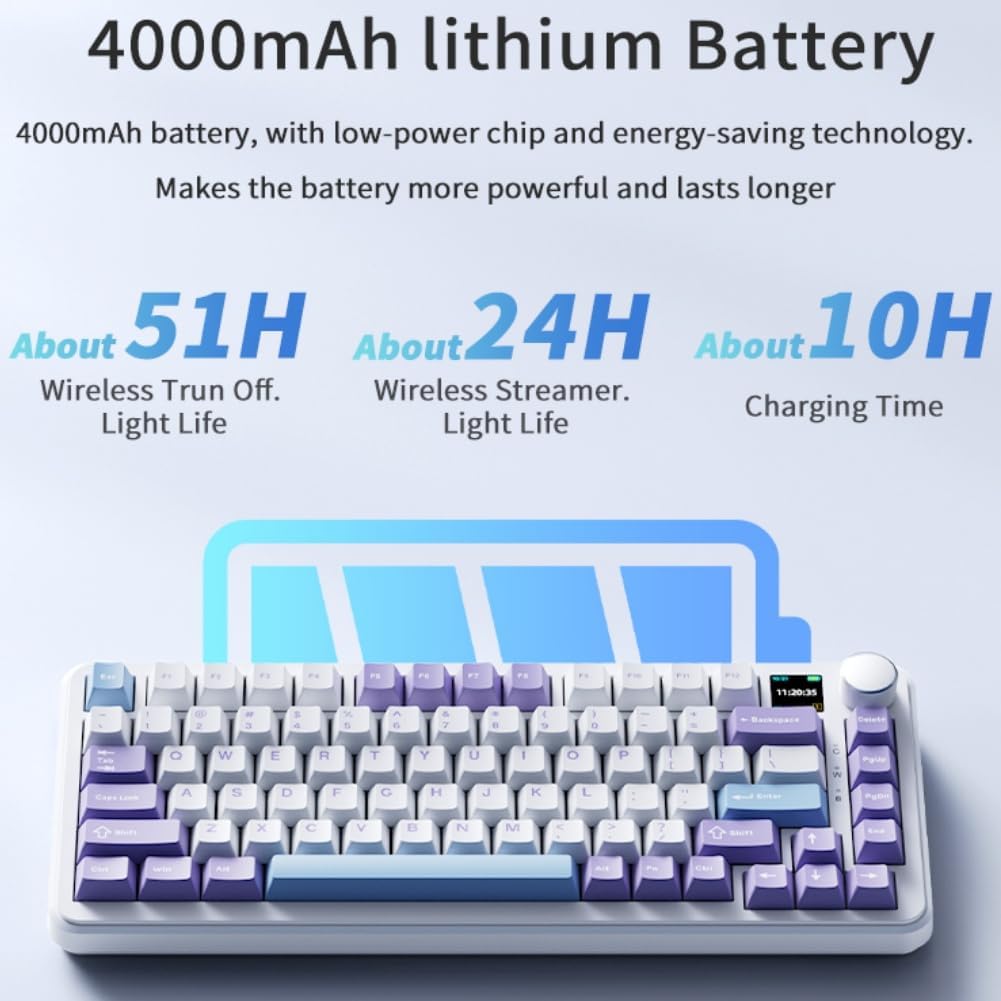
- Bateria de llarga durada: Equipped with an 8000mAh battery for extended use without frequent recharging.
- RGB Backlighting with Music Rhythm: Offers 20 customizable backlighting effects, including a mode that synchronizes with music playback.
- 75% Hot-Swappable Layout: A compact 75% layout saves desktop space. The 3/5-pin PCB mounting design allows for easy hot-swapping of mechanical switches, enabling customization of typing preferences.
Contingut del paquet
En desempaquetar, assegureu-vos que hi hagi tots els elements següents:
- Ajazz AK820MAX Mechanical Keyboard
- Cable USB-Type C
- Manual d'usuari

Image: The Ajazz AK820MAX keyboard, USB-C cable, and user manual as they appear when unboxed.
Configuració
- Càrrega del teclat: Connect the provided USB Type-C cable to the keyboard's Type-C port and the other end to a USB power source (e.g., computer, wall adapter). The TFT display will indicate charging status.
- Ajust de l'angle del teclat: Flip the keyboard over and extend the adjustable feet on the underside to achieve your preferred typing angle.
- Selecting Connectivity Mode:
- Mode per cable: Connect the USB Type-C cable to your computer. The keyboard will automatically switch to wired mode.
- Mode sense fil de 2.4 GHz: Locate the 2.4GHz receiver (usually stored in a slot on the keyboard's underside). Plug the receiver into an available USB port on your computer. Switch the mode selector on the keyboard to 2.4G.
- Mode Bluetooth: Switch the mode selector on the keyboard to BT. On your device (PC, laptop, tablet), search for Bluetooth devices and select "AK820MAX" to pair.

Imatge: Lateral view of the keyboard highlighting the USB-C port and switches for selecting wired, 2.4G, or Bluetooth connectivity modes.

Image: The keyboard displaying battery life information on its TFT screen, indicating approximate usage times for wireless with lights off and wireless streamer light life, along with charging time.
Instruccions de funcionament
TFT Smart Display and Knob Functions
The integrated TFT color screen and multi-function knob provide quick access to various settings:
- Knob Rotation: Rotate the knob to navigate through menu options or adjust values (e.g., brightness, speed).
- Premsa del botó: Press the knob to confirm a selection or enter a menu.
- Mostra informació: The screen shows current time, active connectivity mode (wired, 2.4G, BT), and battery level.
- Custom GIF Animations: The display supports custom colorful GIF animations. Refer to the software for customization options.

Image: A close-up of the keyboard's 0.85-inch TFT color screen, illustrating its capability to display settings such as backlight brightness, speed, color, and effect modes.
Control de retroil·luminació RGB
The keyboard features 20 backlighting effects. Use the knob or dedicated function keys (refer to the keyboard's keycap legends or software) to:
- Change lighting effects.
- Ajustar els nivells de brillantor.
- Modify animation speed.
- Select specific colors.
- Activate music rhythm mode, where lighting fluctuates with audio.
Interruptors d'intercanvi en calent
The AK820MAX supports hot-swappable mechanical switches, allowing you to change switches without soldering.
- Traieu amb cura la tapa de les tecles amb un extractor de taps de tecles.
- Use a switch puller to gently remove the switch from the PCB.
- Alineeu els pins del nou interruptor amb els forats de la placa de circuit imprès i premeu fermament fins que encaixin al seu lloc. Assegureu-vos que els pins no estiguin doblegats.
- Substitueix la tapa de les tecles.
Imatge: Un primer pla view of the keyboard's hot-swappable key switches, demonstrating the ease with which switches can be changed to customize typing preferences.

Imatge: Una imatge detallada view of the keyboard's PCB, showcasing the 1.2mm thick single key slot design for improved switch stability and feel.

Image: A diagram illustrating the internal gasket structure of the keyboard, which contributes to a softer and more elastic typing experience.

Image: A cross-section diagram detailing the five-layer internal filling, including silicone bottom pad, IXPE switch pad, and PET voice actor pad, designed to reduce noise and produce a pure sound.
Manteniment
- Neteja: Use a soft, dry cloth to wipe the keyboard surface. For deeper cleaning, remove keycaps and use compressed air to clear debris.
- Cura del canvi: Avoid spilling liquids on the keyboard. If a switch feels inconsistent, it may need to be replaced or lubricated.
- Emmagatzematge: Guardeu el teclat en un lloc fresc i sec, allunyat de la llum solar directa i de temperatures extremes.
Resolució de problemes
- El teclat no respon:
- Assegureu-vos que el teclat estigui carregat.
- Check the connectivity mode switch (wired, 2.4G, BT) matches your connection type.
- For 2.4GHz, ensure the receiver is properly plugged in.
- For Bluetooth, ensure the keyboard is paired and within range. Try re-pairing.
- Prova de connectar-te mitjançant un cable USB-C per descartar problemes sense fil.
- Llums RGB no funcionen/incorrectes:
- Check brightness settings using the knob or software.
- Ensure the keyboard software is up to date.
- Reset lighting effects to default via software or keyboard shortcuts (refer to specific key combinations if available).
- Claus que no es registren:
- If a specific key is not working, try hot-swapping the switch with a known working one to determine if the switch or PCB socket is faulty.
- Assegureu-vos que la tapa de les tecles estigui correctament col·locada.
Especificacions
| Característica | Detall |
|---|---|
| Número de model | AK820MAX |
| Disseny | 75% (81 tecles) |
| Connectivitat | Bluetooth 5.1, 2.4GHz Wireless, USB Type-C Wired |
| Tipus de canvi | Hot-swappable Mechanical (Avocado Switch) |
| Il·luminació de fons | RGB (20 efectes, ritme musical) |
| Mostra | 0.85-inch TFT Color Smart Display |
| Capacitat de la bateria | 8000mAh Lithium Polymer (rechargeable) |
| Dispositius compatibles | PC, ordinador portàtil, tauleta |
| Dimensions | 15.75 x 6.89 x 2.71 polzades |
| Pes de l'article | 2.75 lliures |
| Fabricant | Odpaltoy |
Garantia i Suport
For warranty information and technical support, please refer to the warranty card included with your product or contact the manufacturer directly. You can also visit the official Ajazz weblloc web per a preguntes freqüents i recursos addicionals.
Manufacturer: Odpaltoy
Contact: Please refer to the contact information provided in the product packaging or on the manufacturer's official website for support inquiries.