Introducció

Imatge: The Spracht Blunote Turbo Portable Bluetooth Speaker, featuring a black cylindrical design with a mesh grille and an orange illuminated Spracht logo on one end.
The Spracht Blunote Turbo is a portable Bluetooth speaker designed for versatile audio playback. It features Bluetooth connectivity, an FM radio, an SD card slot, and a built-in microphone for hands-free calls. With an IPX5 water resistance rating, it is suitable for various indoor and outdoor environments. This manual provides instructions for proper setup, operation, and maintenance of your speaker.
Contingut del paquet
Si us plau, comproveu el paquet per veure si hi ha els elements següents:
- Blunote Turbo Portable Bluetooth Speaker
- Charging Cord (USB-C)
- Manual d'usuari (aquest document)
Producte acabatview
Familiaritzeu-vos amb els components i els controls de l'altaveu.
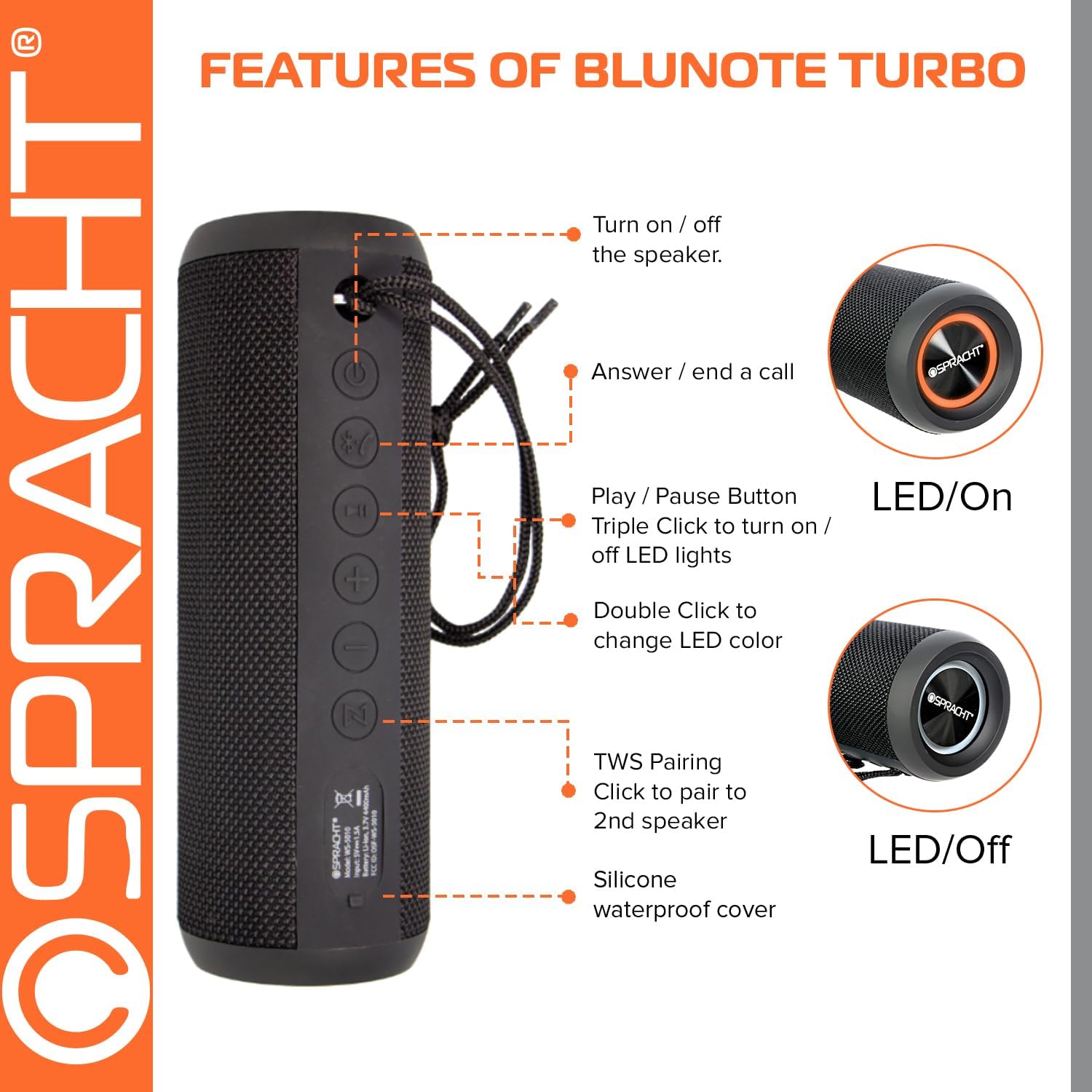
Imatge: Diagram illustrating the control buttons and features of the Blunote Turbo speaker, including power, call, play/pause, volume, and TWS pairing. The image shows the speaker vertically with labels pointing to each button and feature.
- Botó d'encesa: Mantingueu premut per activar o desactivar l'altaveu.
- Botó de trucada: Premeu per respondre o finalitzar una trucada telefònica.
- Botó Reproduir/Pausa: Press to play or pause audio. Triple click to turn LED lights on/off. Double click to change LED color.
- Botó per pujar el volum: Premeu per augmentar el volum.
- Botó per baixar el volum: Premeu per reduir el volum.
- TWS Pairing Button: Press to initiate True Wireless Stereo pairing with a second Blunote Turbo speaker.
- Silicone Waterproof Cover: Protects charging port, SD card slot, and AUX input.
Configuració
1. Carregant l’altaveu
Before first use, fully charge the speaker. Connect the provided USB-C charging cord to the speaker's charging port (located under the silicone cover) and to a USB power adapter (not included). A full charge takes approximately 4 hours. The LED indicator will show charging status.
2. Encendre/apagar
- Per engegar: premeu i manteniu premut el botó Botó d'engegada fins que s'encén l'indicador LED.
- Per apagar: premeu i manteniu premut el botó Botó d'engegada fins que l'indicador LED s'apagui.
3. Emparellament Bluetooth
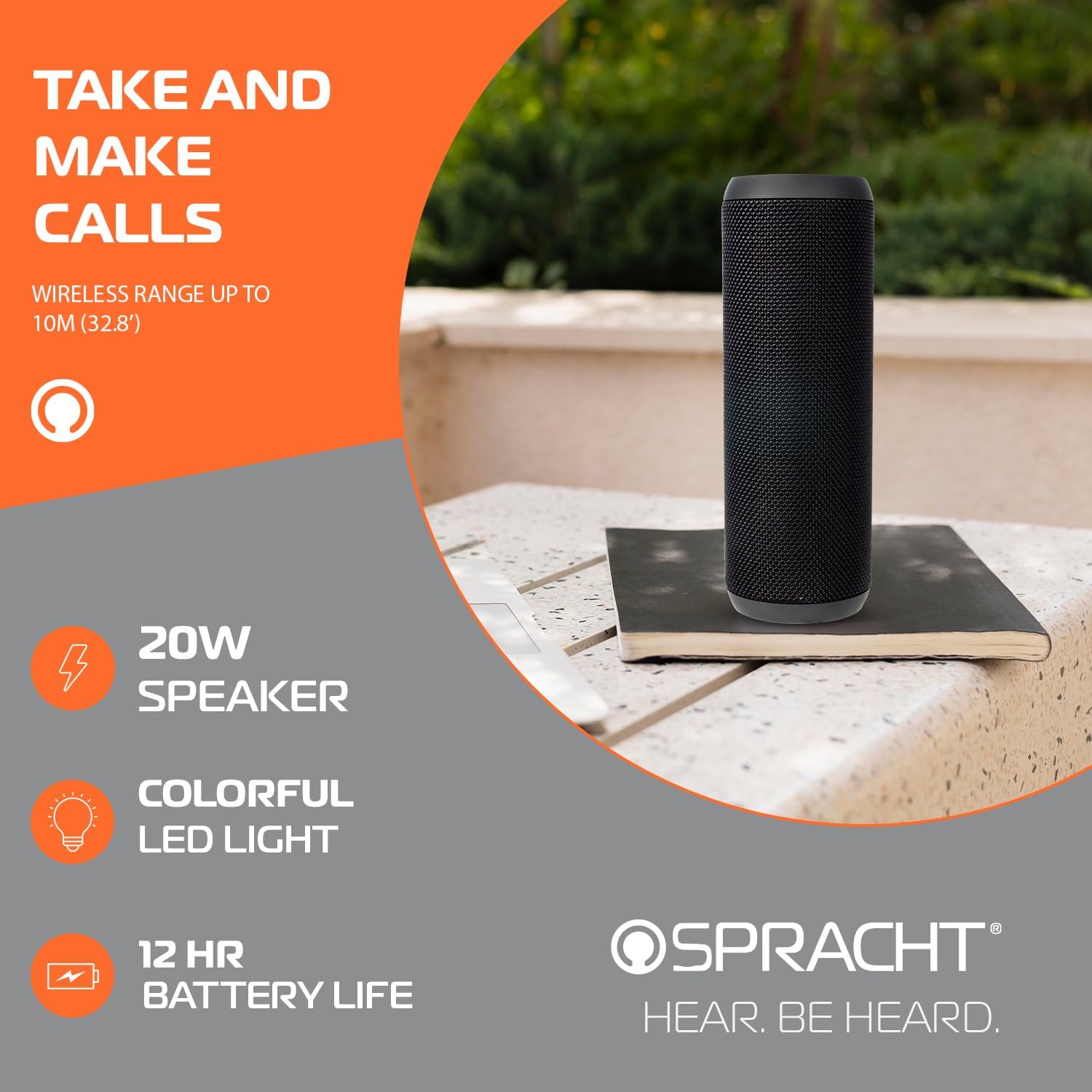
Imatge: The Blunote Turbo speaker standing upright, highlighting its built-in microphone for calls and other features.
- Assegureu-vos que l'altaveu estigui encès i en mode d'emparellament Bluetooth (l'indicador LED parpellejarà).
- Al dispositiu (telèfon intel·ligent, tauleta, ordinador portàtil), activeu el Bluetooth i cerqueu els dispositius disponibles.
- Selecciona "Blunote Turbo" de la llista de dispositius.
- Un cop emparellat, l'altaveu emetrà un so de confirmació i l'indicador LED deixarà de parpellejar.
- L'abast del Bluetooth és d'aproximadament 10 metres (32.8 peus).
4. Emparellament estèreo sense fil (TWS)
You can pair two Blunote Turbo speakers for a true wireless stereo sound experience.

Imatge: Two Blunote Turbo speakers paired wirelessly for a true stereo audio experience, shown next to a smartphone.
- Ensure both Blunote Turbo speakers are powered on and not connected to any other Bluetooth device.
- En un altaveu (aquest serà l'altaveu principal), premeu el botó Botó d'aparellament TWS. The speaker will enter TWS pairing mode.
- L'altaveu principal cercarà i es connectarà automàticament al segon altaveu.
- Once successfully paired, both speakers will emit a confirmation sound.
- Now, connect your device to the primary speaker via Bluetooth as described in the "Bluetooth Pairing" section. Audio will play through both speakers in stereo.
5. Reproducció de la targeta SD
Insert a microSD card (not included) with your audio files into the SD card slot (under the silicone cover). The speaker will automatically switch to SD card mode and begin playing music.
6. Entrada auxiliar
Connect an audio device using a 3.5mm auxiliary cable (not included) to the AUX input port (under the silicone cover). The speaker will automatically switch to AUX mode.
Instruccions de funcionament
1. Controls d'àudio bàsics
- Reproduir/pausa: Premeu el botó Botó Reproduir/Pausa.
- Pujar el volum: Premeu el botó Botó per augmentar el volum.
- Baixar el volum: Premeu el botó Botó cap avall de volum.
2. Gestió de trucades
- Respon a la trucada: Premeu el botó Botó de trucada when an incoming call is received.
- Finalitzar la trucada: Premeu el botó Botó de trucada durant una trucada.
3. Control de llum LED
- Turn On/Off LED Lights: Feu triple clic a Botó Reproduir/Pausa.
- Canvia el color del LED: Feu doble clic a Botó Reproduir/Pausa.
Manteniment
1. Neteja
Netegeu l'altaveu amb un suau, damp cloth. Do not use abrasive cleaners or solvents. Ensure the silicone cover for the ports is securely closed before cleaning with moisture.
2. Resistència a l'aigua (IPX5)

Imatge: The Blunote Turbo speaker placed near a swimming pool, demonstrating its IPX5 water-resistant design suitable for outdoor use.
The Blunote Turbo speaker has an IPX5 water resistance rating, meaning it is protected against low-pressure water jets from any direction. It is suitable for use in environments where it might be exposed to splashes or light rain. No submergiu l'altaveu a l'aigua. Always ensure the silicone cover for the ports is firmly closed to maintain water resistance.
Resolució de problemes
| Problema | Solució |
|---|---|
| L'altaveu no s'encén. | Ensure the speaker is fully charged. Press and hold the Power Button for several seconds. |
| No es pot emparellar per Bluetooth. |
|
| No hi ha so de l'altaveu. |
|
| L'emparellament TWS falla. |
|
Especificacions
| Característica | Detall |
|---|---|
| Nom del model | Blunote Turbo™ Bluetooth® (SPT-WS-5010) |
| Tecnologia de connectivitat | Bluetooth, Auxiliary, TWS |
| Comunicació sense fils | Bluetooth |
| Interval Bluetooth | Fins a 10 metres (32.8 peus) |
| Potència de sortida dels altaveus | 20 watts |
| Mode de sortida d'àudio | estèreo |
| Classificació de resistència a l'aigua | IPX5 |
| Capacitat de la bateria | 4400 mAh |
| Temps de càrrega | Aproximadament 4 hores |
| Pes de l'article | 1.23 lliures (0.56 kg) |
| Dimensions del producte (LxWxH) | 7.88" de profunditat x 2.75" d'amplada x 2.75" d'alçada (aprox. 20 cm x 7 cm x 7 cm) |
| Components inclosos | Cordó de càrrega |
| UPC | 800807330276 |
Garantia i Suport
The Spracht Blunote Turbo speaker comes with a Limited Warranty. For detailed warranty information, please refer to the warranty card included with your product or visit the official Spracht website. For technical support or customer service inquiries, please contact Spracht customer support.
Podeu trobar més informació i recursos de suport a Spracht Store on Amazon.


