1. Introducció
This manual provides detailed instructions for the installation, operation, and maintenance of your SHZSR Wireless CarPlay Android Auto Retrofit Kit for Lexus LX 570 models manufactured between 2015 and 2021. This kit is designed to integrate advanced smartphone connectivity features into your vehicle's existing infotainment system, enhancing your driving experience without replacing the original car screen.
The device functions as a CarPlay interface decoder box, not a standalone car screen. It allows you to retain your original vehicle system while adding wireless CarPlay, Android Auto, and mobile phone screencasting capabilities.
2. Informació de seguretat
Always prioritize safety. Ensure the vehicle is parked and the engine is off before attempting any installation or maintenance procedures. If you are unsure about any step, consult a professional installer. Do not operate the device in a way that distracts you from driving. Adhere to all local traffic laws and regulations.
3. Contingut del paquet
Si us plau, verifiqueu que tots els elements que s'enumeren a continuació estiguin inclosos al vostre paquet:
- CarPlay Decoder Box
- LVDS Harness
- Cable d'alimentació principal
- Antena GPS
- Microphone Extension Cable (for specific models like Odyssey or those with top-mounted microphones)
- Cable AUX
- Double-sided Tape (for securing components)

Imatge: Més deview of the SHZSR CarPlay Retrofit Kit components, including the main module, wiring harnesses, and accessories.
4. Especificacions
| Característica | Descripció |
|---|---|
| Pes de l'article | 2 lliures |
| Dimensions del paquet | 8 x 6 x 3.5 polzades |
| Mida de la pantalla | 12.3 Inches (compatible with original screen) |
| Garantia | 1 any |
| Comandament de veu | Touchscreen (Siri/Google Assistant via CarPlay/Android Auto) |
| Característica especial | Upgrade Android Auto, Upgrade CarPlay |
| Tecnologia de connectivitat | Mirror Link, Wireless Android Auto, Wireless CarPlay |
| Tipus de mapa | Worldwide (via connected smartphone apps) |
| Mode de sortida d'àudio | estèreo |
| Tipus de muntatge | Dashboard Mount (integrated with original system) |
5. Configuració i instal·lació
The SHZSR CarPlay Retrofit Kit is designed for plug-and-play, non-destructive installation. It requires removing the dashboard to connect the decoder box to the original CD host device using the provided wires.
5.1 Key Components and Connections
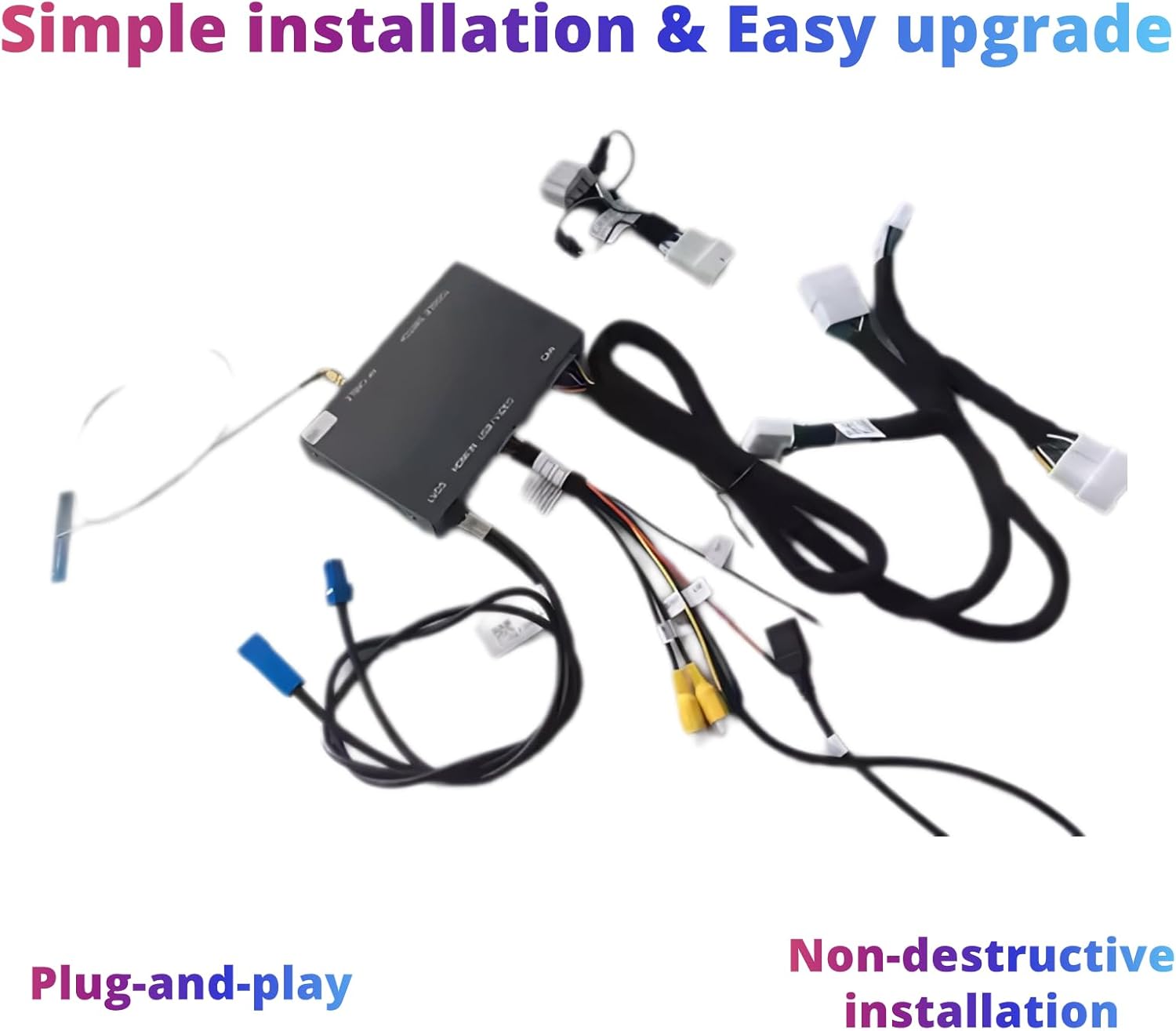
Image: The main CarPlay module and its associated wiring harnesses, illustrating the components involved in the installation process.
5.2 Passos de configuració inicials
- Dashboard Removal: Carefully remove the vehicle's dashboard components to access the original CD host unit. Refer to your vehicle's specific service manual for detailed instructions on dashboard removal.
- Connecteu el cablejat: Connect the provided LVDS harness and main power cord to the original CD host unit and the CarPlay decoder box. Ensure all connections are secure.
- GPS Antenna Placement: Instal·leu l'antena GPS en un lloc amb llum clara view del cel, normalment al tauler de control o sota el parabrisa.
- Connexió del micròfon: If your vehicle requires it, connect the microphone extension cable.
- Components segurs: Use the double-sided tape to secure the CarPlay decoder box and any loose wiring to prevent rattling or interference.
- Remunta el tauler de control: Carefully reassemble the dashboard components.
5.3 Sound Output Configuration
To ensure proper audio output, follow these steps to configure the sound through the original car's Bluetooth channel:
Video: Demonstrates how to set up sound through the Bluetooth channel for the CarPlay system in a Lexus vehicle.
6. Instruccions de funcionament
Once installed, the CarPlay Retrofit Kit integrates seamlessly with your Lexus LX 570's existing controls and display. You can access various functions through the original car knob, steering wheel controls, and the touchscreen interface.
6.1 CarPlay sense fil i Android Auto
The kit provides both wireless and wired connectivity for Apple CarPlay and Android Auto. This allows you to use your smartphone's features directly on your car's display, including navigation (Maps, Waze), music streaming (iTunes, Apple Music, Spotify), phone calls, and messaging.

Image: The CarPlay interface on the Lexus LX 570 display, showcasing available applications for navigation, music, and communication.
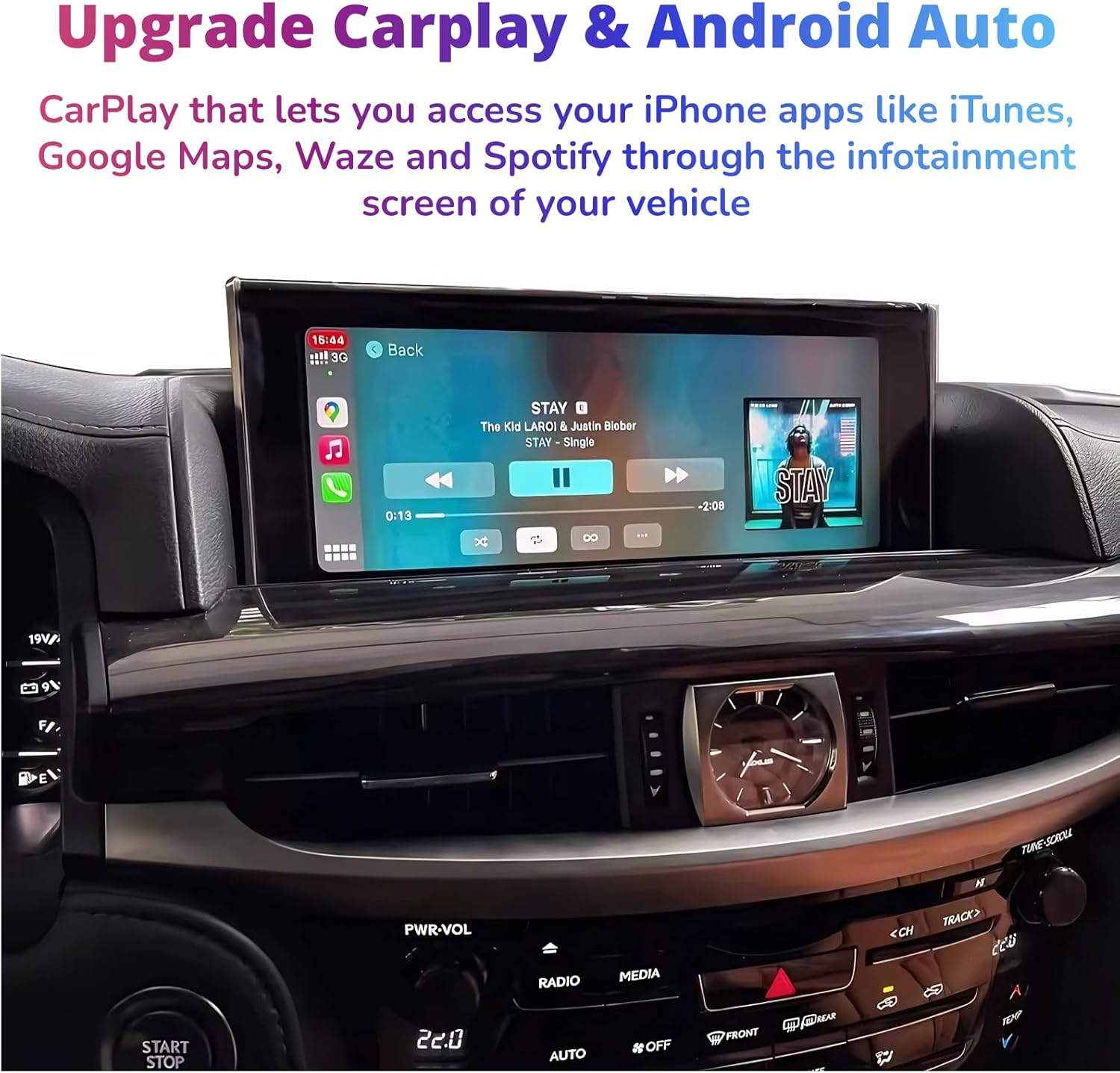
Image: The CarPlay music player interface on the Lexus LX 570 screen, demonstrating media playback.
6.2 Funcionalitat d'enllaç mirall
The Mirror Link function allows you to cast your mobile phone screen directly onto the vehicle's radio screen, supporting AirPlay and AutoLink for compatible devices.

Image: A smartphone's navigation app mirrored onto the Lexus LX 570 display, illustrating the Mirror Link feature.
6.3 Mètodes de control
The system supports control via the original car's joystick/knob and steering wheel buttons for seamless interaction.
- Original Car Knob Control: Use the center rocker control for fast access to the CarPlay interface and navigation.
- Controls del volant: Utilize existing steering wheel buttons for audio control, call management, and voice commands (Siri/Google Assistant).

Image: The vehicle's joystick and control buttons, which can be used to navigate the CarPlay/Android Auto interface.

Image: The vehicle's steering wheel controls, demonstrating their use for managing audio and other functions within the system.
6.4 Radio Function Display
The system allows for the display and control of radio functions through the new interface.
Video: Shows the radio function display on the Lexus LX 570 screen, demonstrating how to interact with the radio through the new system.
Video: An immersive view of the radio interface on the Lexus LX 570, highlighting its visual appeal and ease of use.
7. Manteniment
To ensure the longevity and optimal performance of your CarPlay Retrofit Kit, follow these general maintenance guidelines:
- Keep the screen clean using a soft, lint-free cloth. Avoid harsh chemicals.
- Ensure all cable connections remain secure. Periodically check for any loose connections.
- Keep the main module free from dust and moisture.
- Regularly update your smartphone's operating system to ensure compatibility with CarPlay/Android Auto features.
8. Solució De Problemes
If you encounter issues with your SHZSR CarPlay Retrofit Kit, refer to the following common troubleshooting tips:
8.1 Sense sortida de so
If you experience no sound after installation or during operation, ensure the audio source is correctly selected in your original car system and the CarPlay system's Bluetooth settings are configured as shown in the setup video.
Video: Detailed steps on how to resolve 'no sound' issues by correctly setting up the Bluetooth channel.
8.2 Problemes de connectivitat
- Assegureu-vos que el Wi-Fi i el Bluetooth del telèfon estiguin activats.
- Forget and re-pair the Bluetooth connection between your phone and the CarPlay system.
- Restart both your smartphone and the vehicle's infotainment system.
- Check for any available firmware updates for the CarPlay module.
8.3 Controls que no responen
- Verify that the original car's controls (knob, steering wheel buttons) are functioning correctly in the native system.
- Ensure the CarPlay module is receiving power and all connections are secure.
9. Garantia i Suport
The SHZSR Wireless CarPlay Android Auto Retrofit Kit comes with a 1 any de garantia des de la data de compra. Aquesta garantia cobreix defectes de fabricació i avaries en condicions d'ús normal. Conserveu el comprovant de compra per a reclamacions de garantia.
For technical support, troubleshooting assistance, or warranty inquiries, please contact SHZSR customer service through the retailer where you purchased the product or visit the official SHZSR weblloc per obtenir informació de contacte.


