Introducció
This manual provides detailed instructions for the setup, operation, and maintenance of your FOXBOX Military Smart Watch K-52. Please read this manual thoroughly to ensure proper use and to maximize the features of your device. This smartwatch is designed for durability and functionality, offering health monitoring, fitness tracking, and convenient communication features for both iOS and Android users.
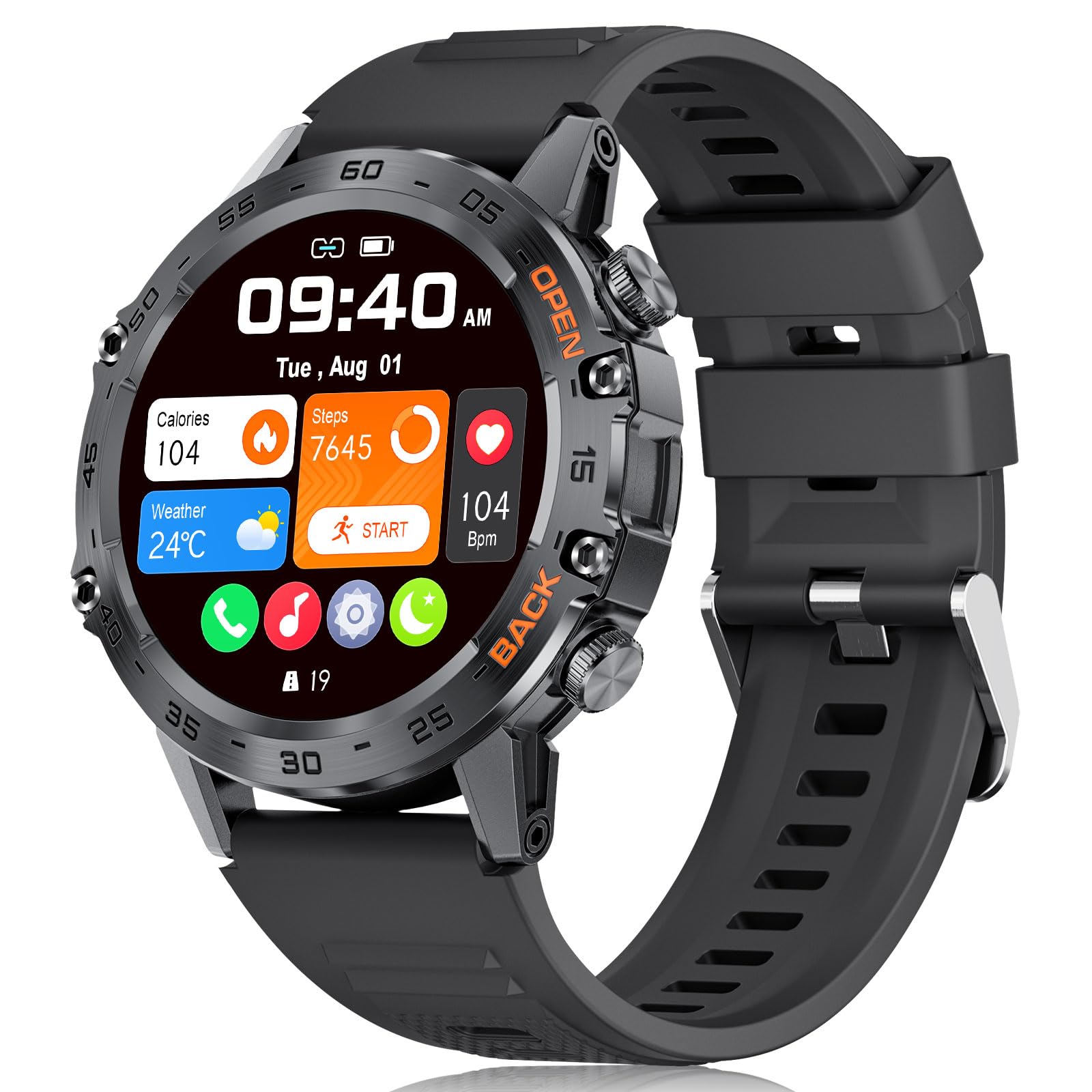
Image: The FOXBOX Military Smart Watch K-52, showcasing its robust design and digital display.
Què hi ha a la caixa
- Rellotge intel·ligent (1 unitat)
- Corretja d'acer inoxidable (1 unitat)
- Corretja de silicona de recanvi (1 unitat)
- Cable de carregador (1 unitat)
- Regulador de rellotge intel·ligent (1 unitat)
- Manual d'instruccions (1 unitat)
Guia de configuració
1. Càrrega del rellotge intel·ligent
Before initial use, fully charge your FOXBOX Military Smart Watch K-52. Connect the magnetic charging cable to the charging points on the back of the watch and to a USB power source. A full charge typically provides 7-10 days of normal operation or up to 30 days of standby time, thanks to its 400mAh battery.
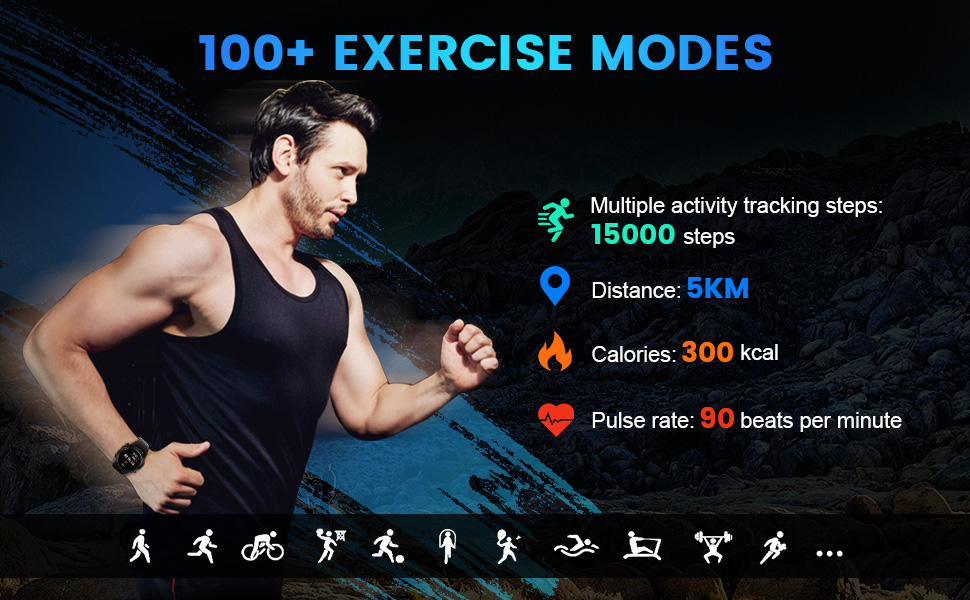
Image: The FOXBOX Smart Watch K-52 connected to its magnetic charging cable, illustrating the charging process and battery capacity.
2. App Download and Device Pairing (First Bluetooth Connection)
- Turn on your phone's Bluetooth: Assegureu-vos que el Bluetooth estigui habilitat al vostre telèfon intel·ligent.
- Download the FitCloudPro App: Cerca "FitCloudPro" in the Google Play Store (for Android) or Apple App Store (for iOS), or scan the QR code provided in the manual or on the product packaging. You can also visit http://fitcloud.hetangsmart.com/qrcode/_cn/ per descarregar.
- Open the FitCloudPro App: Atorga els permisos necessaris quan se't demani.
- Dispositiu d'enllaç: In the app, navigate to the "Devices" screen and tap the "+ Bind Device" button. Select "K-52" from the list of available devices to pair. Agree to any binding requests on the watch.

Image: Visual guide demonstrating the four steps to connect the FOXBOX Smart Watch K-52 to the FitCloudPro application on a smartphone.
3. Bluetooth Voice Call Function Setup (Second Bluetooth Connection)
To enable the Bluetooth call function, a second Bluetooth connection is required after the initial app pairing.
- Ensure Watch Bluetooth is On: On your watch, swipe right on the screen and click the "Call" icon to ensure the call function is active.
- Activa el Bluetooth del telèfon: On your smartphone, go to Bluetooth settings.
- Find and Connect to "K-52": In your phone's Bluetooth device list, locate and select "K-52" (this is separate from the app connection).
- Confirmeu la connexió: After connecting, you can use the watch to make or answer calls directly.
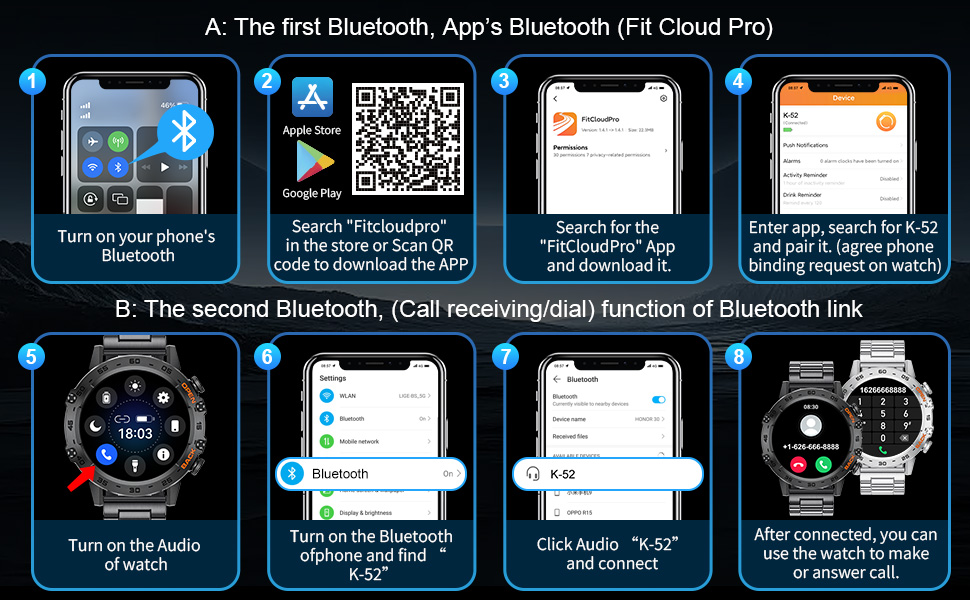
Image: Step-by-step visual instructions for enabling the Bluetooth voice call feature on the FOXBOX Smart Watch K-52, showing phone and watch interfaces.
Instruccions de funcionament
1. Display and Watch Faces
The FOXBOX K-52 features a 1.39-inch HD IPS display with a 360x360 resolution, offering clear visuals and smooth touch response. You can customize your watch face from over 200 available options through the FitCloudPro app.
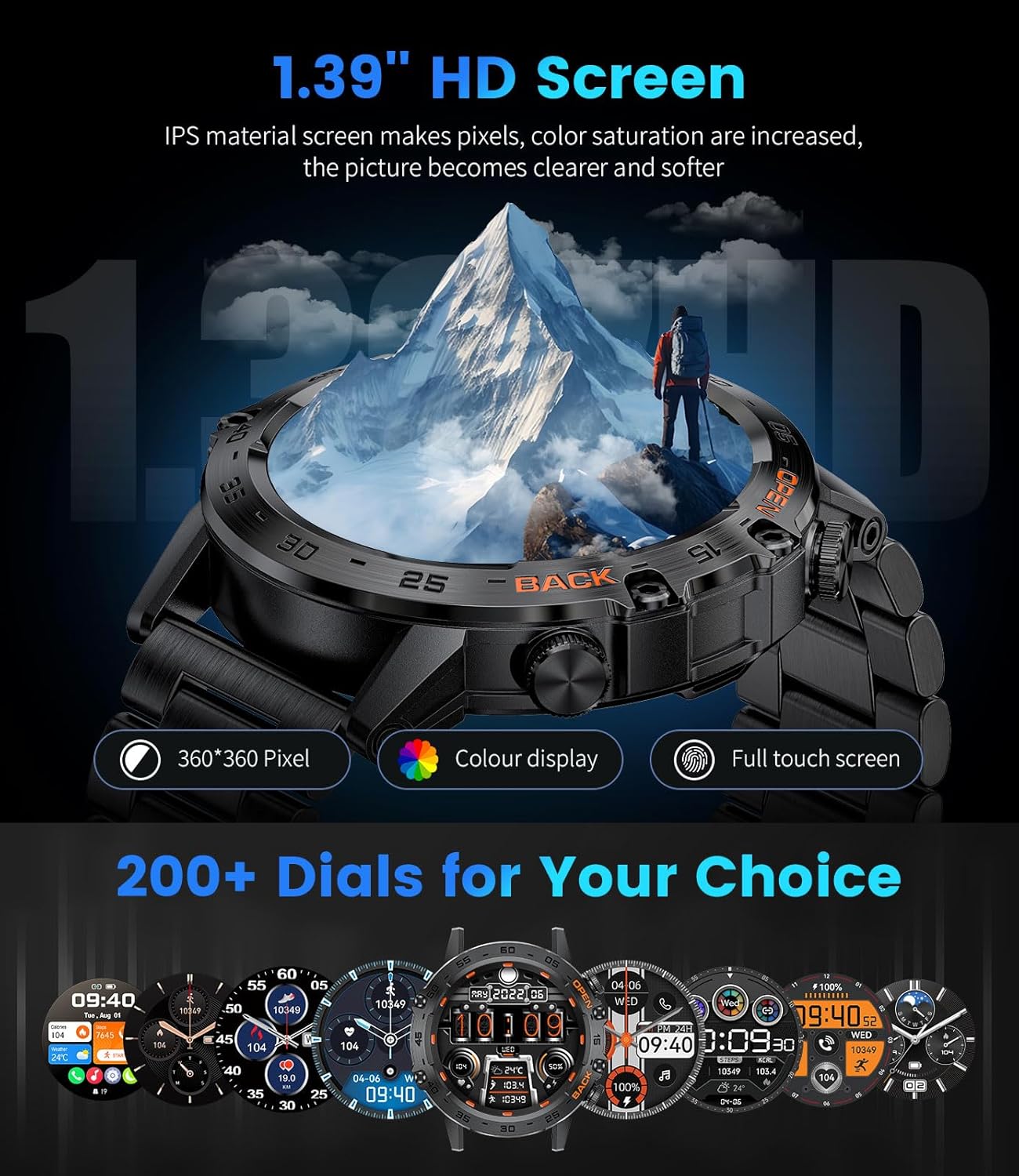
Image: The FOXBOX Smart Watch K-52 showcasing its 1.39-inch HD screen with a vibrant display and a selection of customizable watch faces.
2. Bluetooth Communication
With its 5.0 Bluetooth chip and built-in speaker, the watch allows you to answer and make calls directly from your wrist. It also displays message notifications, plays music, stores contact information, and shows call records, reducing the need to frequently access your phone.
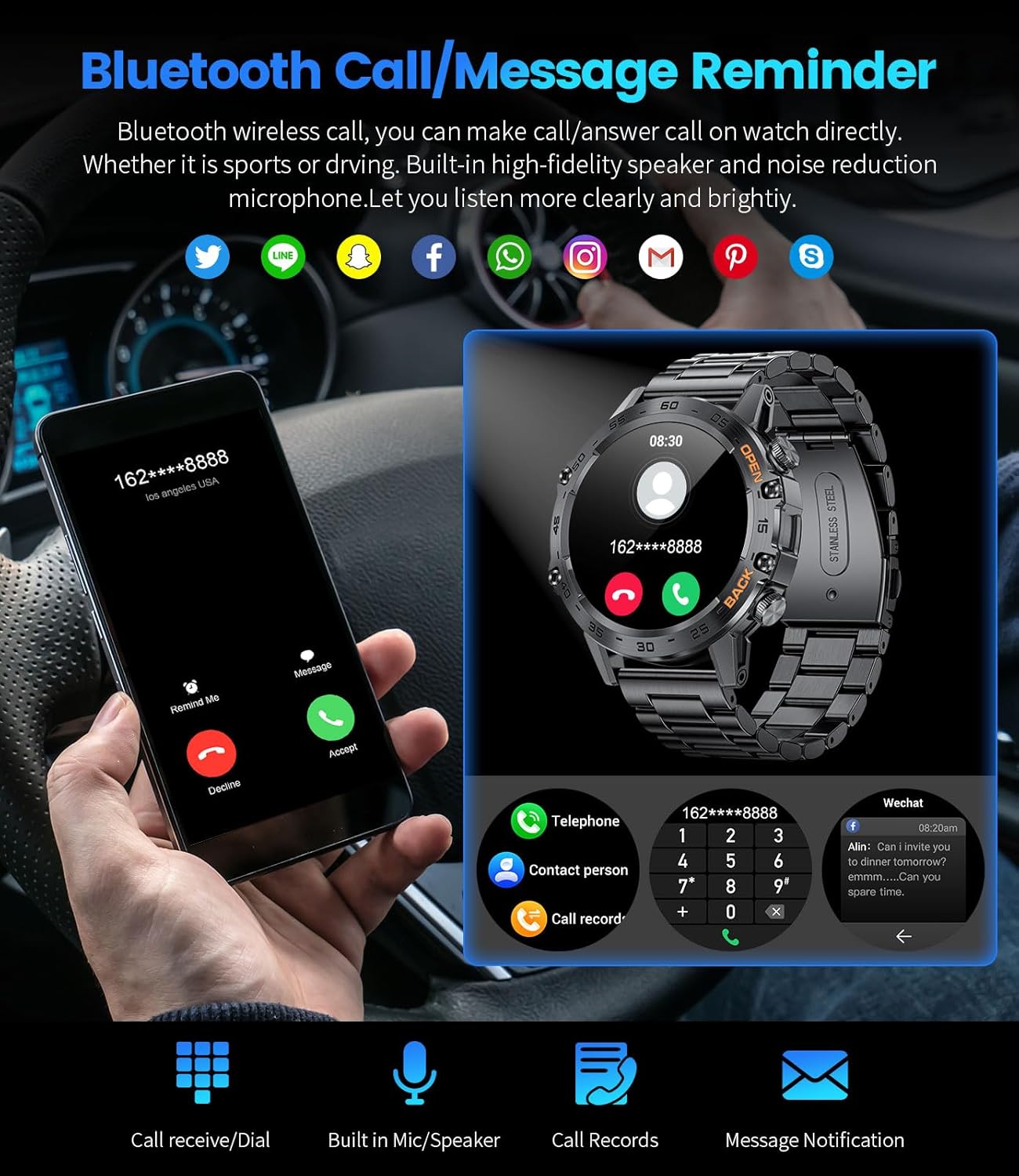
Image: A smartphone displaying an incoming call and the FOXBOX Smart Watch K-52 showing call and message notification capabilities.
3. Monitorització de la salut
The watch continuously monitors key health metrics, including 24-hour heart rate, blood pressure, blood oxygen (SpO2), and sleep patterns. This data is presented in the FitCloudPro app for daily, weekly, and monthly analysis, helping you track your physical condition.
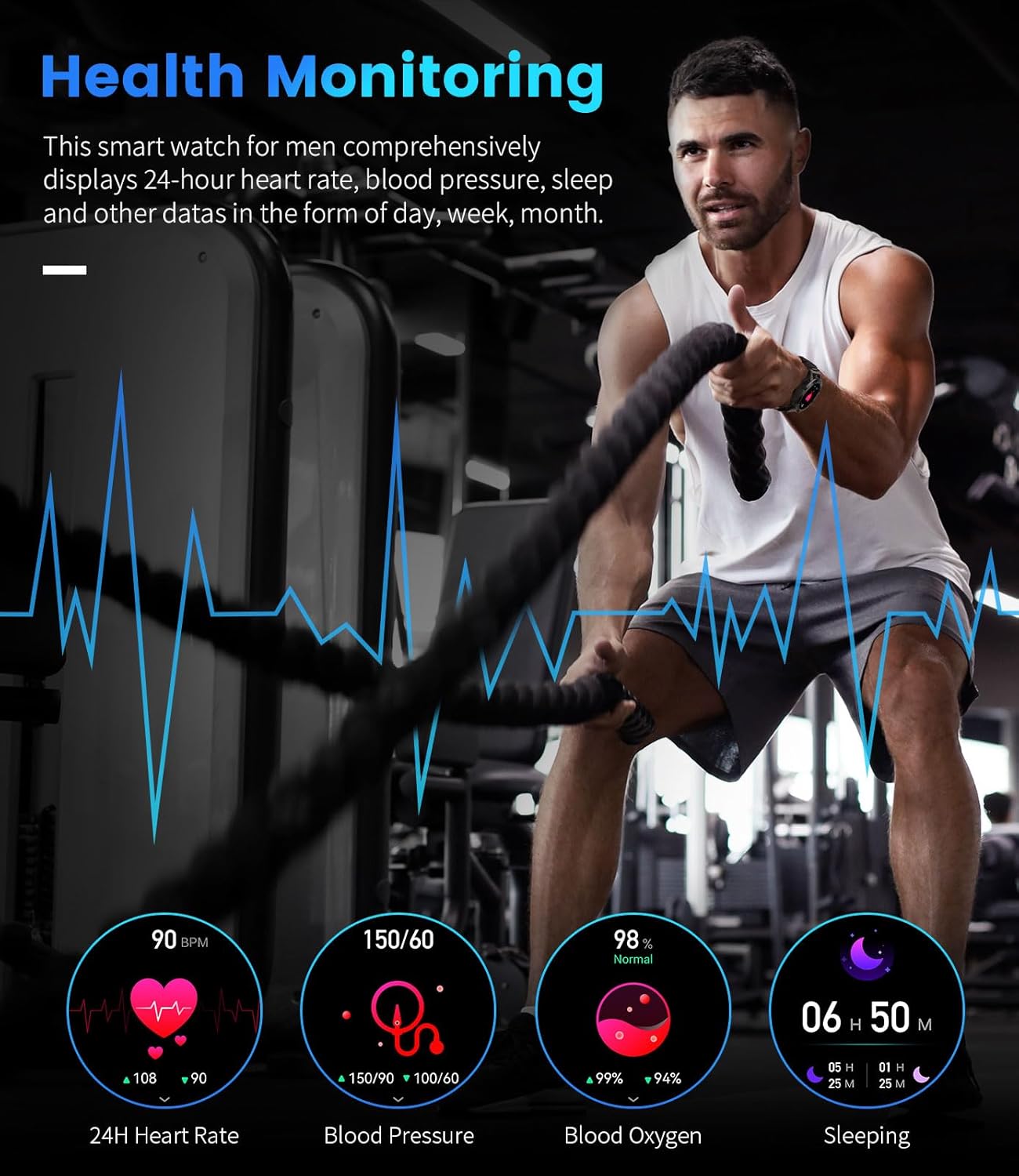
Image: A visual representation of the FOXBOX Smart Watch K-52's health monitoring functions, displaying heart rate, blood pressure, blood oxygen, and sleep data.
4. Sports Modes and Fitness Tracking
With over 100 sports modes, the smartwatch records essential data such as distance, steps, heart rate, and calories in real-time during your workouts. This data is stored to help you monitor progress and improve your training.
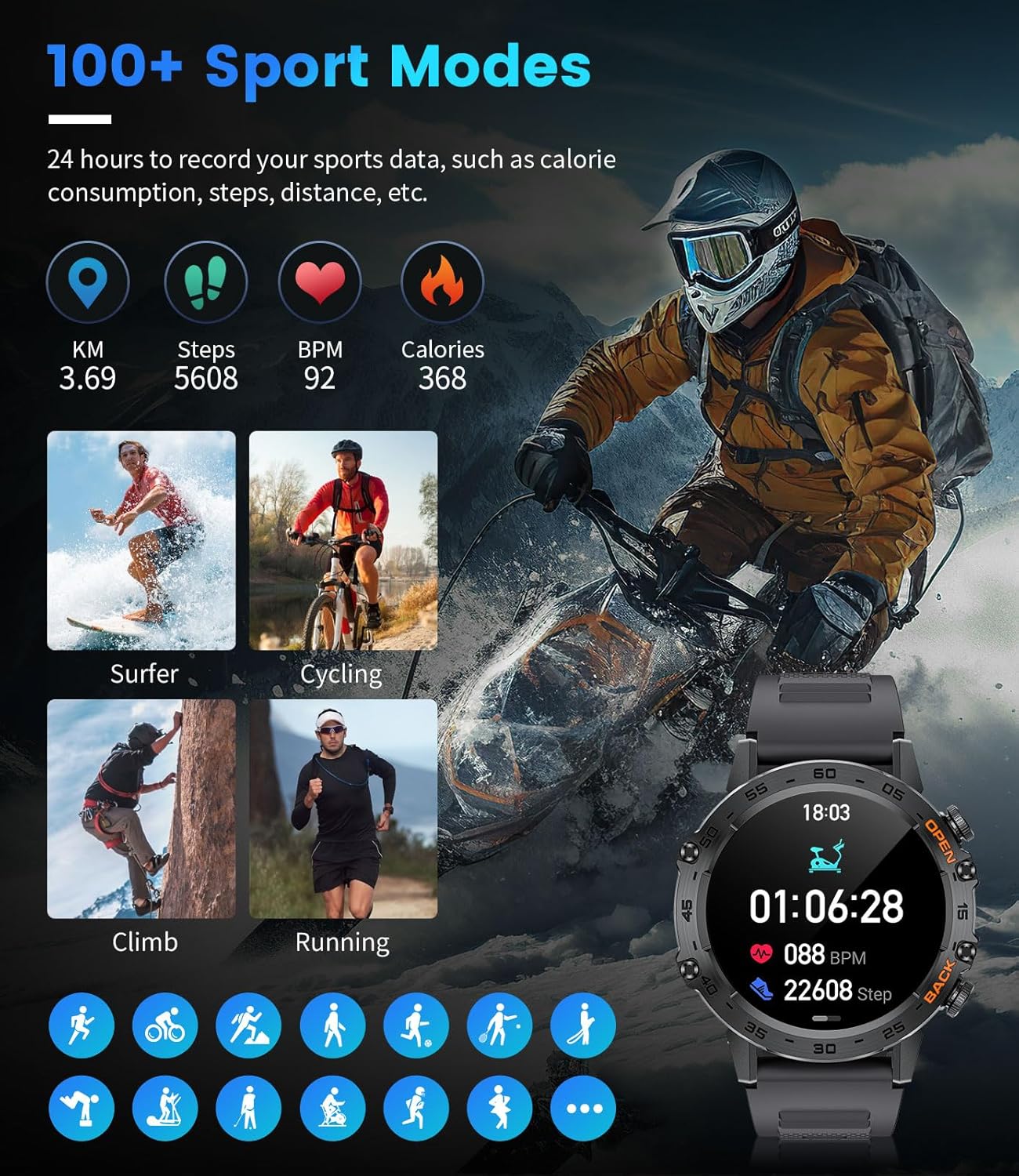
Image: The FOXBOX Smart Watch K-52 displaying fitness tracking metrics like distance, steps, BPM, and calories, alongside images of various sports activities.
5. AI Voice Assistant and Other Functions
The watch includes an AI voice assistant for hands-free control and information retrieval. Additional features include weather forecasts, music playback control, remote camera control, alarm clock, calculator, breathing exercises, sedentary reminders, drinking water reminders, stopwatch, timer, and a passcode lock.
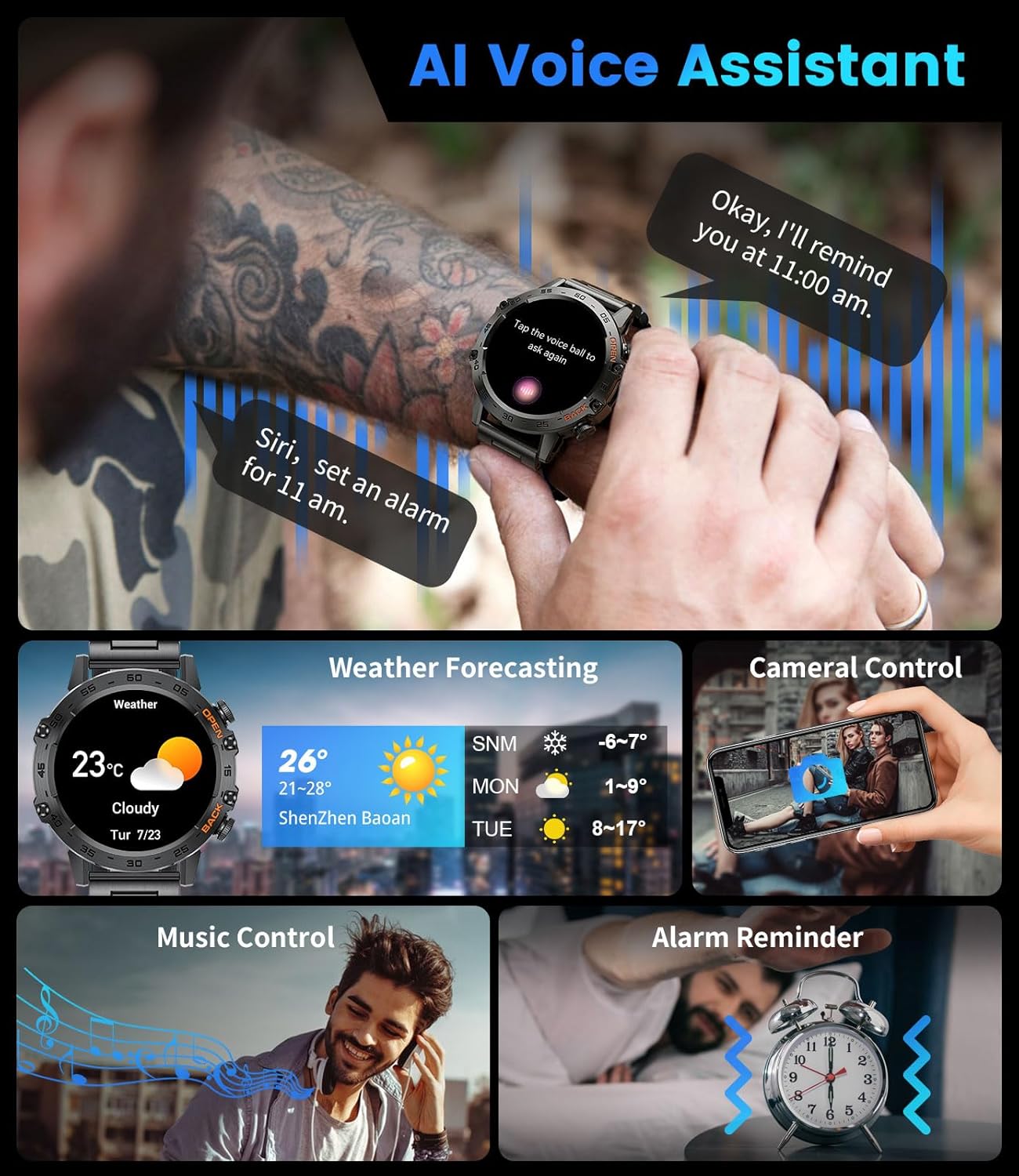
Image: The FOXBOX Smart Watch K-52 demonstrating its AI voice assistant, weather forecasting, camera control, music control, and alarm reminder functionalities.
Manteniment
1. Durability and Waterproofing
The FOXBOX K-52 is built with an aluminum alloy case and meets military-grade standards for durability, having passed tests for anti-impact, sand and dust resistance, vibration, and extreme temperatures (-40°C to 70°C). It is IP68 waterproof, suitable for daily activities such as hand washing, sweating, and rain exposure. It is not recommended for diving or hot water activities.
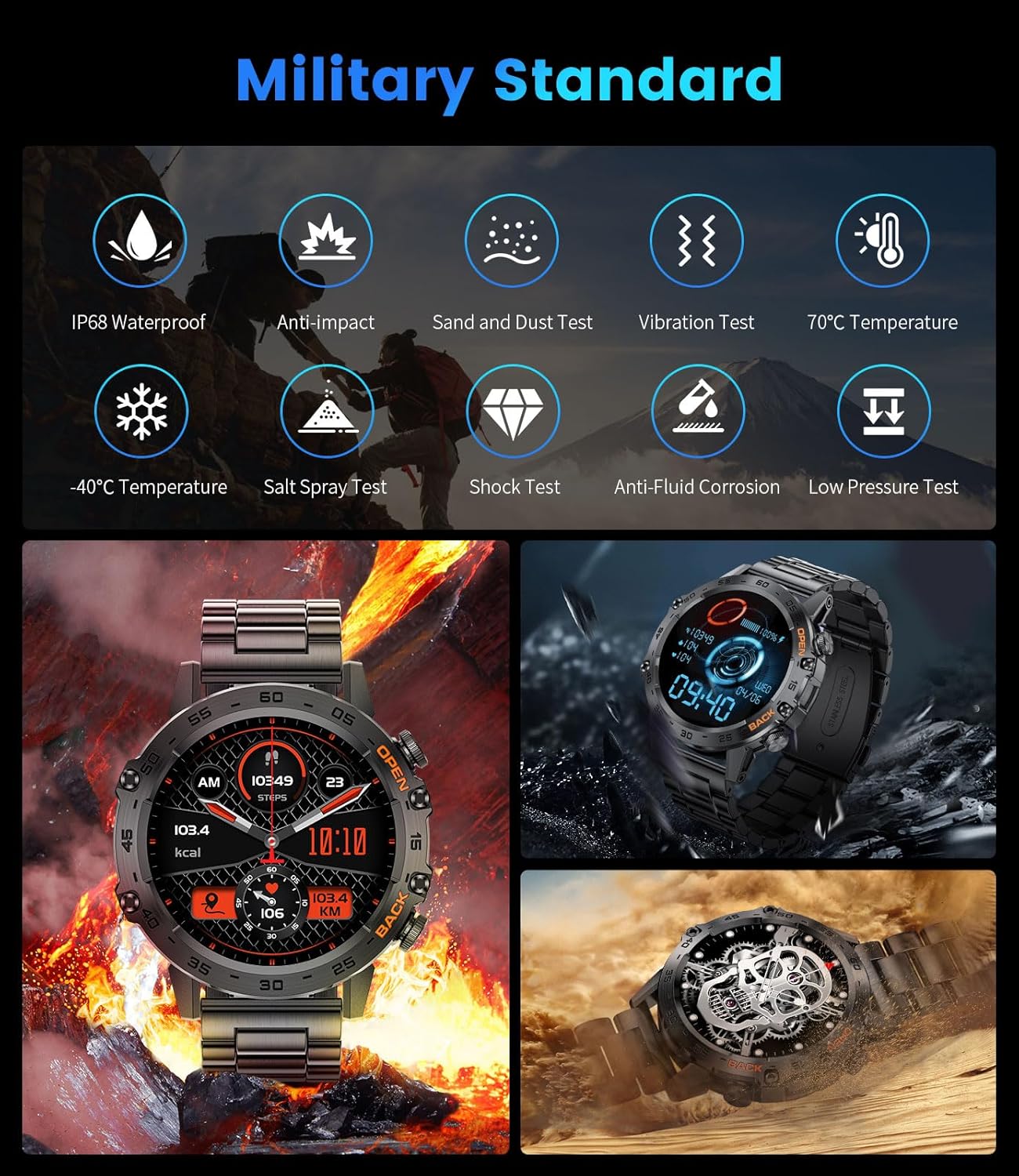
Image: Infographic detailing the military-grade durability tests passed by the FOXBOX Smart Watch K-52, including IP68 waterproofing, anti-impact, and temperature resistance.
2. Neteja
Per netejar el teu rellotge intel·ligent, eixuga'l amb un drap suau iamp drap. Eviteu utilitzar productes químics agressius o materials abrasius que puguin danyar la pantalla o el casing. Ensure the charging ports are dry before charging.
Resolució de problemes
1. Watch Not Holding a Charge
- Assegureu-vos que el cable de càrrega estigui connectat correctament tant al rellotge com a la font d'alimentació.
- Check for any debris or corrosion on the charging contacts of the watch and cable.
- Proveu un altre adaptador d'alimentació o port USB.
- Si el problema persisteix, poseu-vos en contacte amb el servei d'atenció al client.
2. Touchscreen Unresponsive or Malfunctioning
- Reinicieu el rellotge.
- Assegureu-vos que la pantalla estigui neta i seca.
- If the touchscreen becomes completely inoperable, this may indicate a hardware issue. Contact customer support for assistance.
3. Problemes de connexió Bluetooth
- Assegureu-vos que el Bluetooth estigui activat tant al telèfon com al rellotge.
- Verify that both the FitCloudPro app connection and the separate "K-52" Bluetooth connection for calls are established.
- Reinicia tant el telèfon com el rellotge.
- Forget the device in your phone's Bluetooth settings and re-pair it through the FitCloudPro app.
4. Inaccurate Health or Fitness Data
- Assegureu-vos de portar el rellotge ben ajustat al canell, aproximadament un dit per sobre de l'os del canell.
- Keep the sensor area on the back of the watch clean.
- Note that health monitoring features are for reference only and should not be used for medical diagnosis.
Especificacions
| Característica | Detall |
|---|---|
| Número de model | K-52 |
| Dimensions del producte | 1.93 x 1.93 x 0.47 polzades |
| Pes de l'article | 9.1 unces |
| Mida de la pantalla | 1.39 polzades |
| Capacitat de la bateria | Polímer de liti de 400 mAh |
| Connectivitat | Bluetooth 5.0 |
| Resistència a l'aigua | IP68 |
| Compatibilitat de sistemes operatius | Android 4.4 i posterior, iOS 8.0 i posterior |
| Capacitat d'emmagatzematge de memòria | 128 MB |
| Característiques especials | Fitness Tracker, Phone Call, Sleep/Blood Oxygen (SpO2)/ Heart Rate Monitor, Calorie Tracker, Alarm Clock, Stopwatch, Timer, Pedometer, Camera Control, Music Playback/Control, Sedentary Reminder, Weather, Waterproof, Notifications, AI Voice Assistant |
| GPS | A través de Smartphone |
Garantia i Suport
FOXBOX offers a 24-month product service, which includes replacement, returns, or repair services. Additionally, there is a 6-month return service and a 2-year guarantee on the product.
For any questions, issues, or support needs, please contact FOXBOX customer service. 24-hour online service is available to assist you.

Image: FOXBOX customer service information, highlighting 24-hour online service, 6-month return policy, and 2-year guarantee.


