1. Introducció
This manual provides essential information for the safe and effective use of your Korg Nautilus AT 88-key Synthesizer Workstation. Please read this manual thoroughly before using the product to ensure proper operation and to prevent damage.
The Korg Nautilus AT is an advanced synthesizer workstation designed for music production and performance. It features an 88-key weighted keybed with aftertouch, nine distinct sound engines, a 16-track MIDI sequencer, an integrated arpeggiator, and HD audio recording capabilities. It also includes a 60GB SSD for storage and a software bundle for expanded sound design.
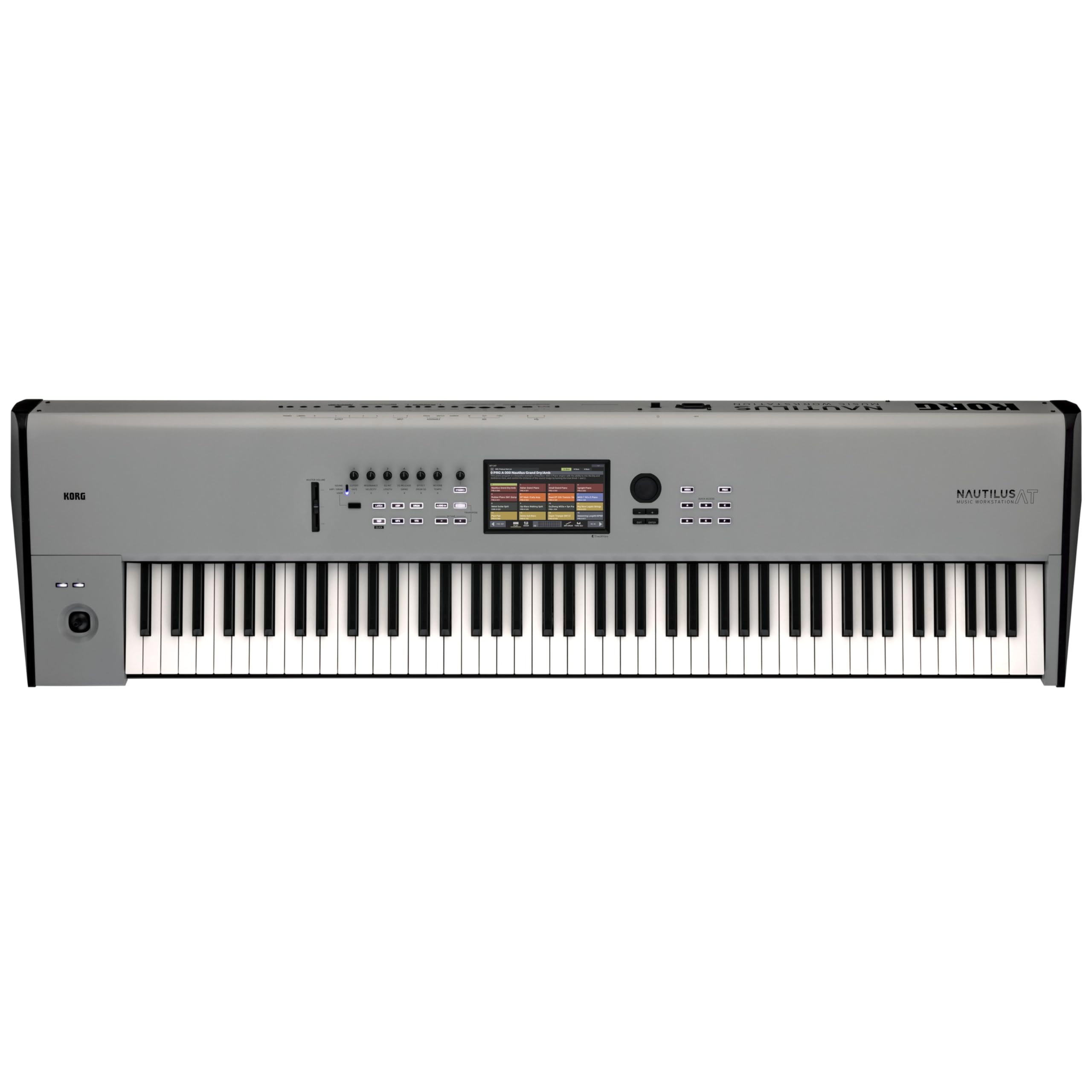
This image displays the Korg Nautilus AT 88-key Synthesizer Workstation from a front-facing perspective, showcasing its full 88-key keyboard, central display, and various control knobs and buttons on the top panel. The overall design is sleek and professional, in a limited-edition gray finish.
2. Informació de seguretat
Always observe the following basic precautions when using this product to reduce the risk of electric shock, short circuit, damages, fire or other hazards.
- Font d'alimentació: Feu servir només l'adaptador de corrent especificat. Assegureu-vos que el volumtage is correct for your region.
- Ubicació: Do not expose the unit to rain, use it near water, or in damp or wet conditions. Avoid placing it in direct sunlight or near heat sources.
- Ventilació: No bloquegeu cap obertura de ventilació. Assegureu-vos que hi hagi un flux d'aire adequat al voltant de la unitat.
- Manipulació: Avoid dropping or subjecting the unit to strong impacts. Do not place heavy objects on the unit.
- Manteniment: Do not attempt to service the unit beyond what is described in this manual. Refer all servicing to qualified service personnel.
- Neteja: Feu servir un drap suau i sec per netejar. No utilitzeu netejadors líquids ni aerosols.
3. Contingut del paquet
Verifiqueu que tots els elements que s'enumeren a continuació s'inclouen al vostre paquet:
- Korg Nautilus AT 88-key Synthesizer Workstation (Model: AT 88)
- Cable d'alimentació de CA.
- Software Bundle Access Code/Information
- Guia d'inici ràpid (document a part)
- Warranty Card (separate document)
If any items are missing or damaged, please contact your retailer or Korg customer support immediately.
4. Configuració
4.1 Col·locació física
Place the Nautilus AT on a stable, flat surface or a dedicated keyboard stand. Ensure there is sufficient space around the unit for ventilation and access to rear panel connections.
4.2 Connexió d'alimentació
- Ensure the power switch on the rear panel of the Nautilus AT is in the OFF position.
- Connect the supplied AC power cable to the AC IN jack on the rear panel.
- Plug the other end of the power cable into a suitable AC outlet.
Aquesta imatge ofereix un detall view of the rear panel of the Korg Nautilus AT, highlighting the various input and output ports, including the AC power input, MIDI ports, USB ports, and audio outputs. This is crucial for understanding how to connect the workstation to other equipment.
4.3 Connexió de perifèrics
- Sortides d'àudio: Connect the main audio outputs (L/MONO, R) to your mixer, audio interface, or amplifier using standard 1/4-inch TS cables.
- MIDI: Use standard MIDI cables to connect to external MIDI devices (e.g., MIDI controllers, sound modules).
- USB: The USB Type B port can be used to connect to a computer for MIDI communication and data transfer. The USB Type A port can be used for connecting USB storage devices.
- Pedals: Connect sustain, assignable, or expression pedals to the appropriate jacks.
4.4 Engegada inicial
After all connections are made, turn on your audio system (mixer, amplifier) first, then flip the power switch on the Nautilus AT to the ON position. The display will illuminate, and the system will boot up. Reverse this order when powering off: turn off the Nautilus AT first, then your audio system.
5. Instruccions de funcionament
5.1 Controls bàsics i interfície
The Nautilus AT features a large color touchscreen display for navigation and parameter editing. Physical controls include an 88-key weighted keyboard with aftertouch, a joystick, assignable knobs, and various function buttons.

This image shows the Korg Nautilus AT from an elevated, angled perspective, emphasizing the central touchscreen display and the surrounding physical controls such as knobs, buttons, and the joystick. This view helps users identify key interaction points on the workstation.
5.2 Sound Engines and Programs
The Nautilus AT incorporates nine distinct sound engines. To select a program or combination, use the touchscreen interface to navigate through the various categories and banks. Programs are individual sounds, while combinations layer multiple programs for richer textures.
5.3 Aftertouch Functionality
The 88-key weighted keybed supports aftertouch, allowing for expressive control over sounds by applying additional pressure to a key after it has been pressed. The specific parameters controlled by aftertouch can be assigned and edited within each program.

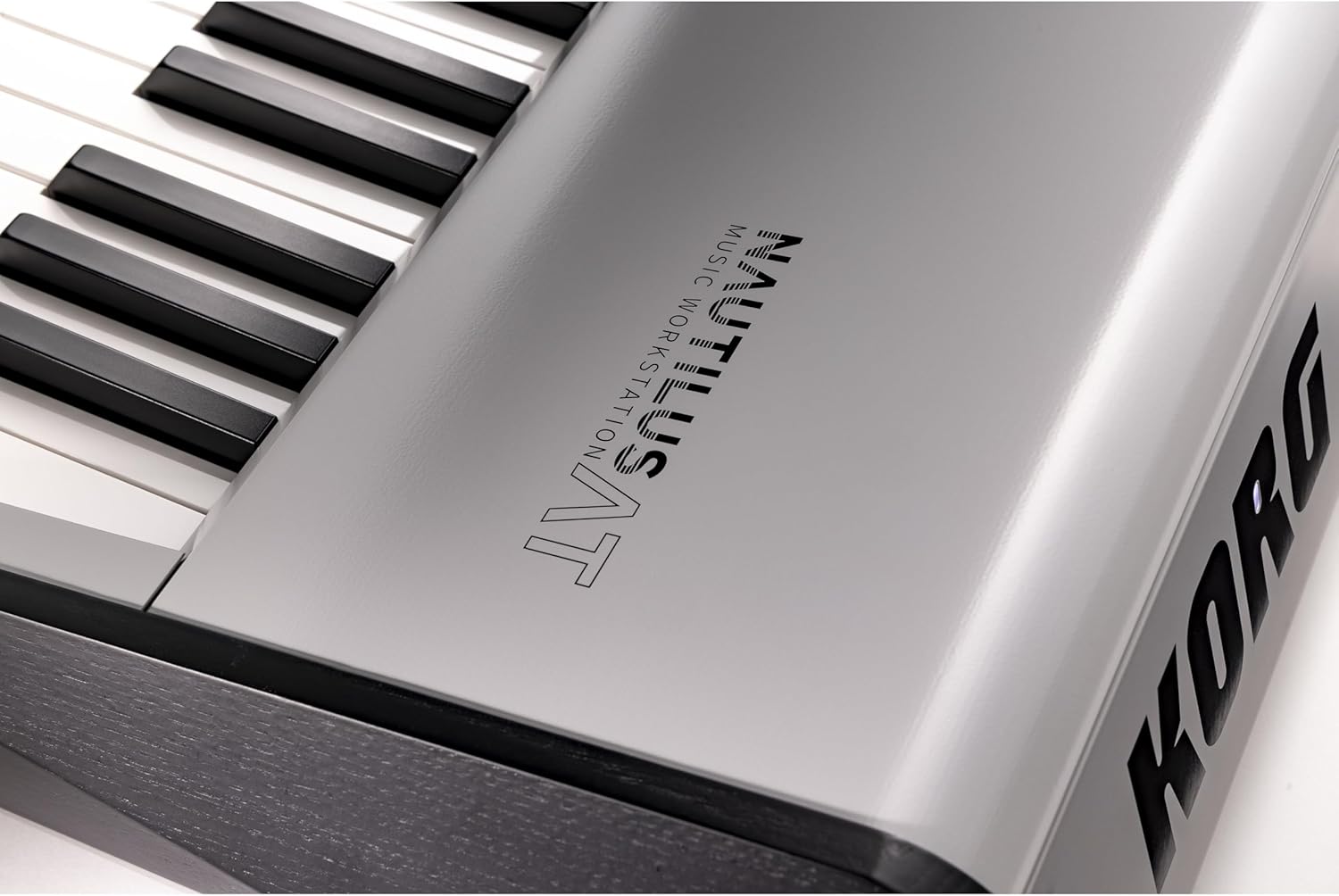
This close-up image focuses on the weighted keys of the Korg Nautilus AT, illustrating the texture and spacing of the keys. This detail is relevant for understanding the tactile experience and the aftertouch feature of the keyboard.
5.4 Seqüenciador i arpegiador
- 16-Track MIDI Sequencer: Record and edit MIDI data across 16 tracks. Access the sequencer mode via the main menu.
- Integrated Arpeggiator: Activate the arpeggiator to generate rhythmic patterns from held notes. Parameters such as type, range, and gate time can be adjusted.
5.5 HD Audio Recording and SSD Storage
The Nautilus AT supports HD audio recording directly to its internal 60GB SSD. This allows for capturing performances, vocals, or external audio sources. Manage recorded files i samples using the file management utilities on the touchscreen.
5.6 Software Bundle Integration
Your Nautilus AT includes a software bundle. Refer to the provided software documentation for installation instructions and details on how to integrate these tools with your workstation for expanded sound design and production capabilities.
6. Manteniment
6.1 Neteja
Regularly wipe the surface of the Nautilus AT with a soft, dry cloth. For stubborn dirt, slightly dampen the cloth with water and a mild detergent, then wipe dry immediately. Avoid abrasive cleaners, solvents, or waxes, as these can damage the finish.
6.2 Emmagatzematge
When not in use for extended periods, store the workstation in a dust-free environment, ideally covered with a dust cover. Avoid extreme temperatures and humidity.
6.3 Actualitzacions de programari
Consulteu periòdicament la versió oficial de Korg website for firmware updates. Keeping your Nautilus AT's firmware up-to-date ensures optimal performance and access to new features. Follow the instructions provided with the update files amb cura.
7. Solució De Problemes
| Problema | Causa possible | Solució |
|---|---|---|
| Sense sortida de so. | Volume is low or muted; cables are disconnected; incorrect audio output settings. | Check the master volume knob and individual program volumes. Ensure audio cables are securely connected to the correct outputs and inputs of your audio system. Verify audio routing settings on the Nautilus AT. |
| Keys are unresponsive or stuck. | Dust or debris under keys; software glitch. | Gently clean around the keys. Try restarting the unit. If the problem persists, contact Korg support. |
| La pantalla està en blanc o congelada. | Power issue; software error. | Ensure power cable is secure. Try powering off and on again. If the issue continues, perform a factory reset (refer to the full manual for instructions) or contact support. |
| MIDI communication issues. | Incorrect MIDI settings; cable issues. | Check MIDI IN/OUT connections. Verify MIDI channel settings on both the Nautilus AT and the external device. Ensure MIDI drivers are installed if connecting via USB to a computer. |
For more detailed troubleshooting, please refer to the comprehensive owner's manual available on the Korg weblloc.
8. Especificacions
| Característica | Detall |
|---|---|
| Nom del model | Nautilus AT 88 |
| Número de model de l'article | A 88 |
| Marca | KORG |
| Nombre de tecles del teclat | 88 |
| Keybed Type | Weighted with Aftertouch |
| Sound Engines | 9 (diversos tipus) |
| Seqüenciador | Seqüenciador MIDI de 16 pistes |
| Emmagatzematge | SSD de 60 GB |
| Enregistrament d'àudio | HD Audio Recording |
| Connectivitat | MIDI, USB (Type A, Type B) |
| Font d'alimentació | Elèctric amb cable |
| Color | Gris |
| Material del cos | Acer d'aliatge, acer inoxidable |
| Pes de l'article | 61.9 lliures (aprox. 28.1 kg) |
| Dimensions del producte (L x A x A) | 62.5 x 19.1 x 9.8 polzades (aprox. 158.75 x 48.5 x 24.9 cm) |
| Components inclosos | Software bundle |
9. Garantia i Suport
9.1 Garantia del producte
The Korg Nautilus AT 88-key Synthesizer Workstation is covered by a limited manufacturer's warranty. Please refer to the warranty card included in your package for specific terms, conditions, and duration of coverage. Keep your proof of purchase for warranty claims.
9.2 Atenció al client
For technical assistance, product inquiries, or service requests, please visit the official Korg website or contact Korg customer support directly. You may find FAQs, additional manuals, and contact information on their support pages.
Korg Official Weblloc: www.korg.com


