1. Introducció i finalview
The XTOOL IP900 is an advanced OBD2 scanner diagnostic tool designed for comprehensive vehicle analysis. It is an upgraded version, offering extensive features for automotive technicians and enthusiasts. This device provides OE-level full system scanning, bidirectional controls, and a wide array of special functions, making troubleshooting and maintenance more efficient.
Key features include an 8-inch screen, Android 10.0 OS, 4G RAM + 64G ROM, and a 5000mAh (7.3V) battery for extended operation. It supports FCA AutoAuth, CAN FD, and DoIP protocols, ensuring compatibility with a broad range of modern vehicles.
2. Què hi ha a la caixa
Upon opening the sturdy and well-sealed packaging, you will find the following components:
- XTOOL IP900 OBD2 Scanner Unit
- OBDII Main Cable
- Connector OBDII
- Charger Adapters & USB Cable
- Maleta de transport
- Manual d'usuari (aquest document)
Vídeo: Unboxing i primera oberturaview of the XTOOL IP900, demonstrating the contents of the carrying case and the device's physical features.
3. Guia de configuració
To begin using your XTOOL IP900, follow these steps:
- Encès: Press the power button located on the device to turn it on. The XTOOL logo will appear, followed by the Android operating system loading screen.
- Selecció d'idioma: Upon first use, select your preferred language from the list provided on the screen. The device supports 15 languages, including English, German, Spanish, French, Portuguese, Russian, and Italian.
- Connexió Wi-Fi: Connect the device to a stable Wi-Fi network. This is crucial for product activation, software updates, and accessing online features. Navigate to 'Settings' and select 'Wi-Fi' to choose your network and enter the password.
- Connexió del vehicle: Locate your vehicle's OBDII port, typically found under the dashboard on the driver's side. Connect the OBDII Main Cable to the IP900 and then plug the OBDII Connector into your vehicle's OBDII port. Ensure a secure connection.
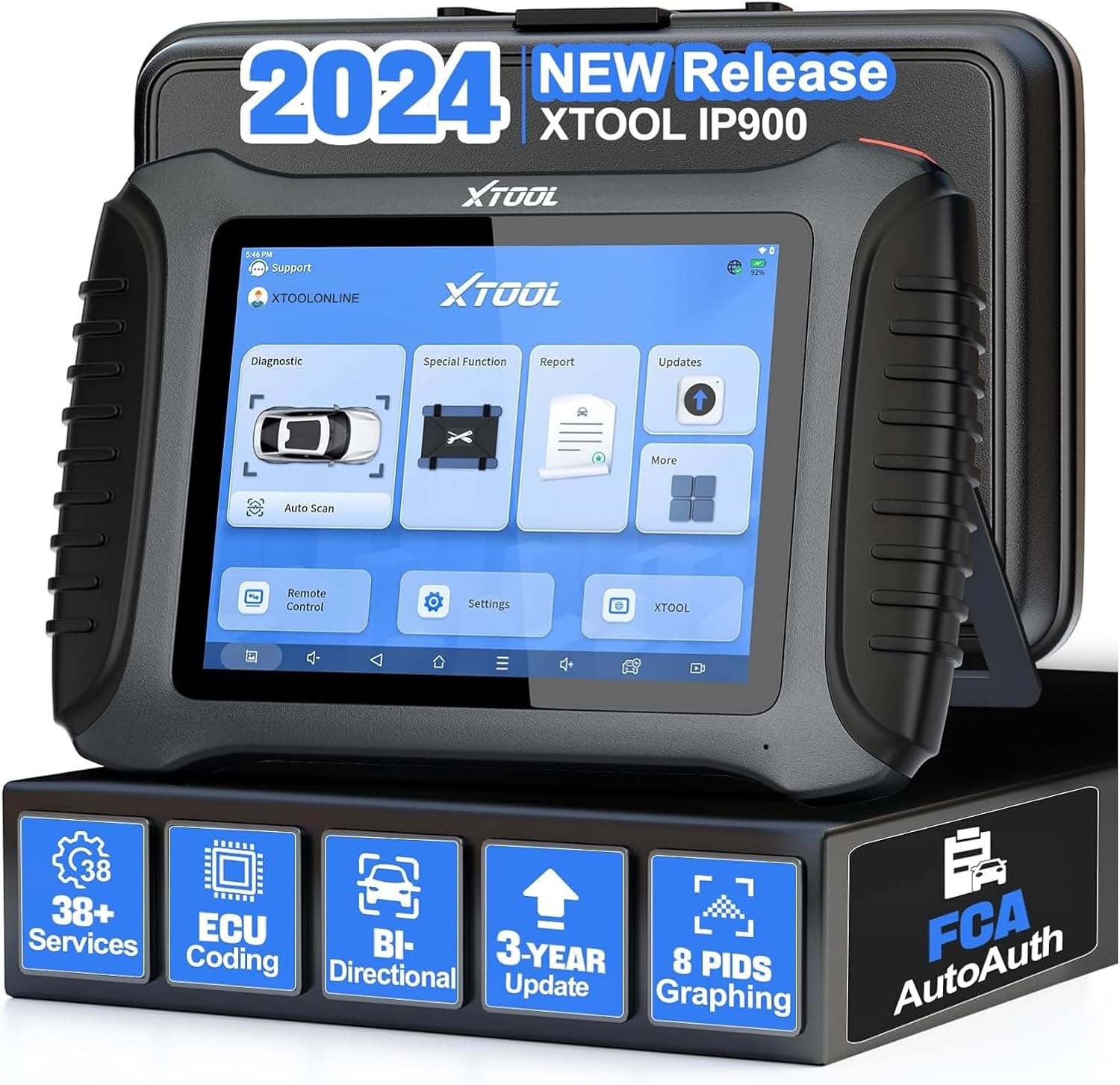
Image: The XTOOL IP900 scanner unit displayed with its carrying case and some accessories, highlighting the product's robust design.
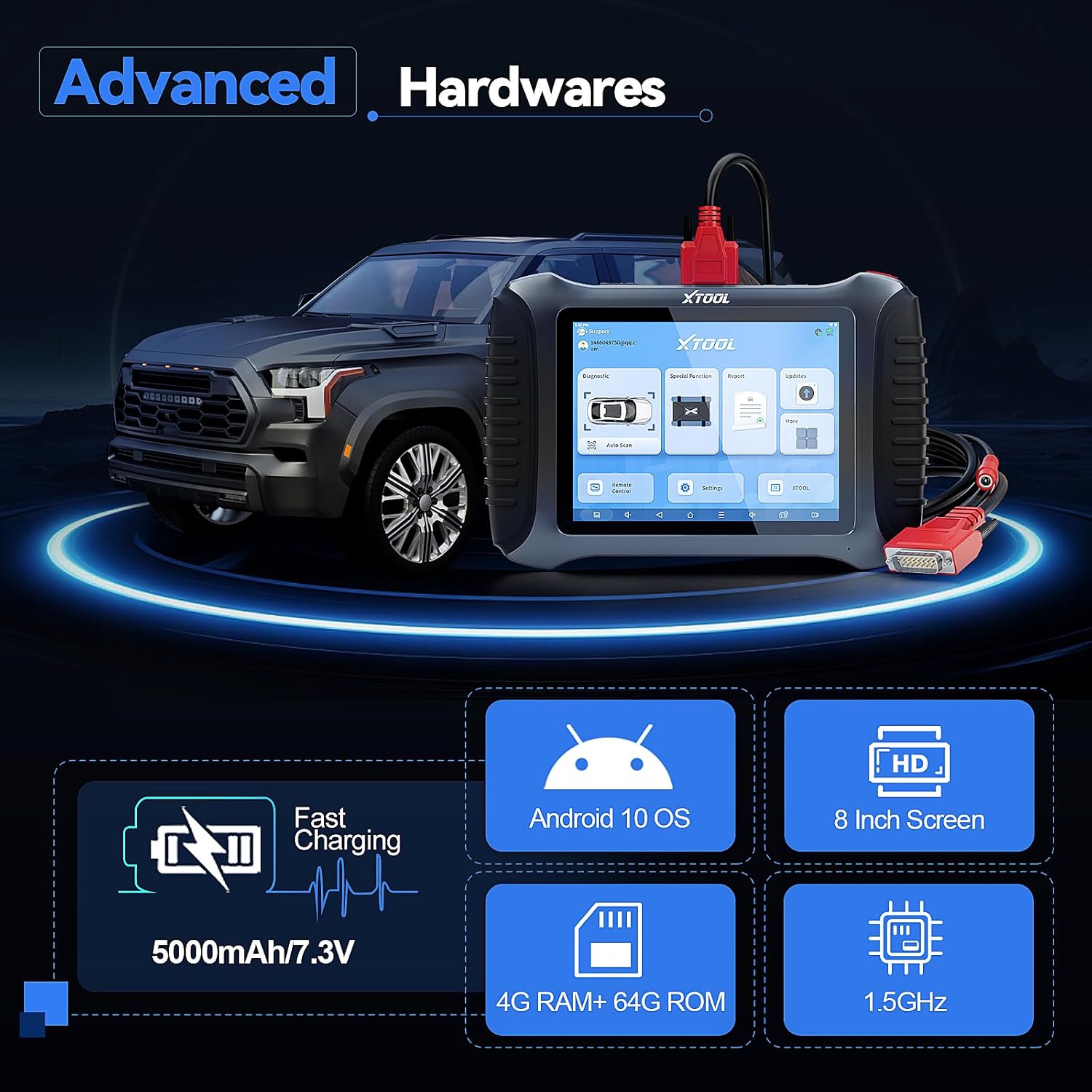
Image: Close-up of the XTOOL IP900, illustrating its advanced hardware components such as the 8-inch HD screen, Android 10 OS, 4G RAM + 64G ROM, and 5000mAh battery.
4. Instruccions de funcionament
4.1 Diagnòstic complet del sistema
The IP900 performs OE-level diagnostics across all available vehicle systems. This allows for comprehensive troubleshooting by reading ECU information, clearing Diagnostic Trouble Codes (DTCs), capturing freeze frames, displaying live data streams, and performing adaptations.

Image: The XTOOL IP900 connected to a vehicle, demonstrating its capability to perform OE-level full system diagnostics, including reading ECU info, DTCs, live data, and freeze frames.
4.2 Bidirectional Controls (Active Tests)
This function allows the tool to send commands to vehicle systems and components to test their functionality. Examples include testing mirrors, lighting control, injectors, A/C clutches, ABS pumps, and fuel composition resets. This helps in quickly pinpointing faulty components.

Image: The XTOOL IP900 interface showing options for bidirectional controls, such as mirror tests, hazard warning lights tests, fuel pump tests, and solenoid tests.
4.3 Special Functions & Maintenance Services
The IP900 offers over 38 special functions for various maintenance tasks. These include:
- Restabliment de la llum d'oli
- Restabliment del fre d'estacionament electrònic (EPB)
- Calibració del sensor d'angle de direcció (SAS).
- Supplemental Restraint System (SRS) Reset
- ECU Configuration
- Restabliment del sistema de control de la pressió dels pneumàtics (TPMS)
- Reparació Airbag
- Restabliment del sistema de gestió de bateries (BMS)
- Reinicialització de l'accelerador
- Sagnat de l’ABS
- Codificació d'injectors
- Partit de la caixa de canvis
- Calibratge de la suspensió
- Tire Upgrade
- Equilibri de poder
- Ajust dels fars
- Canvi d'idioma
- A/F Settings
- Atura/Comença la restabliment
Note: Specific function availability may vary by vehicle model and year. Always verify compatibility before performing critical functions.

Image: The XTOOL IP900 screen showing a selection of its 38+ special functions, including Oil Light Reset, BMS Reset, TPMS Reset, ABS Bleeding, Airbag Reset, Throttle Relearn, ECU Configuration, ADAS Calibration, and Injector Coding.
4.4 Advanced ECU Coding & PMI Function
The IP900 supports advanced ECU Coding for specific brands like BENZ, Mitsubishi, VW, AUDI, and SKODA. This allows for customization of vehicle settings, such as activating hidden features or disabling unwanted ones. The PMI (Programmable Module Installation) function is specifically designed for Ford, Lincoln, and Mazda vehicles, facilitating the transfer of data to new modules after replacement.

Image: The XTOOL IP900 interface demonstrating advanced ECU Coding capabilities for brands like BENZ, Mitsubishi, VW, AUDI, and SKODA, along with PMI support for Ford, Lincoln, and Mazda.
4.5 Protocol Support & Vehicle Coverage
The XTOOL IP900 supports standard OBDII/EOBD protocols, as well as advanced CAN FD (for GM 2020+ vehicles) and DoIP (for BMW E/F/G Chassis, Jaguar, Land Rover). It is compatible with over 10,000 vehicle models, including US vehicles from 1996 and newer, and EU vehicles from 2001 and newer. The FCA AutoAuth feature allows for enhanced diagnostics on FCA vehicles (Chrysler, Jeep, Dodge 2018 and later) without gateway restrictions in North America.

Image: The XTOOL IP900 highlighting its support for CAN FD, DoIP, and FCA AutoAuth protocols, along with its broad vehicle compatibility for USA (After 1996), Europe (After 2001), and Asia (After 2008) models.
4.6 Data Management & Reporting
The IP900 offers powerful graphical data streams, allowing up to 8 PIDs (Parameter IDs) to be displayed simultaneously for detailed analysis. Data streams can be exported as CSV files, and comprehensive diagnostic reports can be generated and printed. The 2025 Enhanced Diagnostic Report 2.0 provides versatile features with four types of reports, clear visual icons, personalized repair shop logos, and an updated email format for easy sharing.
The device also includes enhanced pre-scan and post-scan capabilities. Pre-scan identifies existing issues and pending DTCs before repairs, while post-scan verifies that all issues have been resolved after repairs, ensuring the vehicle is in optimal condition.

Image: Visual representation of the XTOOL IP900's pre-scan function to identify issues and post-scan function to verify repairs, showing a car's system status before and after maintenance.
5. Manteniment
To ensure the longevity and optimal performance of your XTOOL IP900, consider the following maintenance guidelines:
- Actualitzacions de programari: Regularly check for and install software updates. These updates provide new features, expanded vehicle coverage, and bug fixes. The IP900 includes 3 years of free software updates.
- Neteja: Use a soft, dry cloth to clean the device's screen and body. Avoid abrasive cleaners or solvents that could damage the surface.
- Emmagatzematge: Store the device in its provided carrying case when not in use to protect it from dust, moisture, and physical damage.
- Cura de la bateria: Per allargar la durada de la bateria, eviteu descarregar-la completament amb freqüència. Carregueu el dispositiu regularment, sobretot si l'emmagatzemareu durant un període prolongat.
6. Solució De Problemes
If you encounter issues with your XTOOL IP900, consider the following common troubleshooting steps:
- El dispositiu no s'encén: Ensure the battery is charged. Connect the charger and attempt to power on again.
- Sense comunicació amb el vehicle: Verify that the OBDII cable is securely connected to both the IP900 and the vehicle's OBDII port. Ensure the vehicle's ignition is in the 'ON' position (engine off or running, as required by the diagnostic procedure). Check vehicle compatibility for the specific function you are trying to perform.
- Bloqueig/retard del programari: Restart the device. Ensure sufficient free storage space. Close any unnecessary applications running in the background.
- Problemes d'actualització: Ensure a stable Wi-Fi connection during updates. If an update fails, try again or contact support.
For more detailed troubleshooting or issues not covered here, please refer to the 'Warranty and Support' section for assistance.
7. Especificacions
| Característica | Especificació |
|---|---|
| Model | AZ-XO-IP900 |
| Sistema operatiu | Android 10.0 |
| Processador | Quad-core 1.5 GHz |
| Memòria | 4 GB de RAM + 64 GB de ROM |
| Mostra | 8 polzades, resolució 1024 x 768 |
| Capacitat de la bateria | 5000mAh (7.3V) / 10000mAh (3.7V) Lithium Ion |
| Protocols compatibles | OBDII, EOBD, CAN FD, DoIP |
| Idiomes admesos | 15 (English, German, Spanish, French, Portuguese, Russian, Italian, etc.) |
| Pes de l'article | 6.93 lliures |
| Dimensions del paquet | 15.51 x 12.6 x 4.88 polzades |
8. Garantia i Suport
The XTOOL IP900 comes with a 3-year software update period, ensuring your device remains current with the latest vehicle coverage and features. XTOOL is committed to providing excellent customer service.
For technical assistance, product inquiries, or support, please utilize the 24-hour assistance provided by XTOOL. You can also visit the official XTOOL store for more information and resources: XTOOL Official Store.


