1. Producte acabatview
The Aune ARU1 is a high-performance USB-C headphone cable with an integrated Digital-to-Analog Converter (DAC), designed to provide superior audio quality for cable-detachable headphones, including the Aune AR5000. This innovative cable simplifies your audio setup by combining the headphone cable, DAC, and adapter into a single, convenient unit.
It features a dual-core structure with an independent audio bridge controller and an independent DAC, supporting high-resolution audio formats up to PCM768KHz and DSD256. Crafted with HiFi-grade OFC (Oxygen-Free Copper) cable and high-quality gold-plated connectors, the ARU1 ensures excellent signal transmission and durability.
The ARU1 is designed for versatile use, enhancing audio experiences from smartphones, tablets, and computers, whether you're on the go, driving, or enjoying music at home with active speakers.

Figura 1.1: Aune ARU1 USB-C Headphone Cable with its components, including the main cable with integrated DAC, a USB-C to USB-A adapter, and two 3.5mm TRS connectors.
2. Configuració i connexió
The Aune ARU1 is designed for ease of use, offering a plug-and-play experience without the need for complex driver installations or settings.
2.1 Connecting to Headphones
Connect the dual 3.5mm TRS connectors of the ARU1 cable to the corresponding input jacks on your cable-detachable headphones. Ensure a secure connection for optimal audio performance.

Figura 2.1: The ARU1 cable with its 3.5mm TRS connectors, designed to connect directly to cable-detachable headphones, simplifying the audio setup.
2.2 Connecting to Source Devices
The ARU1 features a USB-C connector for direct connection to a wide range of devices:
- Smartphones and Tablets: Directly plug the USB-C end of the ARU1 into your device's USB-C port.
- Computers (USB-C): Connect the USB-C end directly to a USB-C port on your laptop or desktop computer.
- Computers (USB-A): Use the included USB-C to USB-A adapter to connect the ARU1 to a standard USB-A port on your computer.
Once connected, your device should automatically recognize the ARU1 as an audio output device. Select it as your preferred audio output in your device's sound settings if it doesn't switch automatically.

Figura 2.2: The ARU1 demonstrating its compatibility with various devices, including a laptop (via USB-A adapter), a tablet, and a smartphone, highlighting its versatile connectivity.
3. Instruccions de funcionament
The ARU1 is designed to enhance your audio experience across various scenarios.
Reproducció d'àudio 3.1
After connecting the ARU1 to your headphones and source device, simply begin playing audio from your preferred application (music player, streaming service, video player, etc.). The ARU1 will process the digital audio signal and deliver high-fidelity sound to your headphones.
The dual-core structure with independent audio bridge controller and DAC ensures high-resolution audio playback, supporting formats up to PCM768KHz and DSD256.
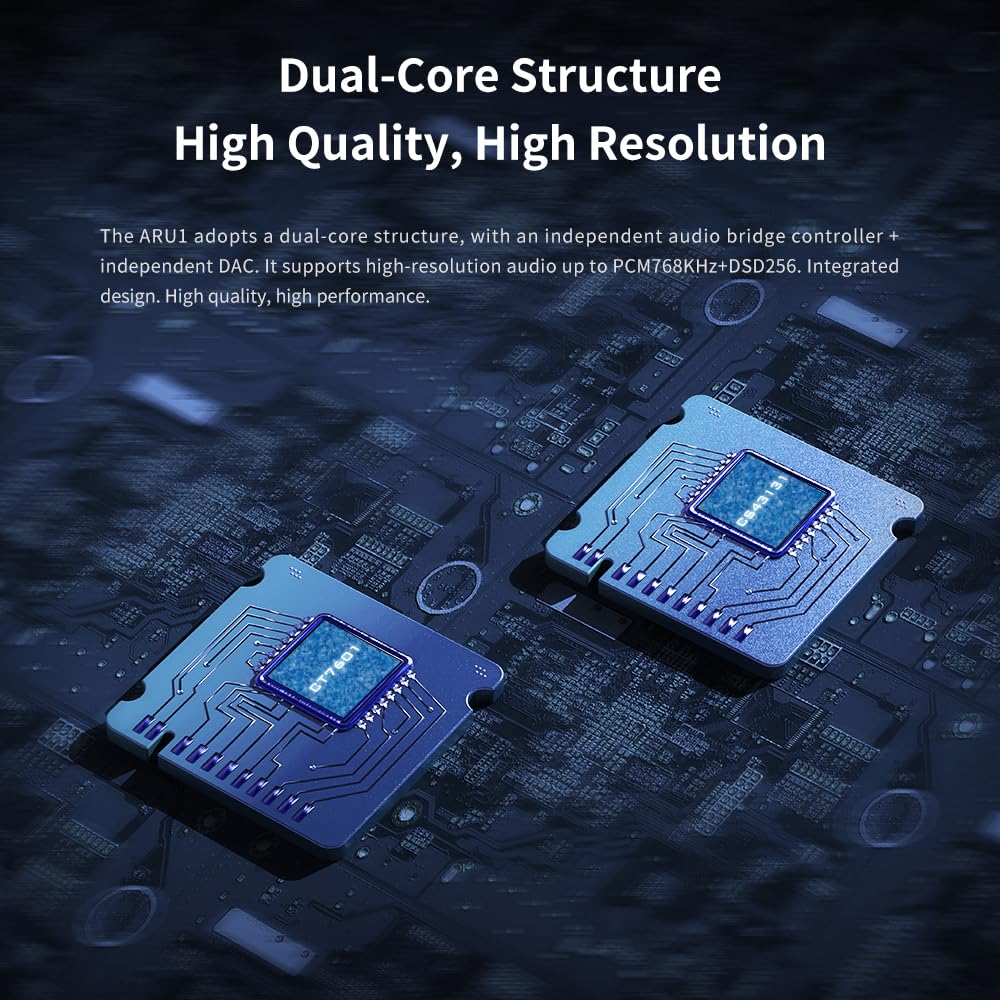
Figura 3.1: An illustrative image showcasing the dual-core structure of the ARU1, emphasizing its independent audio bridge controller and DAC for high-quality, high-resolution audio processing.
3.2 Aplicacions versàtils
- En moviment: Use the ARU1 with your smartphone or tablet for enhanced audio quality during commutes or travel.
- Al cotxe: Connect the ARU1 to your car's audio system (if compatible with USB audio input) to improve the overall sound quality of your in-car entertainment.

Figura 3.2: The ARU1 connected to a car audio system, illustrating its use for enhancing sound quality during travel.
- With Speakers: Pair the ARU1 with active speakers at home to enjoy high-quality sound for music, games, or TV viewing.

Figura 3.3: The ARU1 integrated into a home entertainment setup with active speakers, demonstrating its capability to deliver great sound quality for various activities.
4. Manteniment i cura
To ensure the longevity and optimal performance of your Aune ARU1 cable, follow these simple care guidelines:
- Manipulació: Always grasp the connectors when plugging or unplugging the cable. Avoid pulling directly on the cable itself, as this can damage internal wiring.
- Neteja: Use a soft, dry, lint-free cloth to clean the cable and connectors. Do not use liquid cleaners or abrasive materials.
- Emmagatzematge: Store the cable in a cool, dry place away from direct sunlight and extreme temperatures. Avoid tightly coiling or bending the cable sharply, which can stress the internal conductors.
- Humitat: Keep the device away from water and high humidity. If the cable gets wet, disconnect it immediately and allow it to dry completely before re-using.
5. Solució De Problemes
If you encounter issues with your Aune ARU1, please refer to the following common troubleshooting steps:
- Sense sortida de so:
- Ensure the ARU1 is securely connected to both your headphones and the source device.
- Check your source device's volume level and ensure it is not muted.
- Verify that the ARU1 is selected as the default audio output device in your computer's or smartphone's sound settings.
- Test with another pair of headphones or another source device to isolate the problem.
- Mala qualitat de so / Distorsió:
- Assegureu-vos de la font d'àudio file or streaming quality is high. Low-quality audio sources will not be improved by the ARU1.
- Comproveu si hi ha connexions soltes.
- Prova de reiniciar el dispositiu d'origen.
- Ensure there are no other audio processing applications or drivers interfering with the ARU1's operation.
- Device Not Recognizing ARU1:
- Disconnect and reconnect the ARU1.
- Proveu de connectar-vos a un altre port USB de l'ordinador.
- Reinicieu l'ordinador o el telèfon intel·ligent.
- Assegureu-vos que el sistema operatiu del vostre dispositiu estigui actualitzat.

Figura 5.1: Technical graphs illustrating the high performance and low distortion capabilities of the ARU1, indicating its ability to deliver Hi-Fi level sound quality.
6. Especificacions
| Característica | Detall |
|---|---|
| Número de model | ARU1 |
| Marca | Aune |
| Tipus de connector | USB tipus C |
| Tipus de cable | USB-C |
| Dispositius compatibles | Smartphones, Tablets, Laptops, Headphones (cable-detachable), AR5000 headphones, Computers (USB-C or USB-A) |
| Característica especial | High-Resolution Audio, Simplified Connection, Dual-Core Structure (Independent Audio Bridge Controller + Independent DAC) |
| Supported Audio Resolution | Up to PCM768KHz + DSD256 |
| Dimensions del paquet | 6.77 x 5.04 x 0.91 polzades |
| Pes de l'article | 3.17 unces |
| Fabricant | a un |
| Data de primera disponibilitat | 5 de juny de 2024 |
7. Garantia i Suport
Aune products are designed for reliability and performance. We stand by the quality of our products and offer comprehensive support.
- Garantia: All Aune products come with a Servei postvenda de 2 anys. This warranty covers manufacturing defects and issues arising from normal use. Please retain your proof of purchase for warranty claims.
- Suport postvenda: For any questions, technical assistance, or warranty claims, please contact Aune customer support. You can typically find contact information on the official Aune weblloc web o a través del vostre punt de compra.
- Condició del producte: All Aune products are new and delicately packaged. If you receive a product with traces of use, it may be due to logistics or warehousing. Please contact us immediately to resolve the issue.
For further assistance, please visit the official Aune store or contact their customer service directly.


