Jaguar 190S Electronic Sewing Machine User Manual
Model: 190S
Introducció
This manual provides comprehensive instructions for the safe and efficient operation, setup, and maintenance of your Jaguar 190S Electronic Sewing Machine. Designed for both beginners and experienced users, the Jaguar 190S offers a wide range of features for various sewing and quilting projects. Please read this manual thoroughly before using the machine to ensure optimal performance and longevity.
1. Configuració
1.1 Desembalatge i col·locació
- Traieu amb cura la màquina del seu embalatge.
- Place the machine on a stable, flat surface. Ensure adequate space around the machine for comfortable operation.
- Connect the foot pedal and power cord to the machine and a suitable power outlet (220 Volts).

Figura 1: Frontal view of the Jaguar 190S Electronic Sewing Machine. This image shows the main body of the machine, including the needle area, presser foot, stitch selection panel, and LCD screen.
1.2 Enrotllament de la bobina
- Col·loqueu una bobina de fil al portacarret.
- Guieu el fil a través del guiafils superior i al voltant del disc tensor de la bobina.
- Col·loqueu una bobina buida a l'eix de la bobinadora.
- Wrap the thread clockwise a few times around the bobbin.
- Empenyeu l'eix de la bobina de bobina cap a la dreta.
- Inicieu la màquina (amb el pedal o el botó d'inici/aturada) per enrotllar la bobina. Atureu-la quan la bobina estigui plena.
- Cut the thread and push the spindle back to the left.
1.3 Enfilar la màquina
- Aixequeu la palanca del peu premsador.
- Col·loqueu el carret de fil al portacarrets.
- Seguiu la ruta d'enfilat numerada que s'indica a la màquina, assegurant-vos que el fil passi per totes les guies i la palanca tirafils.
- Use the automatic needle threader for quick and easy needle threading.
- Insert the wound bobbin into the bobbin case, ensuring the thread feeds correctly through the tension spring.
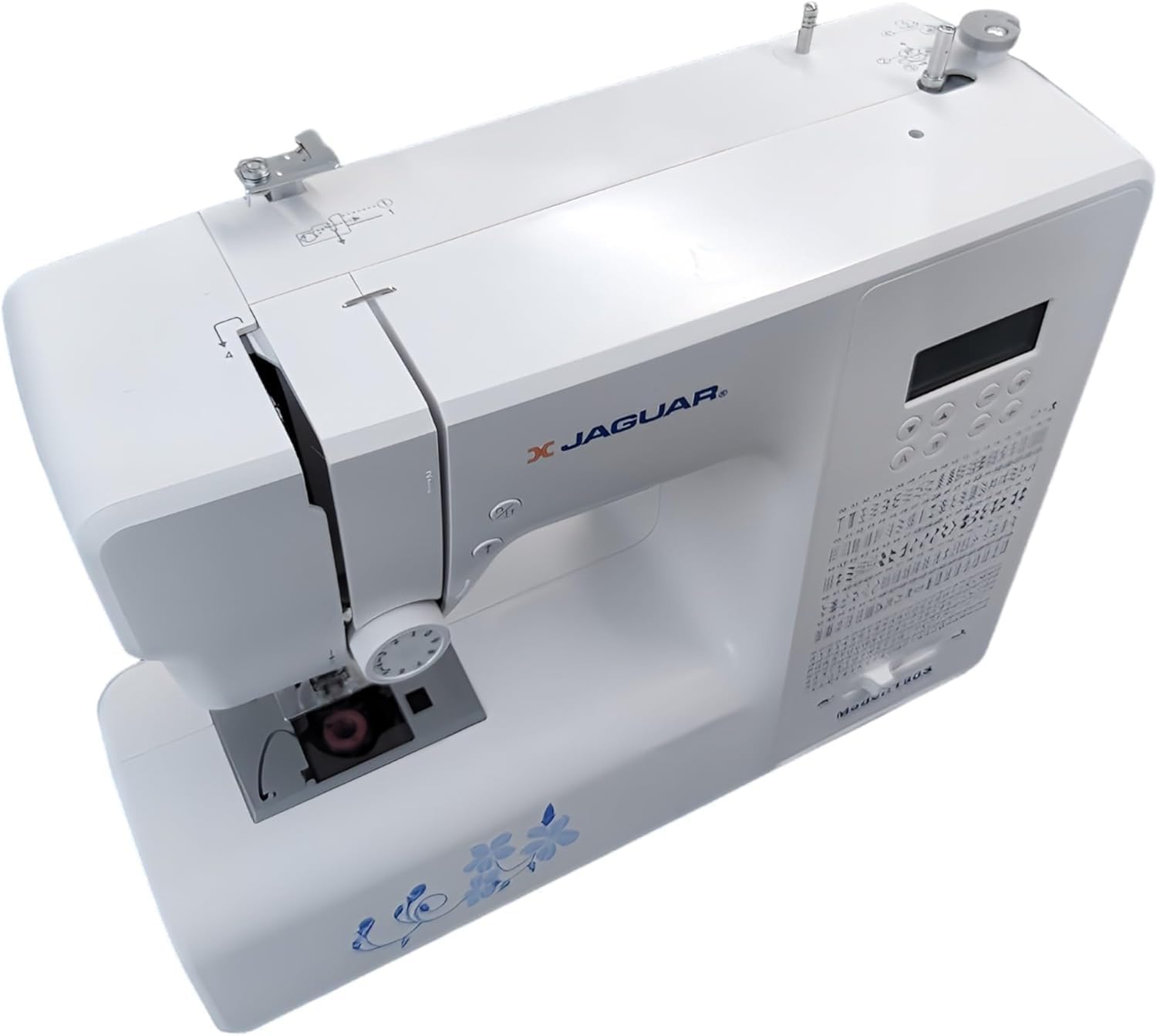
Figura 2: De dalt a baix view of the Jaguar 190S, illustrating the upper threading path and bobbin winding area. This view helps in understanding how to correctly thread the machine.
1.4 Attaching the Needle
- Gireu el volant per aixecar l'agulla a la seva posició més alta.
- Afluixeu l'agulla clamp cargol.
- Introduïu la nova agulla amb el costat pla mirant cap a la part posterior de la màquina, empenyent-la cap amunt fins al fons.
- Apretar l'agulla clamp cargol de manera segura.
1.5 Attaching the Presser Foot
- Aixequeu el aixecador del peu premsador.
- Press the release button on the back of the presser foot holder to remove the current foot.
- Align the desired presser foot with the holder and lower the presser foot lifter until it snaps into place.
2. Instruccions de funcionament
2.1 Controls bàsics
- Pantalla LCD: Displays selected stitch number, length, and width.
- Stitch Selection Buttons: Use the '+' and '-' buttons to navigate through the 200 available stitches.
- Control lliscant de velocitat: Adjusts sewing speed from 150 to 700 stitches per minute.
- Botó d'inici / aturada: Operates the machine without the foot pedal.
- Botó invers: For reinforcing stitches at the beginning and end of seams.
- Botó Pujar/Baixar l'agulla: Posiciona l'agulla completament amunt o completament avall.
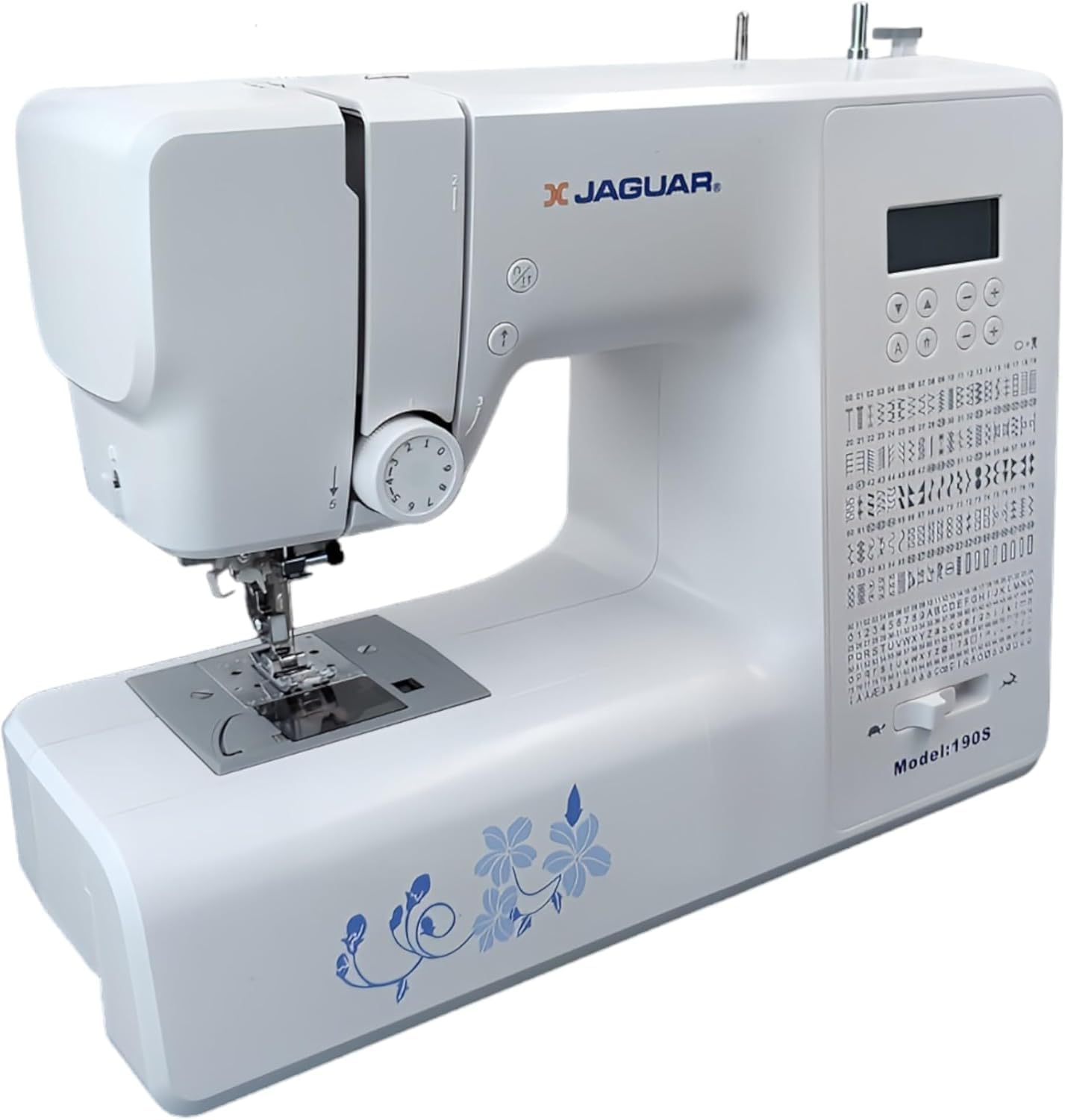
Figure 3: Close-up of the Jaguar 190S control panel and LCD screen. This image highlights the buttons for stitch selection, speed control, and needle positioning.
2.2 Selecció i ajust de puntades
- Turn on the machine. The default stitch (usually a straight stitch) will appear on the LCD.
- Use the stitch selection buttons to choose from the 200 built-in stitches, including utility, decorative, and alphanumeric options.
- The machine automatically sets optimal stitch length and width for the selected stitch. These can be manually adjusted using dedicated buttons if desired (Length: 0-7mm, Width: 0-4.5mm).
Enfilador d'agulles automàtic 2.3
- Ensure the needle is in its highest position.
- Lower the needle threader lever completely.
- Guide the thread as instructed by the markings near the needle.
- Release the lever slowly; a loop of thread will be pulled through the needle eye.
2.4 Traus automàtiques
- Attach the one-step buttonhole foot.
- Place the button you intend to use into the buttonhole foot's size guide.
- Select one of the 8 automatic buttonhole styles from the stitch menu.
- Baixeu la palanca de l’obturador.
- Start sewing; the machine will automatically create the buttonhole to the correct size.
2.5 Free-Motion Sewing and Quilting
- To engage free-motion sewing or quilting, lower the feed dogs using the lever located at the back of the needle plate area.
- Attach a darning or free-motion quilting foot (not included, may be purchased separately).
- Manually guide the fabric to create your desired stitches.
2.6 Ajust de la tensió del fil
- The machine features an adjustable thread tension lever.
- Adjust the tension setting based on the fabric type and thread used. Correct tension results in balanced stitches on both sides of the fabric.
- Test on a scrap piece of fabric before sewing your project.
3. Manteniment
3.1 Neteja de la màquina
- Desconnecteu sempre la màquina abans de netejar-la.
- Regularly clean lint and dust from the bobbin area, feed dogs, and needle plate using the provided brush.
- Wipe the exterior of the machine with a soft, dry cloth. Avoid using harsh chemicals.
3.2 Changing the Needle
- Change the needle frequently, especially after 8-10 hours of sewing or if it becomes bent or dull. A dull needle can cause skipped stitches or fabric damage.
- Refer to section 1.4 for detailed instructions on attaching a new needle.
3.3 Emmagatzematge
- Quan no estigui en ús, cobriu la màquina per protegir-la de la pols.
- Emmagatzemar en un lloc sec i fresc lluny de la llum solar directa.
4. Solució De Problemes
Aquesta secció tracta els problemes habituals que podeu trobar. Per a problemes que no figuren aquí, poseu-vos en contacte amb l'atenció al client.
4.1 Puntades saltades
- Ensure the needle is inserted correctly and is not bent or dull. Replace if necessary.
- Check that the machine is properly threaded, both upper and bobbin threads.
- Use the correct needle type and size for your fabric.
4.2 Thread Breaking
- Verify correct threading and bobbin winding.
- Adjust upper thread tension. Too high tension can cause thread breakage.
- Comproveu si hi ha rebaves o punts rugosos a la placa de l'agulla o a la caixa de la bobina.
- Ensure the needle is not bent or dull.
4.3 Uneven Stitches / Poor Stitch Quality
- Check and adjust thread tension for both upper and bobbin threads.
- Ensure the machine is threaded correctly.
- Utilitzeu fil de bona qualitat.
- Clean the bobbin area from lint and debris.
5. Especificacions
| Característica | Detall |
|---|---|
| Marca | JAGUAR |
| Número de model | 190S |
| Programes de puntada | 200 (including 100 alphanumeric, 8 automatic buttonholes) |
| Longitud de la puntada | 0 mm - 7 mm |
| Amplada de puntada | 0 mm - 4.5 mm |
| Threader d'agulles | Automàtic |
| Sistema de bobines | Quick-insert horizontal hook with automatic winding |
| Mostra | LCD retroil·luminat |
| Control de velocitat | Electronic, 150 to 700 stitches/minute |
| Il·luminació | LED integrat |
| Poder | 35 watts |
| Voltage | 220 Volts |
| Dimensions (L x A x A) | 43 x 23 x 35 cm (aprox. 16.9 x 9.1 x 13.8 polzades) |
| Pes | 5 quilograms (aprox. 11 lliures) |
| Material | Plàstic |
6. Accessoris inclosos
The Jaguar 190S comes with a comprehensive set of accessories to get you started:
- Standard Zigzag Foot
- One-Step Buttonhole Foot
- Peu de punt de setí
- Peu de vora cec
- Peu de cosir amb botó
- Electronic Foot Pedal
- Needles (3 pieces)
- Agulla Doble
- Tap de rodet
- Bobbin Holder
- Screwdrivers (small + for needle plate)
- Bobbins (4 total, one pre-installed)
- Portabobina auxiliar
- Descositador / raspall

Figure 4: A selection of the accessories included with the Jaguar 190S, such as various presser feet, bobbins, needles, and the foot pedal.
7. Garantia i Suport
Your Jaguar 190S Electronic Sewing Machine is covered by a 1 any de garantia for parts and manufacturing defects. Please retain your proof of purchase for warranty claims.
For technical assistance, troubleshooting beyond this manual, or warranty service, please contact your retailer or the official Jaguar customer support. Contact information can typically be found on the product packaging or the manufacturer's weblloc.


