1. Introducció i finalview
This manual provides comprehensive instructions for the safe and proper installation, operation, and maintenance of your XTRARM Axis XL TV Wall Mount. Please read this manual thoroughly before installation and keep it for future reference.
The XTRARM Axis XL is a versatile TV wall mount designed for televisions ranging from 24 to 50 inches (60-125 cm) with a maximum load capacity of 25 kg. It supports VESA standards up to 200x200mm. Its multi-articulated design allows for extensive flexibility, including pan, tilt, swivel, and rotation adjustments, providing optimal viewing angles in various room configurations, including corners.
Les característiques clau inclouen:
- Complete flexibility: Rotatable, turnable, tiltable, and swiveling adjustments.
- Extended arm length up to 108.5 cm for maximum viewflexibilitat.
- Integrated cable management for a tidy installation.
- Suitable for corner mounting.
2. Informació de seguretat
PRECAUCIÓ: Si no es segueixen aquestes instruccions, es poden produir danys materials o lesions personals.
- Always check for incorrect or faulty installation.
- Follow the enclosed installation instructions completely and correctly.
- The fastening materials supplied for wall mounting are intended exclusively for fastening to solid masonry or concrete. For other wall types, such as hollow bricks, plasterboard, or lightweight construction, please contact a specialist retailer for information on suitable fastening elements.
- Do not exceed the maximum load limits specified for the product.
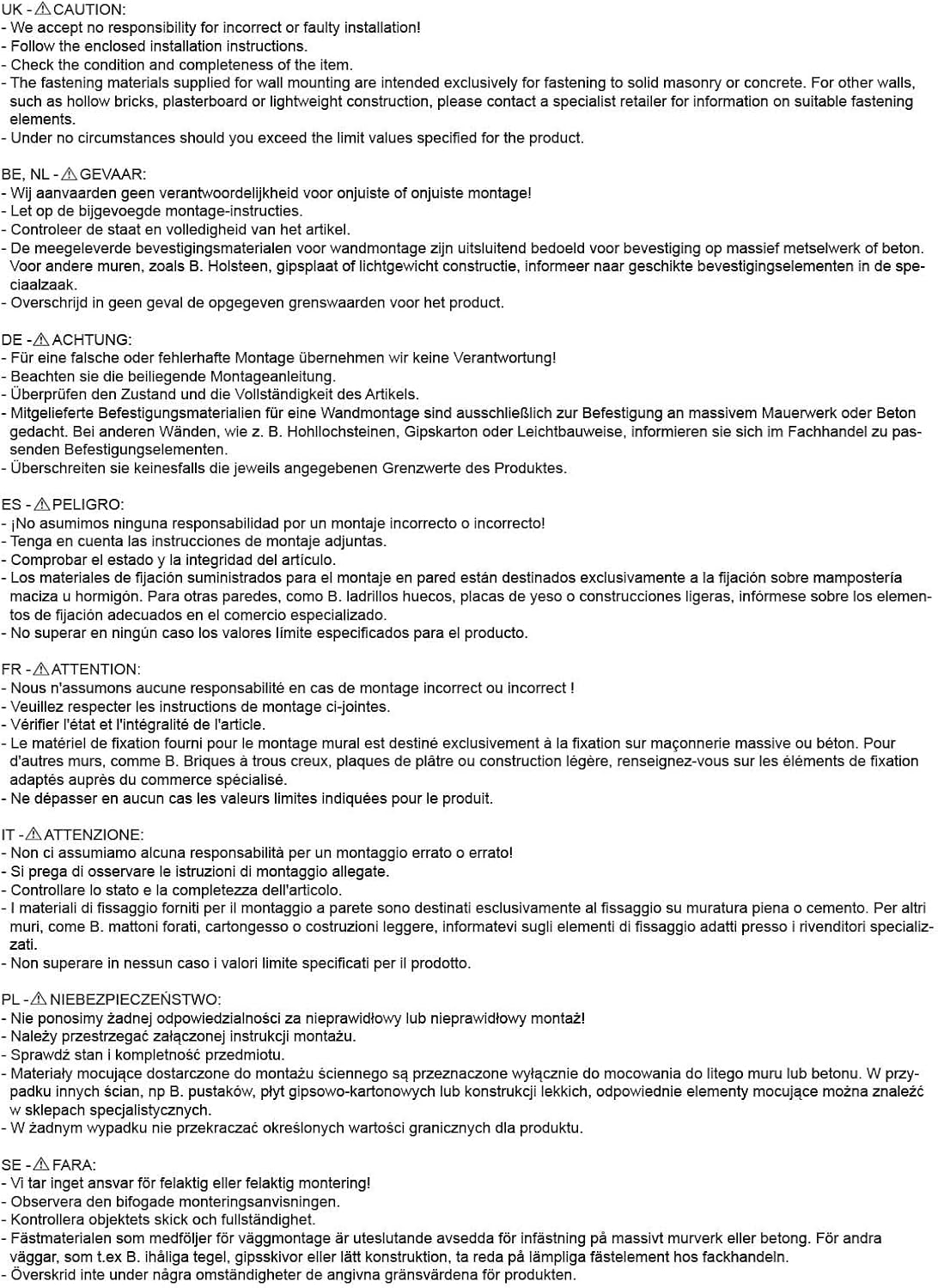
Figura 2.1: Important safety warnings and installation notes provided by the manufacturer. Always adhere to these guidelines for safe installation.
3. Contingut del paquet
Before beginning installation, please verify that all components are present and undamaged. The package should contain:
- XTRARM Axis XL TV Wall Mount assembly
- Standard mounting hardware kit (screws, dowels, washers for wall and TV attachment)
- Manual d'instal·lació
If any parts are missing or damaged, please contact your retailer immediately.
4. Especificacions
The following table details the technical specifications of the XTRARM Axis XL TV Wall Mount:
| Característica | Especificació |
|---|---|
| Nom del model | XTRARM Axis XL |
| Número de model | XTR-LA2080 |
| Mida de TV compatible | 24-50 polzades (60-125 cm) |
| Capacitat de càrrega màxima | 25 kg |
| Compatibilitat VESA | Max. 200x200mm |
| Wall Distance (Min/Max) | 8.5 cm / 108.5 cm |
| Angle d'inclinació | +/- 15 ° |
| Angle de gir | 180° |
| Rotació | 360° |
| Material | Art del ferro |
| Color | Negre |
| Dimensions del producte (L x A x A) | 108.5 x 22.3 x 33.5 cm |
| Pes de l'article | 5.6 kg |
| Gestió de cables | Sí |
| Ideal for Corner Mounting | Sí |

Figura 4.1: Technical drawing showing detailed dimensions and VESA mounting patterns for the XTRARM Axis XL.
5. Configuració i instal·lació
Proper installation is crucial for the safety and stability of your TV. It is recommended to have two people for installation.
5.1. Llista de verificació prèvia a la instal·lació
- Ensure your TV's weight and VESA pattern are within the mount's specifications (Max 25kg, Max VESA 200x200mm).
- Identify the type of wall you are mounting to (solid concrete, brick, wood stud, etc.). Use appropriate anchors and screws for your wall type. Consult a professional if unsure.
- Gather necessary tools: drill, level, stud finder (for wood studs), pencil, measuring tape, screwdriver, wrench.
5.2. Attaching the Wall Plate
- Determine the desired height for your TV. Mark the drill holes for the wall plate on the wall using a pencil and a level.
- Drill pilot holes at the marked locations. The size of the drill bit will depend on the type of wall and the anchors used.
- Inseriu ancoratges de paret (si calen per al tipus de paret).
- Align the wall plate with the drilled holes and secure it firmly to the wall using the provided screws. Ensure the mount is level and securely fastened.

Figura 5.1: The XTRARM Axis XL TV wall mount in its extended position, illustrating the wall plate and the TV mounting plate.
5.3. Attaching the TV Brackets to the TV
- Col·loqueu amb cura el televisor cara avall sobre una superfície suau i neta per evitar ratllades.
- Identifiqueu els forats de muntatge VESA a la part posterior del vostre televisor.
- Seleccioneu els cargols i separadors adequats del kit de maquinari que s'adaptin als forats de muntatge del televisor.
- Attach the TV mounting plate to the back of your TV, ensuring it is centered and securely tightened. Do not overtighten.

Figura 5.2: Un detallat view of the TV mounting plate, highlighting the various VESA hole patterns for compatibility with different TV models.
5.4. Mounting the TV onto the Wall Mount
- With assistance, carefully lift the TV and align the TV mounting plate with the arm of the wall mount.
- Hook the TV mounting plate onto the arm.
- Secure the TV to the mount using the locking mechanisms or screws as per the specific design of the mount. Ensure the TV is firmly attached and cannot be accidentally dislodged.

Figura 5.3: The XTRARM Axis XL mount installed, demonstrating its ability to position a TV effectively in a corner or at an angle to the wall.

Figura 5.4: The XTRARM Axis XL mount is compatible with both flat and curved screen televisions, as illustrated by the curved TV outline.
6. Instruccions de funcionament
The XTRARM Axis XL mount offers extensive adjustability to achieve your preferred viewangle de ing.
6.1. Adjusting the TV Position
- Extensió/Retracció: Gently pull or push the TV to extend or retract the arm, adjusting the distance from the wall (from 8.5 cm to 108.5 cm).
- Girar: Rotate the TV horizontally along the wall to achieve a swivel angle of up to 180 degrees.
- Inclinació: Adjust the vertical tilt of the screen up or down by +/- 15 degrees to reduce glare or optimize viewdes de diferents altures.
- Rotació: The TV can be rotated 360 degrees, allowing for portrait or landscape orientation.

Figura 6.1: Visual representation of the XTRARM Axis XL's full range of motion, including tilt, swivel, and 360-degree rotation.

Figura 6.2: The XTRARM Axis XL mount fully extended, demonstrating its impressive reach of 108.5 cm from the wall.
6.2. Gestió de cables
The mount features integrated cable management to keep your cables tidy and out of sight. Route your TV and power cables along the arms of the mount and secure them using cable ties or clips (not always included, but standard accessories).
7. Manteniment
Regular maintenance will ensure the longevity and safe operation of your TV wall mount.
- Neteja: Netegeu el suport amb un drap suau i sec. No utilitzeu netejadors ni dissolvents abrasius, ja que poden danyar l'acabat.
- Inspecció: Periodically check all screws and bolts to ensure they are tight. Over time, vibrations or adjustments can cause fasteners to loosen.
- Lubricació: If the joints become stiff, a small amount of silicone-based lubricant can be applied to the pivot points. Avoid oil-based lubricants that may attract dust.
8. Solució De Problemes
If you encounter issues with your XTRARM Axis XL TV Wall Mount, refer to the following common problems and solutions:
| Problema | Causa possible | Solució |
|---|---|---|
| La muntura sembla inestable o trontolla. | Loose wall plate screws or incorrect wall anchors. TV weight exceeds capacity. | Ensure all wall plate screws are securely tightened. Verify wall anchors are appropriate for your wall type. Confirm TV weight is within 25 kg limit. |
| Dificultat per ajustar la inclinació, el gir o l'extensió. | Joints are stiff or overtightened. | Apply a small amount of silicone lubricant to the pivot points. Check if any adjustment bolts are overtightened and loosen slightly if necessary. |
| El televisor no està anivellat després de la instal·lació. | Wall plate installed unevenly or TV not properly aligned on the mount. | Re-check the wall plate's levelness. Most mounts have a small degree of post-installation leveling adjustment; consult the specific installation guide for your model. |
| Falten peces del paquet. | Error d'embalatge. | Contact your retailer or XTRARM customer support immediately. |
Si el problema persisteix després d'intentar aquestes solucions, poseu-vos en contacte amb l'atenció al client.
9. Garantia i Suport
The XTRARM Axis XL TV Wall Mount comes with a 5 any de garantia on the TV wall mount itself, covering manufacturing defects and material flaws under normal use.
For warranty claims, technical support, or any questions regarding your product, please contact your point of purchase or visit the official XTRARM weblloc per obtenir informació de contacte.
Please have your model number (XTR-LA2080) and proof of purchase ready when contacting support.


