Introducció
This manual provides comprehensive instructions for the XiNOWY V6 Pro Motorcycle Bluetooth Headset. Designed for seamless communication and entertainment during motorcycling, skiing, and climbing, this headset offers advanced features like noise reduction, multi-rider intercom, and long battery life. Please read this manual thoroughly to ensure proper use and maintenance of your device.
Producte acabatview
The V6 Pro headset is engineered for durability and performance, featuring a robust design and intuitive controls. It supports up to 6 riders for intercom communication and offers clear audio even in challenging environments.

Figure 1: XiNOWY V6 Pro Motorcycle Bluetooth Headset main unit.

Figure 2: Detailed diagram of the V6 Pro headset showing buttons, ports, and connected components like microphone and speakers.
Característiques clau
- 6-Way Full-Duplex Communication: Supports connection for up to 6 people, with the host able to select one of five sub-devices for simultaneous talk. Maximum intercom range up to 1200 meters.
- Reducció avançada del soroll: Utilizes DSP noise cancellation technology to minimize wind and background noise, ensuring clear audio.
- Funcionament amb mans lliures: Bluetooth 5.1 enables automatic answering or rejection of calls within 5 seconds.
- Disseny durador: IP65 waterproof, dust-proof, and sun-proof, suitable for various weather conditions.
- Durada de la bateria ampliada: Equipped with an 850mAh rechargeable battery, providing up to 18 hours of intercom time, 25 hours of music playback, and 260 hours of standby time on a 3-hour charge.
- Universal Helmet Compatibility: Designed to fit full-face, 3/4, flip-up, and modular helmets.
- Amplia temperatura de funcionament: Functions reliably in temperatures ranging from -10℃ to 50℃.
- Àudio d'alta qualitat: Features dynamic audio drivers for great speaker sound, suitable for phone calls, music, and fleet communication.
- GPS Navigation Call Support: Enables clear and easy GPS navigation voice prompts.
Configuració i instal·lació
Mounting the Headset
The V6 Pro headset can be easily mounted to various helmet types using the provided securing clip and adhesive accessories. Ensure the mounting location allows for clear antenna reception and easy access to controls.

Figure 3: Mounting accessories and their application for securing the headset to a helmet.
Connecting Speakers and Microphone
Connect the included speakers and microphone to the headset unit. Position the speakers inside the helmet's ear pockets and the microphone near your mouth for optimal audio quality.

Figure 4: Headset components including the main unit, speakers, and microphone, ready for installation.
Càrrega inicial
Before first use, fully charge the headset. Connect the Type-C charging cable to the headset's charging port and a suitable USB power source. A full charge takes approximately 3 hours.
Instruccions de funcionament
Encès/Apagat
- Encès: Press and hold the Power/Intercom button until the indicator light turns on.
- Apagar: Press and hold the Power/Intercom button until the indicator light turns off.
Emparellament Bluetooth
To pair with your mobile phone or other Bluetooth devices:
- Assegureu-vos que els auriculars estan apagats.
- Press and hold the Power/Intercom button until the indicator light flashes red and blue, indicating pairing mode.
- On your phone, enable Bluetooth and search for "V6 Plus".
- Select "V6 Plus" to connect. Once paired, the indicator light will turn blue.
Comunicació intercomunicadora
The V6 Pro supports multi-person intercom up to 6 riders with a maximum range of 1200 meters. The host unit can select one of the five sub-devices for communication.

Figure 5: Visual representation of the 1200-meter intercom distance and clear transmission capabilities.

Figure 6: Illustration of the two intercom modes: Normal (multi-person) and Private (private channel).

Figure 7: Diagram showing how the multi-user intercom system connects up to 6 riders.
Trucades telefòniques
- Respon a la trucada: Premeu el botó de trucada una vegada.
- Rebutja la trucada: Press and hold the Call button.
- Finalitzar la trucada: Press the Call button once during a call.
- Torna a marcar l'últim número: Premeu dues vegades el botó de trucada.
Reproducció de música
- Reproduir/pausa: Premeu el botó Reproduir.
- Pista següent: Premeu el botó Volum +.
- Pista anterior: Premeu el botó de volum -.
- Ajust de volum: Feu servir els botons Volum + i Volum -.
Navegació GPS
Once paired with your smartphone, the headset will relay GPS navigation voice prompts directly to your ears, ensuring you stay on track without distractions.

Figure 8: Riders utilizing the GPS navigation call feature for clear directions.
Aplicacions
The V6 Pro headset is versatile and suitable for various activities:
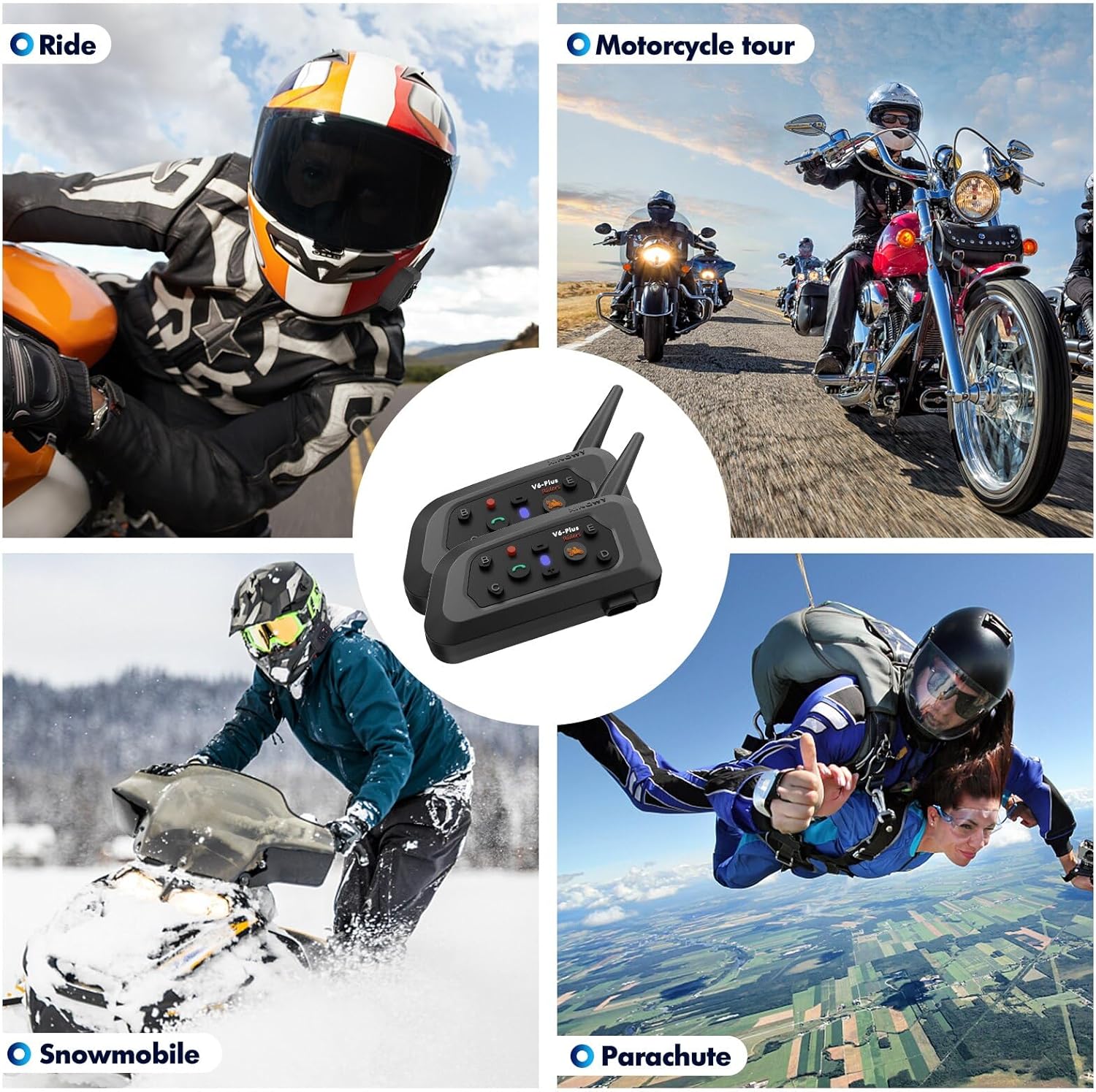
Figura 9: Examples of activities where the V6 Pro headset can be used, such as motorcycling, snowmobiling, and parachuting.
Manteniment
To ensure the longevity and optimal performance of your V6 Pro headset, follow these maintenance guidelines:
- Neteja: Netegeu els auriculars amb un drap suauamp tela. No utilitzeu productes químics aggressivs ni netejadors abrasius.
- Resistència a l'aigua: The headset is IP65 waterproof. While it can withstand splashes and rain, avoid submerging it in water.
- Emmagatzematge: Guardeu els auriculars en un lloc fresc i sec quan no els feu servir. Eviteu temperatures extremes.
- Cura de la bateria: Per a l'emmagatzematge a llarg termini, carregueu la bateria al 50% aproximadament cada pocs mesos per evitar una descàrrega profunda.
Figure 10: The V6 Pro headset's IP65 waterproof rating ensures durability against water splashes.
Resolució de problemes
If you encounter issues with your V6 Pro headset, please refer to the following common problems and solutions:
| Problema | Causa possible | Solució |
|---|---|---|
| Els auriculars no s'encén. | Bateria baixa. | Carregueu els auriculars durant almenys 3 hores. |
| No es pot emparellar amb el telèfon. | Headset not in pairing mode; Bluetooth off on phone. | Ensure headset is in pairing mode (flashing red/blue). Turn phone's Bluetooth off and on. |
| L'intercomunicador no connecta. | Out of range; incorrect pairing sequence. | Ensure units are within 1200m. Re-initiate intercom pairing sequence as per advanced instructions (not detailed here). |
| Mala qualitat d'àudio / Soroll. | Microphone not positioned correctly; high wind noise. | Adjust microphone closer to mouth. DSP noise cancellation should mitigate wind noise, ensure proper helmet fit. |
Especificacions
| Característica | Detall |
|---|---|
| Nom del model | V6 Plus |
| Marca | XiNOWY |
| Tecnologia de connectivitat | Sense fil (Bluetooth 5.1) |
| Control de soroll | Adaptive Noise Cancellation (DSP) |
| Battery Life (Intercom) | 18 hores |
| Durada de la bateria (música) | 25 hores |
| Temps d'espera | 260 hores |
| Temps de càrrega | 3 hores |
| Capacitat de la bateria | Polímer de liti de 850 mAh |
| Nivell de resistència a l'aigua | IP65 (Resistent a l'aigua) |
| Temperatura de funcionament | -10 ℃ a 50 ℃ |
| Gamma d'intercomunicació | Fins a 1200 metres |
| Max Intercom Riders | 6 (host + 5 sub-devices) |
| Material | Policarbonat (PC) |
| Pes de l'article | 8.7 unces |
| UPC | 721545814074 |
Vídeo oficial del producte
Vídeo: Un overview of the V6 Plus Motorcycle Bluetooth Headset, demonstrating its features, connectivity, and installation on a helmet. The video highlights the long range, noise cancellation, and battery life.
Garantia i Suport
For warranty information or technical support, please refer to the contact details provided with your product packaging or visit the official XiNOWY website. If you have any questions about our product, please feel free to contact us. We will give you a satisfactory answer within 24 hours!


