Digital Buds - Manual d'usuari dels auriculars intraauriculars amb cable
Model: GVEB16
Marca: groov e
Introducció
Thank you for choosing the groov e Digital Buds. These USB-C earphones are designed to provide a high-quality audio experience for music playback and hands-free calls. This manual will guide you through the setup, operation, and maintenance of your new earphones to ensure optimal performance and longevity.
Contingut del paquet
- Digital Buds USB-C Earphones
- Earbuds (3X Sizes) - Note: The product description mentions "Includes Earbuds (3X Sizes)", but "whats_in_the_box" only lists "Earphones". Assuming the different sizes are pre-attached or included as accessories with the main earphones.
Producte acabatview
Familiarize yourself with the components of your Digital Buds.
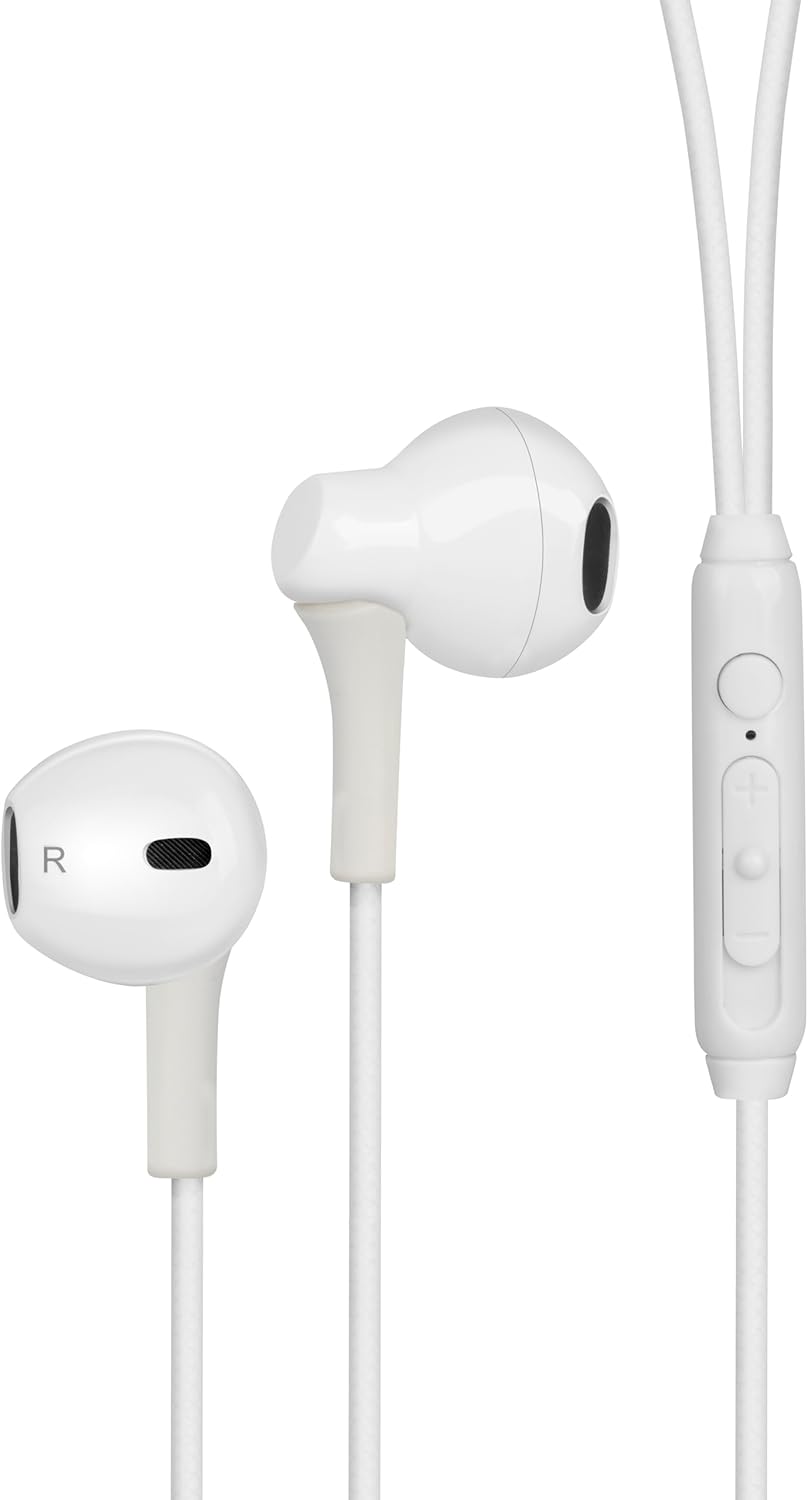
Figure 1: Digital Buds Earphones. This image shows both the left and right earbuds connected by their cable.

Figure 2: In-Line Remote and Microphone. The remote features volume up (+), volume down (-), and a multi-function button for calls and music control. The microphone is integrated into this unit.

Figure 3: USB-C Connector. This connector is used to plug the earphones into compatible devices such as smartphones, tablets, and laptops.
Configuració
- Connecta't al dispositiu: Locate the USB-C port on your smartphone, tablet, or laptop. Insert the USB-C connector of the Digital Buds firmly into the device's USB-C port.
- Earbud Placement: Gently insert the earbuds into your ears. The earbud marked 'L' is for the left ear, and 'R' is for the right ear. Adjust them for a comfortable and secure fit. If necessary, try the different sized ear tips included to find the best fit for optimal sound quality and comfort.
- Reconeixement inicial: Your device should automatically recognize the earphones. You may need to select them as the audio output device in your device's sound settings.
Instruccions de funcionament
El comandament a distància en línia proporciona un control còmode de l'àudio i les trucades.
Reproducció de música
- Reproduir/pausa: Premeu el botó multifunció una vegada.
- Pista següent: Premeu el botó multifunció dues vegades ràpidament.
- Pista anterior: Premeu el botó multifunció tres vegades ràpidament.
- Pujar el volum: Premeu el botó '+'.
- Baixar el volum: Premeu el botó '-'.
Gestió de trucades
- Respondre/Finalitzar la trucada: Press the multi-function button once during an incoming call or an active call.
- Rebutja la trucada: Press and hold the multi-function button for approximately 2 seconds during an incoming call.
Assistent de veu
- Activa l'Assistent de veu: Press and hold the multi-function button for approximately 2 seconds when not on a call or playing music. This will activate your device's default voice assistant (e.g., Google Assistant, Siri).
Manteniment
Proper care will extend the life of your Digital Buds.
- Neteja: Use a soft, dry, lint-free cloth to wipe the earbuds and cable. For stubborn dirt, slightly dampNetegeu el drap amb aigua. No utilitzeu productes químics agressius ni netejadors abrasius.
- Emmagatzematge: When not in use, store the earphones in a clean, dry place, preferably in a small pouch or case to prevent tangling and damage.
- Eviteu la humitat: Do not expose the earphones to excessive moisture, rain, or liquids.
- Manejar amb cura: Avoid pulling on the cable excessively or bending the USB-C connector at sharp angles.
Resolució de problemes
Si teniu problemes, consulteu els problemes i solucions habituals següents.
| Problema | Solució |
|---|---|
| No se sent so dels auriculars. |
|
| El micròfon no funciona durant les trucades. |
|
| Els botons del comandament a distància no responen. |
|
Especificacions
| Característica | Detall |
|---|---|
| Marca | groov e |
| Nom del model | Groove Digital Buds - White |
| Número de model de l'article | GVEB16 |
| Tecnologia de connectivitat | Cablejat (USB-C) |
| Col·locació de l'orella | A l'orella |
| Factor de forma | A l'orella |
| Mètode de control | Remot (en línia) |
| Components inclosos | Auriculars |
| Material | Silicona, plàstic |
| Pes de l'article | 1.06 unces |
| Dimensions del paquet | 6.61 x 2.36 x 1.26 polzades |
| Dispositius compatibles | Tablets, Mobile phones, Laptops, Desktops |
| Usos específics per al producte | Entreteniment |
Garantia i Suport
groov e products are manufactured to high standards and undergo rigorous quality checks. For information regarding warranty coverage, technical support, or customer service, please refer to the warranty card included with your purchase or visit the official groov e weblloc.
Si us plau, conserveu el comprovant de compra per a qualsevol reclamació de garantia.


