Introducció
This manual provides detailed instructions for the setup, operation, and maintenance of your PXN V9 GEN2 PC Steering Wheel. Please read this manual thoroughly before using the product to ensure proper functionality and a safe gaming experience. This steering wheel is designed for an immersive racing and driving simulation experience across multiple platforms.

Image: The complete PXN V9 GEN2 racing wheel set, including the steering wheel, three-pedal unit, and 6+1 gear shifter.
Característiques del producte
- Compatibilitat multiplataforma: Compatible with PC, PS3, PS4, Xbox One, and Xbox Series X/S. Features a dedicated app for personalized steering wheel settings. (Note: The gear shifter is only compatible with simulation driving games and not with racing games.)
- Realistic Racing Wheel Design: Built-in dual vibration motors automatically adjust vibration output according to game scenarios, providing nuanced multi-level vibrations for an immersive driving experience. Formula-style dual paddle shifters allow for easy gear changes.
- High-Precision Base: The base uses a magnetic encoder with a resolution of 16 bits, ensuring precise control during rotation and other operations.
- High-Quality Gear Shifter: The 6+1 gear shifter simulates real vehicle shifting actions and feel. Includes two customizable buttons for high/low gear switching and a handbrake function. Equipped with a mounting clamp for secure attachment to tables up to 4.5 cm thick.
- Hall Effect Pedals: Utilizes Hall effect sensor technology for high precision and excellent linearity, accurately detecting foot pressure. Textured pedals and anti-slip design ensure stable operation. Features pedal indicator lights and two RGB light strips on the wheel for real-time feedback based on throttle and brake input.
- 270&900 Rotation: A physical button allows for easy switching between 270-degree and 900-degree rotation angles. 900-degree is ideal for driving simulation games (e.g., Euro Truck Simulator), while 270-degree is perfect for racing games (e.g., Need for Speed, Forza Horizon 4, GTA 5).
Instruccions de configuració
Follow these steps to set up your PXN V9 GEN2 steering wheel for optimal performance.
1. Attaching the Steering Wheel to a Surface
- Attach the stand to the base of the steering wheel.
- Rotate the stand to the appropriate position and mount it securely on your desk using the provided clamps. Ensure the clamps are tightened to prevent movement during use.
2. Connexió dels pedals i la palanca de canvis
- Place the three-pedal unit in a suitable position on the floor. The foldable design allows for easy storage when not in use.
- Connect the cable from the pedal unit to the 'PEDAL' port on the back of the steering wheel base.
- Attach the 6+1 gear shifter to a suitable position on your desk, ensuring it is stable.
- Connect the cable from the shifter to the 'SHIFTER' port on the back of the steering wheel base.
3. Connecting to PC/Console
- For PC connection, use the provided TYPE-C to USB-A data cable. Connect the TYPE-C end to the 'PC/CONSOLE' port on the steering wheel base and the USB-A end to an available USB port on your PC.
- For console connection (PS3, PS4, Xbox One, Xbox Series X/S), connect the steering wheel to the console's USB port using the appropriate cable.
Video: Detailed unboxing and setup guide for the PXN V9 GEN2 Steering Wheel, demonstrating how to connect components and set up for PC gameplay.
Instruccions de funcionament
Rotation Angle Adjustment (270°/900°)
The PXN V9 GEN2 allows you to switch between 270-degree and 900-degree rotation angles using a physical switch on the base of the steering wheel.
- 270-degree: Ideal for fast-paced racing games like Need for Speed, Forza Horizon 4, and GTA 5, offering quick and responsive steering.
- 900-degree: Provides a more realistic driving simulation experience, suitable for games like Euro Truck Simulator and American Truck Simulator, allowing for two and a half turns of the wheel.

Image: Illustration showing the physical switch on the steering wheel base to toggle between 270 and 900-degree rotation modes.
Paddle Shifters and Gear Shifter
The steering wheel features formula-style dual paddle shifters for quick gear changes. The external 6+1 gear shifter provides a realistic manual transmission experience.
- Use the paddle shifters for instant upshifts and downshifts in racing scenarios.
- Utilize the 6+1 gear shifter for a more authentic manual driving experience in simulation games. It includes dedicated buttons for high/low gear and a handbrake function.

Imatge: Primer pla view of the 6+1 gear shifter, highlighting its design and functionality for realistic gear changes.
Funcionament del pedal
The Hall Effect pedals offer precise and linear response for acceleration, braking, and clutch control.
- Apply pressure to the pedals as you would in a real car for responsive input.
- The textured surface and anti-slip design on the bottom ensure the pedals remain stable during intense gameplay.
- Monitor the pedal indicator lights and RGB light strips on the wheel for real-time feedback on throttle and brake input.
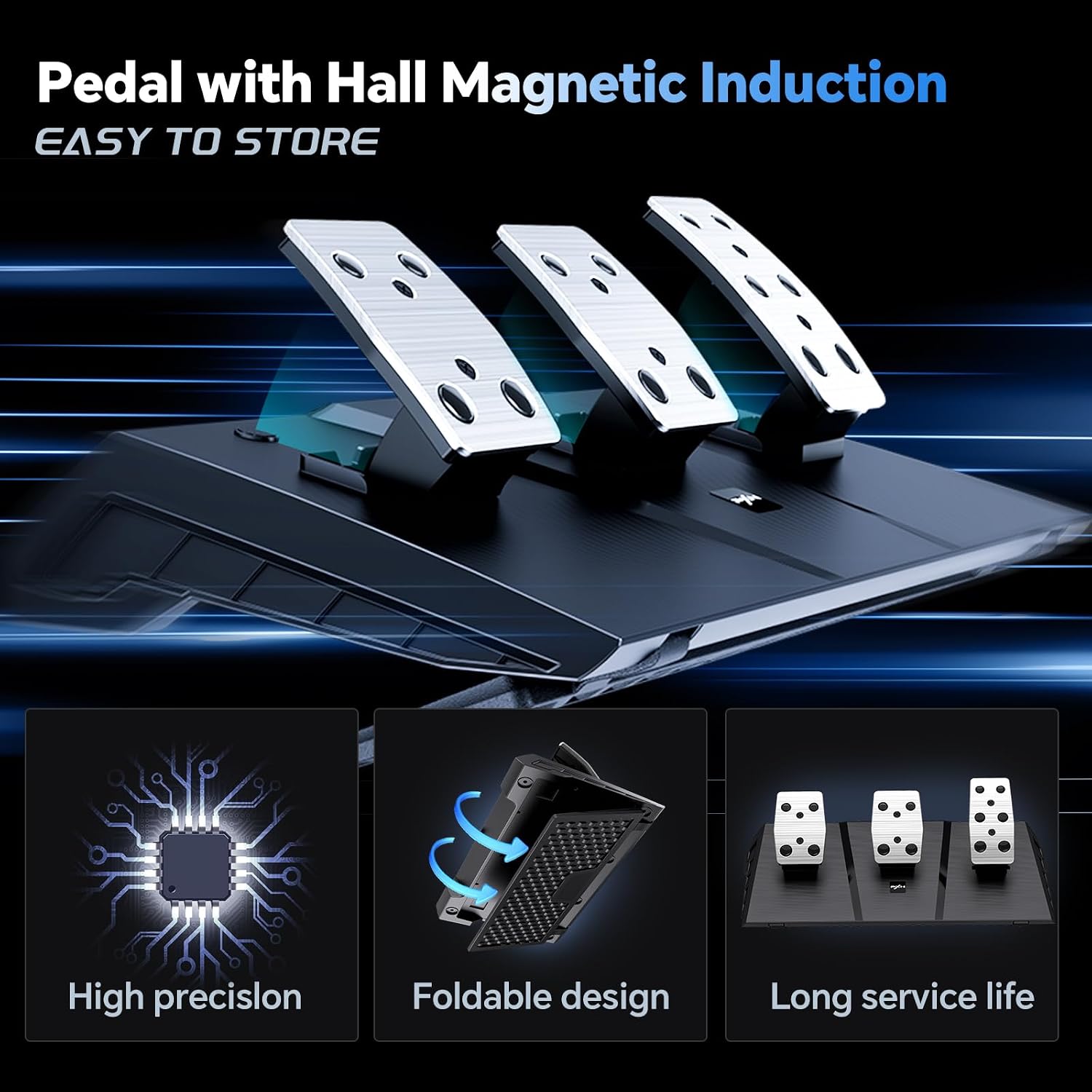
Image: The three-pedal unit, showcasing its Hall magnetic induction technology for high precision and foldable design for easy storage.
Feedback de vibracions
Experience realistic driving sensations with the built-in dual vibration motors.
- The vibration output automatically adjusts based on in-game scenarios, providing nuanced multi-level feedback for bumps, collisions, and terrain changes.

Imatge: Una imatge interna view highlighting the dual vibration motors within the steering wheel, designed to provide realistic feedback.
Efectes d'il·luminació RGB
The steering wheel features RGB lighting effects that change colors based on the mode and provide visual feedback.
- Observe the RGB lights on the wheel for visual cues related to throttle and brake input, enhancing immersion.

Image: The steering wheel illuminated with RGB lighting, demonstrating the visual feedback based on throttle and brake input.
Dedicated App for Adjustments
Personalize your steering wheel settings using the dedicated "PXN Wheel" app, available on Apple App Store and Google Play.
- Download and install the "PXN Wheel" app on your mobile device.
- Use the app to fine-tune various parameters of the steering wheel, such as effective tuning, force feedback, spring force, and damp/friction force.

Image: A smartphone screen displaying the 'PXN Wheel' app interface, showing various adjustable parameters for the steering wheel.
Manteniment
Proper maintenance ensures the longevity and optimal performance of your PXN V9 GEN2 steering wheel.
- Regularly clean the steering wheel, pedals, and shifter with a soft, dry cloth. Avoid using abrasive cleaners or solvents.
- Ensure all cables are securely connected and free from kinks or damage.
- Guardeu la unitat en un lloc fresc i sec, allunyat de la llum solar directa i de temperatures extremes quan no l'utilitzeu.
- Comproveu periòdicament el muntatge clamps for tightness to maintain stability.
Resolució de problemes
If you encounter any issues with your PXN V9 GEN2 steering wheel, refer to the following common troubleshooting steps:
- Sense alimentació/Sense resposta: Ensure all cables are firmly connected to the steering wheel, pedals, shifter, and the PC/console. Try connecting to a different USB port.
- Incorrect Rotation Angle: Verify the 270°/900° switch on the steering wheel base is set to your desired mode.
- Shifter Not Working in Racing Games: The gear shifter is designed for simulation driving games only. It may not function in all racing game titles.
- Vibration Feedback Issues: Check in-game settings to ensure vibration feedback is enabled. Ensure the steering wheel drivers are up-to-date on PC.
- Button Binding Issues: If you need help with button binding or specific game configurations, you can ask customer service for a game binding tutorial.
- Problemes de connectivitat: Ensure your console or PC operating system is up-to-date. For PC, try reinstalling the PXN drivers if available.
Vídeo: Un breu resumview of the PXN PC Steering Wheel, highlighting key features and compatibility, which may assist in basic troubleshooting.
Especificacions
| Característica | Detall |
|---|---|
| Model | V9 GEN2 |
| Compatibilitat | PC, PS3, PS4, Xbox One, Xbox Series X/S |
| Steering Wheel Rotation | 270° / 900° (Switchable) |
| Resolució del codificador | 16-bit Magnetic Encoder |
| Feedback de vibracions | Motors de doble vibració |
| Pedal Technology | Sensor d'efecte Hall |
| Cambio de canvis | 6+1 Manual Gear Shifter with Handbrake |
| Connectivitat | USB |
| Dimensions del paquet | 16.2 x 14.75 x 12.2 polzades |
| Pes de l'article | 13.52 lliures |
Garantia i Suport
PXN is committed to providing high-quality products and customer satisfaction.
- Garantia: The PXN V9 GEN2 racing wheel comes with a 12-month warranty from the date of purchase.
- Atenció al client: If you encounter any product problems or require assistance, please contact PXN customer service. They are available to provide satisfactory answers and support.
- Plans de protecció: Additional protection plans are available for purchase, including 2-Year and 3-Year Protection Plans, and a Complete Protect plan.


