Introducció
This user manual provides detailed instructions for setting up, operating, and maintaining your Ninkear N15 Plus Laptop. Please read this manual thoroughly before using your device to ensure optimal performance and longevity. The Ninkear N15 Plus is a high-performance laptop featuring an Intel N100 processor, a 15.6-inch FHD IPS screen, 16GB DDR4 RAM, and a 1TB SSD, designed for efficient productivity and entertainment.
Què hi ha a la caixa
En obrir el paquet, comproveu que hi hagi tots els elements següents:
- Ninkear N15 PLUS Laptop
- Carregador
- Manual d'instruccions (aquest document)

Image: The Ninkear N15 Plus Laptop, showcasing its sleek design and the included charger.
Guia de configuració
1. Càrrega inicial i engegada
- Connect the provided charger to the Type-C charging port on the laptop and plug it into a power outlet. Ensure the charging indicator light illuminates.
- Allow the laptop to charge for at least 30 minutes before initial use, or until the battery is sufficiently charged.
- Press the power button located on the keyboard to turn on the laptop. The Ninkear logo will appear, followed by the Windows 11 setup screen.
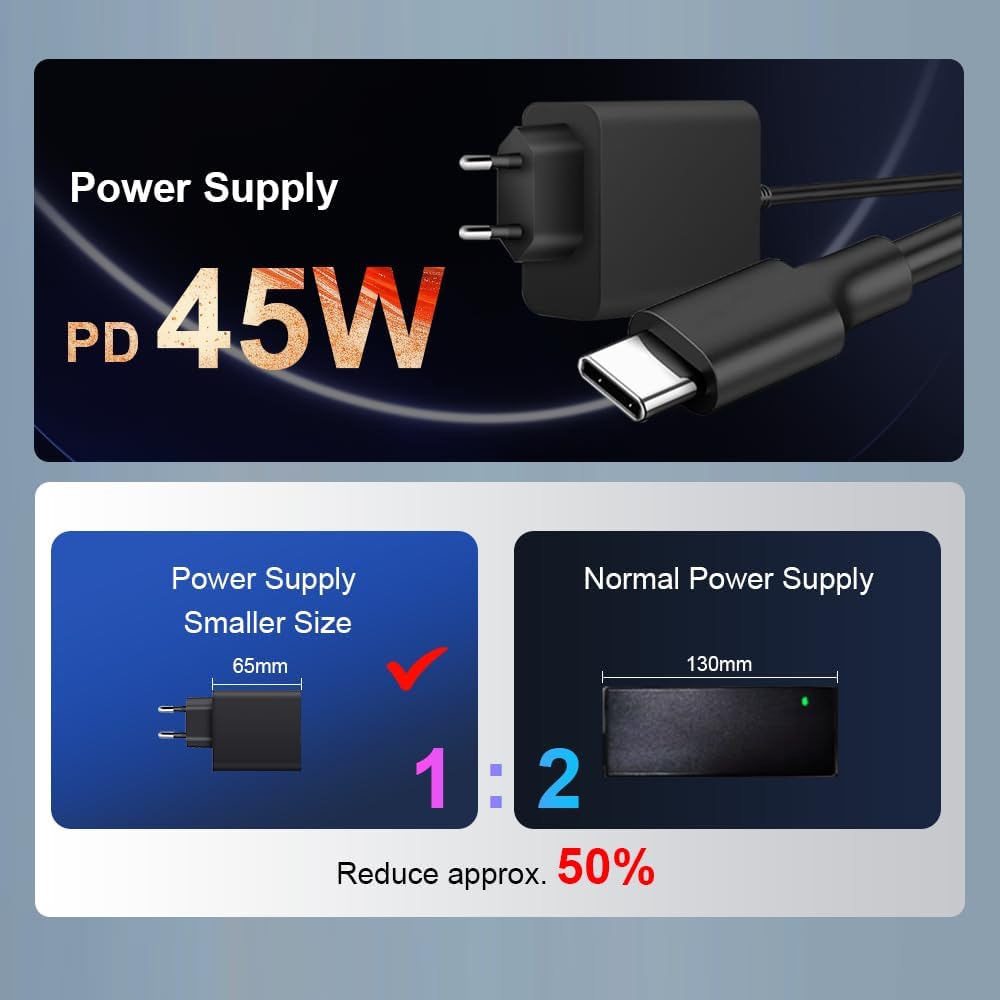
Imatge: Un primer pla view of the N15 Plus laptop connected to its Type-C power supply, highlighting the compact charger design.
2. Configuració del Windows 11
Follow the on-screen prompts to complete the Windows 11 setup process. This typically includes:
- Seleccionant la regió i la disposició del teclat.
- Connexió a una xarxa Wi-Fi.
- Inici de sessió amb un compte de Microsoft o creació d'un.
- Configuració d'un PIN o contrasenya.
- Configuring privacy settings.
Once setup is complete, your laptop is ready for use.
Funcionament del portàtil
Teclat i Touchpad
The N15 Plus features an ergonomic full-size keyboard with a numeric keypad for comfortable typing. The integrated touchpad supports multi-touch gestures for intuitive navigation.
- Teclat retroil·luminat: To turn the keyboard backlight on or off, press the Fn + F5 shortcut key. Three levels of backlight brightness can be adjusted as needed.

Imatge: Un cop mésview of the Ninkear N15 Plus laptop, highlighting its 15.6-inch IPS screen, Intel N100 processor, 16GB DDR4 RAM, 1TB SSD, 89WH battery, Wi-Fi 6, Bluetooth 5.2, Windows 11, and diamond pattern texture.
Desbloqueig d'empremta digital
For enhanced security and quick access, the N15 Plus is equipped with a fingerprint sensor. Set up your fingerprint through Windows Hello in the system settings.
- Fingerprint unlocking takes approximately 0.5 seconds.
Mostra
The laptop features a 15.6-inch Full HD (1920x1080) IPS screen, providing wide viewing angles, accurate color reproduction, and consistent image quality. This display is designed to protect eyesight during extended use.
Connectivitat
The N15 Plus supports modern wireless standards and offers versatile ports:
- Wi-Fi 6: For fast and reliable wireless internet connection.
- Bluetooth 5.2: Per connectar perifèrics sense fil com ara auriculars, ratolins i teclats.
- Ports USB 3.0: Dos ports per a la transferència de dades d'alta velocitat.
- Port HDMI: Per connectar pantalles o projectors externs.
- Type-C Ports: Two Type-C interfaces. The left Type-C port supports PD charging and data transmission. The right Type-C interface supports reverse power supply, allowing you to charge other electronic devices like mobile phones.
- Jack d'àudio: Per a auriculars o altaveus externs.
- Ranura per a targetes TF: Per ampliar l'emmagatzematge o transferir dades des de targetes de memòria.

Imatge: Detallada view of the N15 Plus laptop's side ports, including Audio, TF Card slot, USB 3.0, and Type-C ports with their functionalities (PD charging, data transmission, reverse charging).
Rendiment i emmagatzematge
The N15 Plus is powered by an Intel N100 processor with 4 cores and 4 threads, offering a maximum frequency of 3.4 GHz. This configuration ensures smooth operation for productivity software and supports 4K video decoding and multi-display setups.
- RAM: 16GB DDR4 RAM for efficient multitasking.
- Emmagatzematge: 1TB PCIe SSD provides ample and fast storage for your files, aplicacions i mitjans.

Image: A graph illustrating the performance of the Intel N100 processor compared to other Intel Jasper Lake series CPUs, showing its multi-core and single-core capabilities.

Image: Visual representation of the laptop's 16GB DDR4 RAM and 1TB M.2 SSD, emphasizing fast reading and writing speeds for smooth operation and ampl'emmagatzematge.
Durada de la bateria
The N15 Plus is equipped with a built-in 11600mAh (89WH) high-capacity lithium-ion battery, offering extended usage times.
- Up to 13 hours of working use on a full charge.
- Up to 72 hours of standby time.

Image: A graphic illustrating the impressive 11600mAh battery life of the N15 Plus, showing approximately 13 hours of working time and 72 hours of standby time.

Image: A visual demonstration of the Type-C reverse charging feature, showing the laptop charging a mobile phone.
Manteniment
Neteja
- Feu servir un drap suau i sense borrissol per netejar la pantalla i l'exterior.
- Per a taques persistents, lleugerament dampRenta el drap amb aigua o una solució netejadora de pantalles. Evita productes químics agressius.
- Netegeu regularment el teclat i el touchpad per evitar l'acumulació de pols i brutícia.
Actualitzacions de programari
- Keep your Windows 11 operating system updated to ensure optimal performance, security, and compatibility.
- Check for driver updates periodically from the Ninkear support website (if applicable) or through Windows Update.
Gestió d'emmagatzematge
- Elimina regularment els innecessaris files and applications to free up storage space on your 1TB SSD.
- Consider using cloud storage or external drives for large files to maintain optimal system speed.
Resolució de problemes
This section addresses common issues you might encounter with your Ninkear N15 Plus Laptop.
El portàtil no s'encén
- Assegureu-vos que el carregador estigui connectat correctament tant al portàtil com a una presa de corrent que funcioni.
- Verifiqueu que la presa de corrent funciona connectant-hi un altre dispositiu.
- Allow the laptop to charge for at least 30 minutes before attempting to power it on again.
- If the issue persists, try a different compatible Type-C charger if available.
Screen Remains Blank or Flickers
- Reinicieu l'ordinador portàtil.
- Ensure the display brightness is not set to minimum. Use the function keys (e.g., Fn + F2/F3 or similar, check keyboard icons) to adjust brightness.
- If connected to an external monitor, try disconnecting it or pressing Fn + F10 (or similar, check keyboard icons) to cycle display modes.
Problemes de connectivitat Wi-Fi
- Assegureu-vos que el Wi-Fi estigui habilitat a la configuració de Windows.
- Reinicieu el vostre encaminador Wi-Fi i el portàtil.
- Forget the network and reconnect, re-entering the password.
- Update your Wi-Fi drivers through Windows Update or the Ninkear support weblloc.
Rendiment lent
- Tanca les aplicacions innecessàries que s'executen en segon pla.
- Consulteu el Gestor de tasques (Ctrl+Maj+Esc) per a processos que consumeixen molt de CPU, RAM o disc.
- Ensure your Windows 11 is up to date.
- Run a disk cleanup and defragmentation (for HDD, though SSDs don't need defragging, Windows handles TRIM automatically).
- Escaneja per detectar programari maliciós o virus.
Especificacions
| Característica | Detall |
|---|---|
| Marca | Ninkear |
| Nom del model | N15 PLUS |
| Mida de la pantalla | 15.6 polzades |
| Resolució de pantalla | 1920 x 1080 pixels (FHD IPS) |
| Processador | Intel Processor N100 (4 Cores, 4 Threads, up to 3.4 GHz) |
| RAM | 16 GB DDR4 |
| Disc dur | 1TB SSD (PCIe) |
| Coprocessador gràfic | Gràfics Intel UHD (integrats) |
| Sistema operatiu | Windows 11 |
| Tipus sense fil | Wi-Fi 6 (802.11ax), Bluetooth 5.2 |
| Ports USB | 2 x USB 3.0, 2 x Type-C (one with PD charging/data, one with reverse power supply) |
| Altres ports | HDMI, Audio Jack, TF Card Slot |
| Bateria | 11600mAh (89WH Lithium Ion) |
| Pes de l'article | 4.4 lliures |
| Dimensions del producte | 14 x 9 x 0.25 polzades |
| Característiques especials | Backlit Keyboard, Fingerprint Reader, Numeric Keypad |
Garantia i Suport
Your Ninkear N15 Plus Laptop comes with a manufacturer's warranty. For detailed warranty information, please refer to the warranty card included in your product packaging or visit the official Ninkear weblloc.
For technical support, troubleshooting assistance beyond this manual, or service inquiries, please contact Ninkear customer support through their official channels. Keep your purchase receipt and product serial number handy when contacting support.


